
HyperGear 15077
HyperGear RaveMini Portable Wireless LED Speaker Instruction Manual
Модел: 15077
Увод
The HyperGear RaveMini is a compact, portable wireless speaker designed to deliver powerful sound with an interactive, beat-driven LED light show. This speaker is suitable for both indoor and outdoor use, offering extended battery life and multiple playback options for a versatile audio experience.

The HyperGear RaveMini speaker and its packaging.
Шта је у кутији
- HyperGear RaveMini Portable Wireless LED Speaker
- Мицро УСБ кабл за пуњење
- 3.5mm Stereo Auxiliary Cable
Карактеристике
- Small Size, Big Sound: Engineered with a 40mm neodymium driver for room-filling sound.
- Beat-Driven LED Lightshow: Multi-colored LEDs flash to the beat of your music.
- Бежична повезаност: Connects with any Bluetooth device within a 33-foot range.
- Продужено трајање батерије: Built-in rechargeable battery provides up to 3 hours of wireless playback on a single charge.
- Комуникација без употребе руку: Integrated microphone and intuitive controls for managing calls and playlists.
- Више опција репродукције: Supports Bluetooth, Aux-in, Micro SD memory card, and USB flash drive audio playback.

The RaveMini combines HD sound with a vibrant LED lightshow.

The multi-colored LED lights dance to the beat of the music.
Сетуп
Пуњење звучника
Before first use, fully charge your RaveMini speaker. Connect the included Micro USB charging cable to the speaker's charging port and the other end to a USB power source (e.g., wall adapter, computer USB port). The charging time is approximately 1 hour, providing up to 3 hours of playback.

Enjoy up to 3 hours of music with the RaveMini's extended battery life.
Укључивање/искључивање
Locate the power button on the speaker. Press and hold the power button for a few seconds to turn the speaker on or off. An audible cue or LED indicator will confirm the power status.
Блуетоотх упаривање
- Ensure the RaveMini speaker is powered on and in pairing mode (usually indicated by a flashing LED light).
- На уређају који подржава Bluetooth (паметни телефон, таблет итд.) идите на подешавања Bluetooth-а.
- Тражи available devices and select "HyperGear RaveMini" (or similar name) from the list.
- Once connected, the speaker will provide an audible confirmation, and the LED light may change to a solid color.
- The speaker has a wireless range of up to 33 feet.
Управљање звучником
Контроле и функције
The RaveMini features intuitive controls for managing your audio and calls directly from the speaker. Refer to the specific button layout on your device for functions such as:
- Пусти/паузирај музику
- Adjust Volume (Volume Up/Down)
- Skip Tracks (Next/Previous)
- Одговори/заврши позиве
- Activate Voice Assistant (if supported)
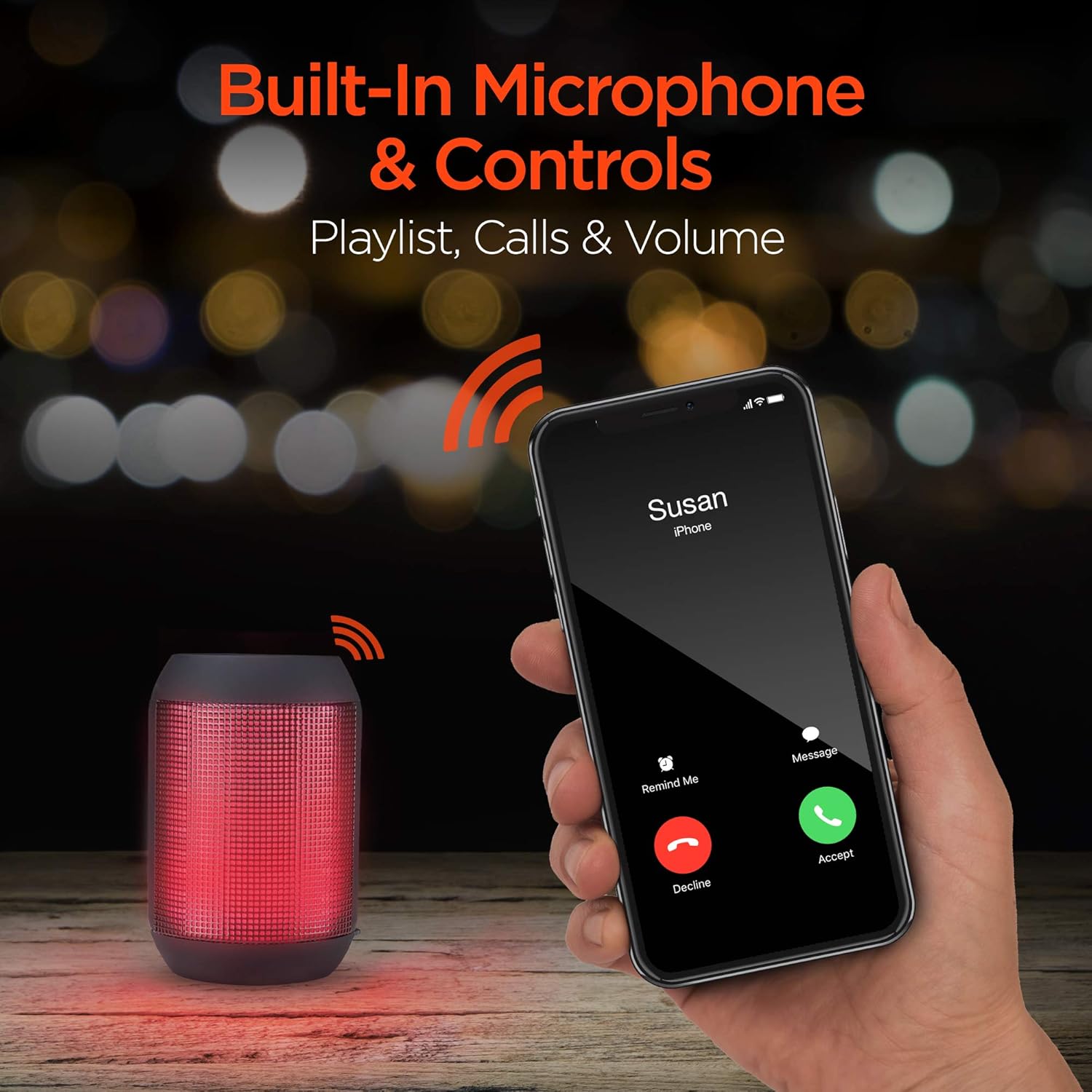
Built-in microphone and controls allow for hands-free calls and playlist navigation.
Режими репродукције
The RaveMini offers four ways to play your audio:
- Блуетоотх: Connect wirelessly to your smartphone, tablet, or other Bluetooth-enabled devices.
- Помоћни улаз: Use the included 3.5mm stereo auxiliary cable to connect to non-Bluetooth devices.
- Мицро СД картица: Insert a Micro SD memory card with audio fileу предвиђени слот.
- УСБ Фласх Дриве: Повежите УСБ флеш диск који садржи аудио fileс на УСБ порт.

The RaveMini supports four versatile playback options.
Одржавање
- Keep the speaker dry. Do not expose it to excessive moisture or liquids.
- Clean the speaker with a soft, dry cloth. Avoid using harsh chemicals or abrasive cleaners.
- Чувајте звучник на хладном и сувом месту када се не користи.
- Избегавајте испуштање или излагање звучника јаким ударима.
Решавање проблема
| Проблем | Могуће решење |
|---|---|
| Звучник се не укључује. | Ensure the speaker is fully charged. Connect it to a power source using the Micro USB cable. |
| Није могуће упарити са Блуетоотх уређајем. |
|
| Нема звука или је јачина звука ниска. |
|
| ЛЕД светла не раде. | Check if the light show feature is enabled (if there's a dedicated button). Ensure the speaker has sufficient battery charge. |
Спецификације
| Феатуре | Детаљ |
|---|---|
| Назив модела | 15077 |
| Спеакер Типе | Оутдоор |
| Посебна карактеристика | Wireless Music + Calls, HD Stereo Sound, Beat-Driven LED Lightshow, Aux-in, Micro SD & USB compatible |
| Препоручена употреба за производ | За музичке плејере |
| Тип контролера | Баттери Поверед |
| Боја | Црно |
| Трајање батерије | 3 сата |
| Време пуњења | 1 сата |
| Је водоотпоран | ФАЛСЕ |
| Контролни метод | Апп |
| Бежична комуникациона технологија | Блуетоотх |
| Величина звучника | 40 милиметара |
| Извор напајања | Баттери Поверед |
| Број батерија | Потребна је 2 ААА батерија. (укључено) |
| Тип аудио драјвера | Динамички возач |
| Блуетоотх домет | 33 стопа |
| Величина аудио драјвера | 40 милиметара |
| Цоннецтивити Протоцол | Блуетоотх |
| Број УСБ 2 портова | 1 |
| УПЦ | 633755150777 |
| Произвођач | ХИПЕРГЕАР |
| Тежина артикла | 10.9 унци |
| ASIN | B07VHTZHJ4 |
| Датум првог доступног | 18. јул 2019 |
| Бранд | ХиперГеар |
| Максимална излазна снага звучника | 5 Ваттс |
| Технологија повезивања | Блуетоотх, помоћни, УСБ |
| Режим аудио излаза | Стерео |
| Тип монтаже | Таблетоп Моунт |
Гаранција
The HyperGear RaveMini Portable Wireless LED Speaker comes with a Limited Warranty. For detailed information regarding warranty coverage, terms, and conditions, please refer to the official HyperGear webсајт или директно контактирајте њихову корисничку подршку. Сачувајте доказ о куповини за потребе гаранције.
Подршка
За додатну помоћ, регистрацију производа или view frequently asked questions, please visit the official HyperGear webсајт:
Visit the HyperGear Store on Amazon
You may also contact HyperGear customer service for direct support.
Ask a question about this manual
Ask about setup, troubleshooting, compatibility, parts, safety, or missing instructions. Manuals+ will review the question and use this page’s manual context to help answer it.