
1. Увод
This manual provides detailed instructions for the installation, operation, and maintenance of your ASHATA 120dB Touch Sensor Security Alarm Door Knob. This device is designed to provide an audible alert upon detecting unauthorized contact with a door or window, enhancing security for your home, office, or shop. Please read this manual thoroughly before using the product to ensure proper function and safety.
2. Безбедносне информације
- Ensure the device is used with the specified 9V battery. Incorrect battery types may cause damage or malfunction.
- Не излажите уређај екстремним температурама, директној сунчевој светлости или влази.
- Keep the device out of reach of children to prevent accidental activation or misuse.
- The alarm produces a loud sound (120dB). Avoid prolonged exposure to the sound at close range to prevent hearing discomfort.
- Не покушавајте сами да растављате или поправљате уређај. За сервис се обратите квалификованом особљу.
3. Садржај пакета
Проверите да ли су све ставке присутне у вашем пакету:
- 1 x ASHATA Touch Sensor Security Alarm
- 1 x Упутство за употребу (овај документ)
Note: A 9V battery is required for operation and is not included in the package.
4. Производ је готовview
The ASHATA Touch Sensor Security Alarm is a compact and portable device designed for easy deployment. It features a sensitive touch sensor and a loud siren to deter intruders.
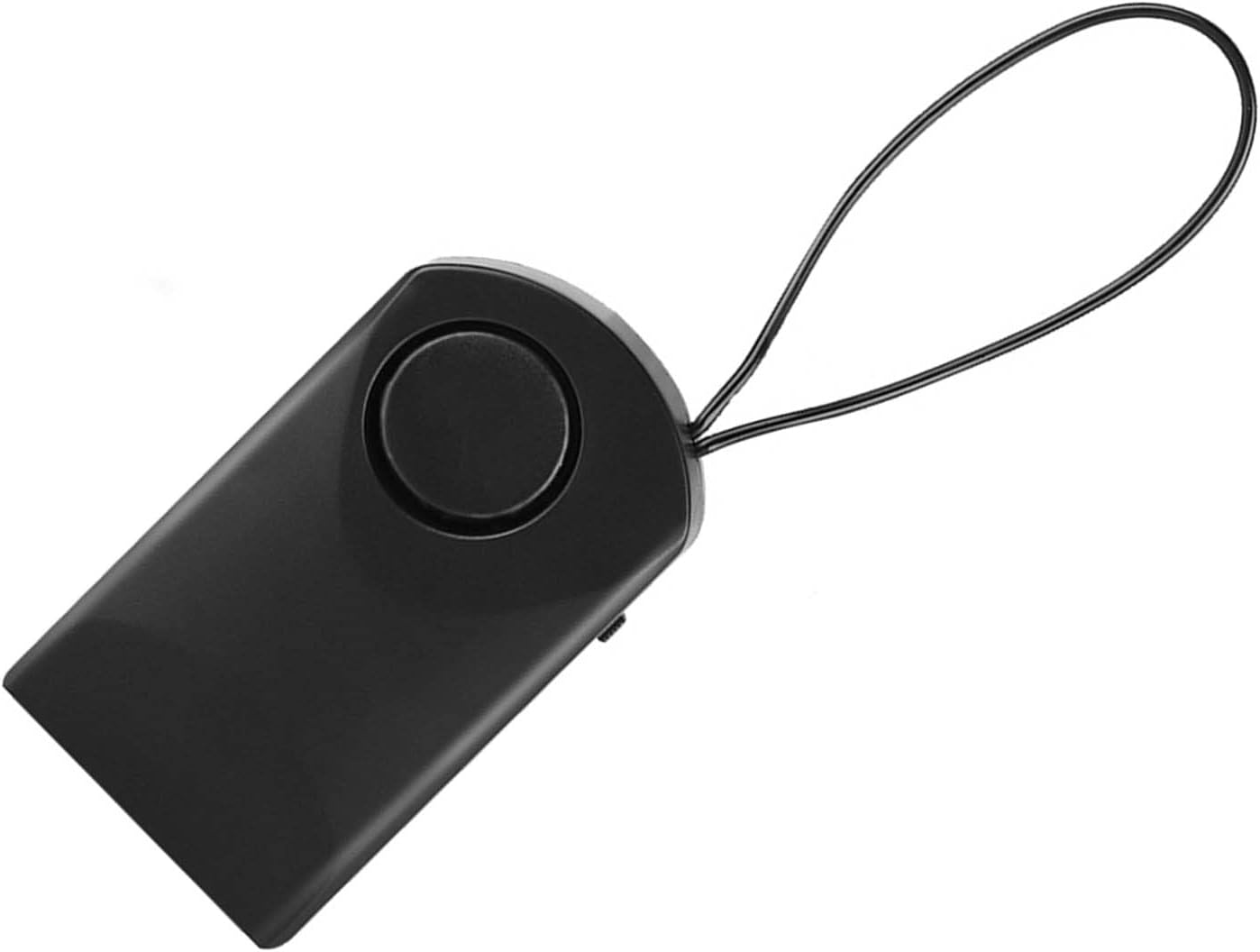
Слика 4.1: Фронт view of the ASHATA Touch Sensor Security Alarm. This image shows the main body of the alarm with the siren speaker visible on the front surface.

Слика 4.2: Сиде view of the ASHATA Touch Sensor Security Alarm, highlighting the ON/OFF switch. The switch allows for easy activation and deactivation of the alarm function.
Кључне компоненте:
- Siren Speaker: Emits a 120dB alarm sound.
- Сензор на додир: Detects contact or vibration.
- ОН/ОФФ прекидач: Активира или деактивира аларм.
- Одељак за батерије: Located on the back (requires 9V battery).
- Петља за вешање: For easy attachment to door handles or knobs.
5. Подешавање
5.1 Инсталација батерије
- Locate the battery compartment cover on the back of the alarm unit.
- Померите или нежно отворите поклопац.
- Уметните нову алкалну батерију од 9 V, водећи рачуна о исправном поларитету (+/-).
- Вратите поклопац одељка за батерије безбедно.
5.2 Монтирање аларма
The alarm is designed for easy, temporary mounting on door handles or knobs.
- Identify the door or window you wish to secure.
- Use the integrated hanging loop to place the alarm over the inside door handle or knob. Ensure the alarm hangs freely and can detect movement.

Слика 5.1: The alarm unit attached to a door handle. The hanging loop allows for quick and easy placement on various door types.

Слика 5.2: The alarm positioned on a door knob, illustrating its use in a bedroom setting for personal security. The alarm is designed to activate if the door knob is touched.
6. Упутство за употребу
6.1 Activating the Alarm
- Once the alarm is securely mounted and the battery is installed, locate the ON/OFF switch on the side of the unit.
- Померите прекидач на ON положај.
- The alarm is now armed. Any significant touch or vibration detected on the door handle/knob will trigger the 120dB siren.
6.2 Deactivating the Alarm
- To deactivate the alarm, slide the ON/OFF switch to the ОФФ положај.
- The alarm will cease to function until reactivated.
Note: The alarm is highly sensitive. Test its sensitivity by gently touching the door handle after activation to ensure it functions as expected.
7. Одржавање
- Чишћење: Обришите уређај меком, сувом крпом. Не користите абразивна средства за чишћење или раствараче.
- Замена батерије: Replace the 9V battery when the alarm sound becomes weak or the unit fails to activate. Always use a fresh alkaline battery.
- Складиштење: If storing the device for an extended period, remove the battery to prevent leakage and damage. Store in a cool, dry place.
КСНУМКС. Решавање проблема
| Проблем | Могући узрок | Решење |
|---|---|---|
| Аларм се не оглашава. |
|
|
| Alarm sounds too easily (false alarms). |
|
|
| Alarm sound is weak. | Ниска батерија. | Replace the 9V battery with a new one. |
9. Спецификације
| Феатуре | Детаљ |
|---|---|
| Модел | ASHATAurz2poca7s |
| Јачина звука аларма | 120 дБ |
| Извор напајања | 1 x 9V батерија (није укључена) |
| Материјал | АБС пластика |
| Контролни метод | Touch Sensor, ON/OFF Switch |
| Тип монтаже | Door Handle/Knob Mount |
| Димензије (приближно) | КСНУМКС к КСНУМКС к КСНУМКС цм (КСНУМКС к КСНУМКС к КСНУМКС инча) |
| Тежина (приближно) | 69 г (2.4 оз) без батерије |
10. Гаранција и подршка
ASHATA products are designed for reliability and performance. For specific warranty details, please refer to the warranty card included with your purchase or visit the official ASHATA webсајту.
If you encounter any issues or have questions regarding your ASHATA Touch Sensor Security Alarm, please contact ASHATA customer support through the retailer where the product was purchased or via the contact information provided on the official ASHATA webсајту.
Please have your model number (ASHATAurz2poca7s) and purchase information ready when contacting support.