
WiMiUS P21
Упутство за употребу пројектора WiMiUS P21
Модел: П21
1. Увод
This manual provides detailed instructions for the setup, operation, and maintenance of your WiMiUS P21 Full HD 1080P LED Projector. Please read this manual thoroughly before using the projector to ensure proper function and longevity of the device.

Слика: Фронт view of the WiMiUS P21 Projector, showing the lens and control panel.
2. Садржај пакета
Проверите да ли су све ставке наведене у наставку укључене у ваш пакет. Ако неке ставке недостају или су оштећене, обратите се корисничкој подршци.
- WiMiUS P21 Projector
- Ремоте Цонтрол
- Повер Цабле
- ХДМИ кабл
- ВГА кабел
- АВ кабл
- Поклопац објектива
- Кориснички приручник (овај документ)

Image: The WiMiUS P21 Projector displayed with its remote control, power cable, HDMI cable, VGA cable, AV cable, and user manual.
3. Карактеристике производа
The WiMiUS P21 Projector offers advanced features for an enhanced viewискуство:
- High Brightness and Contrast: 6500 Lumens brightness and an 8000:1 contrast ratio for clear and vivid images.
- Нативна резолуција 1080P: Delivers a native resolution of 1920x1080 pixels, supporting 1080P at 60Hz and 4K input for detailed visuals.
- Flexible Projection Size: Adjustable projection size from 50 to 300 inches with a projection distance of 1.5 to 6.5 meters.
- Функција дигиталног зумирања: Allows image size reduction from 100% to 75% via remote control without moving the projector.
- Интегрисани аудио: Dual built-in 5W stereo speakers provide clear sound.
- Екстензивно повезивање: Equipped with 2 HDMI ports, 2 USB ports, 1 VGA port, and 1 AV port for connecting various devices.
- Лонг Лamp живот: ЛЕД лamp designed for up to 100,000 hours of operation.

Image: Visual comparison illustrating the difference between 6500 lumens with 8000:1 contrast and lower specifications, highlighting improved clarity and color saturation.
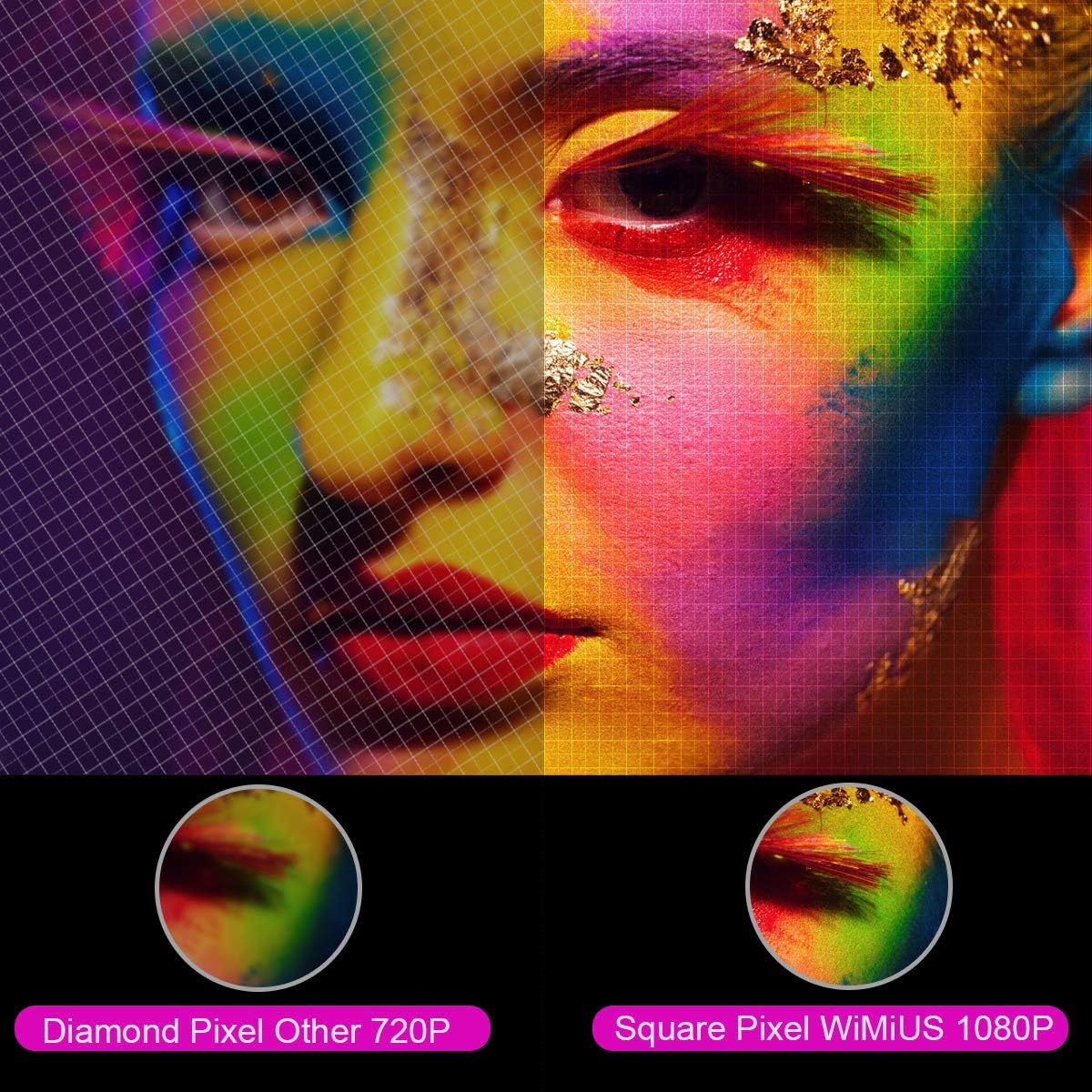
Слика: Увећана view comparing the pixel structure of a 720P projector (diamond pixel) versus the WiMiUS 1080P projector (square pixel), demonstrating higher resolution.

Image: Diagram showing the projector with sound waves emanating from it, indicating the presence of built-in dual 5W speakers.
4. Подешавање
4.1 Постављање
Place the projector on a stable, flat surface or mount it to a ceiling. Ensure there is adequate ventilation around the unit. The optimum projection distance is approximately 3 meters (9.8 feet) for a balanced image size and clarity.

Image: A diagram illustrating various projection sizes (50-300 inches) and corresponding projection distances (1.5m to 6.5m), with an optimal distance of 3m highlighted.
4.2 Прикључак за напајање
- Повежите кабл за напајање са улазом за напајање пројектора.
- Укључите други крај кабла за напајање у утичницу.
- Притисните дугме за напајање на пројектору или даљинском управљачу да бисте укључили уређај.
4.3 Повезивање екстерних уређаја
The P21 projector supports multiple input sources. Refer to the diagram below for port locations.

Image: A detailed diagram highlighting the various connection ports on the projector, including HDMI (x2), USB (x2), AV, Audio Out, Y/Pb/Pr, and PC-RGB (VGA).
- ДВИ: Connect devices like laptops, Blu-ray players, gaming consoles (PS3, PS4, Xbox), Chromecast, or Fire TV Stick using an HDMI cable.
- УСБ: Уметните УСБ диск да бисте репродуковали медије fileс директно.
- VGA (PC-RGB): Connect to a computer using a VGA cable.
- АВ: Користите приложени AV кабл за повезивање старијих уређаја.
- Аудио излаз: По потреби повежите екстерне звучнике или слушалице.
Note: If connecting a device and experiencing no sound, ensure that Dolby Digital output is turned off on the connected device, as the projector may not support it directly.
5. Упутство за употребу
5.1 Укључивање/искључивање
Притисните дугме за напајање на пројектору или даљинском управљачу да бисте укључили или искључили уређај.
5.2 Избор извора
Use the "Source" button on the remote control or projector panel to select the desired input source (HDMI1, HDMI2, USB1, USB2, VGA, AV).
5.3 Фокус и корекција трапезоидног изобличења
- Фокус: Rotate the focus ring near the lens until the image is clear.
- Кеистоне Цоррецтион: Adjust the keystone ring or use the menu settings for vertical ±15° keystone correction to correct distorted images.
5.4 Функција зумирања
The digital zoom function allows you to adjust the image size without moving the projector. Use the zoom controls on the remote control to reduce the image size from 100% down to 75%.

Image: A visual representation of the zoom function, showing a projected image shrinking from 100% to 75% on a screen, controlled by the projector.
5.5 Подешавања менија
Press the "Menu" button on the remote to access settings for picture mode, sound mode, aspect ratio (4:3/16:9), and other advanced options.
6. Одржавање
6.1 Чишћење сочива
Use a soft, lint-free cloth specifically designed for optical lenses to gently clean the projector lens. Avoid using abrasive cleaners or excessive force.
6.2 Чишћење ваздушног филтера
Regularly check and clean the air filter to prevent dust buildup, which can affect performance and lamp life. Refer to the projector's exterior for the air filter location and cleaning instructions.
6.3 Лamp Живот
ЛЕД лamp in your WiMiUS P21 projector has an estimated lifespan of up to 100,000 hours. No user replacement is typically required during the product's operational life. If the lamp stops working, please contact customer support.
КСНУМКС. Решавање проблема
| Проблем | Могући узрок | Решење |
|---|---|---|
| Нема приказане слике | Power cable disconnected, incorrect input source, lens cap on. | Проверите везу за напајање, изаберите исправан улазни извор, скините поклопац објектива. |
| Слика је мутна | Focus not adjusted, projector too close/far from screen. | Adjust the focus ring, ensure optimal projection distance. |
| Слика је искривљена (трапезоидног облика) | Пројектор није нормалан у односу на платно. | Подесите корекцију трапезоидног искривљења. |
| No sound from projector | Volume too low, incorrect audio settings, Dolby Digital enabled on source device. | Increase volume, check audio settings, turn off Dolby Digital on the connected device. |
| Даљински управљач не ради | Batteries depleted, obstruction between remote and projector. | Replace batteries, ensure clear line of sight to IR receiver. |
8. Спецификације
| Феатуре | Детаљ |
|---|---|
| Бранд | ВиМиУС |
| Модел | П21 |
| Осветљеност | 6500 лумена |
| Однос контраста | 8000:1 |
| Нативе Ресолутион | 1920 к 1080 (Фулл ХД) |
| Подршка за максималну резолуцију | 4К Ултра ХД |
| Дисплаи Тецхнологи | ЛЕД |
| ЛЕД Лamp Живот | 100,000 сата |
| Величина пројекције | 50-300 инча |
| Удаљеност пројекције | 1.5 - 6.5 метара |
| Функција зумирања | 100% - 75% (Reduced) |
| Аспецт Ратио | 4:3 / 16:9 |
| Кеистоне Цоррецтион | Окомито ± 15 ° |
| Звучници | Dual built-in stereo (2 x 5W) |
| Повезивање | 2x HDMI, 2x USB, 1x VGA, 1x AV, Audio Out |
| Ниво буке | 30 децибела |
| Потрошња енергије | 140 вати |
| Димензије производа | 32 к 24 к 11 цм |
| Тежина | 2.5 кг |
9. Гаранција и подршка
The WiMiUS P21 HD Projector comes with a lifetime warranty. If the LED lamp stops functioning or any other issues arise with the projector, please contact WiMiUS customer support for assistance or replacement. A repair center is available in the USA for service needs.
For further support, please refer to the official WiMiUS webсајту или се обратите њиховом одељењу за корисничку подршку.
Ask a question about this manual
Ask about setup, troubleshooting, compatibility, parts, safety, or missing instructions. Manuals+ will review the question and use this page’s manual context to help answer it.