
Увод
This manual provides detailed instructions for assembling and operating the CaDA C61508W Claas Dominator 370 Combine Harvester building block set. This remote-controlled model, officially licensed by CLAAS, is a 1:17 scale replica of the Dominator 370 Harvester, featuring 4,567 pieces for a detailed and functional construction experience. It is designed for experienced builders and aims to enhance hand-eye coordination and cognitive skills.
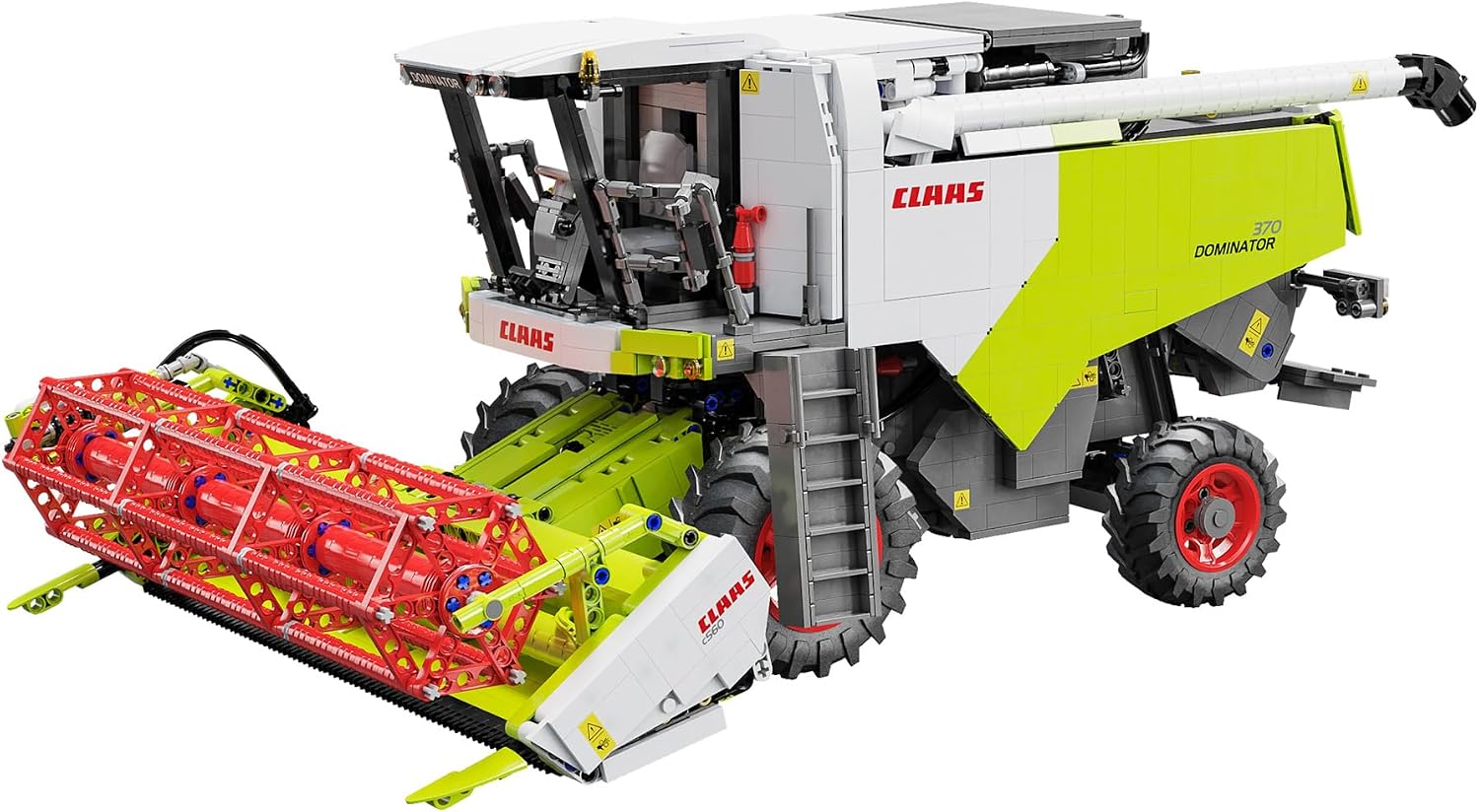
Image: The fully assembled CaDA Claas Dominator 370 Combine Harvester model, showcasing its detailed design and green, white, and red color scheme.
Безбедносне информације
- Препоручени узраст: This building set is suitable for individuals aged 14 years and up.
- Упозорење о малим деловима: The kit contains many small parts which may pose a choking hazard. Keep out of reach of small children.
- Безбедност батерије: Ensure correct battery polarity when inserting. Do not mix old and new batteries, or different types of batteries. Remove batteries if the product is not used for an extended period.
- Упутство за монтажу: Always follow the provided assembly instructions carefully to ensure correct construction and safe operation.
Садржај пакета
The CaDA C61508W Claas Dominator 370 Combine Harvester kit includes 4,567 pieces. Please verify that all components are present before beginning assembly:
- Градивни блокови (4,567 делова)
- Accessories (various mechanical and decorative parts)
- Комплет за даљинско управљање
- 2.4 GHz Remote Control (requires 4 x AA batteries, not included)
- Упутство за монтажу
- 1 Non-standard battery (for the model, included)
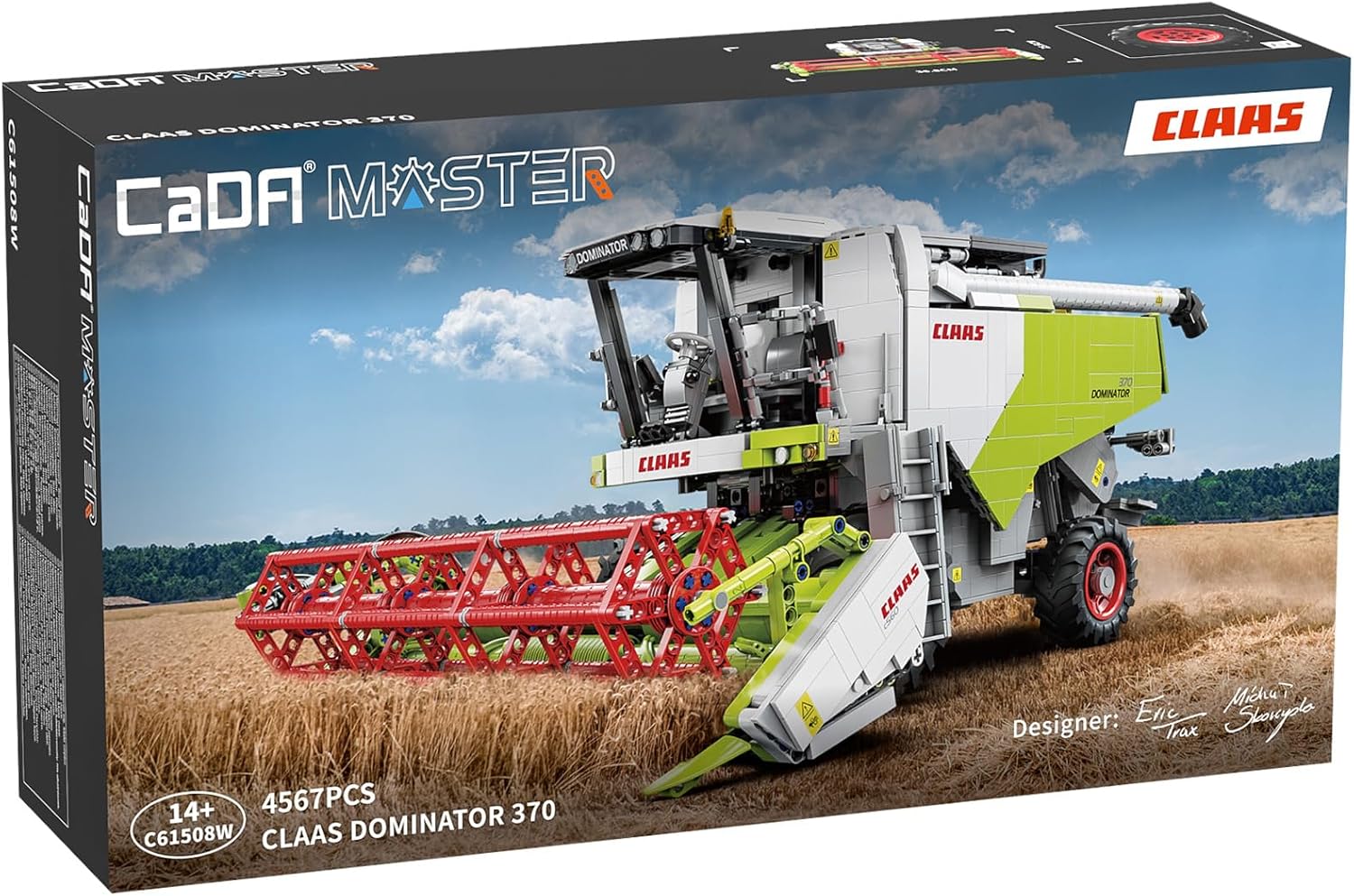
Image: The product packaging for the CaDA Claas Dominator 370, showing the assembled model and key features.
Упутство за монтажу
Follow the detailed step-by-step instructions provided in the included assembly manual. The manual will guide you through the construction of the 4,567 pieces to form the Claas Dominator 370 Combine Harvester.
- Припрема: Unpack all components and organize them by type or color as suggested in the manual. Ensure you have a clear, well-lit workspace.
- Follow Manual Steps: Refer to the comprehensive assembly manual for precise instructions on connecting each block and component. Pay close attention to the diagrams and part numbers.
- Електронске компоненте: Integrate the remote control kit and other electronic components as instructed. Ensure all connections are secure.
- Battery Installation (Model): Install the included non-standard battery into the model as per the manual's instructions.
- Батерије за даљински управљач: Insert 4 x AA batteries (not included) into the 2.4 GHz remote control, observing correct polarity.
- тестирање: Periodically test movable parts and electronic functions during assembly to ensure correct operation.

Слика: Фронт view of the CaDA Claas Dominator 370 model, highlighting the detailed harvesting header.

Слика: Са стране view of the CaDA Claas Dominator 370 model, showing the cabin and large wheels.
Упутство за употребу
The CaDA Claas Dominator 370 model offers a range of interactive functions controlled via the included remote control or a dedicated smartphone application.
Методе контроле
- 2.4 ГХз даљински управљач: Use the dedicated remote control for direct operation. Ensure the remote has fresh AA batteries installed. The control range is over 25 meters.
- Bluetooth Application: Download the official CaDA app by scanning the QR code on the product packaging. The app is available for Android and iOS devices. Connect your smartphone via Bluetooth to control the model.
Кључне функције
- вожња: Control forward, backward, left, and right movements of the combine harvester.
- Harvesting Header Operation: The movable cutting elements of the header are fully functional. Use the controls to activate and adjust them, simulating real cutting mechanisms.
- Grain Discharge System: Operate the detachable and assemblable grain discharge system to replicate the functions of a real combine harvester. The discharge tube can be folded and unfolded.
- Straw Chopper: The straw chopper at the rear of the vehicle can be lifted and lowered via controls.
- Access Ladder: The functional ladder provides access to the upper parts of the model.
- Opening Grain Tank: The upper grain tank can be opened and closed, adding to the model's interactivity.

Image: The CaDA Claas Dominator 370 model with its harvesting header detached and placed on the included transport trailer.
Одржавање
- Чишћење: Use a soft, dry cloth to gently wipe dust and dirt from the model. Avoid using water or chemical cleaners, as these can damage the plastic components or electronics.
- Складиштење: Store the model in a cool, dry place away from direct sunlight and extreme temperatures to prevent material degradation.
- Одржавање батерије: Remove batteries from the remote control if the model will not be used for an extended period to prevent leakage. Ensure the model's internal battery is charged periodically if it's rechargeable.
- Провера компоненте: Periodically inspect all connections and moving parts to ensure they are secure and functioning correctly. Re-attach any loose blocks.
Решавање проблема
- Model Not Responding to Remote Control:
- Check if the model's power switch is ON.
- Ensure the remote control has fresh AA batteries and they are inserted with correct polarity.
- Verify that the model's internal battery is charged.
- Ensure the remote control and model are within the operating range (over 25 meters).
- Re-pair the remote control with the model if necessary (refer to the assembly manual for pairing instructions).
- Проблеми са контролом апликације:
- Уверите се да је Блуетоотх омогућен на вашем паметном телефону.
- Verify that the CaDA app is updated to the latest version.
- Restart the app and the model.
- Покретни делови не функционишу:
- Check for any obstructions or loose blocks preventing movement.
- Ensure all gears and mechanical connections are correctly assembled as per the manual.
- Verify that the model's battery has sufficient charge to power all functions.
- Недостајући или оштећени делови:
- Contact CaDA customer support with your model number (C61508W) and details of the missing/damaged part.
Спецификације
| Тип модела | Remote-controlled Building Block Set |
| Број комада | 4567 |
| Домет даљинског управљача | Преко 25 метара |
| Склопљене димензије (Д к Ш к В) | 57.6 цм к 36.8 цм к 25.6 цм |
| Компатибилност | Components compatible with other CaDA sets |
| Препоручена старост | 14 година и више |
| Контролни метод | 2.4 GHz Remote Control or Bluetooth Application |
| Батерије за даљинско управљање | 4 к АА батерије (нису укључене) |
| Модел Баттери | 1 Non-standard battery (included) |
| Модел производа | Claas Combine Harvester |
| Димензије пакета | 66.7 цм к 37.3 цм к 38 цм |
| Шифра произвођача | Ц61508В |
| Материјал | Plastic Electronic Components |
| Образовни циљеви | Enhances cognitive processes, mechanical understanding, hand-eye coordination, and manual dexterity. |
| Тема | Agriculture, Agricultural Machinery, Vehicle |
| Боја | Green/White/Red |
| Represented Vehicle | Claas Dominator 370 |
| Тежина артикла | 7200 грама |
Гаранција и подршка
For warranty information, missing parts, or technical support, please refer to the contact details provided on the product packaging or visit the official CaDA website. Keep your purchase receipt and model number (C61508W) handy when contacting support.
CaDA is committed to providing high-quality products and customer satisfaction. Do not hesitate to reach out for assistance with your building experience.