
1. Увод
Хвала вам на куповиниasing the ELECTROPRIME Digital Voice Recorder. This device is designed for high-quality audio recording and playback, functioning as both a dictaphone and an MP3 music player. Please read this manual carefully to ensure proper use and optimal performance.
Садржај пакета:
- ELECTROPRIME Digital Voice Recorder (Model: ASHA20BEBUBEB16153)
- УСБ кабл
- Упутство за употребу
2. Производ је готовview
Familiarize yourself with the device's components and controls.
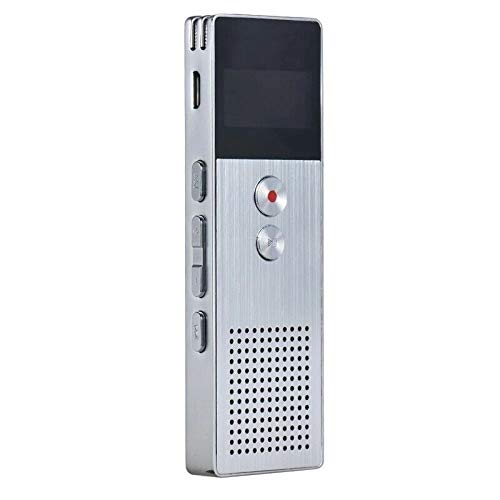
Слика 2.1: Фронт view of the ELECTROPRIME Digital Voice Recorder. This image displays the device's screen, the prominent red record button, and other control buttons on the front panel, along with the speaker grille at the bottom.
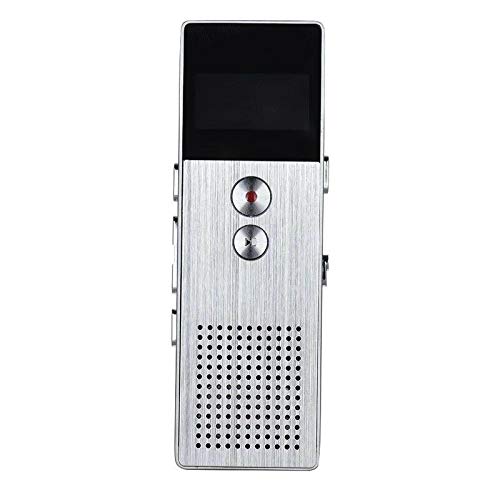
Слика 2.2: Сиде view of the ELECTROPRIME Digital Voice Recorder. This image highlights the side controls, including the power switch, volume buttons, and the USB charging/data transfer port. The device's compact design is visible.
Компоненте уређаја:
- Екран: Приказује статус снимања, време, ниво батерије и опције менија.
- Дугме за снимање: Initiates and stops audio recording.
- Дугме за репродукцију/паузу: Starts and pauses playback of audio files.
- Дугмад за јачину звука (+/-): Подешава јачину звука репродукције.
- Дугме Мени/Режим: Navigates through menus and switches operating modes.
- УСБ порт: За пуњење и пренос података на рачунар.
- микрофон: Built-in stereo microphone for audio input.
- говорник: За директно репродуковање звука.
- Слушалице: За приватно слушање.
- Прекидач: Укључује или искључује уређај.
3. Подешавање
3.1 Пуњење уређаја
Before first use, fully charge the device. Connect the recorder to a computer's USB port or a USB wall adapter (not included) using the provided USB cable. The battery indicator on the screen will show charging status. A full charge typically takes 2-3 hours.
3.2 Укључивање/искључивање
- To power on, slide the Прекидач за напајање у положај ОН.
- Да бисте искључили напајање, померите Прекидач за напајање у положај ОФФ.
3.3 Почетна подешавања
Upon first power-on or after a reset, you may need to set the date, time, and language. Use the navigation buttons to select options and confirm with the Play/Pause button.
4. Упутство за употребу
4.1 Снимање гласа
The device supports high-quality stereo recording in .WAV format, offering up to 23 hours of continuous recording with its 8GB internal memory.
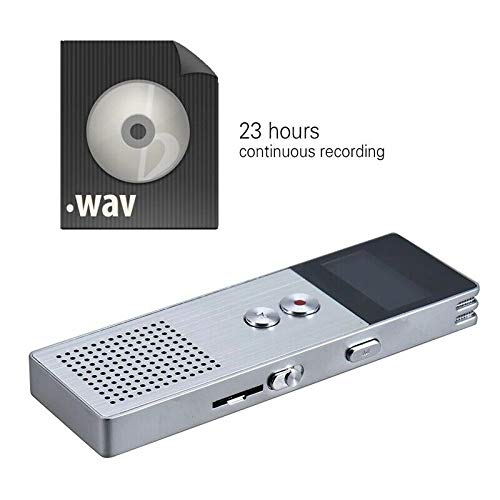
Слика 4.1: The recorder's capability to record in .WAV format and its impressive 23-hour continuous recording capacity are highlighted in this image, alongside the device itself.
- Уверите се да је уређај укључен.
- Притисните тастер Дугме за снимање (red circle) to start recording. The screen will display a recording indicator and elapsed time.
- Да бисте паузирали снимање, притисните Дугме за репродукцију/паузу. Притисните га поново да бисте наставили.
- Да бисте зауставили снимање и сачували file, притисните тастер Дугме за снимање опет. Тхе file ће се аутоматски сачувати.
Савет: For best recording quality, ensure the microphone is not obstructed and the device is placed on a stable surface.
4.2 Репродукција
- In the main menu, navigate to the "Recordings" or "Music" folder using the navigation buttons.
- Изаберите жељену file и притисните тастер Дугме за репродукцију/паузу да бисте започели репродукцију.
- Током репродукције, користите Volume Buttons (+/-) за подешавање јачине звука.
- Притисните тастер Дугме за репродукцију/паузу to pause playback, and again to resume.
- Да бисте зауставили репродукцију, притисните Стоп дугме (if available, otherwise navigate out of playback mode).
4.3 MP3 Music Player Functionality
The device can also function as an MP3 player. Transfer MP3 files to the device via USB connection to your computer.
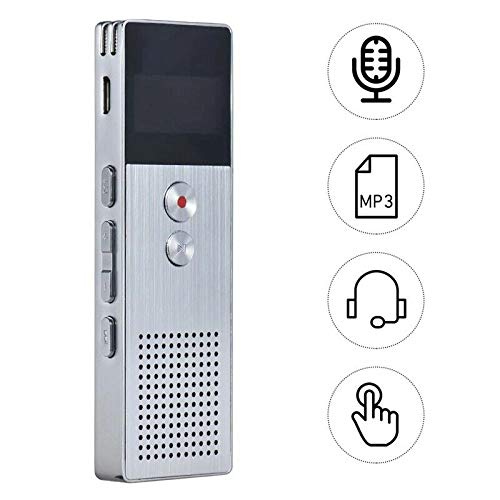
Слика 4.2: This image illustrates the multi-functional capabilities of the device, including its use as a voice recorder (microphone icon), an MP3 player (MP3 icon), and its compatibility with headphones (headphone icon). The touch icon suggests ease of interaction.
- Повежите уређај са рачунаром помоћу УСБ кабла.
- The device will appear as a removable disk. Copy your MP3 files into the "Music" folder on the device.
- Safely eject the device from your computer.
- On the recorder, navigate to the "Music" menu and select your desired MP3 file за репродукцију.
4.4 File Management (Connecting to PC)
To transfer, delete, or organize files, connect the recorder to your computer using the USB cable. The device will be recognized as a mass storage device. You can then drag and drop files as you would with any USB drive.
5. Одржавање
- Keep the device dry. Moisture can damage internal circuits.
- Избегавајте екстремне температуре.
- Немојте испуштати уређај или га излагати јаким ударима.
- Очистите уређај меком, сувом крпом. Не користите јаке хемикалије или детерџенте.
- Regularly back up important recordings to your computer.
КСНУМКС. Решавање проблема
Уређај се не укључује:
- Уверите се да је батерија напуњена. Прикључите се на извор напајања и покушајте поново.
- Проверите да ли је прекидач за напајање у положају ОН.
Не може се снимати:
- Check available memory. If full, transfer files to a computer and delete them from the device.
- Уверите се да микрофон није покривен.
- Verify the device is in recording mode.
Нема звука током репродукције:
- Adjust the volume using the Volume Buttons.
- Ensure headphones are properly connected if using them.
- Проверите да ли је звук file је корумпиран.
Рачунар не препознаје уређај:
- Пробајте други УСБ порт или УСБ кабл.
- Ensure the device is powered on when connected.
- Поново покрените рачунар.
7. Спецификације
| Бранд | ЕЛЕЦТРОПРИМ |
| Број модела | ASHA20BEBUBEB16153 |
| Мемори Стораге | 8 ГБ |
| Формат снимања | ВАВ |
| Формати репродукције | МПКСНУМКС, ВАВ |
| Микрофон | Стерео |
| Континуирано снимање | До 23 сати |
| Повезивање | УСБ |
8. Гаранција и подршка
For warranty information or technical support, please refer to the product packaging or contact ELECTROPRIME customer service through their official website or the retailer where the product was purchased. Please have your model number (ASHA20BEBUBEB16153) and purchase details ready.