
Увод
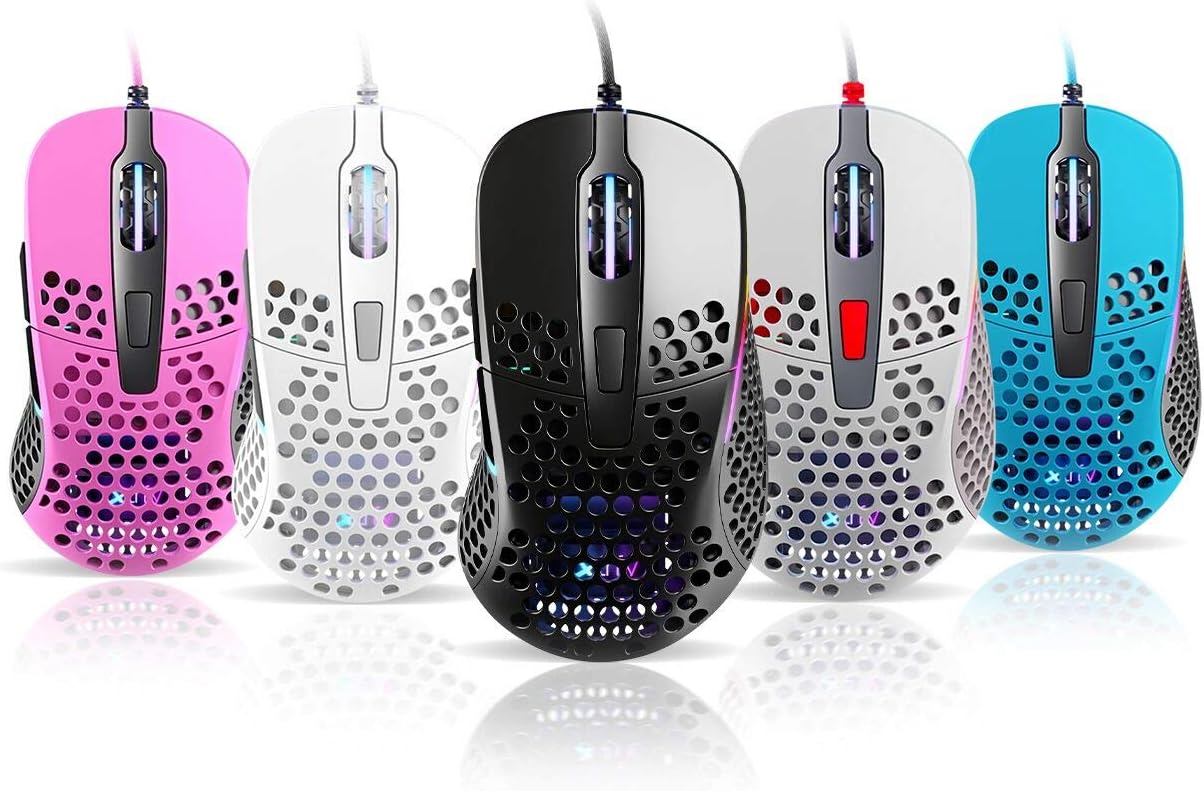
Thank you for choosing the Xtrfy M4 RGB Ultralight Gaming Mouse. This manual provides essential information for setting up, operating, and maintaining your new gaming mouse. The Xtrfy M4 is designed for high-performance gaming, featuring an ultralight design, customizable RGB illumination, and an ergonomic shape for comfortable use.
Пажљиво прочитајте ово упутство пре употребе производа како бисте осигурали оптималне перформансе и дуготрајност.
Садржај пакета
Уверите се да су све ставке присутне у пакету:
- Xtrfy M4 RGB Ultralight Gaming Mouse
- Кориснички приручник (овај документ)

Упутства за подешавање
- Распакујте миш: Carefully remove the Xtrfy M4 mouse from its packaging.
- Повежите се са рачунаром: Прикључите УСБ конектор миша у слободан УСБ порт на рачунару.
- Инсталација драјвера: The mouse is plug-and-play and typically does not require additional drivers. Your operating system should automatically detect and install the necessary drivers.
- Почетни тест: Move the mouse and click the buttons to ensure it is functioning correctly.

Упутство за употребу
Функције дугмета
The Xtrfy M4 features 6 programmable buttons:
- Леви клик: Примарна акција.
- Десни клик: Секундарна акција.
- Точкић за скроловање (клик): Middle click/universal scroll.
- Дугме за напред: Default for navigating forward in web прегледачи/апликације.
- Дугме за назад: Default for navigating backward in web прегледачи/апликације.
- Дугме ДПИ: Cycles through DPI settings (located behind the scroll wheel).
ДПИ подешавања
The DPI (Dots Per Inch) button allows you to adjust the mouse sensitivity on the fly. Press the DPI button to cycle through preset DPI levels. The RGB lighting on the mouse may change color to indicate the current DPI setting.
Refer to the official Xtrfy website or software (if available) for detailed information on specific DPI levels and their corresponding LED colors.
РГБ осветљење
The Xtrfy M4 features customizable RGB lighting. Specific controls for lighting effects and colors are typically managed through dedicated software provided by Xtrfy. Please visit the official Xtrfy support page to download any available software for advanced customization.

Одржавање
Proper maintenance ensures the longevity and performance of your Xtrfy M4 mouse.
- Чишћење: Користите меку, суву крпу да обришете површину миша. За тврдокорну прљавштину, благо обришитеampОбришите крпу водом или благим раствором за чишћење. Избегавајте јаке хемикалије или абразивне материјале.
- Одржавање сензора: Одржавајте оптички сензор на доњој страни миша чистим и без прашине или прљавштине. По потреби користите памучни штапић или компримовани ваздух.
- Нега каблова: Избегавајте оштре савијање или прекомерно повлачење кабла миша како бисте спречили оштећења.
- Складиштење: Када се не користи, чувајте миш на чистом и сувом месту, даље од екстремних температура.
Решавање проблема
If you encounter issues with your Xtrfy M4 mouse, try the following solutions:
- Миш не реагује:
- Уверите се да је USB кабл безбедно прикључен у исправан USB порт.
- Покушајте да прикључите миш на други УСБ порт.
- Поново покрените рачунар.
- Кретање курсора је неправилно или скачкасто:
- Очистите оптички сензор на доњој страни миша.
- Уверите се да користите миш на чистој, нерефлектујућој површини или подлози за миш.
- Check for any software conflicts or outdated drivers (though typically not required, ensure your OS is up to date).
- РГБ осветљење не ради:
- Уверите се да је миш правилно повезан.
- If using Xtrfy software, check its settings to ensure lighting is enabled and configured correctly.
If these steps do not resolve the issue, please contact Xtrfy customer support for further assistance.
Спецификације
| Феатуре | Детаљ |
|---|---|
| Бранд | Кстрфи |
| Модел | M4 |
| Боја | Плава (према варијанти производа) |
| Технологија повезивања | УСБ |
| Посебна карактеристика | Ergonomic Design, Ultralight, RGB Illumination |
| Број дугмади | 6 |
| Тежина | 69 grams (Ultralight) |
Гаранција и подршка
Xtrfy products are manufactured to the highest quality standards. For information regarding warranty coverage, please refer to the warranty card included with your product or visit the official Xtrfy webсајту.
For technical support, FAQs, driver downloads, or further assistance, please visit the Xtrfy support page: