
Sitecom CN-386
Sitecom CN-386 USB-C Hub 4 Port User Manual
Model: CN-386 | Brand: Sitecom
Увод
The Sitecom CN-386 USB-C Hub 4 Port is designed to expand the connectivity of your USB-C enabled notebook. It provides three ultrafast USB-C data ports and one USB-C Power Delivery (PD) port, allowing you to connect multiple USB-C devices and charge your notebook simultaneously.

Image: The Sitecom CN-386 USB-C Hub, a compact silver device with a short integrated USB-C cable, showcasing its sleek design and multiple ports.
Производ је завршенview

Image: A diagram of the Sitecom CN-386 USB-C Hub highlighting its ports: the integrated USB 3.1 Type-C input cable, three USB-C 3.1 output ports (10Gbps + 7.5W), and one USB-C PD 100W (20V@5A) port.
The CN-386 features a lightweight aluminum housing and a built-in USB-C cable for convenient portability. It is designed for plug-and-play operation, requiring no additional driver software.
- Integrated USB 3.1 Type-C Cable: Connects to your host device.
- 3 x USB 3.1 Type-C Output Ports: For data transfer up to 10Gbps and 7.5W power output.
- 1 x USB Type-C Power Delivery (PD) Port: For charging your notebook with up to 100W power.
Сетуп
The Sitecom CN-386 USB-C Hub is designed for simple plug-and-play functionality. Follow these steps to set up your hub:
- Повежите чвориште: Plug the integrated USB-C cable of the CN-386 hub into an available USB-C port on your notebook or PC.
- Напајање (опционо): If your notebook requires charging, connect your USB-C power adapter to the USB-C PD port on the hub. The hub supports up to 100W power delivery to your notebook.
- Повежите уређаје: Plug your USB-C devices (e.g., external hard drives, flash drives, peripherals) into the three USB-C data ports on the hub.
No additional driver software is required for the hub to function.
Упутство за употребу
Once connected, the CN-386 hub allows you to use multiple USB-C devices simultaneously.
Пренос података
The three USB-C female ports support data transfer speeds up to 10Gbps. Please note that the 10Gbps maximum speed is a shared potential. If all three ports are used simultaneously, they share the 10Gbps bandwidth. When only one port is in use, it can achieve the full 10Gbps speed.
Излазна снага
Each of the three USB-C female data ports provides up to 7.5W (5V / 1.5A) of power, supporting USB Battery Charging (BC) 1.2. This is sufficient for most USB-C peripherals and bus-powered devices.
Испорука струје (ПД)
The dedicated USB-C PD port supports Power Delivery 2.0 up to 100W (5A / 20V). This allows you to charge your notebook through the hub while using other connected devices. Ensure your notebook's USB-C port supports Power Delivery 2.0/3.0 for this feature to work.
Video: A product summary video demonstrating the features and usage of the Sitecom CN-386 USB-C Hub, including its portability, ultra-fast data transfer, and power delivery capabilities.
Одржавање
To ensure the longevity and optimal performance of your Sitecom CN-386 USB-C Hub, follow these maintenance guidelines:
- Чишћење: Use a soft, dry cloth to clean the hub. Avoid using liquid cleaners or aerosols.
- Складиштење: Чувајте главчину на хладном и сувом месту када се не користи.
- Руковање: Handle the hub with care. Avoid dropping it or exposing it to extreme temperatures or moisture.
- Нега каблова: Do not bend or crimp the integrated USB-C cable excessively.
Решавање проблема
If you encounter issues with your Sitecom CN-386 USB-C Hub, refer to the following common problems and solutions:
Wireless Interference Issues
USB 3.0/3.1/3.2 can generate signals in the 2.4 – 2.5GHz range, which may cause interference with WiFi and 2.4GHz wireless devices (e.g., Bluetooth mouse/keyboard). This can lead to disconnections or poor performance, especially if your notebook's WiFi module is close to the USB port.
To limit potential interference:
- Plug the hub into a different USB-C port on your device.
- Move the hub to another physical position, further away from your notebook or wireless devices.
- Use high-quality shielded cables for your connected devices.
- Consider using a USB-C extension cable to increase the distance between the hub and your notebook/desktop.
- If experiencing WiFi issues, switch to a 5GHz network if available, and avoid using a 2.4GHz network.
Power Delivery Not Working
Ensure your notebook or PC has an available USB-C port that supports Power Delivery 2.0/3.0. Check your device's manual for information on its USB-C port capabilities (often described as USB Power Delivery, Power Delivery, or PD).
The hub can be used without Power Delivery, but some connected devices might require additional power that the hub cannot provide on its own.
Cannot Connect a Display
This hub does not support DP Alt Mode (DisplayPort Alternate Mode). Therefore, it cannot be used to connect a display. The USB-C female ports on this hub only support data and power transfer.
Data Speed Not Reaching 10Gbps
While all three USB-C female ports support 10Gbps, this is a shared maximum speed. If multiple devices are connected and actively transferring data simultaneously, the 10Gbps bandwidth is distributed among them. To achieve 10Gbps, use only one port for high-speed data transfer.
Некомпатибилни уређаји
- Nintendo Switch with USB-C
- Аппле УСБ СуперДриве
Спецификације
| Феатуре | Детаљ |
|---|---|
| Инпут | USB 3.1 Type-C Male ×1 |
| Output (Data) | 3 x USB 3.1 Type-C Female (10Gbps data and 7.5W power) |
| Output (Power Delivery) | 1 x USB Type-C Power Delivery (100W power) |
| Брзина преноса података | Supports USB SuperSpeed 10Gbps, downwards compatible with USB 3.0 / 2.0 |
| USB Battery Charging (BC) | 1.2 up to 7.5W (5V / 1.5A) |
| УСБ напајање | 2.0 up to 100W (5A / 20V) |
| Плуг-анд-Плаи | Yes, no driver software required |
| Кабл | Integrated USB Type-C Cable |
| Дизајн | Compact, aluminum design |
| Димензије (ДкШкВ) | 1.57 к 3.35 к 0.41 инча |
| Тежина | 1.41 унци |
| Боја | Сребрна, црна, сива |
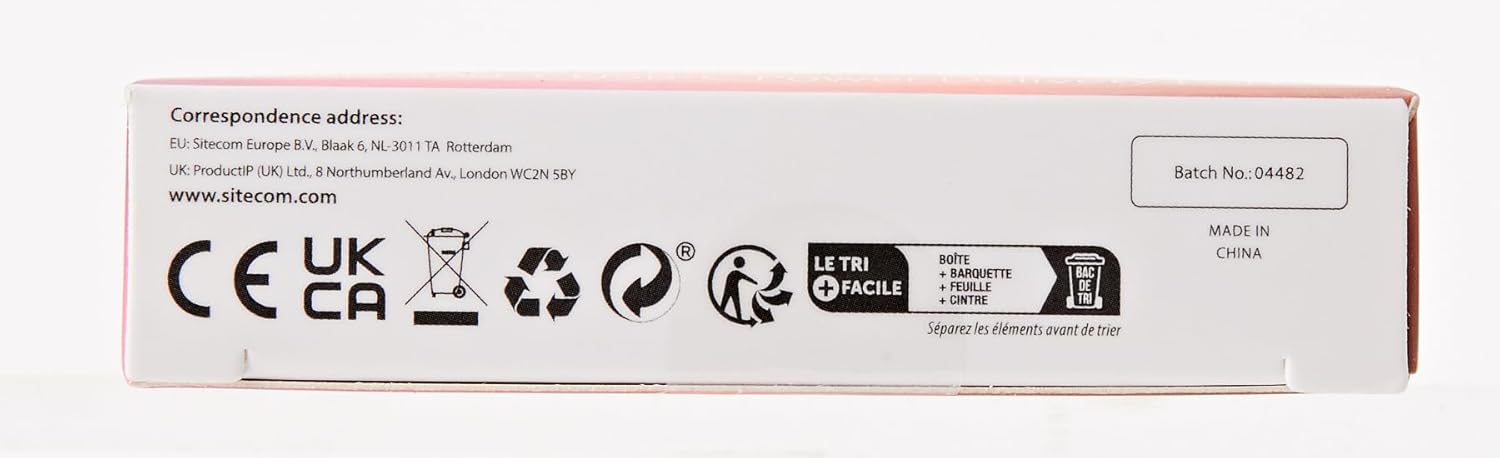
Image: The back of the Sitecom CN-386 USB-C Hub packaging, displaying detailed features, specifications, and system requirements in multiple languages, including the EAN/UPC barcode 8716502030811.
Компатибилност
Компатибилни хардвер
- јабука: MacBook (2015-2019), MacBook Pro (2016-2019), MacBook Air (2018-2020), iMac / iMac Pro (2017-2019), iPad Pro (2018/2020 with iOS 13 and above)
- хуавеи: MateBook 13/14, MateBook X, MateBook X Pro 2019, MateBook E 2019
- Ксиаоми: Air 12.5/13.3 inches, Pro 15.6 inches
- Асус: ZenBook 3, ZenBook Pro, Zenbook Flip 13, Chromebook 11 inch
- Делл: XPS 13, XPS 15, G3/G5/G7 series, Inspiron 13 7000, Inspiron 15 7000
- Леново: Thinkpad T480, Thinkpad-X1, Thinkpad-X390, Yoga 710/720, C740/C930/C940
- Разер: Blade Stealth 13, Blade Pro 17, Razer Blade 15 Studio Edition, Razer Blade 15
- ХП: Spectre 13, Spectre X 360, Envy 13, Envy X360, EliteBook Folio G1
- Мицрософт: Surface Book 2, Surface Go, Surface Pro 7, Surface Laptop 3
- Гоогле: ChromeBook (2016-2019), PixelBook (2017-2019)
- Many other notebooks with USB-C ports.
Компатибилни оперативни системи
- Виндовс 7/8/10
- Линук
- XP
- Виста
- MacOS X 10.6 and higher
Некомпатибилни уређаји
- Nintendo Switch with USB-C
- Аппле УСБ СуперДриве
Шта добијате
- USB-C to USB-C + PD Hub 4 Port (Sitecom CN-386)
Шта Вам је потребно
- A free USB-C port on your device with Power Delivery (PD) support for charging functionality.
Ask a question about this manual
Ask about setup, troubleshooting, compatibility, parts, safety, or missing instructions. Manuals+ will review the question and use this page’s manual context to help answer it.