
1. Увод
This manual provides comprehensive instructions for the Microsoft Surface Laptop 3, Model VGY-00001. Designed for productivity and portability, this device features a 13.5-inch touchscreen, Intel Core i5 processor, 8GB RAM, and a 128GB Solid State Drive. Please read this manual thoroughly to ensure proper setup, operation, and maintenance of your device.
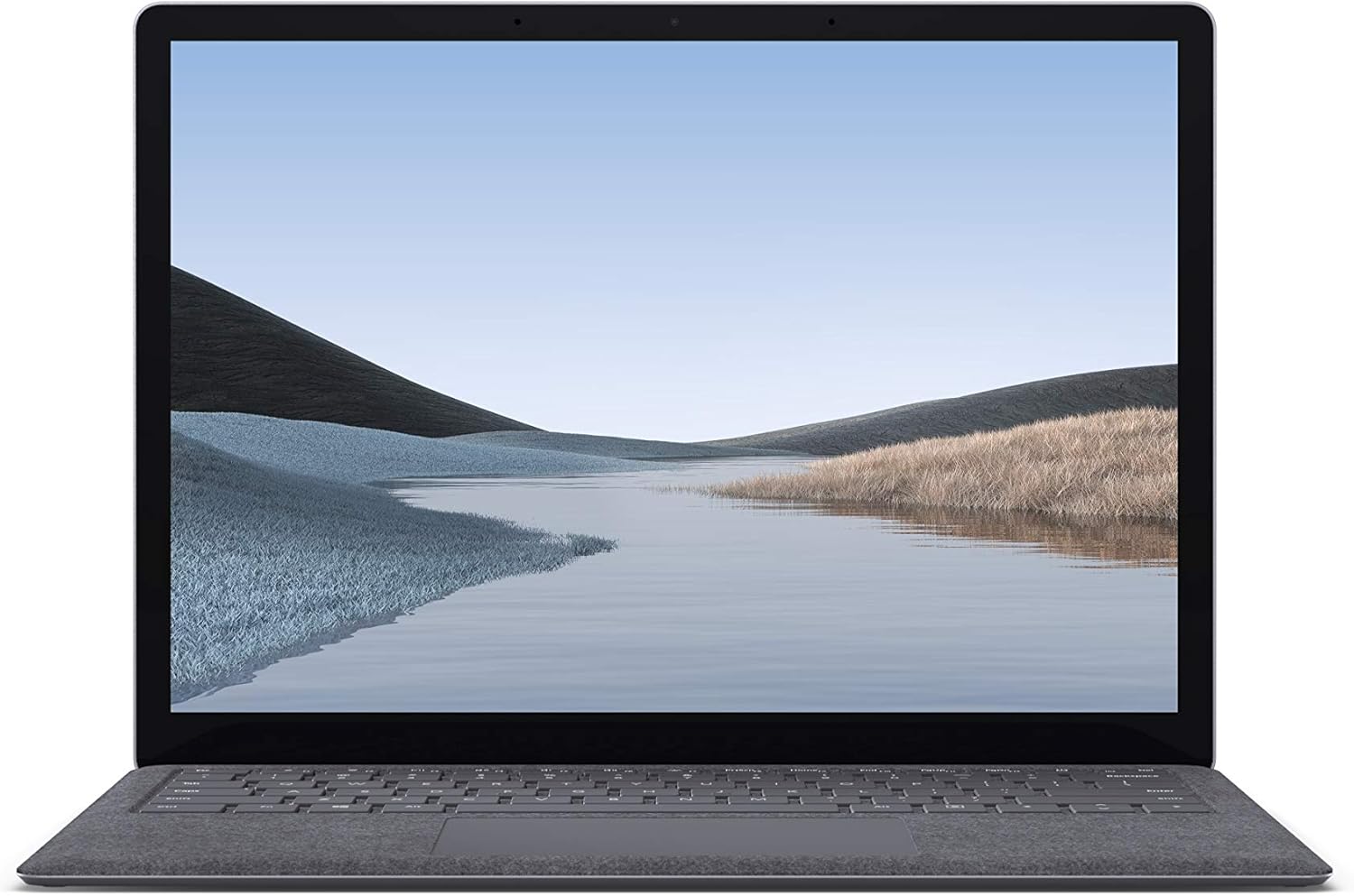
Слика 1.1: Предња страна view of the Microsoft Surface Laptop 3 with its display active.
The Surface Laptop 3 offers a clean, elegant design, weighing approximately 2.79 pounds, making it easy to carry. It features improved speed and performance with its 10th Gen Intel Core processors, offering up to two times faster performance than previous models. Connectivity options include USB-C and USB-A ports for connecting to displays, docking stations, and accessories. The device provides up to 11.5 hours of battery life and supports fast charging, reaching up to 80% in about one hour.
2. Шта је у кутији
Upon unboxing your Microsoft Surface Laptop 3, verify that all the following items are present:
- Microsoft Surface Laptop 3 (Model VGY-00001)
- Водич за брзи почетак (КСГ)
- Power Supply (AC adapter)
3. Подешавање
3.1 Почетно укључивање
- Прикључите напајање: Plug the power supply into a wall outlet and connect the magnetic Surface Connect port to your laptop. The LED indicator on the connector will light up when properly connected.
- Укључено: Open the laptop lid or press the power button located on the keyboard.
- Виндовс подешавање: Пратите упутства на екрану да бисте завршили подешавање система Windows 10 Home. То укључује избор региона, повезивање са Wi-Fi мрежом и креирање корисничког налога.
- Windows Hello: Configure Windows Hello for secure and fast login using facial recognition.
3.2 Повезивање периферних уређаја
Ваш Surface Laptop 3 укључује разне портове за повезивање екстерних уређаја:
- УСБ-Ц порт: За пренос података, видео излаз и пуњење компатибилних уређаја.
- УСБ-А порт: For connecting traditional USB devices like mice, keyboards, and external storage.
- 3.5 мм прикључак за слушалице: За аудио излаз на слушалице или екстерне звучнике.
- Сурфаце Цоннецт порт: For the power supply and compatible Surface docking stations.

Слика 3.1: Бочна страна view illustrating the available ports on the Surface Laptop 3.
4. Operating Your Surface Laptop 3
4.1 Екран и екран осетљив на додир
The 13.5-inch PixelSense touchscreen display offers a resolution of 2256 x 1504 pixels. It supports multi-touch gestures and is compatible with the Surface Pen (sold separately) for writing and drawing directly on the screen.
4.2 Тастатура и тачпед
The full-size ergonomic keyboard features backlighting for comfortable typing in various lighting conditions. The large precision touchpad supports multi-finger gestures for navigation and control.
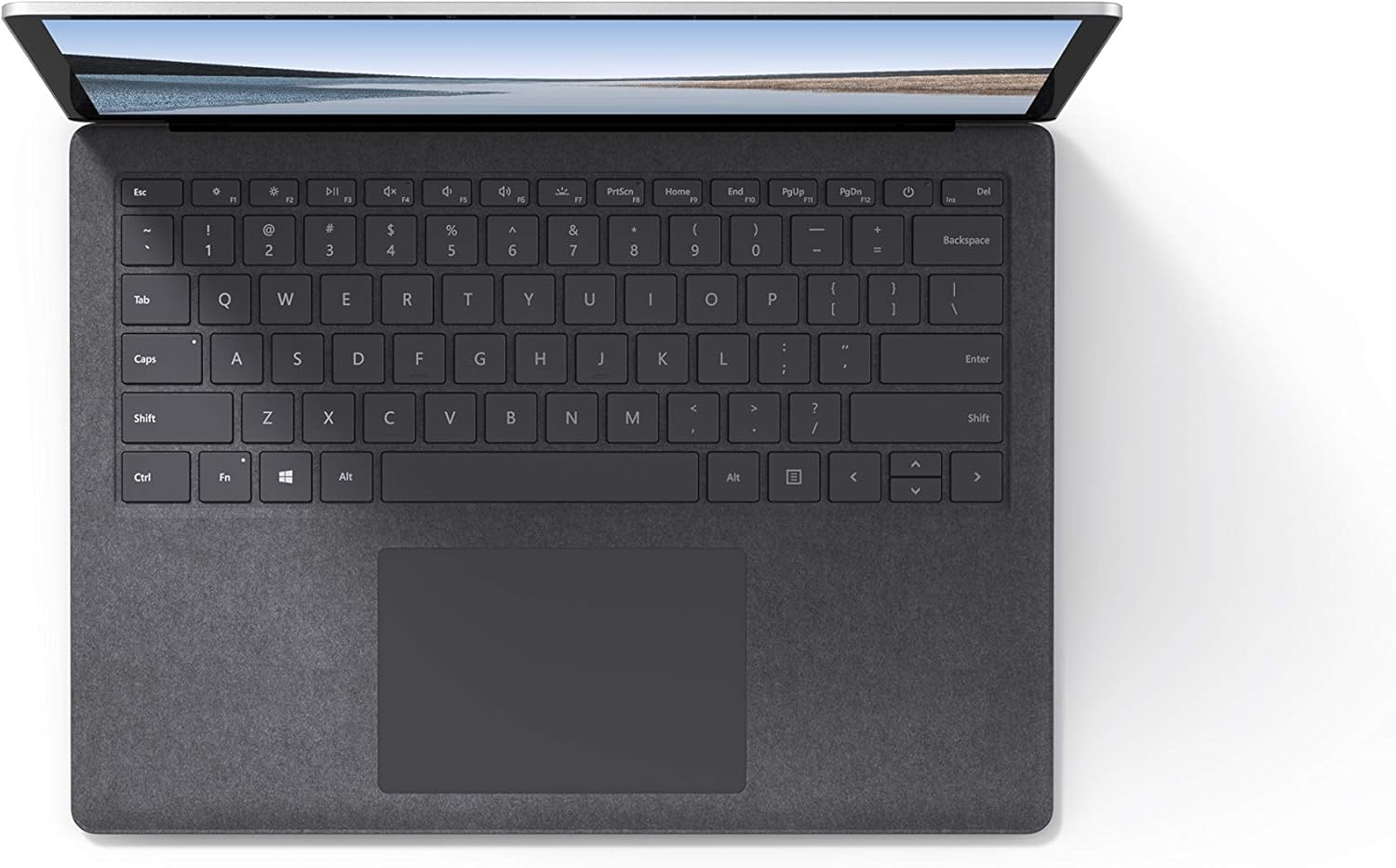
Слика 4.1: Одозго надоле view подручја тастатуре и тачпеда.
4.3 Аудио и камера
The laptop is equipped with Omnisonic Speakers with Dolby Audio Premium for clear sound. Dual far-field Studio Mics enhance voice clarity for calls and recordings. A front-facing 720p HD camera supports video conferencing and Windows Hello facial authentication.
4.4 Бежично повезивање
The Surface Laptop 3 supports Wi-Fi 6 (802.11ax) for fast and reliable internet access, and Bluetooth 5.0 for connecting wireless accessories.
Видео 4.1: Званична видео презентација компаније Microsoftasing the Surface Laptop 3's features and design.
5. Одржавање
5.1 Чишћење уређаја
- Користите меку крпу која не оставља длачице дampened with water or an approved screen cleaner to clean the display.
- За тастатуру и кућиште користите меку, суву крпу. Избегавајте јаке хемикалије или абразивне материјале.
- Држите портове без прашине и остатака.
5.2 Ажурирања софтвера
Редовно проверавајте и инсталирајте ажурирања за Windows како бисте осигурали оптималне перформансе, безбедност и приступ најновијим функцијама. Идите на Подешавања > Ажурирање и безбедност > Windows Update.
5.3 Одржавање батерије
- Избегавајте екстремне температуре.
- For optimal battery longevity, avoid consistently discharging the battery to 0% or keeping it at 100% for extended periods.
- Користите само испоручени извор напајања.
КСНУМКС. Решавање проблема
6.1 Проблеми са напајањем
- Уређај се не укључује: Ensure the power supply is securely connected and the outlet is functional. Try a forced shutdown by holding the power button for 30 seconds, then release and press again briefly to restart.
- Батерија се не пуни: Verify the Surface Connect cable is properly attached. Check for any damage to the cable or port.
6.2 Проблеми са перформансама
- Споре перформансе: Close unnecessary applications. Check Task Manager for resource-intensive processes. Ensure Windows is up to date.
- прегревање: Ensure ventilation vents are not blocked. Avoid using the laptop on soft surfaces that can obstruct airflow.
6.3 Проблеми са повезивањем
- Ви-Фи се не повезује: Restart your router and the laptop. Check Wi-Fi settings and ensure the correct network is selected and password entered.
- Блутут уређај се не упарује: Уверите се да је Bluetooth уређај у режиму упаривања и да је у домету. Проверите Bluetooth подешавања на лаптопу.
7. Спецификације
| Феатуре | Детаљ |
|---|---|
| Бранд | Мицрософт |
| Назив модела | Сурфаце Лаптоп 3 |
| Број модела | VGY-00001 |
| Величина екрана | 13.5 инча |
| Резолуција | 2256 к 1504 пиксела |
| ЦПУ модел | Intel Core i5 (10th Generation) |
| Брзина процесора | 1.2 GHz (up to 3.7 GHz with Turbo Boost) |
| Величина инсталиране РАМ меморије | 8 ГБ ЛПДДР4 |
| Величина чврстог диска | 128 ГБ ССД |
| Оперативни систем | Windows 10 Home (Free Upgrade to Windows 11 when available) |
| Грапхицс Цопроцессор | Intel Iris Plus |
| Технологија повезивања | 1 x USB-C, 1 x USB-A, 3.5 mm headphone jack, 1 x Surface Connect port |
| Бежична технологија | Wi-Fi 6 (802.11ax), Bluetooth 5.0 |
| Трајање батерије | До 11.5 сати |
| Тежина артикла | 2.79 фунти |
| Dimensions (L x W x Thickness) | 8.8 cm D x 12.1 cm Š x 0.57 cm Deb |
| Камера | Front-facing 720p HD camera with Windows Hello face authentication |
| Аудио | Omnisonic Speakers with Dolby Audio Premium, Dual far-field Studio Mics |
8. Гаранција и подршка
8.1 Гаранција на производ
The Microsoft Surface Laptop 3 (Model VGY-00001) comes with a Двогодишња ограничена гаранција произвођача. This warranty covers defects in materials and workmanship under normal use. For specific terms and conditions, please refer to the warranty documentation included with your product or visit the official Microsoft support webсајту.
8.2 Корисничка подршка
For technical assistance, troubleshooting, or warranty claims, please contact Microsoft Support. You can find contact information and additional resources on the official Microsoft Surface support website. Keep your proof of purchase and product serial number readily available when contacting support.
Подршка на мрежи: Посетите support.microsoft.com/surface for FAQs, drivers, and software downloads.