
Увод
Thank you for choosing the Kidzlane Kids Karaoke Machine. This device is designed to provide an engaging and interactive musical experience for children, featuring pre-loaded songs, Bluetooth connectivity, dual microphones, voice changing effects, and colorful LED lights. This manual provides essential information for the safe and proper use of your karaoke machine.
Безбедносне информације
- Увек надгледајте децу током употребе.
- Не излажите уређај води или прекомерној влази.
- Use only the recommended battery type (3 AA batteries). Ensure correct polarity when installing batteries.
- Немојте мешати старе и нове батерије или различите типове батерија.
- Уклоните батерије ако се уређај неће користити дужи период.
- Keep small parts, such as microphones, away from very young children to prevent choking hazards.
- Не покушавајте да раставите или модификујете уређај.
Садржај пакета
- Kidzlane Kids Karaoke Machine Unit
- 2 к жичани микрофони
- Кориснички приручник (овај документ)
Производ је завршенview
Familiarize yourself with the main components and controls of your karaoke machine.

Слика: Фронт view of the Kidzlane Kids Karaoke Machine, showcasing its blue oval body, orange handle, multicolored LED lights, and two attached orange microphones. Various control buttons are visible on the front panel.
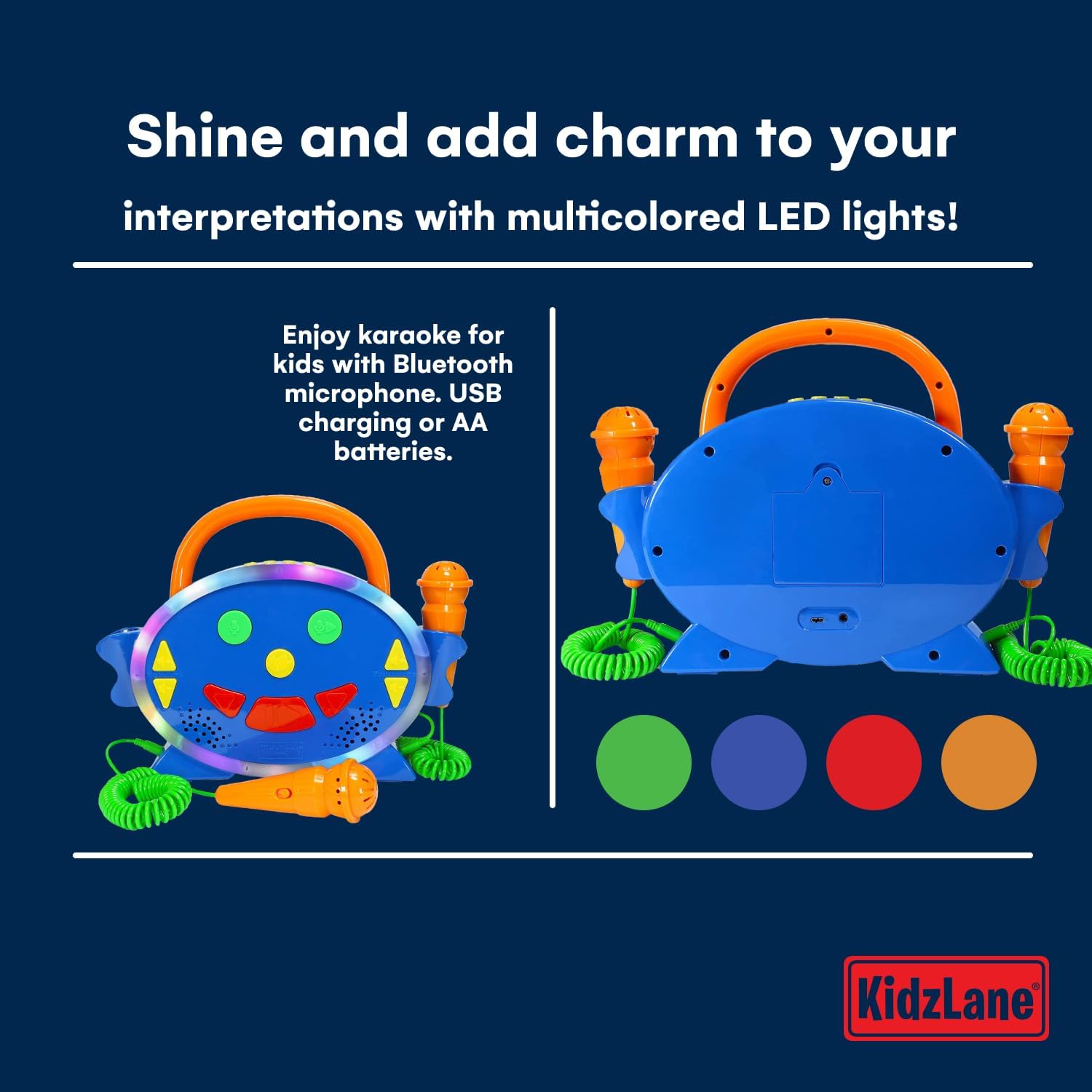
Image: A split image showing the front and back of the Kidzlane Kids Karaoke Machine. The front displays the controls and microphones, while the back shows the battery compartment and a USB charging port.
Контроле и портови:
- Дугме за напајање / режим рада: Turns the unit on/off and switches between modes (Pre-loaded Songs, Bluetooth).
- Microphone Volume Controls (Up/Down Arrows): Подешава јачину звука микрофона.
- Music Volume Controls (Up/Down Arrows): Adjusts the volume of the background music.
- Дугме за мењање гласа: Activates and cycles through different voice effects.
- Дугме за снимање: Покреће снимање.
- Дугме за репродукцију: Plays back recorded audio.
- Pre-loaded Song Navigation Buttons: Skips to the next or previous pre-loaded song.
- Microphone Input Jacks: Ports for connecting the wired microphones.
- Одељак за батерије: Налази се на задњој страни јединице.
- УСБ пуњач: For power supply (cable not always included, check packaging).
Сетуп
1. Инсталација батерије
- Locate the battery compartment on the back of the karaoke machine.
- Помоћу шрафцигера отворите поклопац одељка за батерије.
- Уметните 3 АА батерије, водећи рачуна о исправном поларитету (+/-) као што је назначено унутар одељка.
- Вратите поклопац одељка за батерије и причврстите га завртњем.
2. Повезивање микрофона
Plug the wired microphones into the designated microphone input jacks on the side of the karaoke machine.
Упутство за употребу
1. Укључивање/искључивање
Притисните и држите Дугме за напајање/режим to turn the karaoke machine on or off.
2. Playing Pre-loaded Songs

Image: Two young children, a boy and a girl, are seated on the floor, each holding an orange microphone and singing. The Kidzlane Kids Karaoke Machine is positioned between them, displaying its colorful lights. Text overlay indicates "Endless fun for kids: 100 preloaded songs for karaoke and radio."
Upon powering on, the machine typically defaults to the pre-loaded song mode. Use the Pre-loaded Song Navigation Buttons to cycle through the 100 built-in songs and nursery rhymes.
3. Блуетоотх повезивање
- Притисните тастер Дугме за напајање/режим repeatedly until the machine enters Bluetooth pairing mode. An audible prompt or indicator light may signal this mode.
- On your external device (e.g., smartphone, tablet), enable Bluetooth and search for available devices.
- Select "Kidzlane Karaoke" (or similar name) from the list to pair.
- Once paired, you can stream audio from your device to the karaoke machine.
4. Употреба микрофона
Speak or sing into the connected microphones. Adjust the microphone volume using the Microphone Volume Controls. Adjust the music volume using the Music Volume Controls.
5. Воице Цхангер

Image: A young girl with curly hair is standing and singing into an orange microphone, holding the Kidzlane Kids Karaoke Machine. The machine's LED lights are active. Text overlay highlights the voice changer feature: "Change your voice and have a good time with your family."
Притисните тастер Дугме за промену гласа to cycle through various voice effects. Each press will activate a different effect, altering the sound of your voice through the microphones.
6. Снимање и репродукција
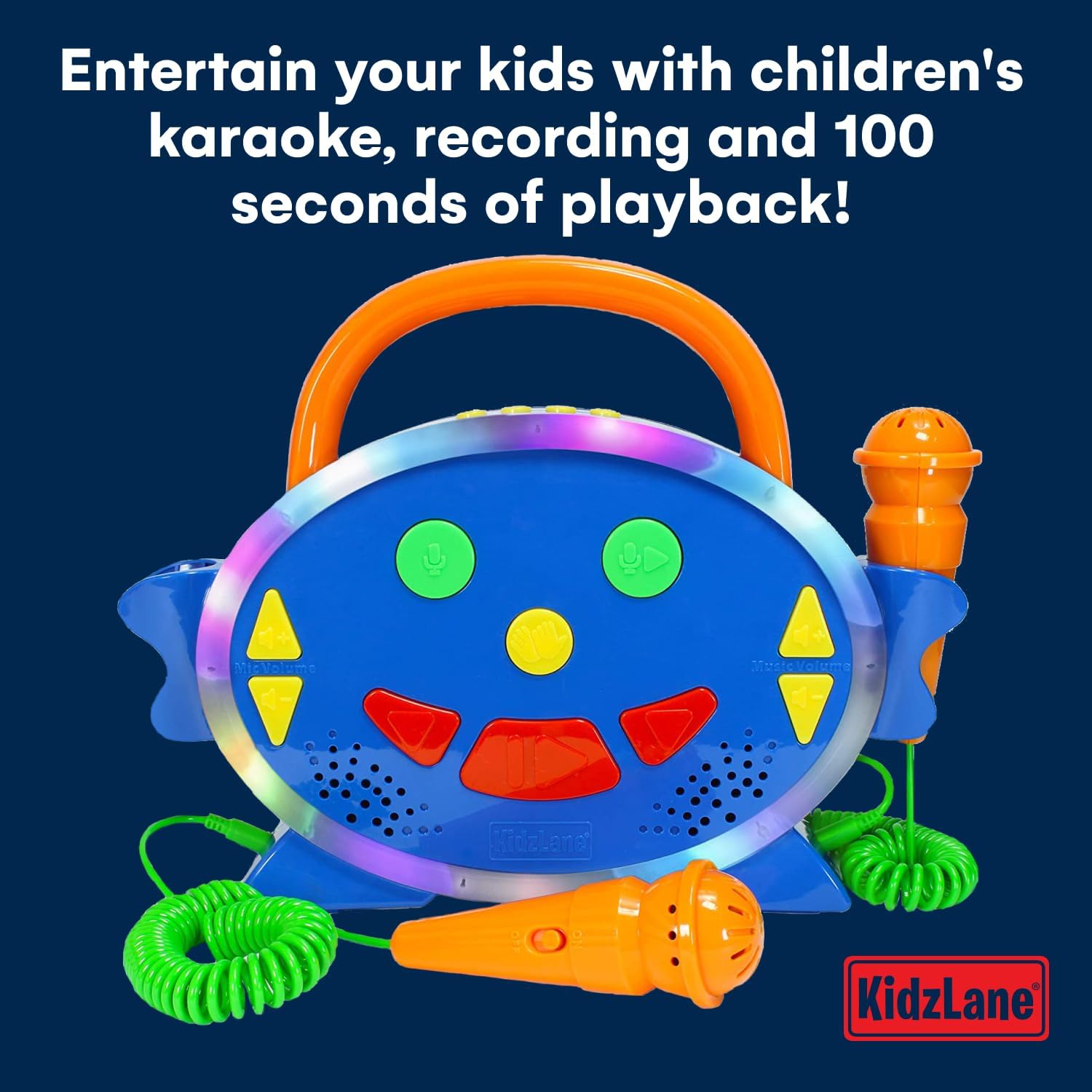
Слика: Крупни план предње стране view of the Kidzlane Kids Karaoke Machine with its LED lights glowing. Two orange microphones are connected. Text overlay states: "Entertain your kids with children's karaoke, recording and 100 seconds of playback!"
To record your singing, press the Дугме за снимање. The machine allows for up to 100 seconds of recording time. To listen to your recording, press the Дугме за репродукцију.
7. Multicolored LED Lights

Слика: Предњи део view of the Kidzlane Kids Karaoke Machine, highlighting its active multicolored LED lights around the central panel. Text overlay reads: "Shine and add charm to your interpretations with multicolored LED lights!"
The karaoke machine features built-in multicolored LED lights that illuminate during operation, adding a visual element to the musical experience.
Одржавање
Чишћење
Wipe the surface of the karaoke machine with a soft, dry cloth. Do not use abrasive cleaners or immerse the unit in water.
Складиштење
Store the device in a cool, dry place away from direct sunlight when not in use. Remove batteries if storing for extended periods.
Решавање проблема
| Проблем | Могући узрок | Решење |
|---|---|---|
| Машина се не укључује. | Батерије су истрошене или неправилно постављене. | Замените батерије новим АА батеријама, водећи рачуна о исправном поларитету. |
| Нема звука из микрофона. | Microphones not properly connected or microphone volume is too low. | Ensure microphones are fully plugged in. Increase microphone volume using the dedicated controls. |
| Блутут уређај се не упарује. | Machine not in pairing mode or too far from the device. | Ensure the karaoke machine is in Bluetooth pairing mode. Move the external device closer to the karaoke machine. Try restarting both devices. |
| Music volume is too low or too high. | Music volume controls need adjustment. | Adjust the music volume using the dedicated controls on the machine or on your connected Bluetooth device. |
Спецификације
- Број модела: КЛС-КСНУМКС
- Димензије производа: 11 к 6 к 12.5 инча
- Тежина артикла: 12.3 унци
- Извор напајања: 3 АА батерије (нису укључене)
- Препоручени узраст: 3 година и више
- Посебне карактеристике: Voice Changer, 100 Pre-loaded Songs, Recording & Playback (100 seconds), Multicolored LED Lights, Bluetooth Connectivity
- Укључене компоненте: Karaoke Machine Unit, 2 Microphones
Гаранција и подршка
For warranty information or technical support, please refer to the contact details provided on the product packaging or visit the official Kidzlane webсајту. Сачувајте рачун о куповини за гаранције.