
Увод
This manual provides detailed instructions for the safe and efficient use of your FONESTAR DOTS-N Bluetooth TWS Speaker. Please read this manual thoroughly before operating the device and retain it for future reference.
The FONESTAR DOTS-N is a portable Bluetooth TWS speaker featuring Bluetooth 4.2 and NFC connectivity. It offers powerful sound with enhanced bass, playback controls, and hands-free calling. Equipped with a rechargeable Li-Ion battery providing up to 10 hours of autonomy, it also includes a 3.5mm auxiliary input. Its compact design makes it suitable for home use.
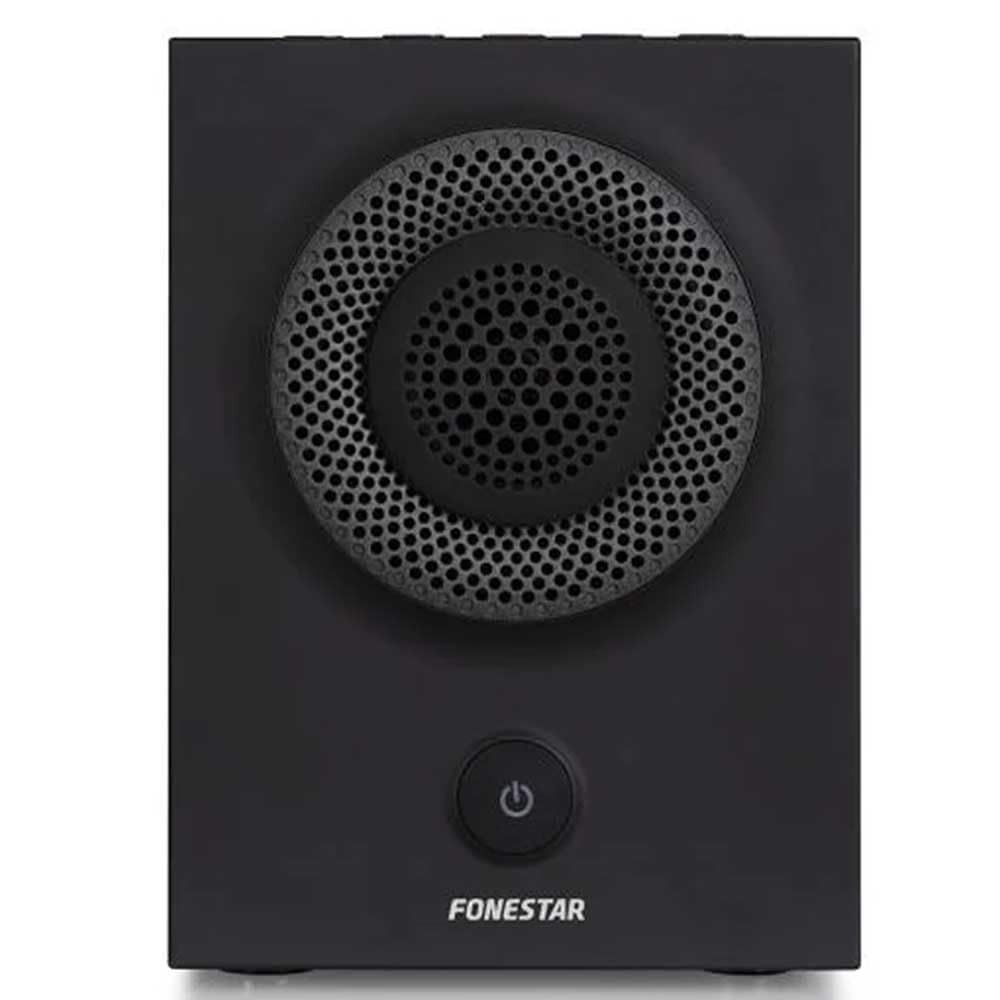
Слика 1: Предња страна view of the FONESTAR DOTS-N Bluetooth TWS Speaker.
Сетуп
1. Распакивање
Пажљиво извадите све компоненте из паковања. Уверите се да су присутне све ставке наведене у наставку:
- FONESTAR DOTS-N Bluetooth TWS Speaker
- УСБ на Мицро УСБ кабл за пуњење
- 3.5 мм стерео аудио кабл
- Кориснички приручник (овај документ)
2. Пуњење звучника
Before first use, fully charge the speaker. Connect the Micro USB end of the charging cable to the speaker's charging port and the USB-A end to a compatible USB power adapter (not included) or a computer's USB port.
- Индикаторска лампица пуњења ће светлети током пуњења.
- Време пуњења је око 3 сата за потпуно пуњење.
- Индикаторска лампица ће се променити или искључити када се пуњење заврши.
3. Укључивање/искључивање
To power on the speaker, press and hold the power button (usually indicated by a ⏻ symbol) for a few seconds until you hear an audible prompt or see an indicator light. To power off, repeat the process.
Упутство за употребу
1. Блуетоотх упаривање
The speaker supports Bluetooth 4.2 for wireless audio streaming.
- Ensure the speaker is powered on and in pairing mode (usually indicated by a flashing LED). If not, press the Bluetooth pairing button or power button briefly to enter pairing mode.
- На паметном телефону, таблету или другом уређају који подржава Bluetooth, идите на подешавања Bluetooth-а.
- Тражи available devices and select "FONESTAR DOTS-N" from the list.
- Once paired, the speaker will emit an audible confirmation, and the LED indicator will typically become solid.
2. NFC упаривање (комуникација блиског поља)
For devices with NFC, pairing can be done quickly:
- Уверите се да је NFC омогућен на вашем уређају и да је звучник укључен.
- Tap your NFC-enabled device gently against the NFC area on the speaker (refer to product diagram for exact location, if available).
- Потврдите захтев за упаривање на свом уређају.
3. Функција правог бежичног стерео звука (TWS)
The TWS function allows you to pair two FONESTAR DOTS-N speakers together for a stereo sound experience.
- Ensure both DOTS-N speakers are powered on and not connected to any other Bluetooth device.
- On one speaker (this will be the primary speaker), press and hold the TWS button (if available) or a designated button for TWS pairing.
- The primary speaker will search for the secondary speaker. Once connected, both speakers will emit a confirmation sound.
- Now, connect your Bluetooth device to the primary speaker as described in the "Bluetooth Pairing" section. Audio will play in stereo through both speakers.
4. Помоћни улаз (AUX)
For non-Bluetooth devices, use the included 3.5mm stereo audio cable.
- Connect one end of the 3.5mm audio cable to the AUX-in port on the speaker.
- Повежите други крај са прикључком за слушалице или аудио излазом вашег уређаја.
- Звучник ће се аутоматски пребацити у AUX режим или ће можда бити потребно ручно бирање помоћу дугмета за режим.
5. Playback Control and Hands-Free Calls
The speaker features integrated controls for music playback and managing calls:
- Пусти/паузирај: Press the Play/Pause button (often combined with the power button or a dedicated button).
- Појачавање/утишавање: Користите дугмад за јачину звука (+ / -) на звучнику.
- Следећа/претходна нумера: Long press or double-press the volume buttons, or use dedicated track skip buttons if present.
- Одговори/заврши позив: Press the Play/Pause button during an incoming call to answer, and again to end the call.
- Одбиј позив: Press and hold the Play/Pause button during an incoming call.
Одржавање
1. Чишћење
- Always power off the speaker before cleaning.
- Користите меку, суву крпу која не оставља влакна да обришете спољашње површине.
- Не користите абразивна средства за чишћење, воскове или раствараче јер могу оштетити завршну обраду.
- Избегавајте улазак влаге у било какве отворе.
2. Складиштење
- Чувајте звучник на хладном и сувом месту, даље од директне сунчеве светлости и екстремних температура.
- If storing for an extended period, charge the battery to approximately 50% every few months to maintain battery health.
3. Брига о батерији
- Do not expose the battery to excessive heat, fire, or direct sunlight.
- Избегавајте често потпуно пражњење батерије, јер то може скратити њен век трајања.
- Користите само приложени кабл за пуњење или сертификовани еквивалент.
Решавање проблема
| Проблем | Могући узрок | Решење |
|---|---|---|
| Звучник се не укључује. | Батерија је празна. | Напуните звучник помоћу приложеног УСБ кабла. |
| Није могуће упаривање преко Bluetooth-а. | Звучник није у режиму упаривања; уређај је предалеко; сметње. | Ensure speaker is in pairing mode. Move device closer (within 10m). Turn off other Bluetooth devices. |
| Нема звука или је јачина звука ниска. | Volume too low on speaker or source device; incorrect input mode. | Increase volume on both speaker and source device. Check if the correct input (Bluetooth/AUX) is selected. |
| Упаривање TWS-а не успева. | Speakers are already paired to another device; incorrect TWS pairing procedure. | Ensure both speakers are disconnected from other devices. Follow TWS pairing steps carefully. |
| Изобличење звука. | Volume too high; low battery; poor signal. | Reduce volume. Charge the speaker. Move source device closer to the speaker. |
Техничке спецификације

Figure 2: Dimensions of the FONESTAR DOTS-N Bluetooth TWS Speaker.
| Назив модела | DOTS-N |
| Бранд | ФОНЕСТАР |
| Технологија повезивања | Bluetooth 4.2, NFC, 3.5mm AUX |
| Домет | До 10 метара (33 стопе) |
| Режим аудио излаза | Stereo (with TWS) |
| Спеакер Типе | 3" Coaxial Woofer with Tweeter, 3" Subwoofer, 4" Passive Radiator |
| Максимална излазна снага звучника | 12 вати РМС |
| Фреквенцијски одзив | 80 - 20,000 Hz |
| Однос сигнала и шума | ≥ 75 дБ |
| Извор напајања | Battery Powered (Rechargeable Li-ion) |
| Капацитет батерије | 2200 мАх, 7.4 В |
| Аутономија батерије | До 10 сати (при 50% запремине) |
| Време пуњења | Отприлике 3 сата |
| Контролни метод | Тактилно (додир) |
| Посебне карактеристике | High-res audio, Bluetooth, Integrated microphone, USB port (for charging) |
| Компатибилни уређаји | Паметни телефони, таблети |
| Препоручена употреба | For home |
| Боја | Црно |
| Димензије (Ш к В к Д) | 125 к 175 к 158 мм (приближно 4.9 к 6.9 к 6.2 инча) |
| Тежина артикла | 1.82 кг (приближно 4.01 лбс) |
| Водоотпоран | бр |
Note: Specifications are subject to change without prior notice. Battery autonomy may vary depending on usage, volume level, and music type.
Информације о гаранцији
FONESTAR products are designed and manufactured to the highest quality standards. This product is covered by a limited warranty against manufacturing defects from the date of purchase. The specific terms and duration of the warranty may vary by region and retailer.
Please retain your proof of purchase (receipt or invoice) as it will be required for any warranty claims. The warranty does not cover damage caused by misuse, accident, unauthorized modification, or normal wear and tear.
For detailed warranty terms and conditions, please refer to the warranty card included with your product or contact your local FONESTAR distributor or retailer.
Корисничка подршка
If you encounter any issues that are not resolved by the troubleshooting guide, or if you require further assistance, please contact FONESTAR customer support or your authorized retailer.
When contacting support, please be prepared to provide the following information:
- Product Model: FONESTAR DOTS-N
- Датум куповине
- Опис питања
- Ваше контакт информације
For the most up-to-date support information, including contact details and FAQs, please visit the official FONESTAR webсајту.