
1. Производ је готовview
The OIVO PS4 Controller Charging Station is designed to efficiently charge two PlayStation 4, PS4 Slim, or PS4 Pro controllers simultaneously. It features LED indicators to display charging status and incorporates intelligent protection mechanisms to ensure safe and reliable operation.
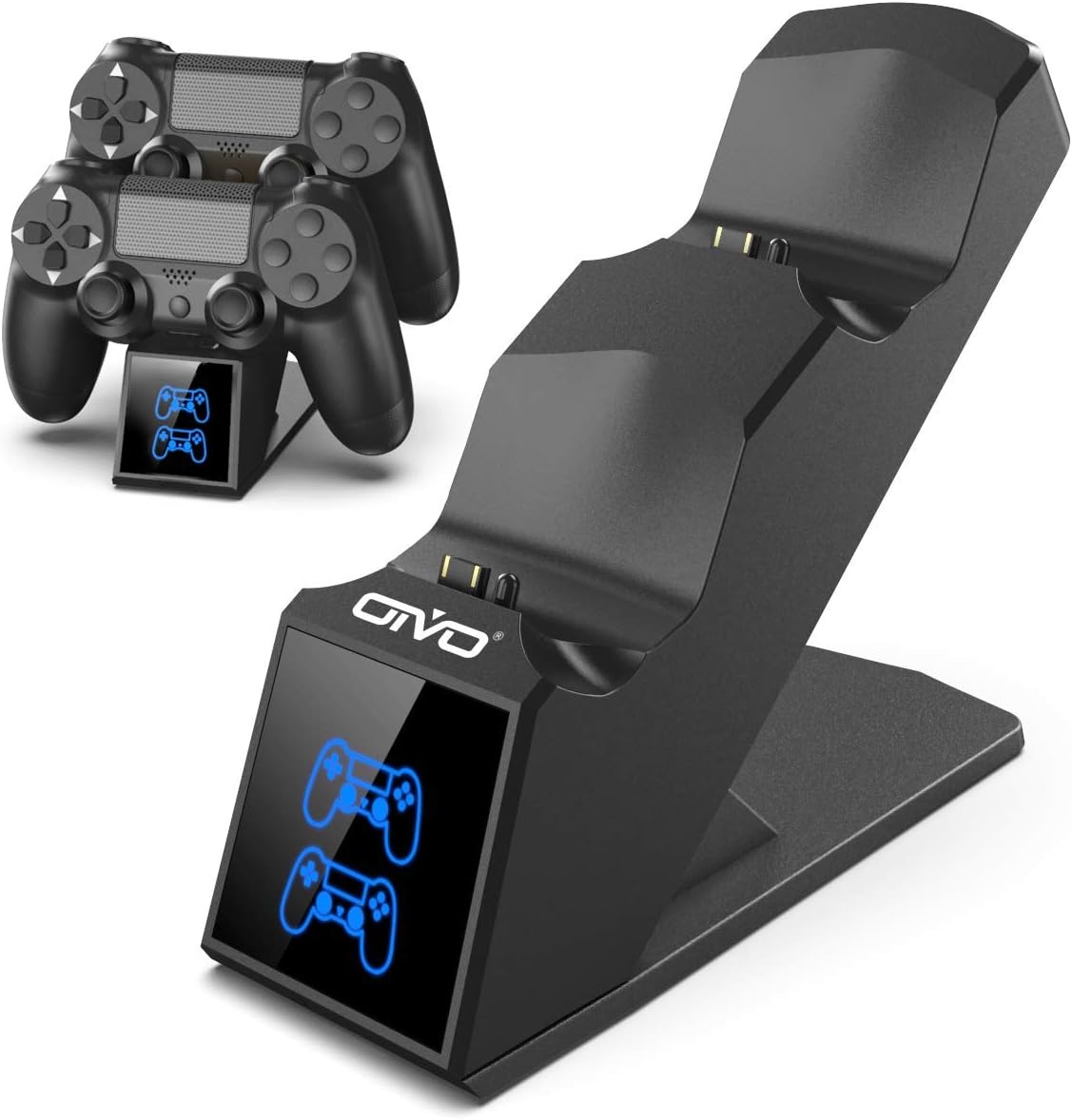
Image 1.1: The OIVO PS4 Controller Charging Station, capable of charging two controllers simultaneously.
2. Садржај пакета
Молимо вас да проверите да ли су све ставке наведене у наставку укључене у ваш пакет:
- 1 x OIVO PS4 Controller Charging Station
- 1 к кабл за пуњење (микро УСБ)
- 1 x Упутство за употребу (овај документ)
3. Упутства за подешавање
- Connect the Charging Station: Insert the provided charging cable into the Micro USB port on the back of the charging station. Connect the other end of the cable to a compatible 5V/1A power source. Compatible sources include a computer USB port, PS4/Slim/Pro console USB port, wall adapter (not included), or a power bank.
- Place Controllers for Charging: Align the charging port on your PS4 controller with the connector pins on the charging station. Gently push the controller down until it securely docks. The LED indicator on the station will change color to show the charging status.

Image 3.1: Illustration of compatible power sources and how to correctly place a PS4 controller onto the charging station.
4. Упутство за употребу
4.1 Charging Controllers
Once controllers are docked, the charging process begins automatically. The station is designed to charge two controllers simultaneously in approximately 1.8 hours.
- ЛЕД индикатор: The front panel features LED indicators for each charging slot.
- црвено светло: Indicates that the PS4 controller is currently charging.
- Плаво светло: Indicates that the PS4 controller is fully charged or the station is in standby mode (no controller or fully charged controller).

Image 4.1: The LED indicators on the charging station display red when charging and blue when fully charged or in standby.
4.2 Могућност брзог пуњења
The charging station is equipped with an upgraded copper chip, enabling fast charging for both controllers. This allows for a full charge of two controllers in approximately 1.8 hours.

Image 4.2: Visual representation of the 1.8-hour fast charging cycle for two controllers.
5. Сигурносне карактеристике
The OIVO PS4 Controller Charging Station integrates smart chips and high-quality components to provide comprehensive protection for your controllers and the charging station itself. These protections include:
- Over-Heated Protection: Prevents overheating during charging.
- Заштита од кратког споја: Заштитне мере од кратких спојева.
- Прекострујна заштита: Штити од прекомерног протока струје.
- Овер-Волtagе Заштита: Штити од волуменаtagе шиљци.

Image 5.1: Visual representation of the intelligent protection features built into the charging station.
6. Одржавање
- Чишћење: Disconnect the charging station from the power source before cleaning. Use a soft, dry cloth to wipe the surface. Do not use liquid cleaners or abrasive materials.
- Складиштење: When not in use, store the charging station in a cool, dry place away from direct sunlight and extreme temperatures.
- Руковање: Avoid dropping or subjecting the device to strong impacts. Do not attempt to disassemble or repair the unit yourself.
КСНУМКС. Решавање проблема
| Проблем | Решење |
|---|---|
| Controller not charging (no LED light) |
|
| Пуњење је споро |
|
| LED light is blue but controller is not fully charged |
|
8. Спецификације
| Феатуре | Детаљ |
|---|---|
| Бранд | ОИВО |
| Број модела | 12359687031 |
| Боја | Плава |
| Тип конектора | УСБ |
| Компатибилни уређаји | Game Console (PS4, PS4 Slim, PS4 Pro controllers) |
| Посебне карактеристике | Брзо пуњење |
| Укупно УСБ портова | 2 (for charging controllers) |
| Улазни волtage | 5 Волтс |
| Ampераге | 1 А |
| Укључене компоненте | УСБ кабл |
| Произвођач | ОИВО |
| Земља порекла | Кина |
9. Гаранција и подршка
This OIVO product comes with a Двогодишња гаранција произвођача од дана куповине. Ова гаранција покрива недостатке у материјалу и изради при нормалној употреби.
The warranty does not cover damage caused by accident, misuse, abuse, neglect, unauthorized modification or repair, or damage from external causes such as power surges.
For warranty claims or technical support, please contact OIVO customer service through the retailer where the product was purchased or visit the official OIVO webсајт за контакт информације.