
1. Увод
Thank you for choosing the iClever BK10 Bluetooth Keyboard. This manual provides essential information for setting up, operating, maintaining, and troubleshooting your new wireless keyboard. Please read it carefully to ensure optimal performance and longevity of your device.
Шта је у кутији
- иЦлевер БК10 Блуетоотх тастатура
- УСБ-Ц кабл за пуњење
- Упутство за употребу
- Protective Silicone Cover (for key protection)

Figure 1: Included items with the iClever BK10 Bluetooth Keyboard.
2. Кључне карактеристике
- Sleek & Wireless Design: Constructed with stainless steel and ABS, featuring a 10-degree tilt for comfortable desktop use.
- Multi-Device & Multi-OS Compatibility: Seamlessly switch between up to 3 devices using Bluetooth 5.1 technology. Automatically recognizes and adapts to Windows, macOS, iPadOS, Android, iPhone, and Chromebooks.
- Responsive & Low-Profile Кључеви: Scissor-key mechanism provides enhanced feedback, stability, and quiet typing (below 50 dB). Optimized key-travel and anti-slip tapes ensure comfort and precision.
- Compact & Efficient: Full-size layout with a standard numeric keypad. Includes hotkeys for Calculator, Fn lock, Mute, Volume up/down, and more to boost productivity.
- USB-C Rechargeable & Energy Saving: Built-in rechargeable battery offers up to 45 days of use after a 2-hour charge. Features an automatic power-saving sleep mode after 30 minutes of inactivity.
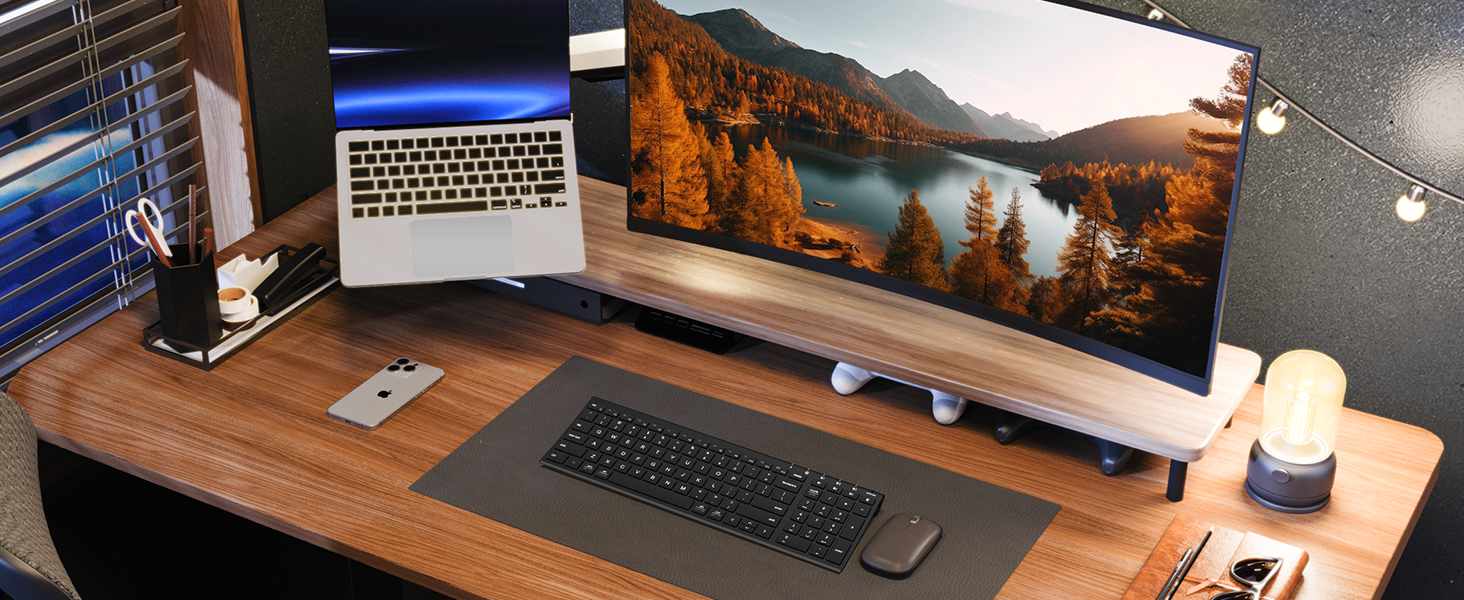
Figure 2: The sleek and wireless design of the iClever BK10 keyboard.
3. Подешавање
3.1 Пуњење тастатуре
Before initial use, fully charge the keyboard using the provided USB-C cable. Connect the USB-C end to the keyboard's charging port (located on the right side) and the USB-A end to a power source (e.g., computer USB port, USB wall adapter). The charging indicator light will illuminate during charging and turn off when fully charged.

Figure 3: USB-C charging port on the iClever BK10 keyboard.
3.2 Укључивање/искључивање
Locate the ON/OFF switch on the top right side of the keyboard. Slide the switch to the 'ON' position to power on the keyboard. Slide it to 'OFF' when not in use to conserve battery life.
3.3 Блуетоотх упаривање
The iClever BK10 keyboard supports pairing with up to three devices simultaneously. Follow these steps to pair your devices:
- Укључите тастатуру помоћу прекидача за укључивање/искључивање.
- Press and hold one of the Bluetooth channel keys (B1, B2, or B3) for 3-5 seconds until its indicator light starts flashing rapidly. This indicates the keyboard is in pairing mode.
- On your device (computer, tablet, smartphone), go to Bluetooth settings and search for available devices.
- Select "iClever BK10" from the list of found devices.
- Follow any on-screen prompts to complete the pairing process. The indicator light on the keyboard will stop flashing and remain solid for a few seconds, then turn off, indicating successful pairing.
- Repeat these steps for up to two additional devices using the other Bluetooth channel keys (B2 and B3).

Figure 4: Multi-device connectivity of the iClever BK10 keyboard.
4. Упутство за употребу
4.1 Пребацивање између уређаја
To switch between paired devices, simply press the corresponding Bluetooth channel key (B1, B2, or B3) once. The keyboard will connect to the selected device automatically.
4.2 Function Keys and Hotkeys
The iClever BK10 keyboard features a row of function keys (F1-F12) that also serve as hotkeys for various media and system controls. To use the hotkey functions, press the 'Fn' key simultaneously with the desired function key. Some common hotkeys include:
- Фн + Ф1: Хоме
- Фн + Ф2: Pretraga
- Фн + Ф3: Изаберите Све
- Фн + Ф4: Копирај
- Фн + Ф5: Залепите
- Фн + Ф6: Цут
- Фн + Ф7: Превиоус Трацк
- Фн + Ф8: Пусти/Паузирај
- Фн + Ф9: Нект Трацк
- Фн + Ф10: Муте
- Фн + Ф11: Утишавање звука
- Фн + Ф12: Волуме Уп
The keyboard also includes dedicated keys for Calculator, Fn lock, and a standard numeric keypad for efficient data entry.

Слика 5: Завршеноview of keyboard layout and multi-OS features.
4.3 Operating System Layout Recognition
The keyboard automatically recognizes different operating systems (Windows, macOS, iPadOS, Android) and adjusts its key layout accordingly. For example, the 'Win' key functions as 'Alt' on Mac, and 'Alt' functions as 'Cmd'.
5. Одржавање
5.1 Чишћење
Да бисте очистили тастатуру, искључите је и одспојите све каблове. Користите меку крпу која не оставља влакна, благо натопљенуampened with water or a mild cleaning solution. Avoid excessive moisture and harsh chemicals. The included silicone cover can be removed and washed with mild soap and water.
5.2 Одржавање батерије
Да бисте максимално повећали век трајања батерије:
- Избегавајте често потпуно пражњење батерије.
- Charge the keyboard when the battery indicator is low.
- Store the keyboard in a cool, dry place if not used for extended periods.
- The keyboard enters a power-saving sleep mode after 30 minutes of inactivity. Press any key to wake it up.
КСНУМКС. Решавање проблема
6.1 Тастатура се не повезује/не упарује
- Уверите се да је тастатура укључена и потпуно напуњена.
- Уверите се да је Блуетоотх омогућен на вашем уређају.
- Place the keyboard within the effective range (typically 10 meters) of your device.
- If already paired, try unpairing the keyboard from your device's Bluetooth settings and then re-pairing it.
- Покушајте да поново покренете и тастатуру и уређај.
6.2 Тастери не реагују
- Check if the keyboard is connected to the correct device (verify the active Bluetooth channel).
- Уверите се да батерија није критично ниска.
- Clean any debris from around the affected keys.
6.3 Connectivity Issues/Lag
- Reduce interference by moving away from other wireless devices (e.g., Wi-Fi routers, cordless phones).
- Уверите се да су драјвери за Bluetooth вашег уређаја ажурирани.
- Try connecting to a different Bluetooth channel on the keyboard.
7. Спецификације
| Феатуре | Детаљ |
|---|---|
| Број модела | БК10 |
| Технологија повезивања | Блуетоотх 5.1 |
| Компатибилни уређаји | Windows laptops/desktops, MacBook/iMac, iPad/iPhone, Android tablets/phones, Chromebooks |
| Број кључева | 104 |
| Тип прекидача кључа | Сциссор-свитцх |
| Ниво буке | <50 дБ |
| Извор напајања | Пуњива батерија (USB-C) |
| Трајање батерије | Up to 45 days (after 2 hours charging) |
| Димензије производа (Д к Ш к В) | 14.41 cm x 4.92 cm x 0.63 cm |
| Материјал | Акрилонитрил Бутадиен Стирен, Алуминијум |
8. Гаранција и подршка
8.1 Информације о гаранцији
The iClever BK10 Bluetooth Keyboard comes with a 12-месечна гаранција од датума куповине. Ова гаранција покрива производне недостатке и гарантује да ваш производ нема недостатака у материјалу и изради при нормалној употреби.
8.2 Корисничка подршка
If you encounter any issues or have questions regarding your iClever BK10 Bluetooth Keyboard, please refer to the contact information provided in your product packaging or visit the official iClever support webсајт за помоћ.