
1. Производ је готовview
The Diswoe Switch Pro Controller is a versatile wireless gaming controller designed for an enhanced gaming experience across multiple platforms. It offers universal compatibility with Nintendo Switch, Switch 2, Switch Lite, Switch OLED, Windows PC, and Android phones. Featuring Hall Effect joysticks, dual vibration motors, a 6-axis gyro sensor, and turbo functionality, this controller provides precise control and immersive feedback for a wide range of games. Its ergonomic design ensures comfort during extended play sessions, and a high-performance rechargeable battery offers long hours of uninterrupted gaming.

Слика 1: Предња страна view of the Diswoe Switch Pro Controller.
2. Подешавање и повезивање
2.1 Пуњење контролера
Before first use, fully charge the controller. The controller features a built-in 550mAh rechargeable battery. Connect the controller to a standard USB Type-A wall charger using the provided USB-C cable. A full charge typically takes 2-3 hours and provides 6-8 hours of usage time.
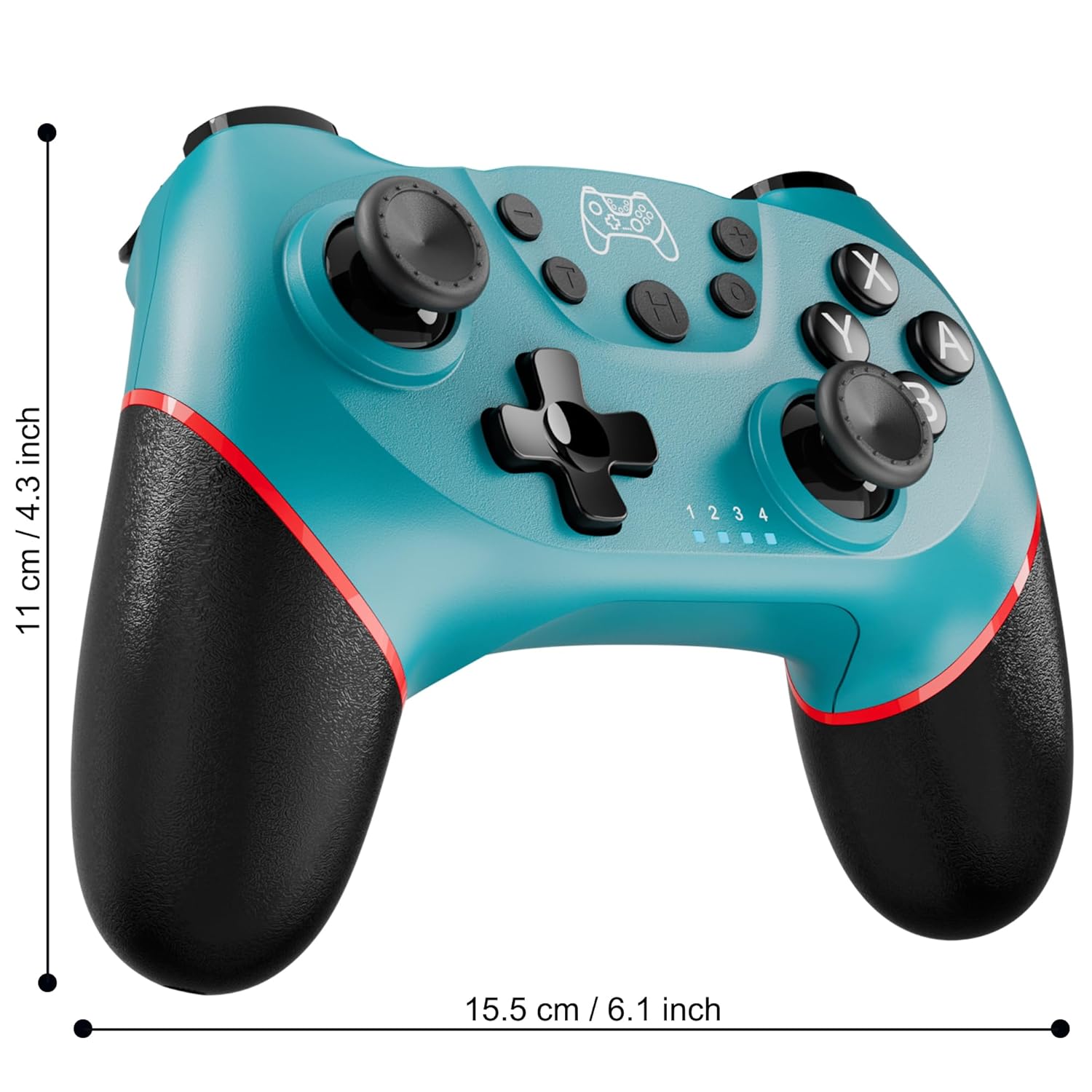
Figure 2: Charging the controller via USB-C port.
2.2 Wireless Bluetooth Connection (Nintendo Switch/Lite/OLED)
- Уверите се да је ваша Nintendo Switch конзола укључена и ажурирана на најновију верзију система.
- У менију ХОМЕ одаберите Контролори > Промените Грип/Ред.
- On the Diswoe Pro Controller, press and hold the H (Home) button for 3-5 seconds until the player indicator lights begin to flash rapidly.
- Once the controller is successfully paired, the player indicator light(s) will remain solid.
- The controller provides a stable and reliable signal without delay or drop-off within 8 meters.

Figure 3: Controller pairing and one-button wake-up feature.
2.3 Жична веза (рачунар)
The controller supports USB cable connection with PC. Simply connect the controller to your PC using the provided USB-C cable. No additional drivers are required for basic functionality.
НАПОМЕНА: The controller does not support wake-up for Switch 2 or audio functions via wired connection.
3. Упутство за употребу
3.1 Основне контроле
The controller features standard button layouts for intuitive gameplay:
- Дугмад A/B/X/Y: Стандардна дугмад за акције.
- Д-Пад: Усмерени унос.
- Леви/десни аналогни штапићи: За кретање од 360 степени и контролу камере.
- Дугмад Л/Д/ЗЛ/ЗР: Дугмад на рамену и окидачу за разне радње у игри.
- +/- Дугмад: Plus and Minus buttons for menu navigation.
- Home Button (H): Returns to the console's HOME Menu.
- Дугме за снимање екрана: Captures screenshots during gameplay.

Слика 4: Детаљно view дугмади контролера.
3.2 Повратна информација о вибрацијама
The controller is equipped with dual vibration motors that provide excellent haptic feedback, enhancing game immersion. The intensity of the vibration can be adjusted to suit your preference, offering three levels of vibration.
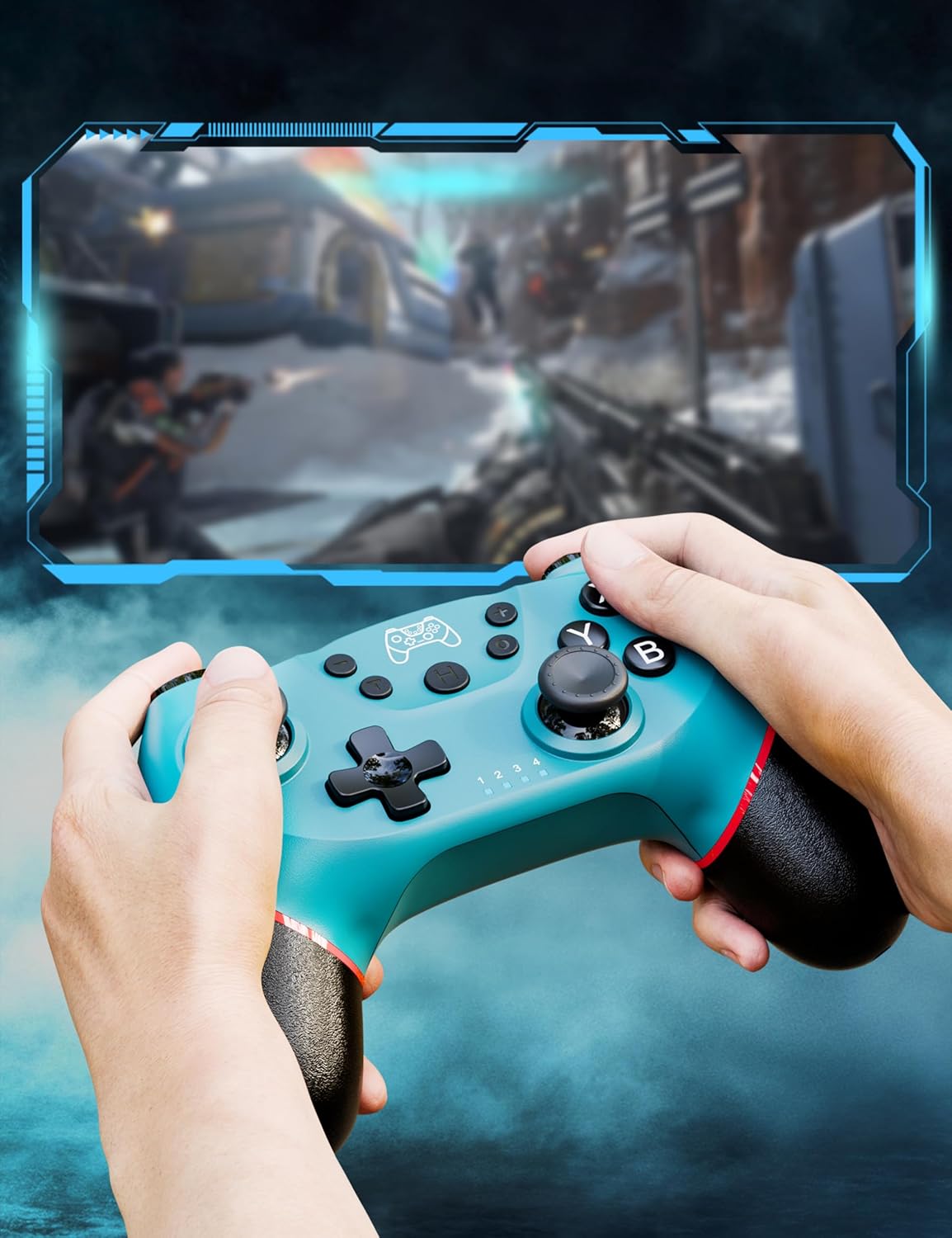
Figure 5: Illustration of adjustable vibration levels.
3.3 6-осни жироскопски сензор
The integrated 6-axis gyro sensor allows the controller to detect its inclination and motion, providing quick and precise responses for motion-sensing games. This feature adds an extra layer of fun and control to compatible titles.

Figure 6: Controller with 6-axis gyro sensor in action.
3.4 Турбо функција
Activate the turbo function for rapid, continuous input of a button press. This is particularly useful in games requiring fast, repetitive actions. The controller supports three turbo speeds: 5 shots/s, 12 shots/s, and 20 shots/s.

Figure 7: Turbo speed settings on the controller.
3.5 Функција снимања екрана
Capture your favorite in-game moments instantly by pressing the dedicated screenshot button. This allows for easy sharing of your gameplay experiences.

Figure 8: Location of the screenshot button.
4. Одржавање
4.1 Чишћење
To maintain the controller's condition, wipe it regularly with a soft, dry cloth. Avoid using harsh chemicals or abrasive materials that could damage the surface.
4.2 Одржавање батерије
- Избегавајте излагање контролера екстремним температурама.
- Do not attempt to disassemble or replace the built-in battery.
- Charge the controller regularly, even if not in frequent use, to prolong battery life.
КСНУМКС. Решавање проблема
5.1 Контролер се не повезује/не упарује
- Уверите се да је контролер потпуно напуњен.
- Verify that the Nintendo Switch console is powered on and in the "Change Grip/Order" screen.
- Press and hold the H (Home) button on the controller for 3-5 seconds until the player indicator lights flash rapidly.
- If issues persist, try restarting both the controller and the console.
5.2 Кашњење или прекиди уноса
- Ensure the controller is within the 8-meter operating range of the console.
- Минимизирајте сметње од других бежичних уређаја.
- Check for any physical obstructions between the controller and the console.
- Уверите се да батерија контролера није критично ниска.
5.3 Joystick Drift
If you experience unintended movement from the analog sticks (joystick drift), try the following:
- Calibrate the joysticks through your Nintendo Switch system settings: Системске поставке > Контролори и сензори > Калибрирајте контролне палице.
- Ensure the controller's firmware is up to date (check the manufacturer's webсајт за ажурирања).
- Clean around the base of the joysticks with compressed air to remove any debris.
6. Спецификације производа
| Феатуре | Детаљ |
|---|---|
| Број модела | ЕТ16801 |
| Бранд | Дисвое |
| Компатибилност | Nintendo Switch/Switch 2/Switch Lite/Switch OLED, Windows PC, Android Phone |
| Повезивање | Wireless Bluetooth, Wired USB-C |
| Капацитет батерије | 550mAh литијум-јонска батерија (укључена) |
| Време пуњења | Прибл. 2-3 сати |
| Време употребе | Прибл. 6-8 сати |
| Посебне карактеристике | Dual Vibration Motors, 6-Axis Gyro Sensor, Turbo Function, Screenshot Button |
| Тежина артикла | 9.9 унци |
| Димензије пакета | 6.42 к 4.76 к 2.6 инча |
| Датум првог доступног | 11. децембра 2019. године |
7. Информације о гаранцији
Specific warranty details for the Diswoe Switch Pro Controller are typically provided with the product packaging or available on the official Diswoe webсајт. Молимо погледајте ове ресурсе за свеобухватне услове гаранције.
8. Корисничка подршка
For further assistance, technical support, or inquiries regarding your Diswoe Switch Pro Controller, please visit the official Diswoe webсајт или контактирајте њихову службу за кориснике. Контакт информације се обично могу наћи на паковању производа или на званичном онлајн сајту бренда.