
Увод
Thank you for choosing the IMICE X9 Wired Optical Gaming Mouse. This manual provides detailed instructions for setting up, operating, maintaining, and troubleshooting your new gaming mouse. Please read this manual carefully to ensure optimal performance and longevity of your device.
Производ је завршенview
The IMICE X9 is a high-performance wired optical gaming mouse designed for precision and comfort. It features adjustable DPI settings, 6 programmable buttons, and vibrant LED lighting to enhance your gaming experience. Its ergonomic design ensures comfortable use during extended gaming sessions.
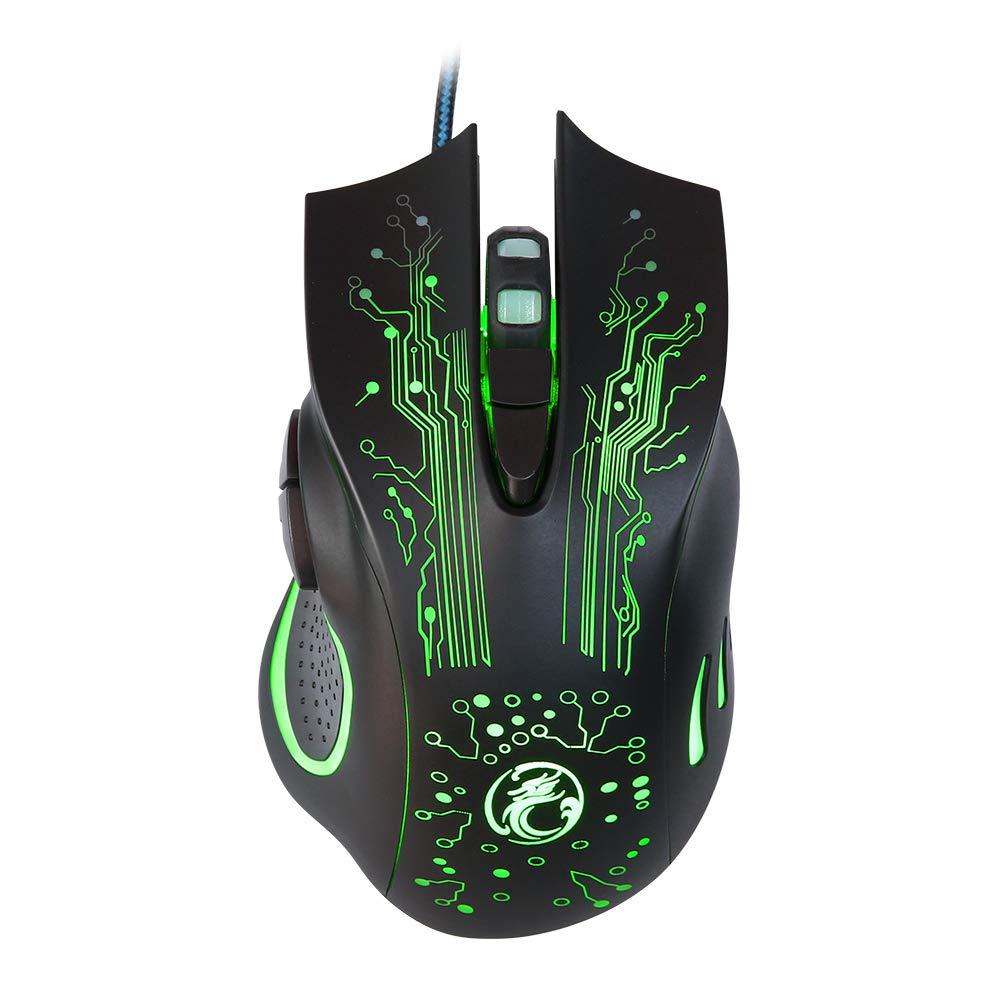
Image: The IMICE X9 gaming mouse showcasing its ergonomic design and dynamic LED lighting.
Сетуп
Setting up your IMICE X9 gaming mouse is a simple plug-and-play process.
- Распакујте миш: Carefully remove the IMICE X9 gaming mouse from its packaging.
- Повежите се са рачунаром: Locate an available USB port on your computer (desktop or laptop). Insert the USB connector of the IMICE X9 mouse firmly into the USB port.
- Инсталација драјвера: Your operating system (Windows, Linux) should automatically detect and install the necessary drivers. This process may take a few moments.
- Спреман за употребу: Once the drivers are installed, the mouse's LED lighting will illuminate, and it will be ready for immediate use.
Упутство за употребу
Основна функционалност
- Леви клик: Примарна акција, селекција.
- Десни клик: Secondary action, context menus.
- Точак за померање: Scroll up/down in documents and web pages. Pressing the scroll wheel acts as a middle click.
ДПИ Адјустмент
The IMICE X9 mouse features adjustable DPI (Dots Per Inch) settings, allowing you to change cursor sensitivity on the fly. The available DPI settings range from 800 to 2400 DPI.

Слика: Врх view of the IMICE X9 mouse, showing the DPI adjustment button located behind the scroll wheel.
- Дугме ДПИ: Press the dedicated DPI button (usually located behind the scroll wheel) to cycle through the available DPI settings. Each press will change the sensitivity, often indicated by a change in LED color or a brief flicker.
Додатна дугмад
The IMICE X9 includes additional buttons for enhanced productivity and gaming.

Слика: Са стране view of the IMICE X9 mouse, illustrating the placement of the two thumb buttons.
- Дугме за напред: Typically located on the side, this button allows you to navigate forward in web претраживачи или file истраживачи.
- Дугме за назад: Also located on the side, this button allows you to navigate backward in web претраживачи или file истраживачи.
Одржавање
Proper maintenance ensures the longevity and performance of your IMICE X9 gaming mouse.
- Чишћење: Користите меку, суву крпу да обришете површину миша. За тврдокорну прљавштину, благо обришитеampОбришите крпу водом или благим раствором за чишћење. Избегавајте јаке хемикалије.
- Оптички сензор: Одржавајте оптички сензор на доњој страни миша чистим и без прашине или прљавштине. По потреби користите памучни штапић или компримовани ваздух.
- Нега каблова: Избегавајте оштра савијања или прекомерно повлачење USB кабла како бисте спречили оштећења.
- Складиштење: Када се не користи, чувајте миш на чистом и сувом месту, даље од екстремних температура.
Решавање проблема
If you encounter issues with your IMICE X9 gaming mouse, refer to the following common solutions:
| Проблем | Могући узрок | Решење |
|---|---|---|
| Миш не реагује | Лабава УСБ веза, неисправан УСБ порт, проблем са драјвером. | Try reconnecting the USB cable. Use a different USB port. Restart your computer. Check Device Manager for driver status. |
| Покрет курсора је неправилан или скачкав | Прљави оптички сензор, неодговарајућа површина подлоге за миш. | Clean the optical sensor. Use a clean, non-reflective mouse pad. |
| LED lights are off or flickering | Power issue, software conflict. | Ensure the mouse is properly connected. Try a different USB port. Restart your computer. |
| Подешавање DPI-ја не ради | Button malfunction, temporary software glitch. | Press the DPI button firmly. Restart your computer. |
Ако проблем и даље постоји након што сте испробали ова решења, обратите се корисничкој подршци.
Спецификације
Detailed technical specifications for the IMICE X9 Wired Optical Gaming Mouse:
- Бренд: IMICE
- Модел: X9
- Технологија повезивања: УСБ (жични)
- ДПИ подешавања: 800-2400 DPI (Adjustable)
- Метод праћења: Оптицал
- Број дугмади: 6
- Оријентација руке: Амбидектроус
- Посебне карактеристике: Ergonomic Design, LED Lighting
- Препоручена употреба: Гаминг
- Компатибилни уређаји: Лаптоп, лични рачунар
- Компатибилни оперативни системи: Линук, Виндовс 10
- Стил: Модерна
- Платформа: PC
- Батерије укључене: бр
- Број дела произвођача: ИКС1560214

Image: A display of three IMICE X9 gaming mice, highlighting the different LED color options (red, blue, green).
Гаранција и подршка
The IMICE X9 Wired Optical Gaming Mouse comes with a standard manufacturer's warranty. For specific warranty terms and conditions, please refer to the warranty card included with your product or visit the official IMICE website. For technical support, troubleshooting assistance beyond this manual, or warranty claims, please contact IMICE customer service through their official channels.