
Увод
Thank you for choosing the A4tech G3-200NS Silent Wireless Mouse. This manual provides detailed instructions for setting up, operating, and maintaining your new wireless mouse. Designed for comfort and efficiency, this optical mouse offers silent clicks and reliable wireless connectivity for both PC and laptop use.
Садржај пакета
Молимо вас да проверите садржај пакета како бисте били сигурни да су сви предмети присутни:
- A4tech G3-200NS Silent Wireless Mouse
- УСБ пријемник
- Кориснички приручник (овај документ)
- (Note: 1 AA battery required, not included)
Сетуп
1. Инсталирање батерије
- Пронађите одељак за батерију на доњој страни миша.
- Отворите поклопац одељка за батерије.
- Уметните једну АА батерију, водећи рачуна о исправном поларитету (+/-).
- Добро затворите поклопац одељка за батерије.
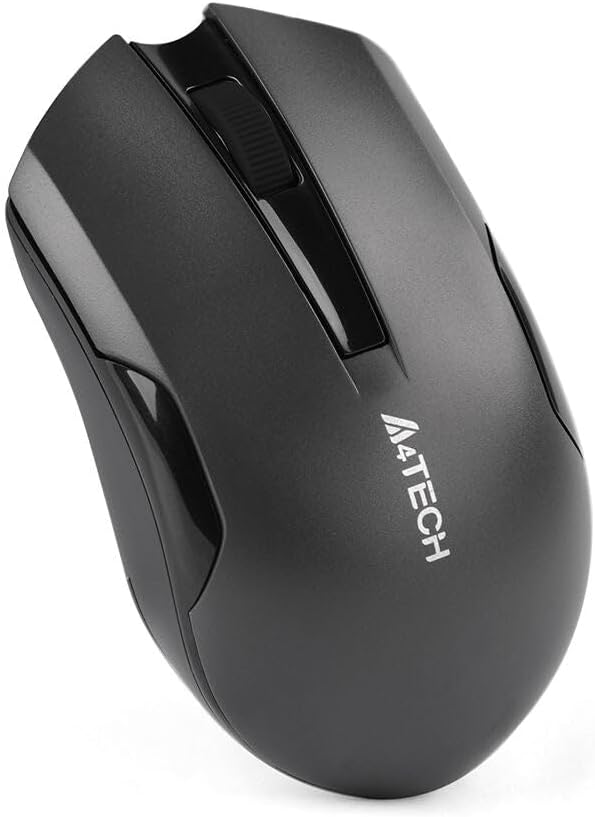
Figure 1: Underside of the mouse with battery compartment.
2. Повезивање USB пријемника
- Locate the USB receiver, typically stored within the mouse's battery compartment or packaged separately.
- Укључите УСБ пријемник у слободан УСБ порт на рачунару или лаптопу.
- The operating system will automatically detect and install the necessary drivers. This may take a few moments.
- Once installed, the mouse is ready for use.
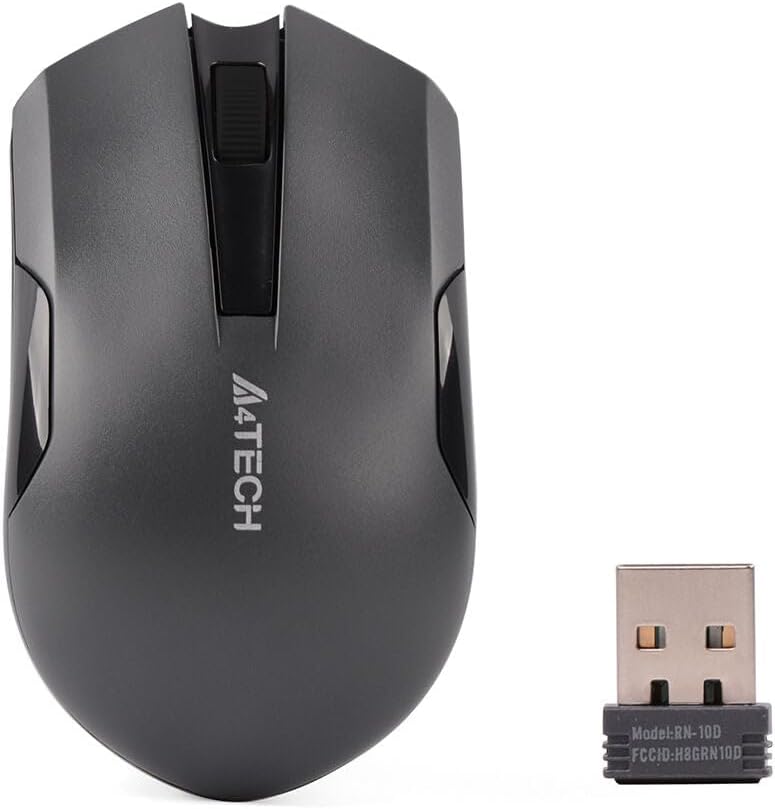
Figure 2: A4tech G3-200NS mouse and its USB receiver.
Управљање мишем
Основне функције
- Леви клик: Primary action, selection, opening items.
- Десни клик: Отвара контекстуалне меније.
- Точак за померање: Скролује документе и web странице вертикално. Точкић за скроловање такође функционише као средњи клик.
Silent Click Technology
The A4tech G3-200NS features silent click technology, significantly reducing click noise for a quieter working environment.
Домет
The mouse operates within a wireless range of approximately 10 to 15 meters from the USB receiver, depending on environmental conditions and obstacles.
Одржавање
Замена батерије
When the mouse performance degrades or stops responding, it is likely time to replace the AA battery. Follow the battery installation steps outlined in the "Setup" section.
Чишћење
За чишћење миша користите меку, суву крпу. За тврдокорну прљавштину, благо дamp cloth can be used, ensuring no moisture enters the internal components. Avoid using harsh chemicals or abrasive cleaners.
Решавање проблема
| Проблем | Решење |
|---|---|
| Миш не реагује |
|
| Неправилно кретање курсора |
|
| Кратак бежични домет |
|
Спецификације
- Бренд: A4tech
- Модел: G3-200NS
- Тип миша: Оптицал Моусе
- Повезивање: Бежично (2.4 GHz)
- Боја: Црно
- Компатибилан са: ПЦ & Лаптоп
- Оперативни систем: Линукс, Виндоус XP (и новије верзије)
- Извор напајања: 1 к АА батерија (није укључена)
- Просечан век трајања батерије: Approximately 6 months (may vary with usage)
- Домет бежичне мреже: 10-15 метара
- Посебне карактеристике: Silent Click Technology
Гаранција и подршка
For warranty information or technical support, please refer to the warranty card included with your purchase or visit the official A4tech webсајт. Сачувајте доказ о куповини за потребе гаранције.