
iTouch iFitness
iTouch iFitness Bluetooth Smart Watch User Manual
Model: iFitness
Увод
This manual provides comprehensive instructions for the setup, operation, and maintenance of your iTouch iFitness Bluetooth Smart Watch. The iFitness Activity Tracker is designed to assist you in monitoring your fitness goals, including steps, calories, distance, and sleep. It also offers smart notifications to keep you connected.
Водич за подешавање
1. Пуњење уређаја
Before initial use, fully charge your iFitness Smart Watch. Connect the charging cable to the designated port on the device and a USB power source. A full charge typically takes approximately 2 hours.
2. Инсталација апликације
The iFitness Smart Watch requires the companion iFitness App for full functionality.
- For iOS devices, download the "iFitness App" from the Apple App Store.
- For Android devices, download the "iFitness App" from the Google Play Store.
3. Упаривање уређаја
- Уверите се да је Блуетоотх омогућен на вашем паметном телефону.
- Open the iFitness App on your smartphone.
- Follow the on-screen instructions within the app to search for and pair with your iFitness Smart Watch.
- Confirm the pairing request on both your smartphone and the watch, if prompted.

Слика 1: Предња и задња страна view of the iTouch iFitness Smart Watch. The front displays the time and date, while the back shows the sensor area.
Упутство за употребу
Основна навигација
The iFitness Smart Watch typically features a touch-sensitive screen or a single button for navigation. Tap or swipe to cycle through different functions and screens. Refer to the in-app guide for specific gestures.
Праћење фитнеса
- Педометар: Automatically tracks your steps throughout the day.
- Праћење калорија: Estimates calories burned based on your activity level and personal data.
- Удаљеност: Израчунава пређену удаљеност на основу ваших корака.
- Повезани ГПС: When connected to your smartphone, the watch can utilize your phone's GPS for more accurate distance and route tracking during outdoor activities.
Слееп Мониторинг
Wear the iFitness Smart Watch to bed to monitor your sleep patterns. The device tracks sleep duration and quality, providing insights through the iFitness App.
Паметна обавештења
Once paired with your smartphone, the watch can display notifications for incoming calls, text messages, and alerts from various social media applications. Configure notification settings within the iFitness App.
Функција даљинске камере
Use your iFitness Smart Watch as a remote shutter for your smartphone's camera. Activate this feature through the iFitness App and follow the instructions to capture photos remotely.
Финд Ми Пхоне
If your phone is misplaced but within Bluetooth range, use the "Find My Phone" feature on your watch to make your phone ring, helping you locate it.
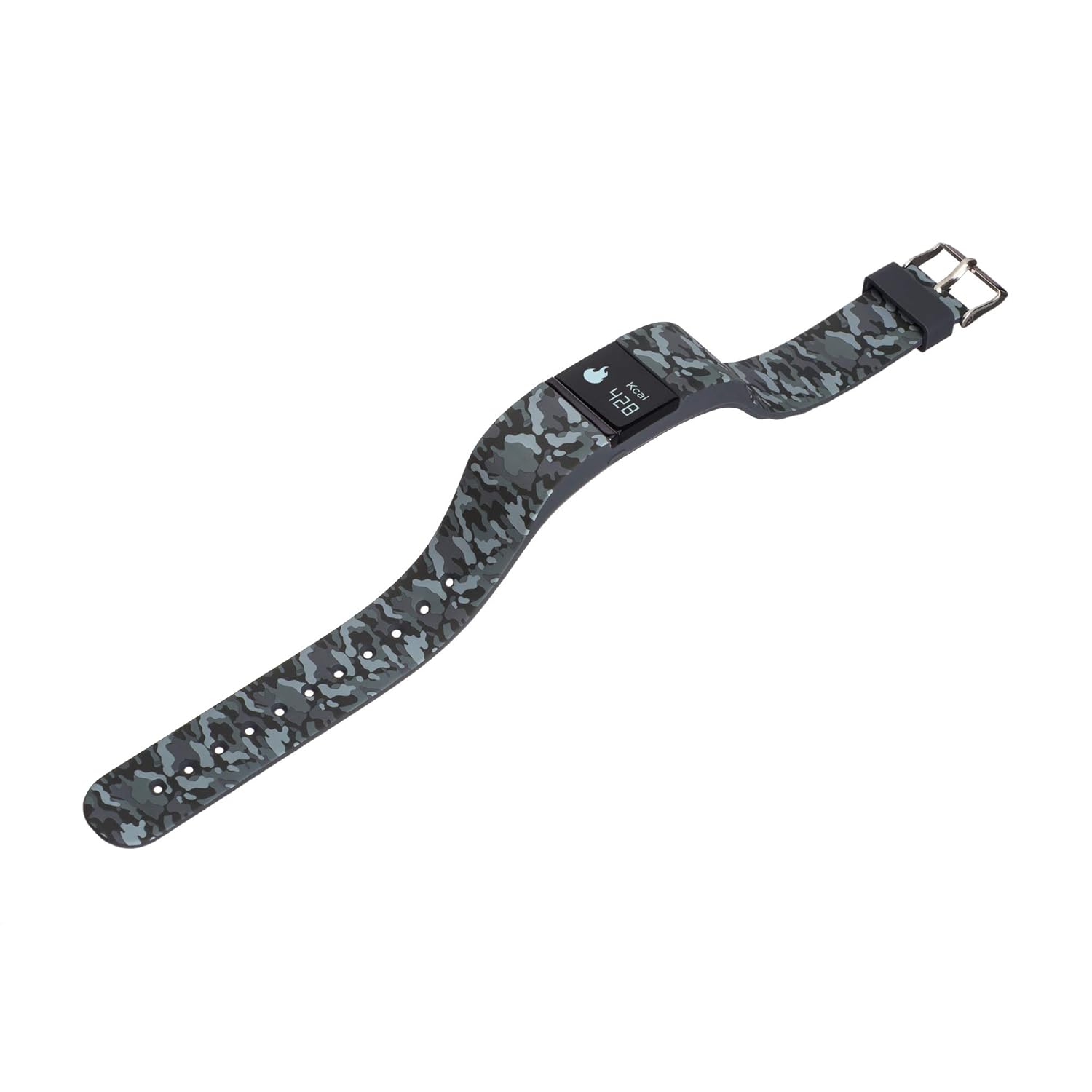
Слика 2: Страна view of the iTouch iFitness Smart Watch, highlighting the strap design and a calorie tracking display.
Одржавање и њега
Чишћење
- Редовно бришите уређај меком крпомamp тканина.
- Avoid using harsh chemicals or abrasive cleaners, as these can damage the watch's finish and sensors.
- Уверите се да су контакти за пуњење чисти и суви пре пуњења.
Отпорност на воду
The iFitness Smart Watch is water-resistant. This means it can withstand splashes, rain, and brief immersion in shallow water. It is not recommended for swimming, showering, or high-pressure water activities.
Страп Царе
The iFitness Activity Tracker comes with interchangeable straps. Clean straps regularly to prevent skin irritation. Ensure straps are securely attached before wearing.
Решавање проблема
Уређај се не укључује
- Ensure the device is fully charged. Connect it to a charger for at least 30 minutes.
- Try performing a soft reset (refer to the app or manufacturer's website for specific instructions if available).
Проблеми упаривања
- Уверите се да је Bluetooth омогућен на вашем паметном телефону и да је сат у домету.
- Restart both your smartphone and the iFitness Smart Watch.
- Forget the device in your phone's Bluetooth settings and attempt to pair again through the iFitness App.
- Ensure the iFitness App is up to date.
Inaccurate Tracking Data
- Уверите се да сат чврсто приања на зглоб, али не превише стегнут.
- Verify that your personal information (height, weight, age) is correctly entered in the iFitness App.
- For connected GPS, ensure your phone is with you and has a clear GPS signal.
Обавештења се не појављују
- Check notification settings within the iFitness App to ensure they are enabled for desired applications.
- Verify that your phone's notification settings allow the iFitness App to display alerts.
- Ensure the watch is connected via Bluetooth to your smartphone.
Спецификације
| Феатуре | Детаљ |
|---|---|
| Бранд | иТоуцх |
| Модел | iFitness |
| Технологија повезивања | Блуетоотх |
| Компатибилност оперативног система | Андроид, иОС |
| Дисплаи Типе | Дигитал |
| Карактеристике | Calorie Tracker, Pedometer, Sleep Monitor, Remote Camera, Find My Phone, Connected GPS |
| Отпорност на воду | Yes (Splash and rain resistant) |
| Састав батерије батерије | Литхиум Ион |
| Тежина артикла | 249 г |
Гаранција и подршка
For information regarding product warranty, technical support, or service, please refer to the official iTouch website or contact iTouch customer service directly. Keep your purchase receipt as proof of purchase.
Произвођач: Америчка берза
Ask a question about this manual
Ask about setup, troubleshooting, compatibility, parts, safety, or missing instructions. Manuals+ will review the question and use this page’s manual context to help answer it.