
1. Увод
Thank you for choosing the Alomejor Digital Drum Metronome Practice Pad. This device is designed to assist drummers and musicians in developing precise rhythm and tempo. It features a digital LCD screen, multiple practice modes, and an earphone jack for private practice sessions. Please read this manual thoroughly before using the product to ensure proper operation and longevity.
Садржај пакета:
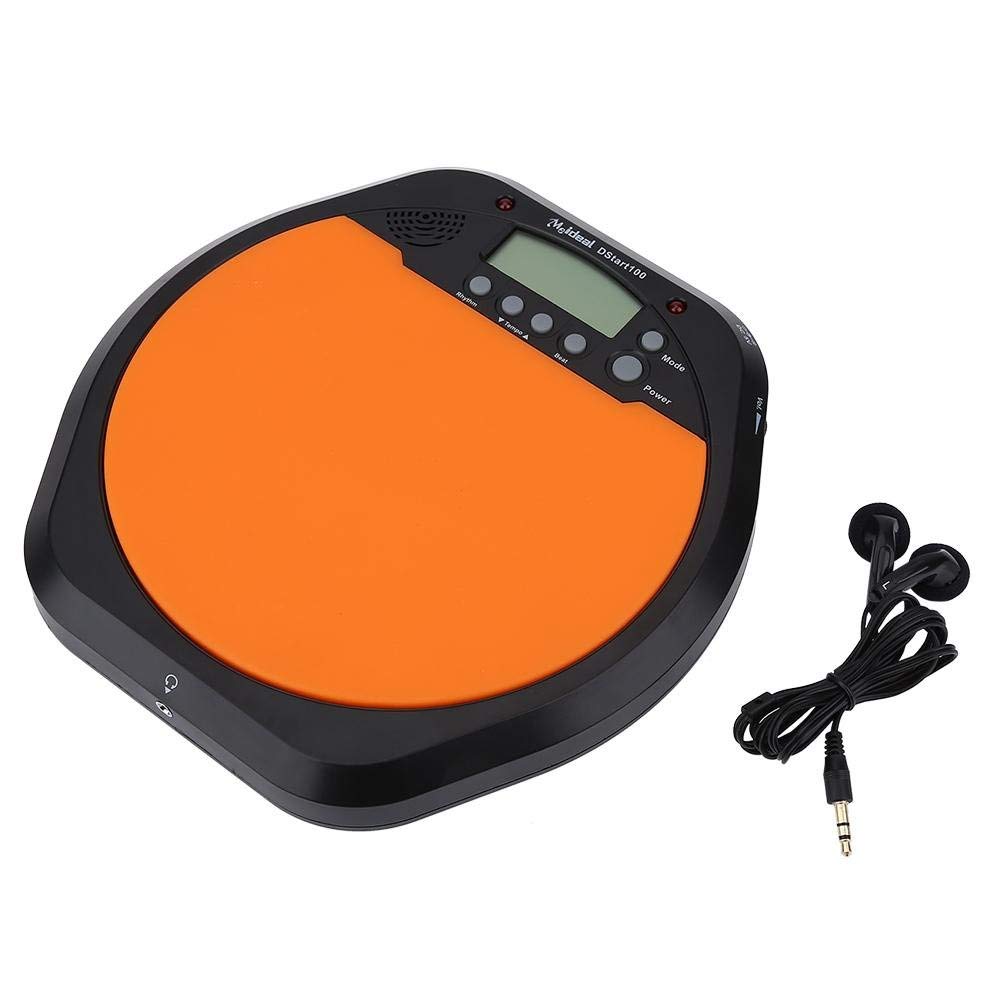
- 1 x Digital Drum Metronome Practice Pad
- 1 к слушалица
- (2 x AAA batteries not included)
2. Карактеристике производа
- Мултифункционални дизајн: Offers various modes for comprehensive rhythm training.
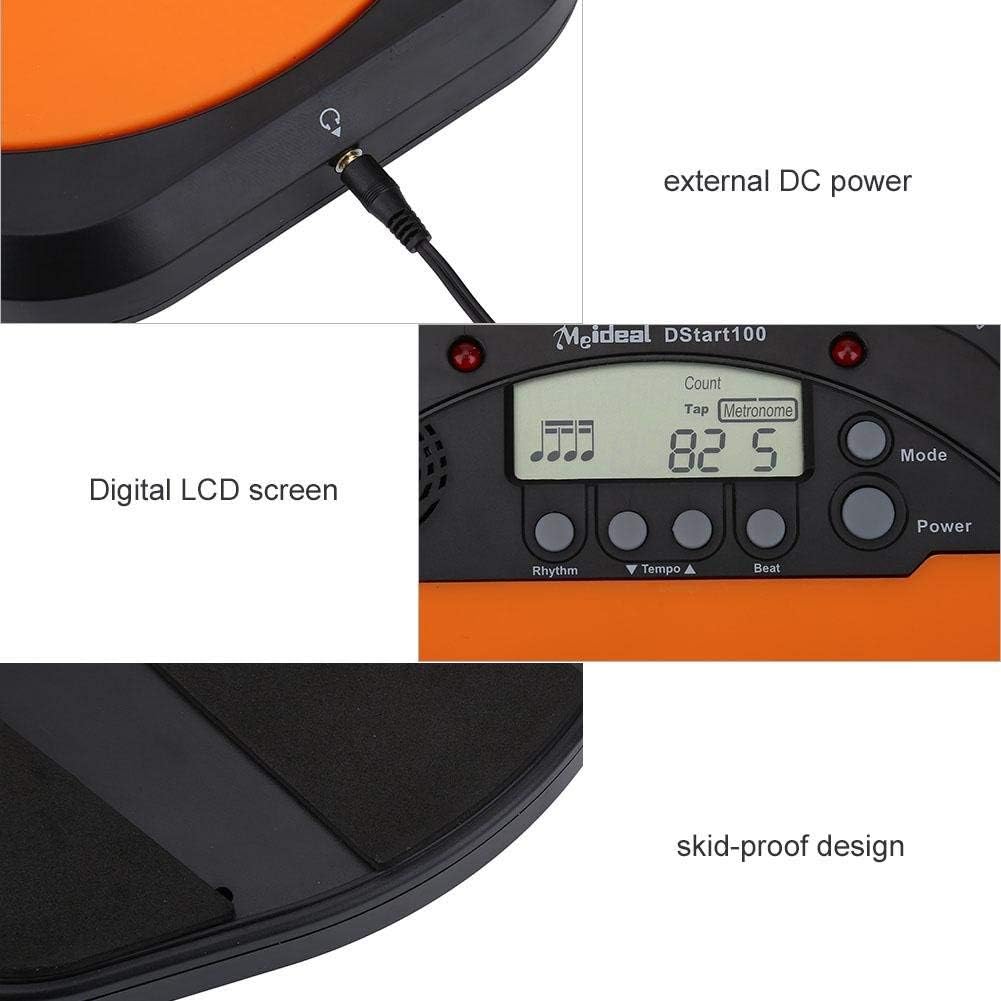
- Дигитални ЛЦД екран: Provides clear visual feedback for tempo, rhythm, and count.
- Тап Функција: Allows users to test and set their ideal tempo or match a song's tempo.
- Realistic Drum Feel: Engineered to provide a responsive surface similar to a real drum.
- Утичница за слушалице: Enables silent practice, ideal for use in various environments without disturbing others.
- External DC Power Option: Supports external power supply for extended use (adapter not included).
- Издржљива конструкција: Features anti-shock and anti-slip design for stability and longevity.


3. Подешавање
3.1 Инсталација батерије
- Locate the battery compartment on the underside of the practice pad.
- Отворите поклопац одељка за батерије.
- Уметните две (2) ААА батерије, водећи рачуна о исправном поларитету (+/-).
- Добро затворите поклопац одељка за батерије.

3.2 Прикључак за напајање
- Снага батерије: Када се батерије инсталирају, уређај је спреман за употребу.
- External DC Power (Optional): For continuous use, connect a compatible DC power adapter (not included) to the external DC power port located on the side of the unit.

3.3 Прикључак за слушалице
To practice silently, plug the included earphone into the 3.5mm headphone jack located on the side of the practice pad.

4. Упутство за употребу
4.1 Укључивање/искључивање
- Притисните тастер Повер дугме за укључивање уређаја.
- Притисните и држите Повер дугме да искључите уређај.
4.2 Избор режима
Притисните тастер Режим button to cycle through the available practice modes:
- Режим метронома: Provides a steady click for tempo practice.
- Tapping Mode: Allows you to tap a rhythm, and the device will display the calculated tempo.
- Counting Mode: Helps in practicing specific counts or measures.

4.3 Adjusting Tempo and Rhythm
- Користите Tempo ▲ и Tempo ▼ buttons to increase or decrease the metronome's tempo (BPM).
- Користите Ритам button to change the rhythm pattern.
- Користите Беат button to adjust the beat subdivision.
The LCD screen will display the current tempo, rhythm, and beat settings.
5. Одржавање
- Чишћење: Wipe the surface of the practice pad with a soft, dry cloth. Do not use abrasive cleaners or solvents.
- Складиштење: Уређај чувајте на хладном и сувом месту, даље од директне сунчеве светлости и екстремних температура.
- Одржавање батерије: Извадите батерије ако уређај неће бити коришћен дуже време како бисте спречили цурење.
- Избегавајте утицај: While designed to be shockproof, avoid dropping the device or subjecting it to strong impacts.
КСНУМКС. Решавање проблема
| Проблем | Могући узрок | Решење |
|---|---|---|
| Уређај се не укључује. |
|
|
| No sound from speaker/earphones. |
|
|
| Tap function is inaccurate. |
|
|
7. Спецификације
| Бранд | Аломејор |
| Број модела | Alomejorrxzdnhs6e2 |
| Боја | Црна/наранџаста |
| Материјал | Пластика |
| Димензије (приближно) | 207 к 206 к 29 мм (8.15 к 8.11 к 1.14 инча) |
| Тежина (приближно) | 496 г (1.1 лбс) |
| Темпо Ранге | 30-280 бпм |
| Повер Суппли | 2 x AAA batteries (not included) or external DC power (adapter not included) |
8. Гаранција и подршка
Alomejor products are designed for quality and performance. While specific warranty details are not provided in this manual, please refer to your purchase documentation or contact the retailer for information regarding warranty coverage and customer support.
For any issues or inquiries, please contact Alomejor customer service through the platform where you purchased the product.