
Ело Е931896
EloPOS 15" Point of Sale System User Manual
Модел: Е931896
1. Производ је готовview
The EloPOS System is a versatile point-of-sale solution designed for commercial environments. It features a 15-inch 4:3 touchscreen display, an Intel 8th generation i3 processor, and an integrated expansion hub for connecting various peripherals. This system is built for durability and continuous public use, making it suitable for traditional POS and self-service applications.
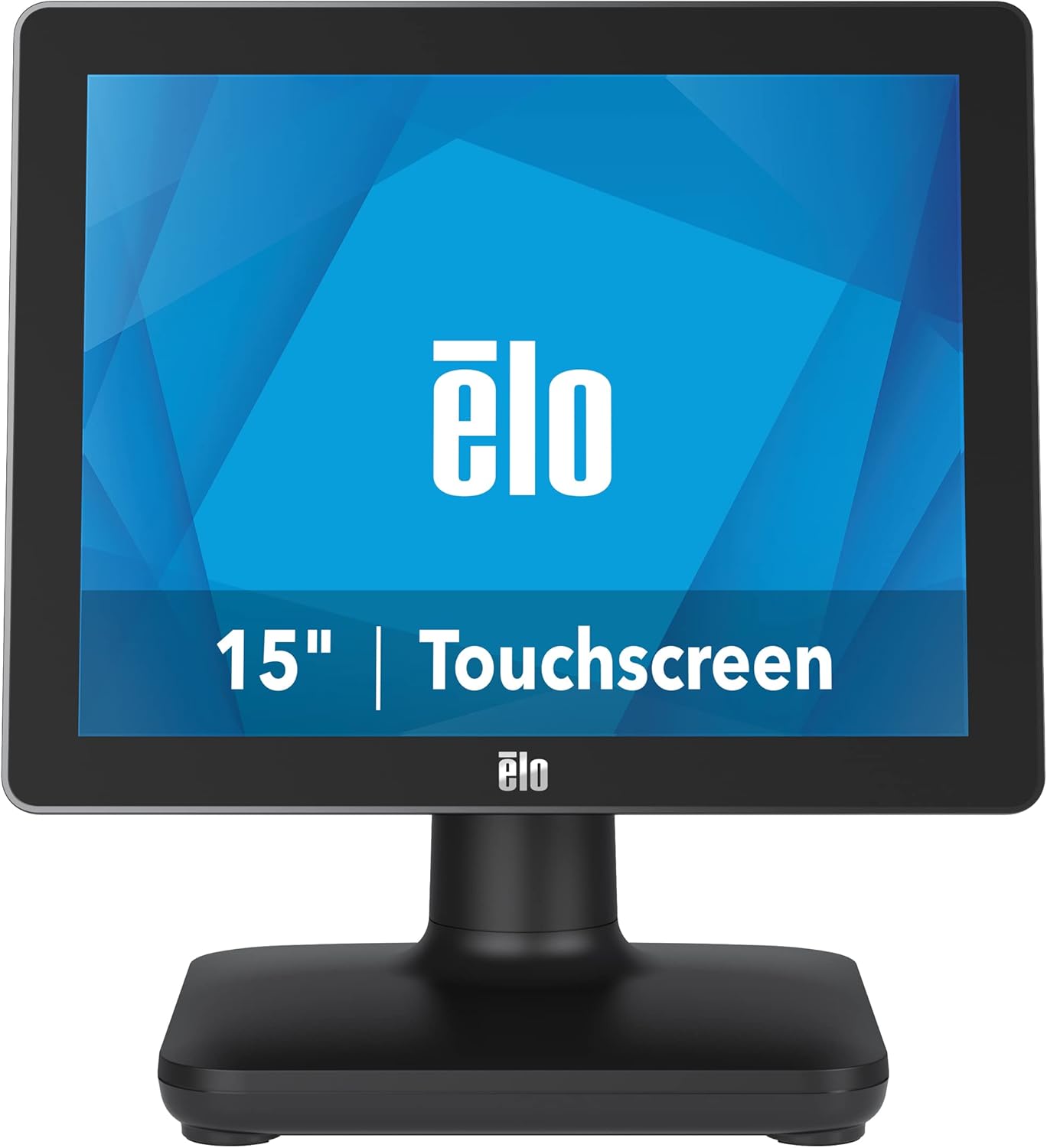
Слика 1: Предња страна view of the EloPOS System.
The system's robust design ensures reliability in demanding retail environments, providing a stable platform for your business operations.
2. Садржај пакета
Verify that all items listed below are included in your EloPOS system package:
- EloPOS System Unit
- NA Power Cord
- ЕУ кабл за напајање
- Power Adapter - 180W
- Cable RJ-45 to DB-9
- Cable Cover Locking Screw
- Водич за брзу инсталацију (КИГ)
3. Кључне карактеристике
The EloPOS System is equipped with several features designed to enhance its functionality and durability:
- Integrated Expansion Hub: The included stand features an integrated expansion hub, allowing connection of various POS peripherals such as cash drawers, printers, barcode scanners, and payment devices.
- Windows 10 Operating System: Utilizes the reliable performance and security of Intel 8th Generation processors, integrated Trusted Platform Modules, Intel vPro, and the Windows 10 operating system.
- Трајност комерцијалног квалитета: Features a splash-proof housing and a rugged retail-hardened design, built to withstand adverse conditions common in commercial environments.
- УСБ-Ц повезивање: Enables easy connection of a 1302L customer-facing display, providing touch, data, and power through a single cable (second display sold separately).
- Elo Edge Connect: Allows seamless attachment of up to four peripherals (sold separately) to the edge of the touchscreen, including fingerprint scanners, EMV readers, barcode scanners, or MSRs.
4. Водич за подешавање
4.1. Распакивање и постављање
Carefully remove the EloPOS system and all components from the packaging. Place the unit on a stable, flat surface, ensuring adequate ventilation around the device.
4.2. Повезивање напајања
- Connect the 180W power adapter to the power input port on the back of the EloPOS system.
- Connect the appropriate power cord (NA or EU) to the power adapter.
- Укључите кабл за напајање у уземљену електричну утичницу.
4.3. Повезивање периферних уређаја
The EloPOS system features an integrated expansion hub for connecting various peripherals. Refer to the image below for port locations.

Слика 2: Задња страна view with connection hub.
- УСБ портови: Connect USB devices such as keyboards, mice, barcode scanners, or payment terminals to the available USB 2.0 or USB 3.0 ports.
- Етхернет порт: Connect an Ethernet cable for network connectivity.
- Серијски портови: Use the RJ-45 to DB-9 cable for connecting serial devices if required.
- УСБ-Ц порт: For connecting compatible USB-C devices, including the Elo 1302L customer-facing display.
5. Операција
5.1. Укључивање/искључивање
To power on the system, press the power button, typically located on the side or back of the display unit. To power off, use the standard Windows shutdown procedure or press and hold the power button for a few seconds.
5.2. Коришћење екрана осетљивог на додир
The EloPOS system features a responsive touchscreen display. Use your finger or a compatible stylus for navigation and input. Ensure the screen is clean for optimal touch performance.
6. Одржавање
Regular maintenance helps ensure the longevity and optimal performance of your EloPOS system:
- Чишћење екрана: Лагано користите меку крпу која не оставља длачице дampened with a non-abrasive, ammonia-free glass cleaner. Do not spray cleaner directly onto the screen.
- Чишћење Цasing: Обришите спољашњост цasinг са меким, дamp крпа. Избегавајте јаке хемикалије или абразивне материјале.
- вентилација: Ensure that the ventilation openings on the system are not blocked to prevent overheating.
- Ажурирања софтвера: Regularly check for and install operating system and driver updates to maintain system security and performance.
КСНУМКС. Решавање проблема
This section provides solutions to common issues you might encounter with your EloPOS system.
| Проблем | Могући узрок | Решење |
|---|---|---|
| Систем се не укључује. | Power cord not connected, power adapter faulty, power outlet issue. | Check power cord connections. Ensure power adapter is securely plugged in. Test the power outlet with another device. |
| Екран осетљив на додир не реагује. | Screen dirty, drivers not installed/corrupted, system frozen. | Clean the screen. Restart the system. Check device manager for touchscreen driver status. |
| Peripheral (e.g., printer) not detected. | Incorrect port, driver issue, peripheral not powered on. | Ensure peripheral is powered on and connected to the correct port. Install or update peripheral drivers. |
| System runs slowly. | Too many applications running, insufficient RAM, overheating. | Close unnecessary applications. Check system resources. Ensure proper ventilation. |
8. Техничке спецификације
| Феатуре | Спецификација |
|---|---|
| Величина приказа на сталном екрану | 15 инча |
| Резолуција екрана | 1024к768 |
| Максимална резолуција екрана | 1366к768 |
| Процесор | 3.1 GHz core_i3 (Intel 8th Generation) |
| РАМ | 4 ГБ ДДР4 |
| Хард Дриве | 128 ГБ ССД |
| Грапхицс Цопроцессор | Интел ХД Грапхицс 520 |
| Оперативни систем | Виндовс 10 |
| Број УСБ 2.0 портова | 2 |
| Број УСБ 3.0 портова | 3 |
| Број модела артикла | Е931896 |
| Тежина артикла | 11.6 фунти |
| Димензије производа (ДкШкВ) | 8.71 к 14.16 к 13.37 инча |
| Боја | Црно |
| Извор напајања | AC |
| Волtage | 240 Волтс |
9. Информације о гаранцији
The EloPOS System is backed by Elo's standard 3-year warranty. This warranty covers defects in materials and workmanship under normal use. For detailed terms and conditions, please refer to the official Elo warranty policy document or contact Elo customer support.
10. Подршка и контакт
For further assistance, technical support, or service inquiries, please visit the official Elo website or contact their customer support. You can find more information and resources at the Elo Store on Amazon.