
Увод
The Razer Viper Ultimate is a high-performance lightweight wireless gaming mouse designed for professional-grade performance. It features an ultra-fast wireless technology, a 20,000 DPI optical sensor for precise tracking, optical mouse switches for rapid actuation, and an ambidextrous design with programmable buttons. This manual provides essential information for setting up, operating, maintaining, and troubleshooting your device.
Сетуп
To begin using your Razer Viper Ultimate mouse, follow these steps for initial connection and charging.
1. Почетна веза
Your Razer Viper Ultimate mouse can be connected wirelessly via its USB dongle or wired using the included Speedflex cable.
- Бежични режим: Insert the USB wireless dongle into an available USB port on your computer. The mouse will automatically connect.
- Жични режим: Connect the Razer Speedflex cable to the micro-USB port on the front of the mouse and to a USB port on your computer. The mouse will function as a wired device and charge simultaneously.
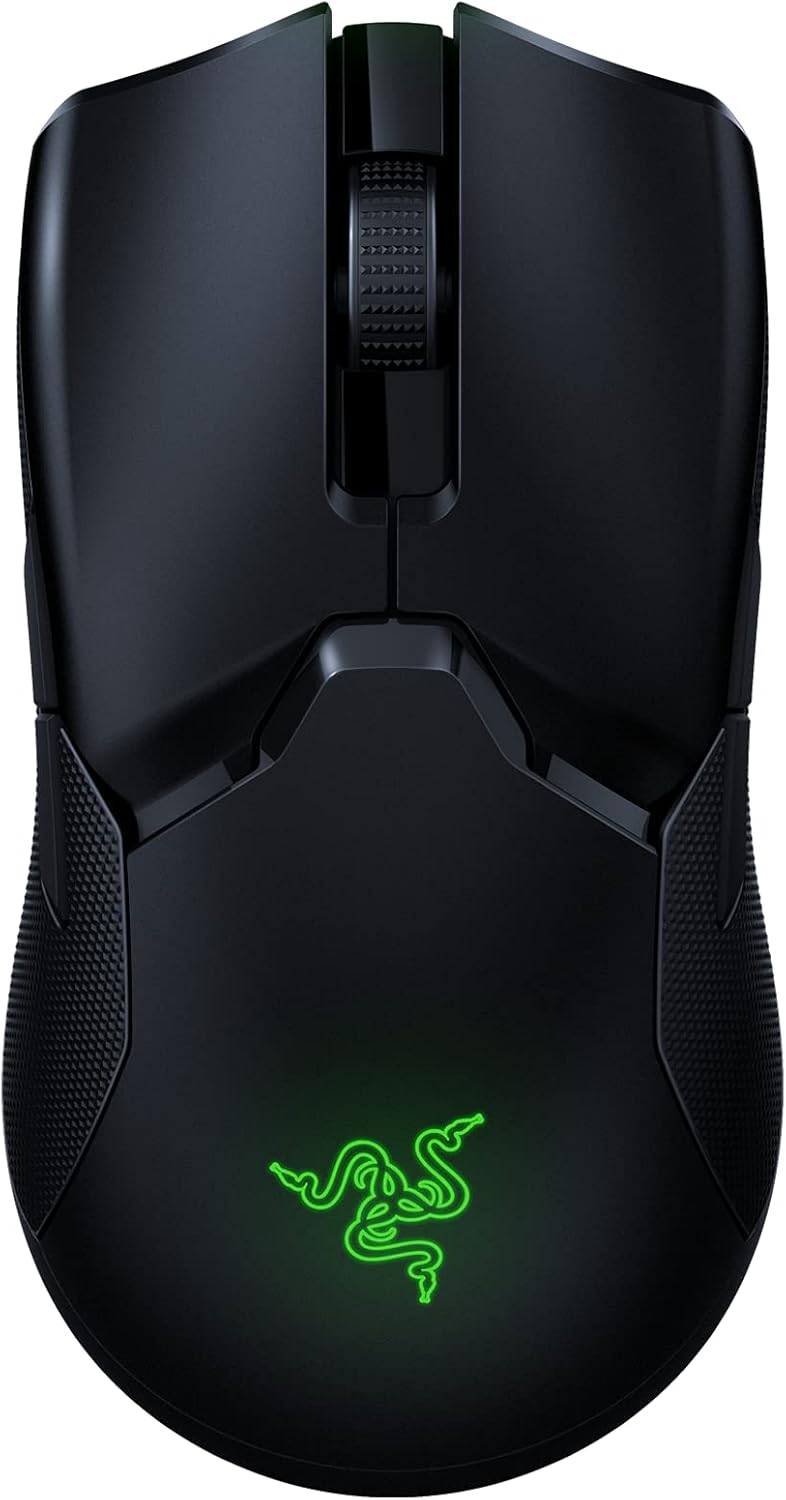
Image: Razer Viper Ultimate Lightweight Wireless Gaming Mouse in Classic Black. This image displays the sleek, ambidextrous design of the mouse.
2. Пуњење миша
The mouse can be charged via the Speedflex cable or an optional charging dock (if purchased separately).
- Преко УСБ кабла: Connect the Speedflex cable to the mouse and your computer. The mouse will charge while in use or standby.
- Via Charging Dock: Place the mouse onto the Razer charging dock, ensuring the charging contacts align. The dock will indicate charging status.
Video: An unboxing and setup guide for the Razer Viper Ultimate. This video demonstrates how to connect the wireless dongle and charge the mouse.
Видео: Поновоview highlighting the features and setup of the Razer Viper Ultimate. This video shows the mouse components and initial connection process.
3. Razer Synapse 3 Software
For full customization of your mouse's settings, including DPI, button assignments, and Chroma lighting, download and install Razer Synapse 3 from the official Razer webсајт. Овај софтвер је компатибилан са Windows оперативним системима.
Управљање мишем
The Razer Viper Ultimate is engineered for high-performance gaming with several key features.
1. Кључне карактеристике
- Лагани дизајн: Weighing only 74g, the mouse offers effortless control and swift movements.
- Razer HyperSpeed Wireless: Experience ultra-low latency and interference reduction for true wireless freedom.
- Оптички сензор од 20K DPI: The Focus+ optical sensor provides industry-leading 99.6% resolution accuracy for precise tracking.
- Optical Mouse Switches: Actuate button presses at the speed of light for rapid response and enhanced durability.
- 8 програмабилних дугмади: Customize buttons for complex macro functions via Razer Synapse 3.
- Амбидекстрални дизајн: Suitable for both left and right-handed users with accessible buttons on both sides.
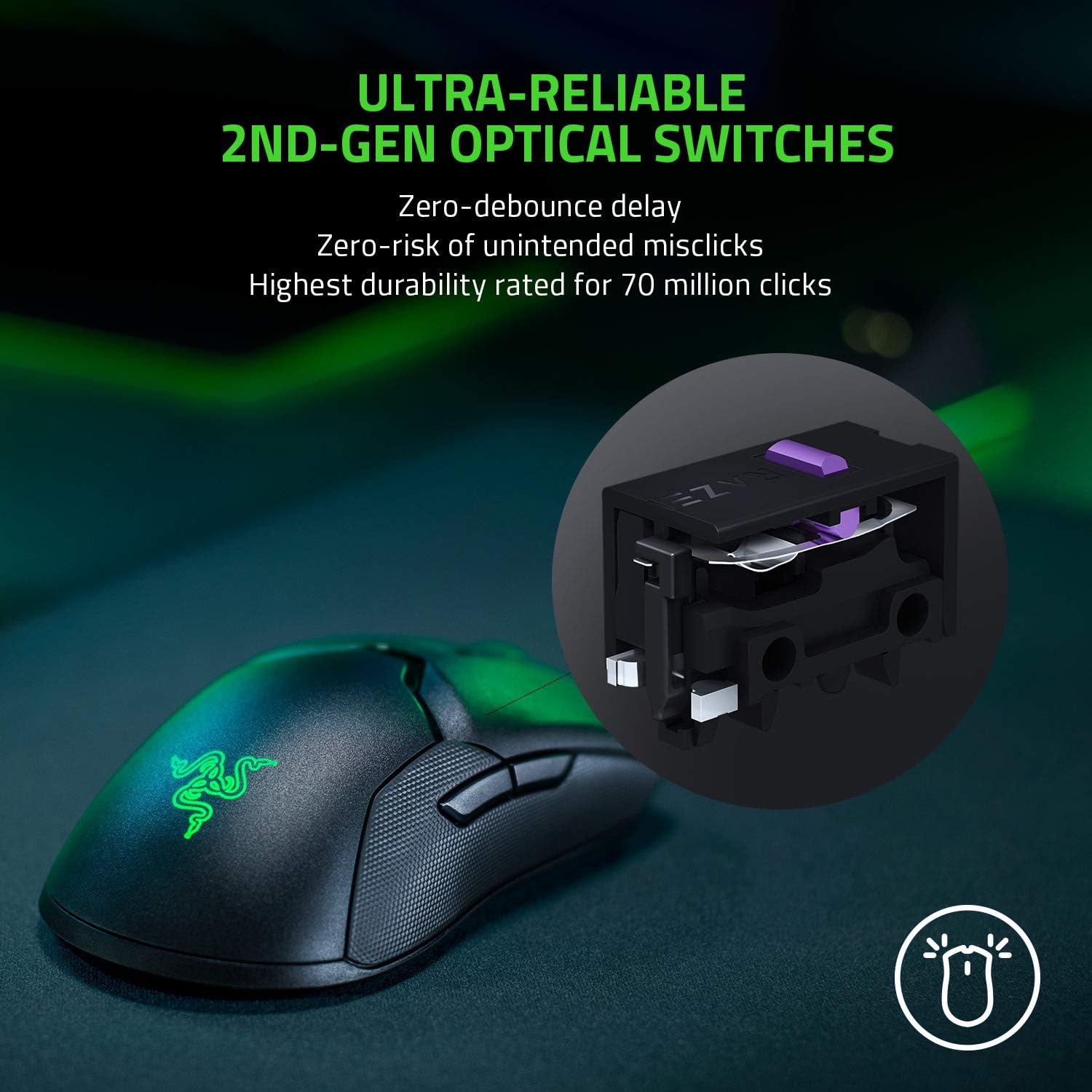
Image: Ultra-Reliable 2nd-Gen Optical Switches. This image illustrates the internal optical switch mechanism, emphasizing zero-debounce delay and high durability.

Image: Fastest Wireless Technology. This image highlights the mouse's wireless capabilities, noting it's 3x faster than competitors with up to 70 hours of gameplay.
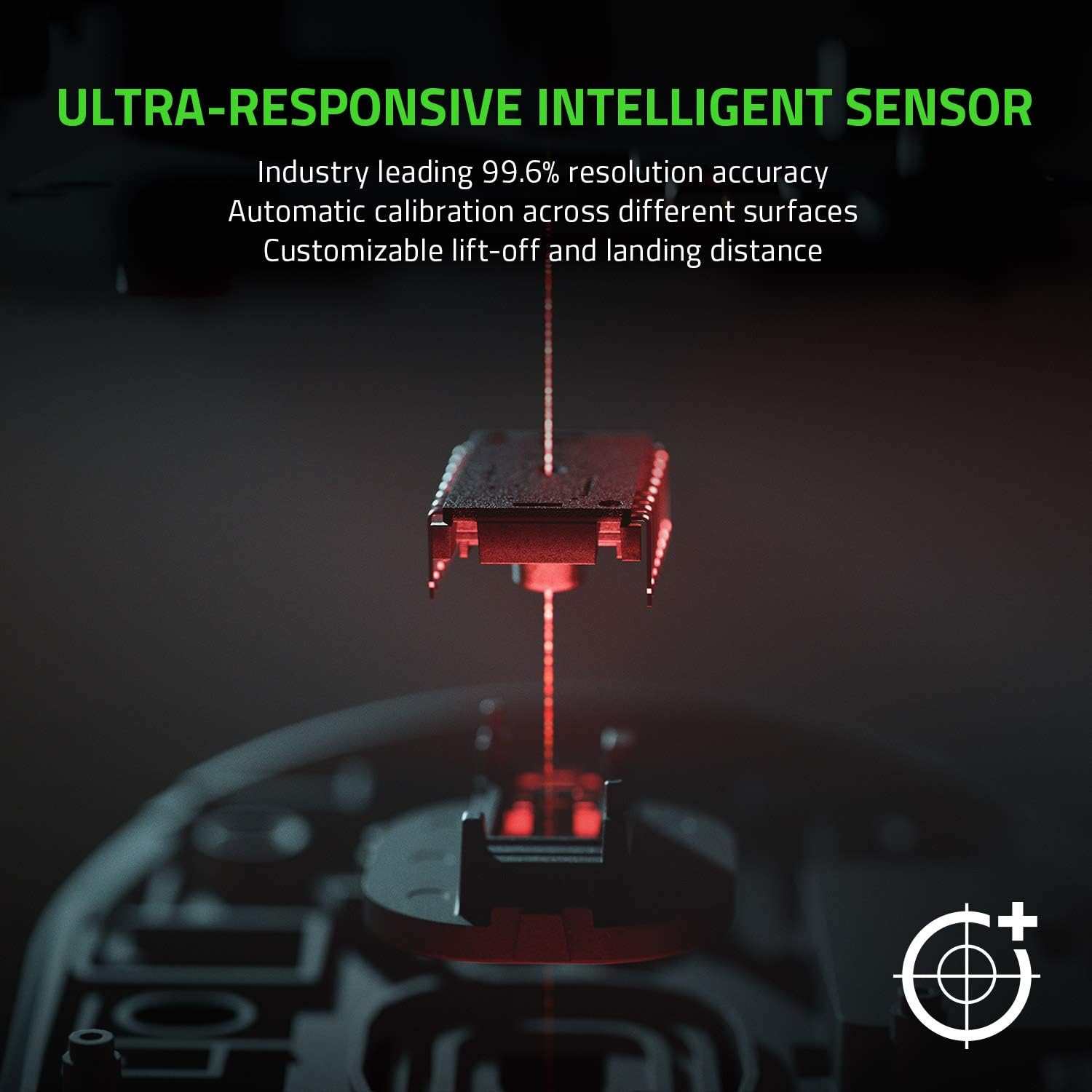
Image: Ultra-Responsive Intelligent Sensor. This image shows the optical sensor's precision, with 99.6% resolution accuracy and customizable lift-off distance.
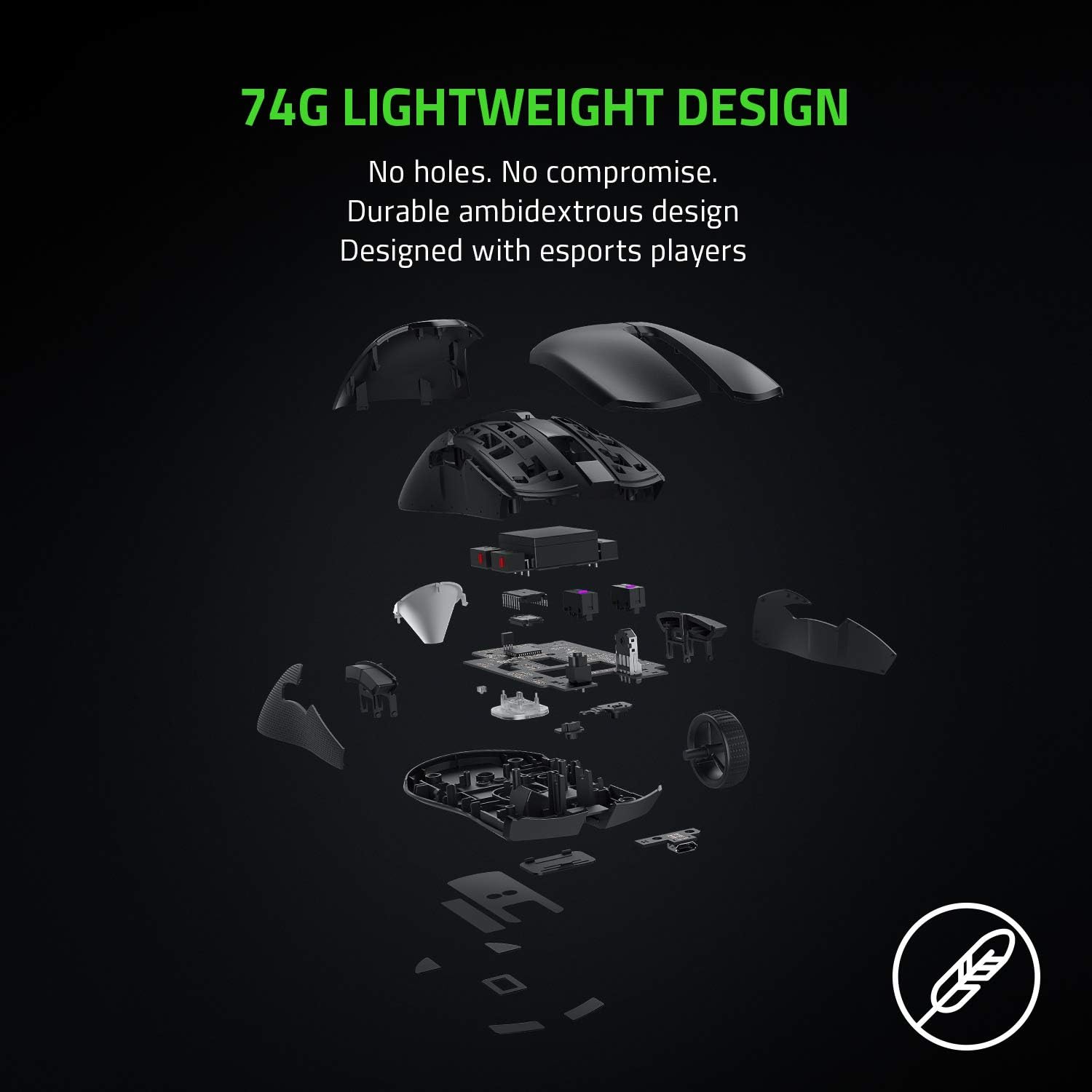
Image: 74g Lightweight Design. An exploded view of the mouse components demonstrates its lightweight and durable ambidextrous design without drilled holes.
2. Подешавање DPI-ја
The DPI (Dots Per Inch) sensitivity can be adjusted using the dedicated button located on the underside of the mouse. You can cycle through pre-set DPI stages or customize them further using Razer Synapse 3.
Видео: Детаљан прегледview of the Razer Viper Ultimate, showcasing its features and performance during gameplay. This video provides insights into the mouse's responsiveness and design.
Одржавање
To ensure the longevity and optimal performance of your Razer Viper Ultimate mouse, follow these maintenance guidelines:
- Чишћење: Користите меку крпу која не оставља длачицеampened with water to clean the mouse surface. Avoid harsh chemicals or abrasive materials.
- Брига о сензорима: Keep the optical sensor on the underside of the mouse clean and free from dust or debris. Use a cotton swab with a small amount of rubbing alcohol if necessary.
- Трајање батерије: Avoid fully discharging the battery frequently. For best results, charge the mouse regularly, especially after long gaming sessions.
Решавање проблема
If you encounter any issues with your Razer Viper Ultimate mouse, try the following steps:
- Без конекције: Ensure the USB wireless dongle is securely plugged into your computer. If using wired mode, check the micro-USB cable connection. Try a different USB port.
- Lag or Disconnects: Ensure the mouse is fully charged. Move the USB wireless dongle closer to the mouse or away from other wireless devices to reduce interference.
- DPI Issues: Verify that Razer Synapse 3 is installed and updated. Check your custom DPI settings within the software.
- Software Not Recognizing Mouse: Reinstall Razer Synapse 3. Ensure your operating system is up to date.
Спецификације
| Феатуре | Детаљ |
|---|---|
| Бранд | Разер |
| Назив модела | Випер Ултимате |
| Број модела | РЗ01-03050200-Р3У1 |
| Боја | Цлассиц Блацк |
| Технологија повезивања | 2.4 GHz Wireless, USB |
| Технологија детекције покрета | Оптицал |
| Mouse Maximum Sensitivity | 20000 Dots per Inch (DPI) |
| Количина дугмета | 8 |
| Оријентација руке | Амбидектроус |
| Просечан век трајања батерије | 70 сата |
| Тежина артикла | 0.17 фунти |
| Димензије артикла Д к Ш | 4.98 cm D x 2.61 cm Š |
| Хардверска платформа | PC |
Информације о гаранцији
The Razer Viper Ultimate Lightweight Wireless Gaming Mouse comes with a Двогодишња гаранција произвођача. Please retain your proof of purchase for warranty claims. For detailed terms and conditions, refer to the official Razer warranty policy.
Подршка
For further assistance, technical support, or to download the latest drivers and software (Razer Synapse 3), please visit the official Razer support website. You can also find FAQs and community forums for additional help.
Official Razer Support: www.razer.com/support