Увод
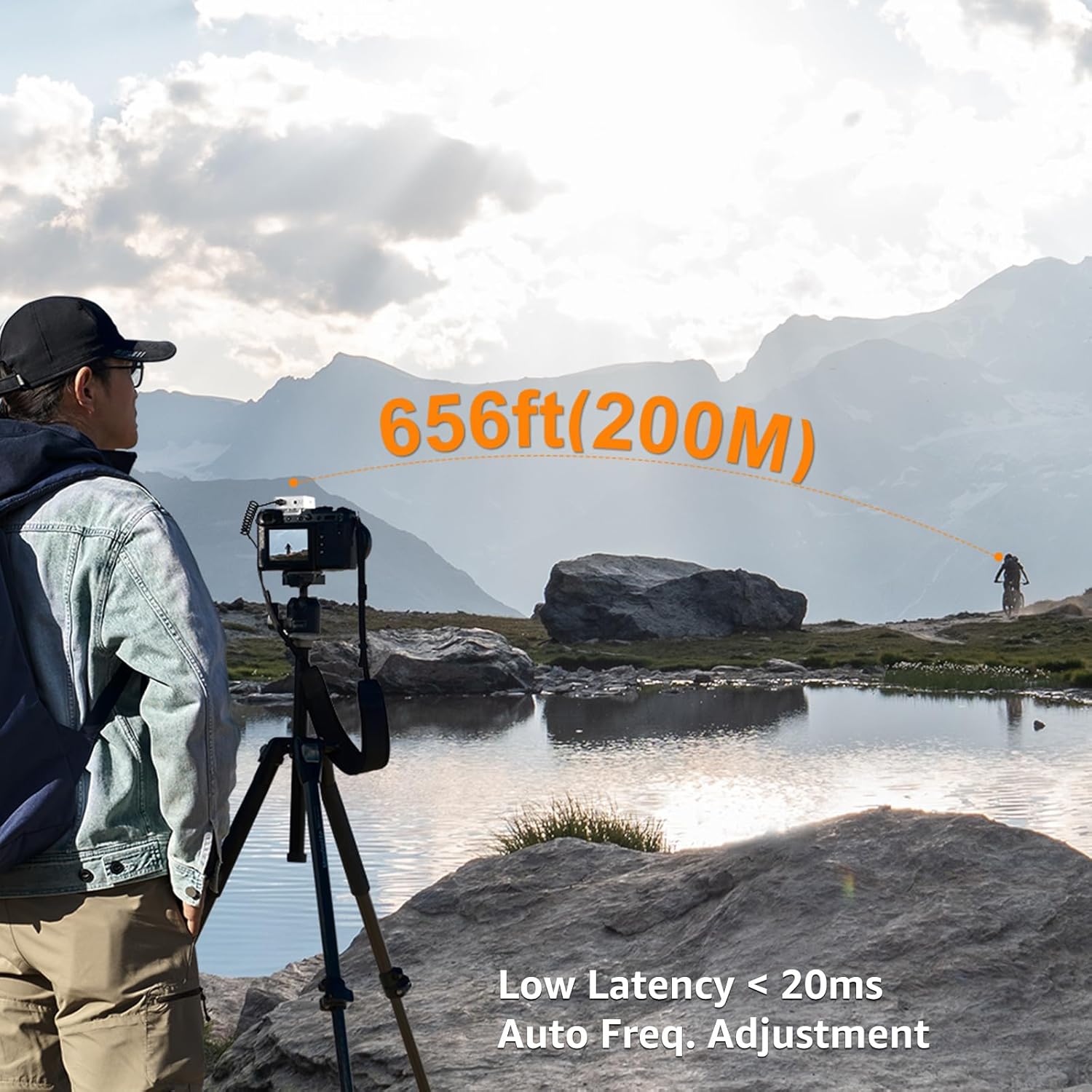
The COMICA BoomX-D1 is a compact and versatile 2.4G wireless microphone system designed for high-quality audio recording. It features one transmitter and one receiver, offering stable transmission up to 650ft (200m). This system is ideal for various applications including interviews, podcasting, YouTube videos, live streaming, and more, providing clear and reliable audio performance.
Шта је у кутији
- 1 к пријемник
- 1 к предајник
- 1 x 3.5mm Lavalier Microphone
- 1 x 3.5mm TRS Audio Output Cable (for cameras)
- 1 x 3.5mm TRRS Audio Output Cable (for smartphones)
- 1 x 3-у-1 USB-C кабл за пуњење
- КСНУМКС к торбица за ношење
- 1 x Wind Muff
- 1 к Упутство за употребу
- 1 к Гарантни лист

Image: All components included in the COMICA BoomX-D1 package.
Производ је завршенview
Предајник (ТКС)

Слика: Фронт view of the Transmitter with its display and built-in microphone.
- Уграђени микрофон: Omnidirectional pickup for direct audio capture.
- 3.5mm MIC IN Port: For connecting the external lavalier microphone.
- Power/Mute/Denoise Button: Short press to mute/unmute, long press for power ON/OFF, one-click to activate/deactivate noise cancellation.
- Дугме за упаривање: For pairing with the receiver.
- УСБ-Ц прикључак за пуњење: За пуњење уређаја.
- Belt Clip/Cold Shoe Adapter: For attaching to clothing or camera.
Пријемник (РКС)
Слика: Фронт view of the Receiver with its display and control buttons.
- 3.5mm Audio OUT Port: For connecting to cameras, camcorders, or smartphones.
- 3.5mm Headphone Monitor Port: За праћење звука у реалном времену.
- Power/Mono/Stereo Switch: Long press for power ON/OFF, short press to switch between Mono and Stereo output modes.
- A/B Channel Gain Control: Adjusts the output volume for each channel.
- УСБ-Ц прикључак за пуњење: За пуњење уређаја.
- Belt Clip/Cold Shoe Adapter: For attaching to clothing or camera.
Сетуп
- Уређаји за пуњење: Use the provided 3-in-1 USB-C charging cable to fully charge both the transmitter and receiver before first use. The orange cable supports charging and data transmission, while black cables are for charging only.
- Укључено: Long press the Power button on both the transmitter and receiver to turn them ON.
- Упаривање: The devices should automatically pair. If not, short press the Pair button on the transmitter. The display will indicate successful pairing.
- Повежите микрофон:
- Internal Mic: Simply clip the transmitter to your clothing.
- External Lavalier Mic: Plug the 3.5mm lavalier microphone into the MIC IN port on the transmitter. Secure the lavalier mic to your clothing.

Image: External lavalier microphone connected to the transmitter.
- Монтажа пријемника: Attach the receiver to your camera's hot shoe or cold shoe mount using its belt clip.
- Connect to Recording Device:
- За камере: Use the 3.5mm TRS audio output cable.
- За паметне телефоне: Use the 3.5mm TRRS audio output cable. (Note: For iPhone 7 and above iOS smartphones, an ORIGINAL Lightning - 3.5mm TRRS adapter cable from Apple's official website is required. Third-party adapters may affect sound quality.)
Упутство за употребу
Мониторинг у реалном времену
Plug headphones into the 3.5mm Headphone Monitor Port on the receiver to monitor audio in real-time during recording. This helps ensure proper audio levels and quality.
Муте Фунцтион
Short press the Power/Mute button on the transmitter to mute the microphone. This is useful for short pauses or adjustments without stopping the recording.
Mono/Stereo Output
Short press the Power/Mono/Stereo switch on the receiver to toggle between Mono and Stereo output modes. In Mono mode, audio from both transmitters (if using a dual-transmitter system) is mixed into a single channel. In Stereo mode, each transmitter's audio is recorded on a separate channel (left/right).
Подешавање излазне јачине звука
Use the A/B Channel Gain Control buttons on the receiver to adjust the output volume (gain) for each channel independently, according to your recording device's input sensitivity.
Видео: Генерално прекоview of the COMICA BoomX-D wireless microphone system and its basic operation.
Смањење буке
The new version of BoomX-D supports one-click noise cancellation. To activate or deactivate noise reduction, simply press the Pair/Denoise Button on the transmitter. This feature helps to make your video voice clear and clean by filtering out unwanted background noise.
Image: Transmitter display indicating noise reduction status.
Video: Demonstration of microphone sound quality test, highlighting noise reduction capabilities.
Режими аудио улаза
The COMICA BoomX-D1 offers two flexible audio input modes:
- Унутрашњи микрофон: The transmitter has a built-in omnidirectional microphone. You can directly clip the transmitter to your clothing for convenient audio capture.
- External Lavalier Microphone: For more discreet placement or specific audio needs, connect the included 3.5mm lavalier microphone to the transmitter's MIC IN port.

Image: Using the internal microphone by clipping the transmitter directly.

Image: Using the external lavalier microphone.
Video: Explanation of the two input modes: built-in microphone and lavalier microphone.
Пуњење и век трајања батерије
The BoomX-D1 system features built-in lithium batteries, providing up to 12 hours of runtime on a full charge. The included 3-in-1 USB-C charging cable allows you to charge both the transmitter and receiver simultaneously. Ensure to use the orange cable for charging and data transmission, while the black cables are for charging only.
Компатибилност
The BoomX-D1 is widely compatible with various recording devices:
- камере: Compatible with Canon, Nikon, Sony, Panasonic DSLR cameras, and camcorders using the 3.5mm TRS audio output cable.
- паметни телефони: Compatible with most smartphones using the 3.5mm TRRS audio output cable.
- Рачунари: Can be connected to PCs and laptops.
Важне напомене:
- For iPhone 7 and above iOS smartphones, please purchase an ORIGINAL Lightning - 3.5mm TRRS adapter cable from Apple's official website. Third-party adapter cables may be incompatible or affect sound quality.
- The gray plug output cable is dedicated to mobile phones, and the black plug output cable is dedicated to camera, camcorder, and PC.
- Maintain line-of-sight between the transmitter and receiver for optimal performance. Avoid placing your body between them to prevent signal breakpoints.
- The distance between the transmitter and receiver should be more than 15 inches to avoid interference.
Video: Explanation of output cable connections for various devices.
Решавање проблема
- No Audio/Poor Quality:
- Уверите се да су и предајник и пријемник потпуно напуњени и укључени.
- Check that devices are properly paired.
- Verify correct audio cables are used for your recording device (TRS for camera, TRRS for smartphone).
- Adjust output volume (gain) on the receiver.
- Ensure the lavalier microphone is securely plugged into the transmitter (if used).
- Check for obstructions or excessive distance between transmitter and receiver.
- Interference/Signal Dropouts:
- Maintain line-of-sight between devices.
- Keep transmitter and receiver at least 15 inches apart.
- Avoid environments with strong 2.4Ghz interference (e.g., Wi-Fi routers, other wireless devices).
- Noise in Audio:
- Activate the noise reduction feature on the transmitter.
- Ensure the wind muff is properly installed on the microphone in windy conditions.
Спецификације
| Аудио Осетљивост | 100 децибела |
| Тежина артикла | 218 грама (7.7 унци) |
| Фактор форме микрофона | Лавалиер |
| Димензије артикла (Д к Ш к В) | 4.33 к 2.76 к 5.31 инча |
| Извор напајања | Напаја се батеријама (2 литијум-полимерске батерије укључене) |
| Материјал | Метал |
| Однос сигнала и шума | 86 дБ |
| Број канала | 1 |
| Фреквенцијски одзив | 20 КХз |
| Технологија повезивања | 2.4GHz (Wireless) |
| Тип конектора | 3.5 мм прикључак |
| Посебне карактеристике | Clip, Mute Function, Volume Control |
| Компатибилни уређаји | Камкордер, Фотоапарат, Лаптоп, Персонални рачунар, Паметни телефон |
| Полар Паттерн | Омнидирецтионал |
Гаранција и подршка
The COMICA BoomX-D1 comes with a warranty card included in the package. Please refer to the warranty card for details on coverage and terms. For technical support, product inquiries, or service, please visit the official COMICA webсајт или директно контактирајте њихову корисничку службу.