
1. Увод
This manual provides detailed instructions for the installation, operation, and maintenance of your JOOAN 3MP Wireless Security Camera System, Model 703. This system is designed to provide reliable surveillance with features such as 3MP resolution, AI human detection, audio recording, and remote access.

Слика 1.1: Готовоview of the JOOAN Wireless Security Camera System components.
2. Системске компоненте
The JOOAN 3MP Wireless Security Camera System typically includes the following components:
- NVR (Network Video Recorder) with pre-installed 1TB HDD
- Wireless IP Cameras (4 units)
- Power Adapters for NVR and cameras
- УСБ миш
- Етхернет Цабле
- Монтажни завртњи и анкери
- Кориснички приручник (овај документ)

Image 2.1: The 1TB Hard Disk Drive included with the NVR for video storage.
3. Водич за подешавање
3.1 Initial Power-Up and Connection
- Повежите NVR са монитором помоћу HDMI или VGA кабла.
- Connect the USB mouse to the NVR.
- Connect the NVR to power using its adapter.
- Connect each camera to its respective power adapter.
- The cameras will automatically pair with the NVR upon power-up.

Image 3.1: Illustration of the 'Auto Pair, Plug N Play' setup process for the camera system.
The system is designed for 'Plug N Play' functionality, meaning cameras should automatically connect to the NVR once powered. For optimal wireless signal, consider the NVR's built-in router capabilities.

Image 3.2: The NVR features a built-in router, providing up to 200ft range with one wall obstruction and up to 1640ft in open spaces.
3.2 Remote Access Setup (Eseecloud App)
То view your cameras remotely on mobile devices or PC, download the Eseecloud application.
- Download the Eseecloud app from your mobile app store (iOS/Android) or the Eseecloud software for PC.
- Региструјте налог и пријавите се.
- On the NVR interface, navigate to Network Setup to find the Cloud ID (QR code).
- In the Eseecloud app, scan the Cloud ID QR code or manually enter the ID to add your device.
- Ensure your NVR is connected to the internet for remote viewинг.

Слика 3.3: Даљински управљач viewing setup showing the Eseecloud app on mobile and PC for multi-device access.
Video 3.1: Demonstrates how to get a local image within one minute, showcasing the quick setup process.
Видео 3.2: Оверview of the Jooan 3MP Super HD Wireless System, highlighting its features and ease of use.
4. Упутство за употребу
4.1 Уживо View и репродукцију
Once the system is set up, you can view ливе фооtage on your connected monitor or through the Eseecloud app. Recorded footage can be accessed via the NVR interface or the app for playback.
4.2 Детекција покрета и упозорења
The system features advanced AI Human Detection to minimize false alarms. When motion or a human shape is detected, the system can trigger various alerts:
- NVR Buzzer
- Упозорење е-поштом
- APP Notification (Push Alert)

Image 4.1: Demonstrates motion detection and the corresponding app push alerts and email notifications.
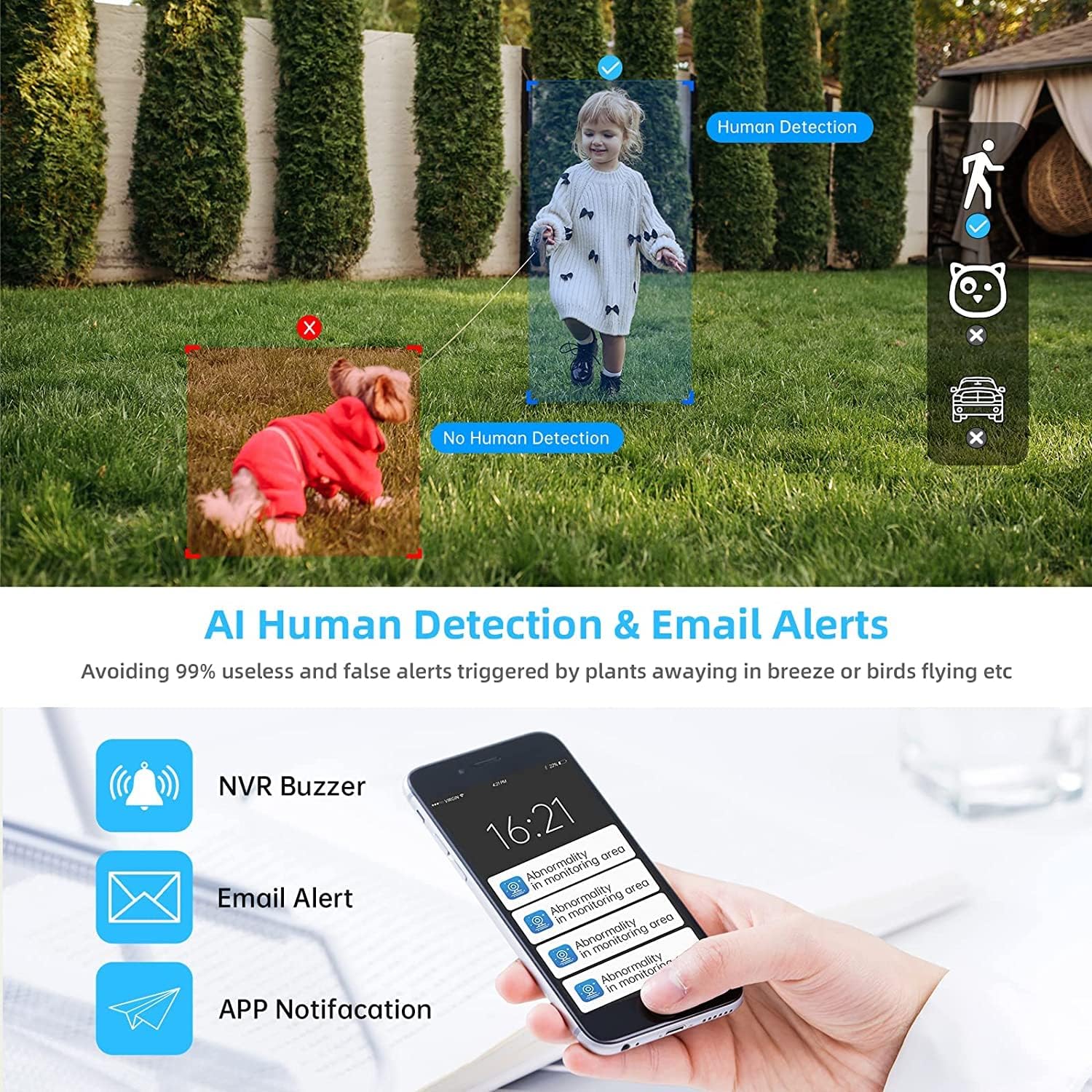
Image 4.2: AI Human Detection feature, distinguishing human shapes from other movements to reduce false alarms.
4.3 Audio Recording (One-Way Audio)
Each camera is equipped with a microphone, allowing for one-way audio recording. You can hear the sound from the monitoring scene during live viewинг и репродукција.
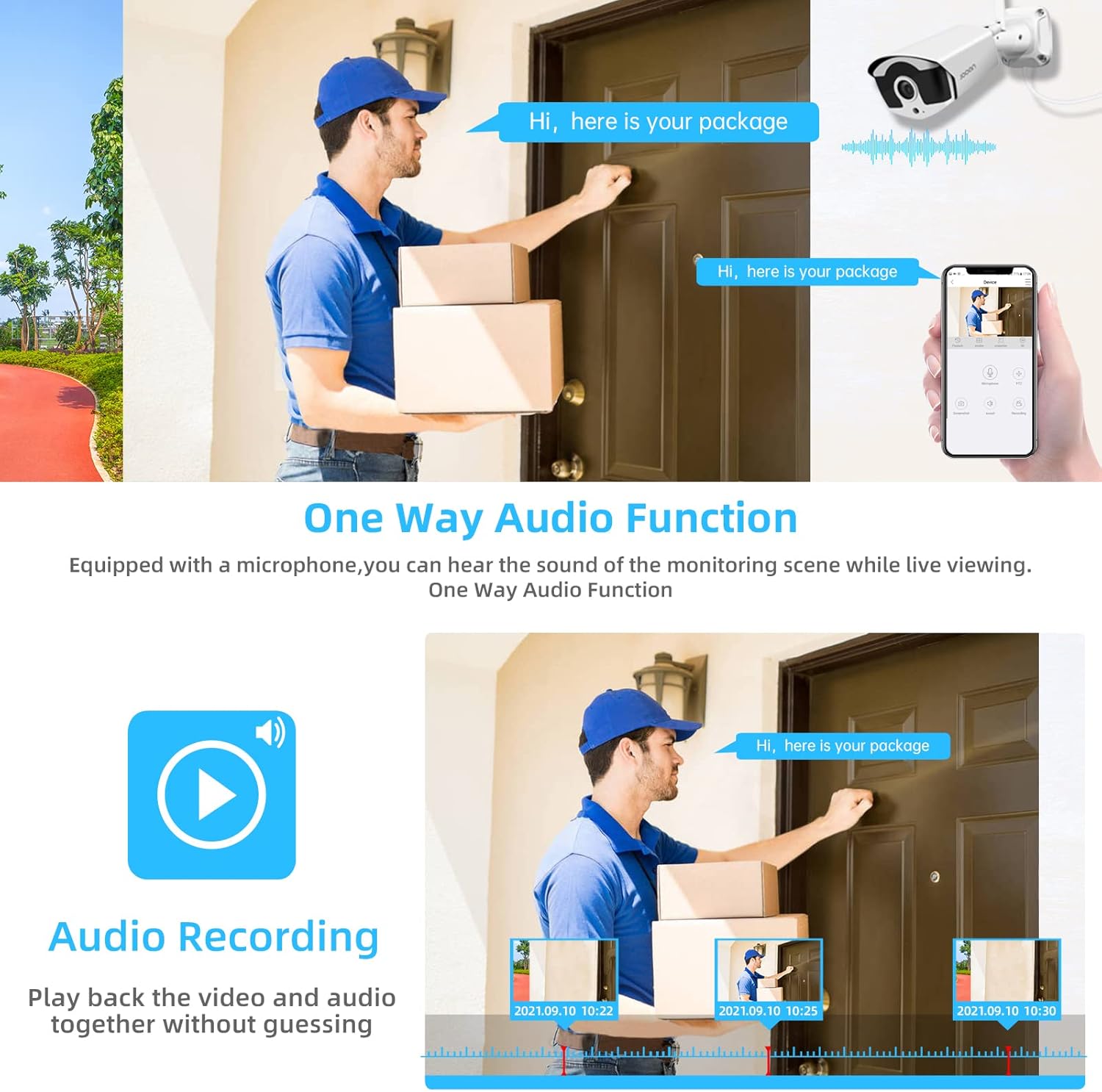
Image 4.3: Illustration of the one-way audio function, showing a delivery person speaking and the audio being recorded.
4.4 Ноћни вид
The cameras provide clear night vision, ensuring continuous surveillance even in low-light conditions.

Image 4.4: Depiction of the camera's night vision feature, providing clear images in darkness.
Video 4.1: A short clip demonstrating the night time monitoring capabilities of the camera system.
4.5 H.265+ видео компресија
The system utilizes advanced H.265+ video compression technology, which significantly reduces storage space requirements while maintaining high video quality. This allows for longer recording times on the 1TB HDD.

Image 4.5: Comparison showing how H.265+ compression saves storage space compared to H.264 and H.265.
5. Одржавање
Regular maintenance ensures the longevity and optimal performance of your security system.
- Чишћење сочива камере: Периодично чистите сочива камере меком крпомamp cloth to remove dust and smudges. Avoid abrasive cleaners.
- Управљање кабловима: Уверите се да су сви каблови безбедно повезани и заштићени од оштећења од околине.
- Ажурирања софтвера: Проверите произвођача website or the Eseecloud app for firmware updates for the NVR and cameras to ensure the latest features and security patches.
- Заштита животне средине: While cameras are IP67 waterproof, extreme weather conditions can still affect performance. Ensure cameras are mounted securely and protected where possible.

Image 5.1: The IP67 waterproof rating ensures the camera's durability against various weather conditions, including rain, snow, and dust.
КСНУМКС. Решавање проблема
If you encounter issues with your JOOAN Security Camera System, refer to the following common troubleshooting steps:
6.1 Нема видео приказа
- Проверите снагу: Ensure the NVR and all cameras are properly powered on.
- Веза монитора: Проверите HDMI/VGA каблску везу између NVR-а и монитора.
- Упаривање камере: If a specific camera has no video, check its power and ensure it's within range of the NVR for wireless connection. Re-pair if necessary (refer to NVR manual for specific re-pairing steps).
6.2 Проблеми са удаљеним приступом
- Интернет веза: Уверите се да је NVR повезан са интернетом путем Ethernet кабла.
- Пријава у апликацију: Verify your Eseecloud app login credentials.
- Цлоуд ИД: Double-check that the correct Cloud ID is entered in the app.
- Подешавања мреже: Ensure your router settings are not blocking the NVR's internet access.
6.3 Recording Problems
- HDD Status: Check the NVR's settings to ensure the 1TB HDD is detected and functioning correctly.
- Распоред снимања: Verify that the recording schedule is properly configured.
- Подешавања детекције покрета: If using motion-triggered recording, ensure motion detection is enabled and sensitivity is adjusted appropriately.
7. Спецификације
| Феатуре | Спецификација |
|---|---|
| Бранд | ЈООАН |
| Број модела | 703 |
| Резолуција снимања видео записа | 3MP (Clearer than 1080p) |
| Број канала | 8 |
| Нигхт Висион | Night color (up to 100ft) |
| Режим снимања | Continuous, Motion Detection, Event |
| Хардверски интерфејс | 802.11 ac/b/g/n (Wireless) |
| Видео улаз | ВГА, ХДМИ |
| Технологија оптичког сензора | ЦМОС |
| Водоотпорна оцена | ИП67 |
| HDD Included | 1ТБ |
8. Гаранција и подршка
For warranty information and technical support, please refer to the official JOOAN webсајт или директно контактирајте њихову корисничку службу. Сачувајте рачун као доказ о куповини за потребе гаранције.
Такође можете пронаћи додатне ресурсе и често постављана питања на JOOAN Store on Amazon.