
1. Увод
Thank you for choosing the DELIPOP 3D LED Digital Alarm Clock. This manual provides detailed instructions for the setup, operation, and maintenance of your new clock. Please read this manual thoroughly before use to ensure proper functionality and to maximize your user experience. Keep this manual for future reference.

Image 1.1: The DELIPOP 3D LED Digital Alarm Clock displaying the time 23:57 with bright white LED digits.
2. Безбедносне информације
- Ensure the clock is powered by a 5V 1A USB power source. Using an incorrect power adapter may damage the device.
- The CR2032 button cell battery (not included) is for memory backup only and does not power the clock's display. The clock requires continuous USB power to operate.
- Avoid placing the clock in direct sunlight, high temperatures, or high humidity environments.
- Do not disassemble or attempt to repair the clock yourself. Contact customer support for assistance.
- Keep the clock away from water and other liquids.
3. Садржај пакета
Молимо вас да проверите пакет за следеће ставке:
- 1 x DELIPOP 3D LED Digital Alarm Clock
- 1 x USB Power Cable (5V)
- 1 x Упутство за употребу (овај документ)

Image 3.1: The DELIPOP 3D LED Digital Alarm Clock, USB cable, and the included instruction manual.
4. Производ је готовview
The DELIPOP 3D LED Digital Alarm Clock features a large, clear LED display for easy readability. It is designed for both wall mounting and desktop placement.

Слика 4.1: Предња и бочна страна view of the clock with dimensions (235mm length, 93mm height, 40mm depth) and button labels (PM, AL, SET, UP, DOWN, ALARM, TEMP).
4.1 Компоненте
- ЛЕД дисплеј: Large 3D LED digits for time display.
- Контролна дугмад: SET, UP, DOWN buttons for configuration.
- Detachable Bracket: For desktop placement.
- Улазно напајање (DC 5V): USB port for power connection.
- Memory Battery Compartment: For CR2032 button cell battery (not included) to retain settings during power loss.

Слика 4.2: Позади view of the clock indicating the DC 5V power input and the memory battery compartment (CR2032, not included).
5. Подешавање
5.1 Прикључак за напајање
- Connect the provided USB cable to the DC 5V input port on the back of the clock.
- Plug the other end of the USB cable into a 5V 1A USB power adapter (not included) or a compatible USB port.
- The clock display will light up.
5.2 Installing Memory Battery (Optional)
To retain time and alarm settings during a power outage, install a CR2032 button cell battery (not included) into the memory battery compartment on the back of the clock. This battery does not power the display.
5.3 Постављање
The clock can be placed on a table using its detachable bracket or mounted on a wall.
- Положај на радној површини: Attach the detachable bracket to the bottom of the clock.
- Монтажа на зид: Use the keyhole slots on the back of the clock to hang it on screws or hooks (not included) securely fastened to the wall.

Image 5.1: The DELIPOP 3D LED Digital Alarm Clock displayed mounted on a wall.
6. Упутство за употребу
6.1 Функције дугмета
- КОМПЛЕТ: Enter setting mode, confirm settings.
- УП: Increase value, switch modes.
- ДОЉЕ: Decrease value, switch modes.
6.2 Подешавање времена
- Притисните и држите СЕТ дугме 3 секунде да бисте ушли у режим подешавања времена. Цифре за сате ће трептати.
- Користите UP or ДОВН дугмад за подешавање сата.
- Притисните СЕТ поново да бисте потврдили сат и прешли на подешавање минута. Цифре за минуте ће трептати.
- Користите UP or ДОВН дугмад за подешавање минута.
- Притисните СЕТ again to confirm the minute and exit time setting mode.
6.3 Формат 12/24 сата
У режиму нормалног приказа времена, притисните UP button to switch between 12-hour and 24-hour formats. When 12-hour format is selected, the "PM" indicator will light up for afternoon hours.
6.4 Подешавање аларма
- Притисните и држите АЛАРМ дугме (или СЕТ button if ALARM is not a dedicated button, refer to product diagram) for 3 seconds to enter alarm setting mode. The alarm hour digits will flash.
- Користите UP or ДОВН дугмад за подешавање сата аларма.
- Притисните АЛАРМ (или СЕТ) again to confirm the alarm hour and move to alarm minute setting. The alarm minute digits will flash.
- Користите UP or ДОВН дугмад за подешавање минута аларма.
- Притисните АЛАРМ (или СЕТ) again to confirm the alarm minute and exit alarm setting mode.
- To activate/deactivate the alarm, short press the АЛАРМ button (or a specific button indicated in the product diagram, e.g., СЕТ) during the alarm sound. The "AL" indicator will light up when the alarm is active.
6.5 Функција одлагања
When the alarm sounds, press any button (except the alarm off button) to activate the snooze function. The alarm will sound again after a few minutes (default snooze time is typically 5 minutes, refer to product specifics if available). To turn off the alarm completely, press the АЛАРМ button (or a specific button indicated in the product diagram, e.g., СЕТ) during the alarm sound.
6.6 Подешавање осветљености
The clock features 3 levels of brightness. In normal time display mode, short press the UP or ДОВН button to cycle through the brightness levels (High, Medium, Low). The clock also has an automatic dimming feature for night time.
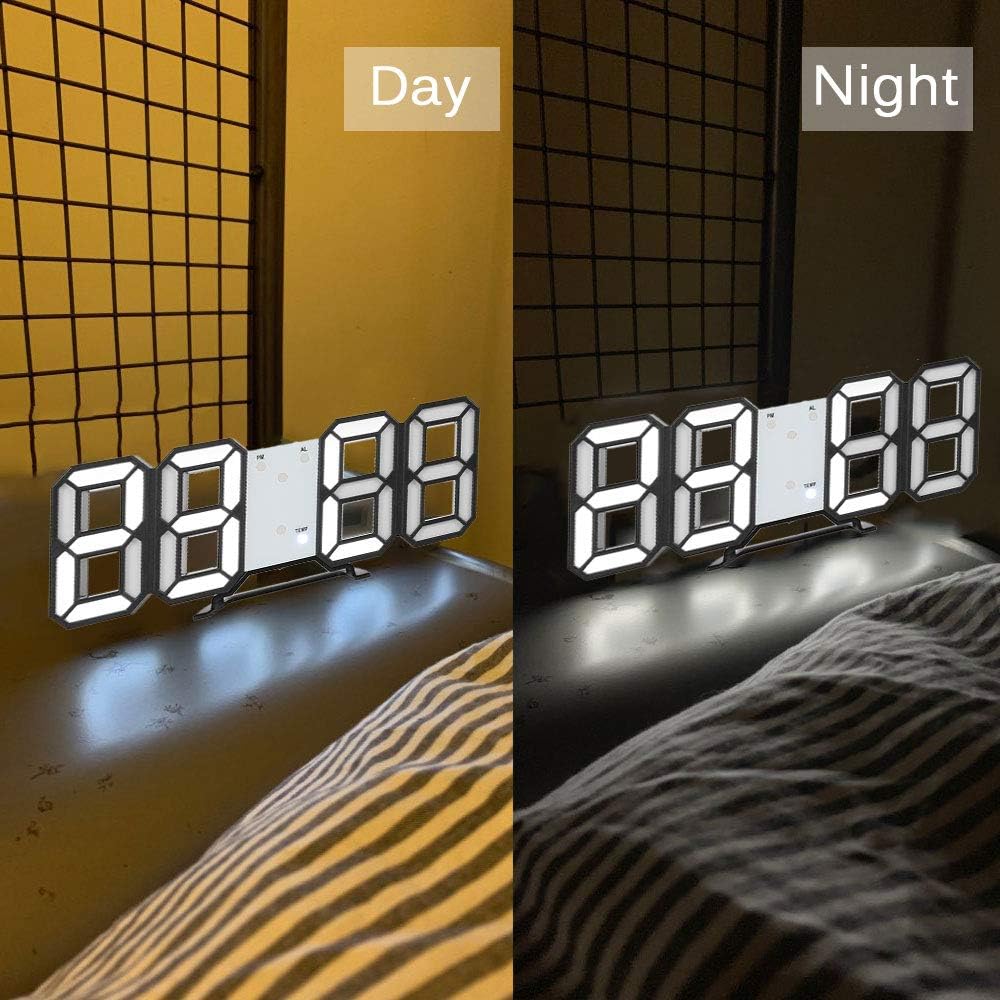
Image 6.1: The DELIPOP 3D LED Digital Alarm Clock showing its display brightness during daytime (brighter) and nighttime (dimmer).
7. Одржавање
- Очистите површину сата меком, сувом крпом. Не користите абразивна средства за чишћење или раствараче.
- Ensure the USB cable and power adapter are in good condition.
- If the clock is not used for an extended period, disconnect it from power and remove the memory battery.
КСНУМКС. Решавање проблема
| Проблем | Могући узрок | Решење |
|---|---|---|
| Приказ сата је искључен. | Нема напајања. | Ensure the USB cable is securely connected to a 5V 1A power source. Check if the power outlet is working. |
| Time/settings reset after power loss. | Memory battery not installed or depleted. | Install a new CR2032 button cell battery in the memory compartment. |
| Аларм се не оглашава. | Аларм није активиран или је погрешно подешен. | Verify the alarm is set and activated (check for "AL" indicator). Ensure the volume is not muted (if applicable, though this model doesn't specify volume control). |
| Display is too dim/bright. | Потребно је подесити ниво осветљености. | Кратко притисните на UP or ДОВН button to cycle through brightness levels. |
9. Спецификације
| Бранд | ДЕЛИПОП |
| Број модела | 307NZH57602 |
| Материјал | акрилонитрил бутадиен стирен (АБС) |
| ЛЕД боја | Бела |
| Повер Суппли | USB 5V 1A (cable included) |
| Меморијска батерија | 1 x CR2032 button cell (not included) |
| Дисплаи Типе | Дигитал ЛЕД |
| Формат времена | Могућност избора 12/24 сата |
| Функције | Time display, Alarm, Snooze, Brightness adjustment |
| Димензије производа (Д к Ш к В) | КСНУМКС к КСНУМКС к КСНУМКС цм (КСНУМКС к КСНУМКС к КСНУМКС инча) |
| Тежина артикла | 245 г (8.64 оз) |
10. Гаранција и подршка
DELIPOP products are designed for reliability and performance. For warranty information or technical support, please refer to the contact details provided with your purchase or visit the official DELIPOP website. Please have your model number (307NZH57602) ready when contacting support.