
1. Увод
This manual provides detailed instructions for the installation, operation, and maintenance of the Zurn AquaSense ZER6000AV-HET-TM EZ Gear-Driven 1.28 GPF Exposed Sensor Water Closet Flush Valve. This high-efficiency flush valve is designed for commercial restroom applications, offering reliable, hands-free operation and water conservation.
The ZER-TM Series features a ceramic disc cartridge and motor gear-driven operation for durability and precision. Its 1.28 GPF (Gallons Per Flush) rate contributes to water savings, while the polished chrome-plated finish and quiet diaphragm operation make it suitable for various commercial environments.

Figure 1: Zurn AquaSense ZER6000AV-HET-TM Flush Valve
2. Безбедносне информације
Please read all instructions carefully before installation and operation. Failure to follow these instructions may result in property damage, personal injury, or improper product function.
- Ensure water supply is turned off before beginning any installation or maintenance.
- Носите одговарајућу личну заштитну опрему (ЛЗО), као што су заштитне наочаре и рукавице, током инсталације.
- All plumbing work should comply with local codes and regulations.
- Do not use abrasive cleaners or tools that may damage the chrome finish or internal components.
- Keep batteries out of reach of children. Dispose of batteries according to local regulations.
3. Шта је у кутији
Пре почетка инсталације проверите да ли су све компоненте присутне:
- Zurn AquaSense ZER6000AV-HET-TM Flush Valve Assembly
- 4 АА батерија (укључено)
- Installation Hardware (e.g., vacuum breaker, tailpiece, spud coupling)
- Кориснички приручник (овај документ)
4. Производ је готовview
Familiarize yourself with the various views of the Zurn AquaSense ZER6000AV-HET-TM flush valve.

Слика 2: Предња страна View

Слика 3: Позади View

Слика 4: Страна View (сензор)
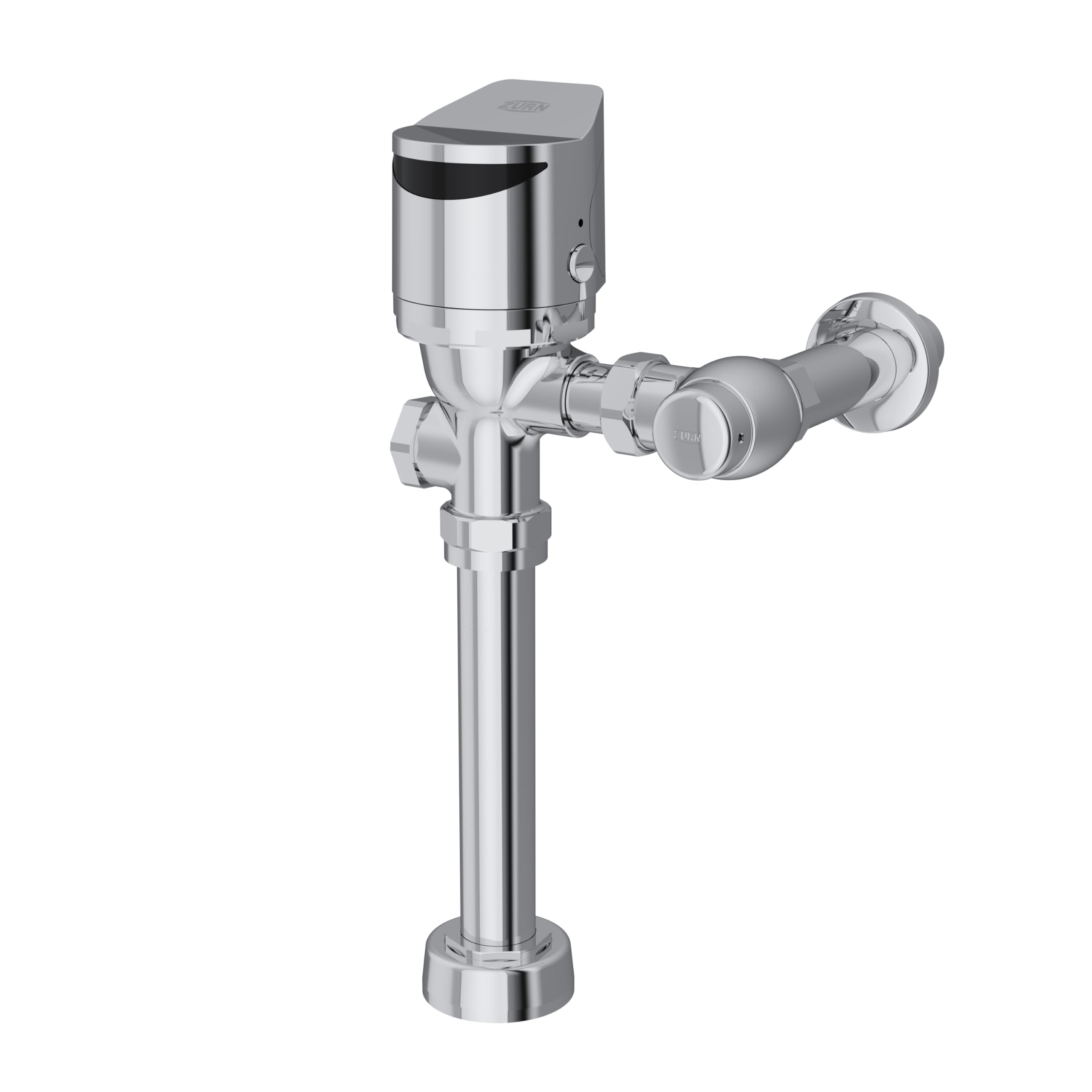
Слика 5: Страна View
5. Упутства за инсталацију
Professional installation is recommended. Ensure all necessary tools and materials are available before starting.
5.1 Провере пре инсталације
- Confirm the water supply line is compatible with the flush valve's inlet connection type (Solvent Weld).
- Ensure the water closet (toilet) spud is compatible with the flush valve's outlet connection size (3 Inches).
- Verify that the rough-in dimensions match the requirements for the ZER6000AV-HET-TM model.
5.2 Инсталација корак по корак
- Искључите довод воде: Locate the main water shut-off valve for the restroom or building and turn it off. Flush the toilet to relieve pressure.
- Remove Existing Flush Valve (if applicable): Carefully disconnect and remove the old flush valve assembly.
- Prepare Inlet and Outlet: Clean and prepare the water supply pipe and the toilet spud for connection.
- Assemble Flush Valve Components: Attach the tailpiece, vacuum breaker, and spud coupling to the main flush valve body as per the diagram provided with the product packaging.
- Прикључите се на водовод: Securely connect the flush valve inlet to the water supply pipe.
- Connect to Toilet Spud: Attach the spud coupling to the toilet spud, ensuring a watertight seal.
- Инсталирајте батерије: Open the battery compartment (typically located on the top cover) and insert the 4 AA batteries, observing correct polarity. Close the compartment securely.
- Укључите довод воде: Полако отворите главни вентил за затварање воде. Проверите да ли има цурења на свим прикључцима.
- Пробни рад: Allow the sensor to detect presence and initiate a flush. Adjust the sensor range if necessary (refer to the operating instructions).

Figure 6: Flush Valve Installed in a Restroom Setting
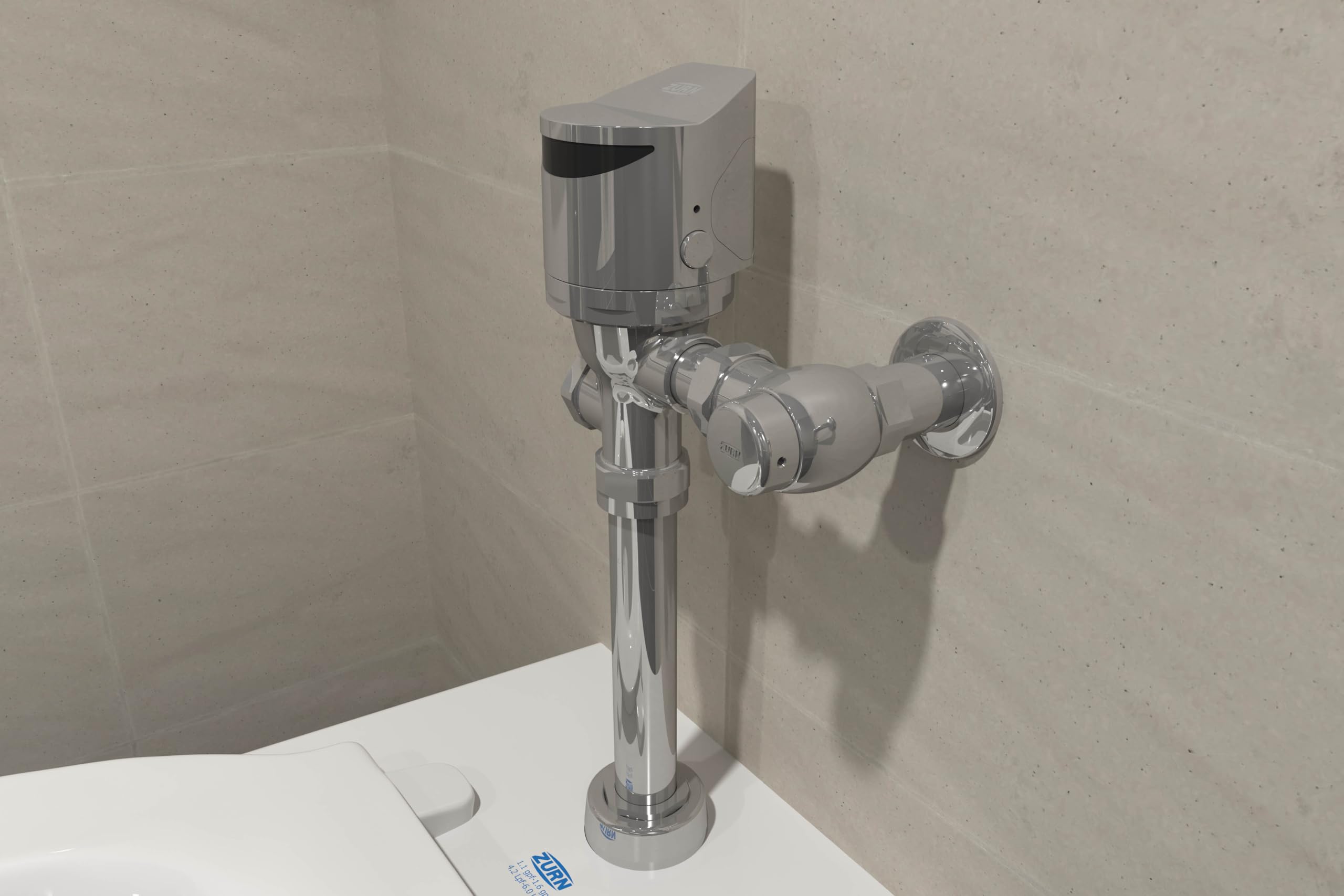
Figure 7: Close-up of Installed Flush Valve
6. Упутство за употребу
The Zurn AquaSense ZER6000AV-HET-TM flush valve operates automatically using an infrared (IR) sensor.
6.1 Sensor Operation
- The advanced IR sensor detects presence both forward and downward.
- After a user departs the sensor's detection zone, the valve will initiate a precisely timed 1.28 GPF flush.
- The sensor is designed to prevent false flushes and ensure optimal water usage.
6.2 Ручно пребацивање
In case of power failure or for manual flushing, a manual override button is typically located on the flush valve cover. Press this button firmly to initiate a flush.
7. Одржавање
Regular maintenance ensures optimal performance and longevity of your Zurn flush valve.
7.1 Чишћење
- Clean the exterior of the flush valve with a soft cloth and mild, non-abrasive cleaner.
- Do not use harsh chemicals, abrasive pads, or polishes as they can damage the polished chrome finish.
- Периодично обришите сочиво сензора меком крпомamp тканину како би се осигурала јасна детекција.
7.2 Замена батерије
The flush valve is powered by 4 AA batteries, which typically last for 3 years under normal usage. A low battery indicator (if present) will signal when replacement is needed.
- Искључите довод воде: Turn off the water supply to the flush valve.
- Приступ одељку за батерију: Locate and open the battery compartment cover, usually on the top or front of the sensor housing.
- Замените батерије: Remove old batteries and insert new 4 AA alkaline batteries, ensuring correct polarity (+/-).
- Безбедни одељак: Добро затворите поклопац одељка за батерије.
- Обнова снабдевања водом: Turn the water supply back on and test the flush valve operation.
КСНУМКС. Решавање проблема
Погледајте табелу испод за уобичајене проблеме и њихова решења.
| Проблем | Могући узрок | Решење |
|---|---|---|
| No flush when sensor is activated | Dead batteries; Water supply off; Sensor obstruction; Internal valve issue | Replace batteries; Check water supply valve; Clean sensor lens; Contact Zurn support |
| Континуирано испирање | Sensor malfunction; Debris in valve; Diaphragm issue | Clean sensor; Inspect and clean valve components; Replace diaphragm; Contact Zurn support |
| Слабо црвенило | Low water pressure; Partially closed stop valve; Clogged diaphragm filter | Check building water pressure; Ensure stop valve is fully open; Clean or replace diaphragm filter |
| Цурење из прикључака | Loose connections; Damaged gaskets/seals | Tighten connections; Replace gaskets/seals |
9. Спецификације
Key technical specifications for the Zurn AquaSense ZER6000AV-HET-TM flush valve:
| Феатуре | Спецификација |
|---|---|
| Број модела | ЗЕР6000АВ-ХЕТ-ТМ |
| Флусх Волуме | 1.28 GPF (галона по испирању) |
| Операција | EZ Gear-Driven, Sensor Activated |
| Материјал | Heavy-duty Brass Body |
| Заврши | Полирани хром |
| Тип улазног прикључка | Solvent Weld |
| Тип прикључка на излазу | НПТ |
| Величина прикључка на излазу | 3 инча |
| Извор напајања | 4 АА батерија (укључено) |
| Трајање батерије | Отприлике 3 година |
| Трајност | Ceramic gear-driven operation withstands over 500,000 cycles |
| Енвиронментал Ратинг | IP65 rated construction |
| Цертификати | АДА усклађен |
| Димензије производа | 8.13 к 9.75 к 16.75 инча |
| Тежина артикла | 10.9 фунти |
10. Гаранција и подршка
The Zurn AquaSense ZER6000AV-HET-TM Flush Valve comes with a 3-годишња ограничена гаранција од датума куповине. Ова гаранција покрива недостатке у материјалу и изради при нормалној употреби и сервисирању.
For warranty claims, technical assistance, or to purchase replacement parts, please contact Zurn Industries customer support:
- Webсајт: ввв.зурн.цом
- Служба за кориснике: Refer to the Zurn webсајт за актуелне контакт информације (бројеви телефона, имејл).
Please have your model number (ZER6000AV-HET-TM) and date of purchase available when contacting support.