
Увод
Хвала вам на куповиниasing the eKids Harry Potter Bluetooth Speaker. This portable wireless speaker is designed to provide clear audio from your Bluetooth-enabled devices. This manual provides essential information for setting up, operating, and maintaining your speaker.

Слика: Фронт view of the eKids Harry Potter Bluetooth Speaker, featuring the Harry Potter character design.
Безбедносне информације
Please read and follow all safety instructions before using this product to prevent injury or damage.
- Не излажите уређај екстремним температурама, директној сунчевој светлости или влази.
- Do not immerse the unit in water. This product is not waterproof.
- Користите само приложени кабл за пуњење.
- Не покушавајте да раставите или модификујете јединицу.
- Чувати ван домашаја мале деце.
- Батерије одложите на одговарајући начин у складу са локалним прописима.
Садржај пакета
Проверите да ли су све ставке присутне у пакету:
- Harry Potter Bluetooth Speaker
- Мицро УСБ кабл за пуњење
- Врист Страп
Производ је завршенview
Familiarize yourself with the components of your speaker:

Image: Diagram showing the speaker's dimensions (2.2 inches / 56mm height, 1.8 inches / 46mm width) and labeled parts including the speaker grille, slot to attach wrist strap, port for charging (Micro USB), and Power/Pairing Button.
- Решетка звучника: Located at the top for audio output.
- Дугме за напајање/упаривање: Controls power and initiates Bluetooth pairing.
- Порт за пуњење: Micro USB port for connecting the charging cable.
- Wrist Strap Slot: For attaching the included wrist strap.
Пуњење звучника
The speaker is powered by a built-in rechargeable Lithium-Ion battery. Before first use, fully charge the speaker.
- Connect the small end of the Micro USB charging cable to the Charging Port on the speaker.
- Connect the large end of the Micro USB charging cable to a powered USB port (e.g., computer, USB wall adapter).
- The charging indicator light (if present, refer to product for exact location) will illuminate during charging and turn off when fully charged.
- Charging time may vary. Disconnect the cable once charging is complete.
Блуетоотх упаривање
Пратите ове кораке да бисте повезали звучник са уређајем који подржава Bluetooth:
- Уверите се да је звучник потпуно напуњен.
- Притисните и држите Дугме за напајање/упаривање on the speaker until you hear an audible prompt or see an indicator light flashing, indicating it is in pairing mode.
- On your Bluetooth-enabled device (smartphone, tablet, computer, etc.), go to the Bluetooth settings menu.
- Омогућите Блуетоотх и потражите доступне уређаје.
- Select "Harry Potter Speaker" (or similar name) from the list of devices.
- Once paired, you will hear a confirmation tone, and the indicator light will stop flashing.
- The speaker can wirelessly stream audio up to 30 feet from your device.
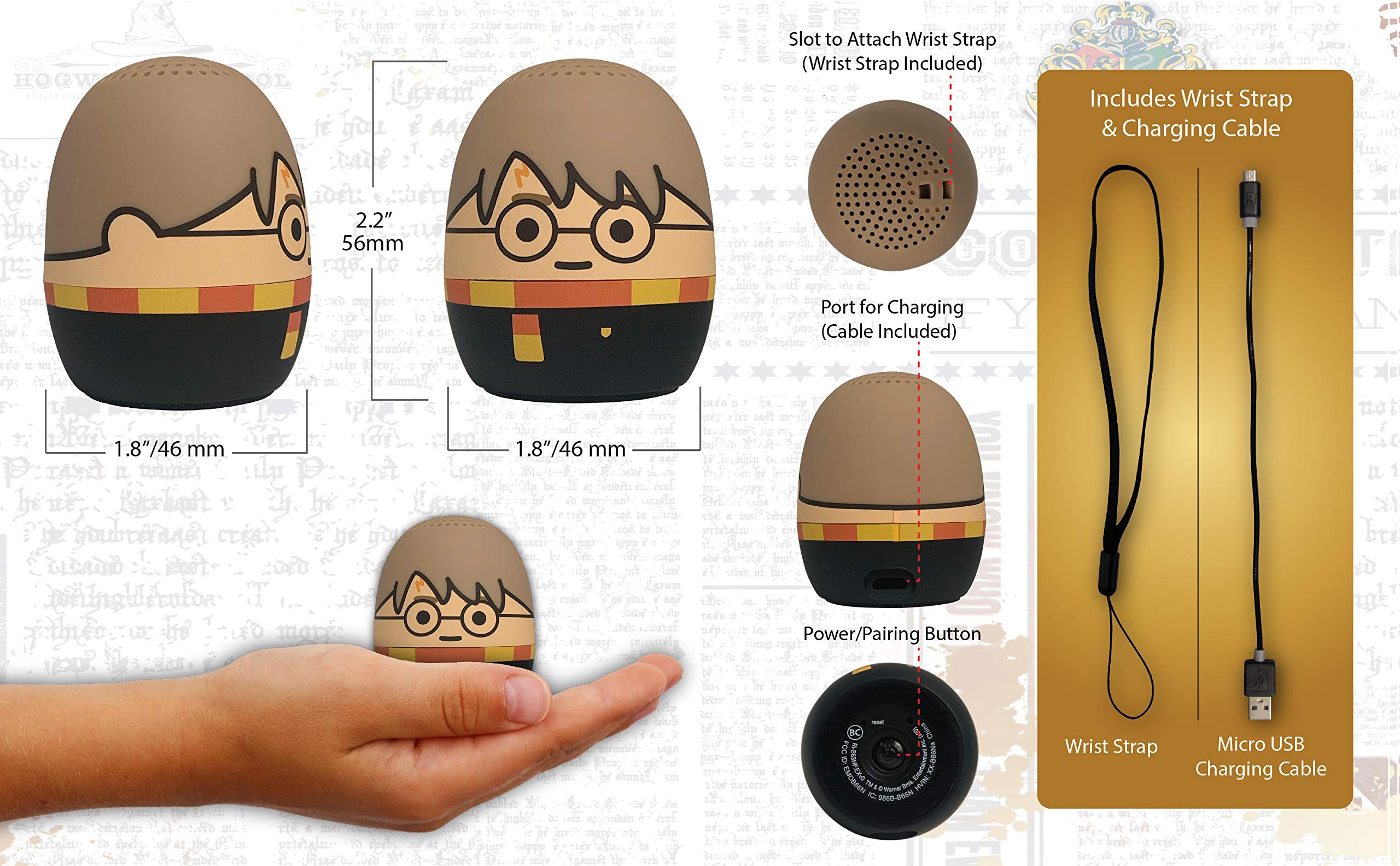
Image: The Harry Potter Bluetooth Speaker shown with icons representing compatible devices: mobile phone, tablet, notebook, PC, smart watch, and game device.
Операција
After successful pairing, you can begin playing audio:
- Репродукција звука: Start playing music or other audio content on your paired device. The sound will be transmitted to the speaker.
- Контрола јачине звука: Adjust the volume directly from your paired device.
- Укључивање/искључивање: Притисните и држите Дугме за напајање/упаривање to turn the speaker on or off.
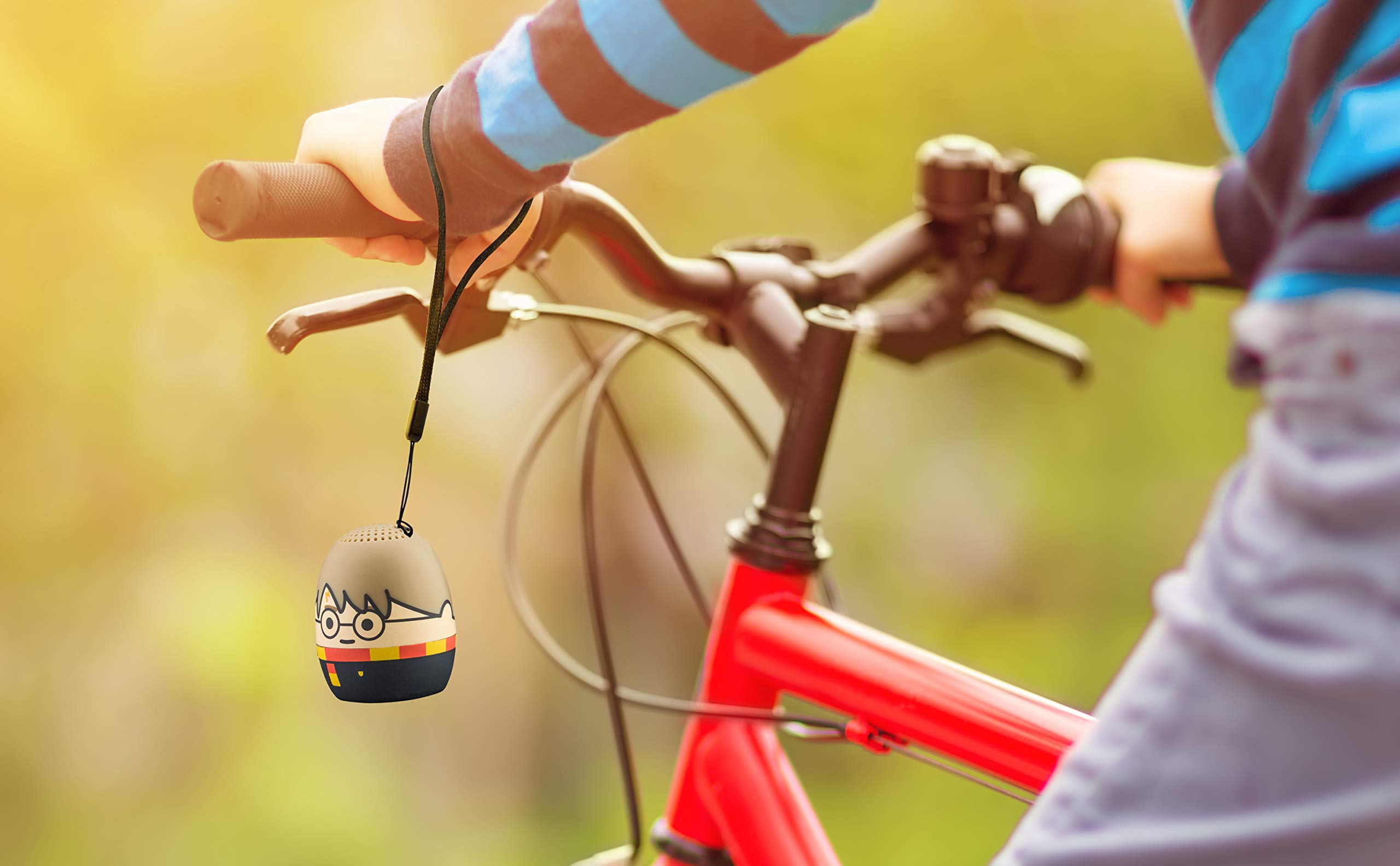
Image: The Harry Potter Bluetooth Speaker, with its wrist strap, attached to the handlebar of a bicycle, demonstrating its portability for outdoor use.
Одржавање
To ensure the longevity of your speaker, follow these maintenance guidelines:
- Чишћење: Wipe the speaker with a soft, dry cloth. Do not use liquid cleaners or abrasive materials.
- Складиштење: Чувајте звучник на хладном и сувом месту, даље од директне сунчеве светлости и екстремних температура када се не користи дуже време.
- Одржавање батерије: For optimal battery life, avoid fully discharging the battery frequently. Charge it regularly, even if not used often.
Решавање проблема
If you encounter issues with your speaker, refer to the following table:
| Проблем | Решење |
|---|---|
| Звучник се не укључује. | Ensure the battery is charged. Connect the speaker to a power source using the Micro USB cable. |
| Не може се упарити са Bluetooth уређајем. |
|
| Нема звука или је јачина звука ниска. |
|
| Лош квалитет звука. |
|
Спецификације
| Феатуре | Детаљ |
|---|---|
| Бранд | еКидс |
| Назив модела | Харри Поттер |
| Технологија повезивања | Блуетоотх, УСБ |
| Максимална излазна снага звучника | 10 Ваттс |
| Режим аудио излаза | Стерео |
| Спеакер Типе | Портабле |
| Контролни метод | Дугме |
| Величина звучника | 40 милиметара |
| Извор напајања | Напаја се батеријама (1 литијум-јонска батерија је укључена) |
| Компатибилни уређаји | Personal Computer, Smartphone, Tablet, Television |
| Је водоотпоран | ФАЛСЕ |
| УПЦ | 092298948775 |
| ASIN | B087NFC293 |
Гаранција и подршка
This product comes with a Limited Warranty. For specific warranty details, please refer to the documentation included with your purchase or contact eKids customer support.
For technical support or further assistance, please visit the eKids official webсајт или контактирајте њихову службу за кориснике. Сачувајте рачун за куповину за потребе гаранције.