
Увод
Thank you for choosing the Perixx PERIBOARD-317 Backlit USB Keyboard. This full-size wired keyboard is designed for comfortable daily typing, featuring large print keys and white LED backlighting for enhanced visibility in various lighting conditions. Its low-profile keys offer a quiet and responsive typing experience. This manual provides essential information for setting up, operating, maintaining, and troubleshooting your keyboard.
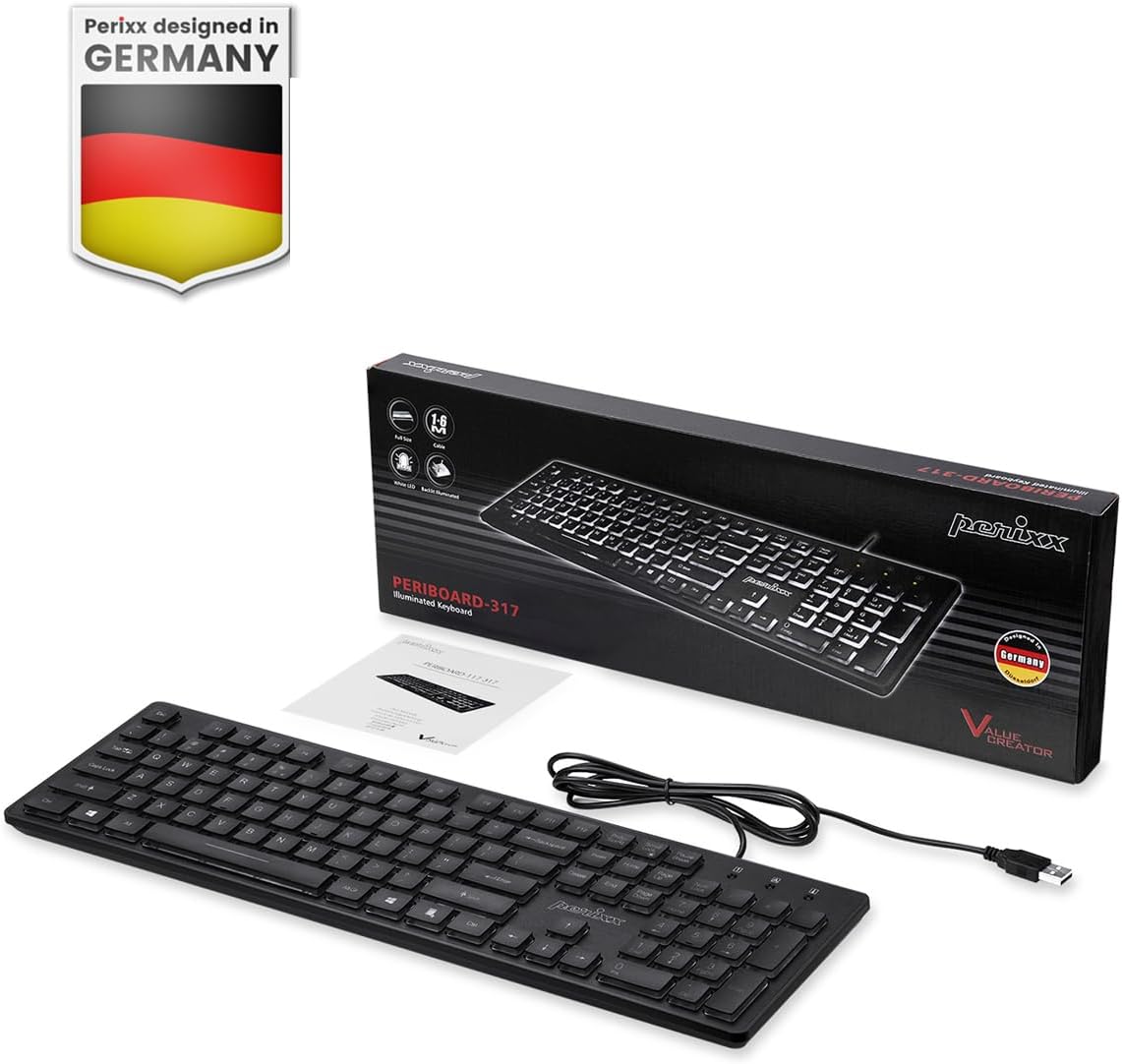
Image: Perixx PERIBOARD-317 keyboard and its contents.
1. Подешавање
1.1 Садржај пакета
- Perixx PERIBOARD-317 тастатура
- Упутство за употребу
1.2 Системски захтеви
- Compatible with Windows 7, 8, 10, and 11.
- Доступан USB-A порт.
1.3 Повезивање тастатуре
- Unpack the Perixx PERIBOARD-317 keyboard from its packaging.
- Пронађите слободан УСБ-А порт на рачунару.
- Plug the USB-A cable of the keyboard into the USB-A port on your computer.
- The keyboard is plug-and-play; no additional drivers or software installation is required. Your computer will automatically detect and configure the device.

Image: Connecting the Perixx PERIBOARD-317 keyboard via USB.
2. Упутство за употребу
2.1 Основно куцање
The Perixx PERIBOARD-317 features a standard full-size Italian QWERTY layout with 105 keys. The large print characters on the keys are designed for improved visibility, making typing easier for users with visual impairments or in low-light environments.

Image: Large print keys for enhanced visibility.
2.2 Контрола позадинског осветљења
The keyboard is equipped with a bright, uniformly distributed white LED backlight. This feature allows for comfortable typing in dimly lit conditions.
- Turning On/Off the Backlight: Locate the backlight control key (often indicated by a sun or light bulb icon, or a dedicated function key combination). Press this key to toggle the backlight on or off.
- Подешавање осветљености: If available, use the designated brightness control keys (often function keys combined with Fn) to increase or decrease the backlight intensity.

Image: White LED backlighting for clear visibility.

Image: Easy typing in low-light conditions with the illuminated keys.
2.3 Scroll Lock and Backlight Interaction
Please note the interaction between the backlight and the Scroll Lock function:
- When the backlight is active, the Scroll Lock function is disabled.
- When the backlight is turned off, the Scroll Lock function is enabled.
2.4 Искуство са куцањем
Тхе лов-проfile keys with wider surfaces provide a responsive, quiet, and precise typing experience. The high-quality ABS key printing is designed to resist wear, and the membrane switches are rated for 5 million keystrokes.

Image: Quiet and responsive typing experience.

Image: Low-profile chiclet keys for comfortable typing.
3. Одржавање
3.1 Чишћење тастатуре
Да бисте одржали перформансе и изглед тастатуре:
- Искључите тастатуру из рачунара пре чишћења.
- Користите меку крпу која не оставља длачицеampводом или благим раствором за чишћење да бисте обрисали капице тастера и површину.
- Избегавајте прскање течности директно на тастатуру.
- За прашину и остатке између тастера користите компримовани ваздух.
3.2 Складиштење
Store the keyboard in a dry environment, away from extreme temperatures and direct sunlight, when not in use for extended periods.
КСНУМКС. Решавање проблема
4.1 Тастатура не реагује
- Уверите се да је USB кабл безбедно прикључен и на тастатуру и на USB порт рачунара.
- Покушајте да прикључите тастатуру на други УСБ порт на рачунару.
- Поново покрените рачунар.
- Тестирајте тастатуру на другом рачунару да бисте утврдили да ли је проблем са тастатуром или са рачунаром.
4.2 Позадинско осветљење не ради
- Ensure the backlight is turned on using the dedicated backlight control key.
- Check if the brightness level is set too low. Adjust it using the brightness control keys.
- Verify that the Scroll Lock function is not interfering (refer to section 2.3).
4.3 Keys Not Registering or Repeating
- Clean the affected keys as described in the Maintenance section.
- Уверите се да нема остатака испод капице тастера.
- If the issue persists, it may indicate a hardware problem. Refer to the Warranty and Support section.
5. Спецификације
| Феатуре | Детаљ |
|---|---|
| Бранд | Перикк |
| Назив модела | PERIBOARD-317 IT B |
| Број модела | 11629 |
| Технологија повезивања | УСБ (жични) |
| Опис тастатуре | Full-size, Backlit |
| Препоручена употреба | Daily use, study |
| Посебна карактеристика | Backlit (White LED), Large Print Keys |
| Keyboard Backlight Color Support | Моноцхроматиц |
| Димензије производа (Д к Ш к В) | 44Д к 12.9Ш к 2.7В цм |
| Извор напајања | Цордед Елецтриц |
| Тип прекидача | Linear (Membrane) |
| Распоред тастатуре | QWERTY (Italian) |
| Број кључева | 105 |
| Компатибилни оперативни системи | Виндовс 7, 8, 10, 11 |
| Материјал кућишта | АБС пластика |
| Тежина артикла | 530 грама |
| Произвођач | Перикк |
| Број дела произвођача | PB-317IT-11629 |
| Земља порекла | Кина |
6. Гаранција и подршка
6.1 Информације о гаранцији
The Perixx PERIBOARD-317 keyboard is covered by a limited 24-month warranty from the date of purchase. This warranty covers manufacturing defects and workmanship under normal use.
6.2 How to Obtain Support
For warranty claims, technical assistance, or product inquiries, please visit the official Perixx website. Warranty replacement requests (RMA) are generally processed within 48-72 hours.
За више информација посетите: ввв.перикк.цом

Image: Perixx - Designed in Germany.