
1. Увод
This manual provides instructions for the proper setup, operation, and maintenance of your IPD IPH-160 Monaural Wired Headset. The IPH-160 is designed for clear communication in various environments, featuring a noise-cancelling microphone and a 3.5mm jack for broad compatibility.
2. Садржај пакета
Молимо вас да проверите да ли су све ставке присутне у вашем пакету:
- IPD IPH-160 Monaural Headset
- Quick Disconnect (QD) to 3.5mm Jack Cable (4-pole)
- Ear Cushions (pre-installed or spare)
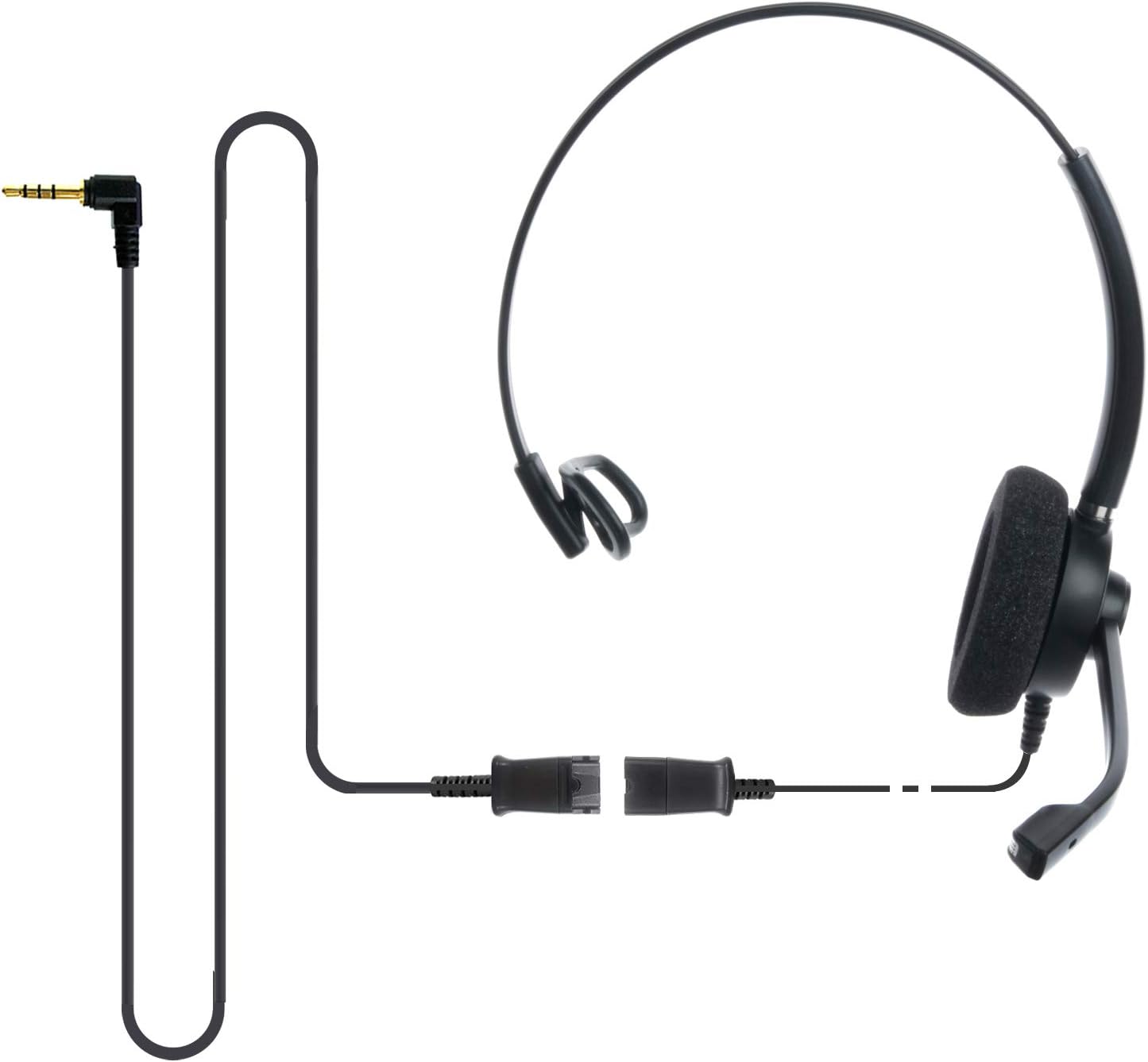
Image: The IPD IPH-160 headset with its detachable Quick Disconnect cable and 3.5mm jack connector.
3. Подешавање
3.1 Повезивање слушалица
- Connect the Quick Disconnect (QD) cable to the headset. Ensure a secure connection.
- Insert the 3.5mm jack of the cable into the corresponding port on your device (Android cell phone, laptop, tablet, Apple MacBook, or other smart device).

Слика: Крупни план view of the 3.5mm jack connector, illustrating its connection to a mobile device and laptop.
3.2 Компатибилност уређаја
The 3.5mm jack (4 poles) is compatible with a wide range of devices including:
- Android cell phones (e.g., Samsung, Huawei, HTC, ZTE)
- Лаптопс
- Таблете
- Apple MacBooks with a single 3.5mm headset port
Напомена:
- iPhone 7/7S and later models may require an additional Lightning to 3.5mm adapter (not included).
- If your specific phone model is not listed or you encounter compatibility issues, please contact IPD support for assistance.

Image: The IPD headset shown with various connection options for desk phones, PCs/softphones, and mobile phones, highlighting the versatility of Quick Disconnect cables.
4. Управљање слушалицама
4.1 Ношење и подешавање
The IPH-160 headset is designed for all-day comfort. Adjust the headband for a secure yet comfortable fit. The microphone boom is flexible; position it approximately 1-2 inches from your mouth for optimal voice pickup.
4.2 Микрофон за поништавање буке
The headset features a passive noise-cancelling microphone to reduce background noise, ensuring clearer conversations. Proper microphone positioning is crucial for effective noise cancellation.

Image: A user wearing the headset, demonstrating the microphone's position and illustrating the effect of noise cancellation on audio waveforms.
4.3 Acoustic Shock Protection (ASP)
The headset incorporates an Acoustic Shock Protection (ASP) circuit on the speaker. This feature protects your hearing from sudden, unwanted loud noises by cutting sounds over 105dB and maintaining levels below 105dB.
4.4 Wideband Audio
The HD Wideband speaker delivers clear sound, enhancing the quality of your calls and audio monitoring.

Image: A close-up of the headset's ear cushion, visually representing the distinction between acoustic noise and clear sound for high-quality voice communication.
5. Одржавање
5.1 Чишћење
To maintain hygiene and performance, regularly clean the ear cushions and other surfaces of the headset with a soft, dry cloth. Avoid using harsh chemicals or abrasive materials.
5.2 Складиштење
When not in use, store the headset in a clean, dry place away from direct sunlight and extreme temperatures. Avoid tangling the cable to prevent damage.
КСНУМКС. Решавање проблема
6.1 Нема звука или је јачина звука ниска
- Уверите се да је 3.5 мм прикључак потпуно уметнут у ваш уређај.
- Проверите подешавања јачине звука на вашем уређају.
- Verify that the headset is selected as the audio output device in your computer's sound settings.
- Confirm the Quick Disconnect (QD) cable is securely connected to the headset.
6.2 Микрофон не ради
- Уверите се да је држач микрофона правилно постављен близу ваших уста.
- Check your device's microphone input settings and ensure the headset is selected as the input device.
- Test the headset with another compatible device to rule out a device-specific issue.
6.3 Проблеми са компатибилношћу
If you experience compatibility problems with your device, especially if it's not explicitly listed as compatible, please contact IPD customer support for guidance.
7. Спецификације
| Феатуре | Спецификација |
|---|---|
| Назив модела | IPH-160-35 |
| Технологија повезивања | Виред |
| Јацк за слушалице | 3.5 mm Jack (4-pole) |
| Контрола буке | Пасивно уклањање буке |
| Фреквенцијски одзив | 10 КХз |
| Осетљивост | 58 дБ |
| Импеданса | 150 Охмс |
| Тежина артикла | 198 грама (7 унци) |
| Материјал | Пластика |
| Постављање уха | Преко уха |
| Посебна карактеристика | Поништавање буке |
| Укључене компоненте | Јастучићи за уши |
8. Информације о гаранцији
The IPD IPH-160 Headset comes with a 3 година гаранције од датума куповине. Ова гаранција покрива производне недостатке при нормалној употреби. Молимо вас да сачувате доказ о куповини за потребе подношења захтева за гаранцију.
9. Подршка
For technical assistance, warranty claims, or any questions regarding your IPD IPH-160 Headset, please contact IPD customer support. You can find contact information on the official IPD webсајту или преко вашег продавца.
Посетите IPD Store за више информација и производа.