
Увод
Thank you for choosing the DEPSTECH D04 1080P HD Webкамера. Овај приручник пружа основне информације за подешавање, рад и одржавање вашег webcam to ensure optimal performance. The D04 webcam is designed to deliver sharp, crystal-clear video and natural audio for various applications, including video conferencing, online teaching, streaming, and gaming.
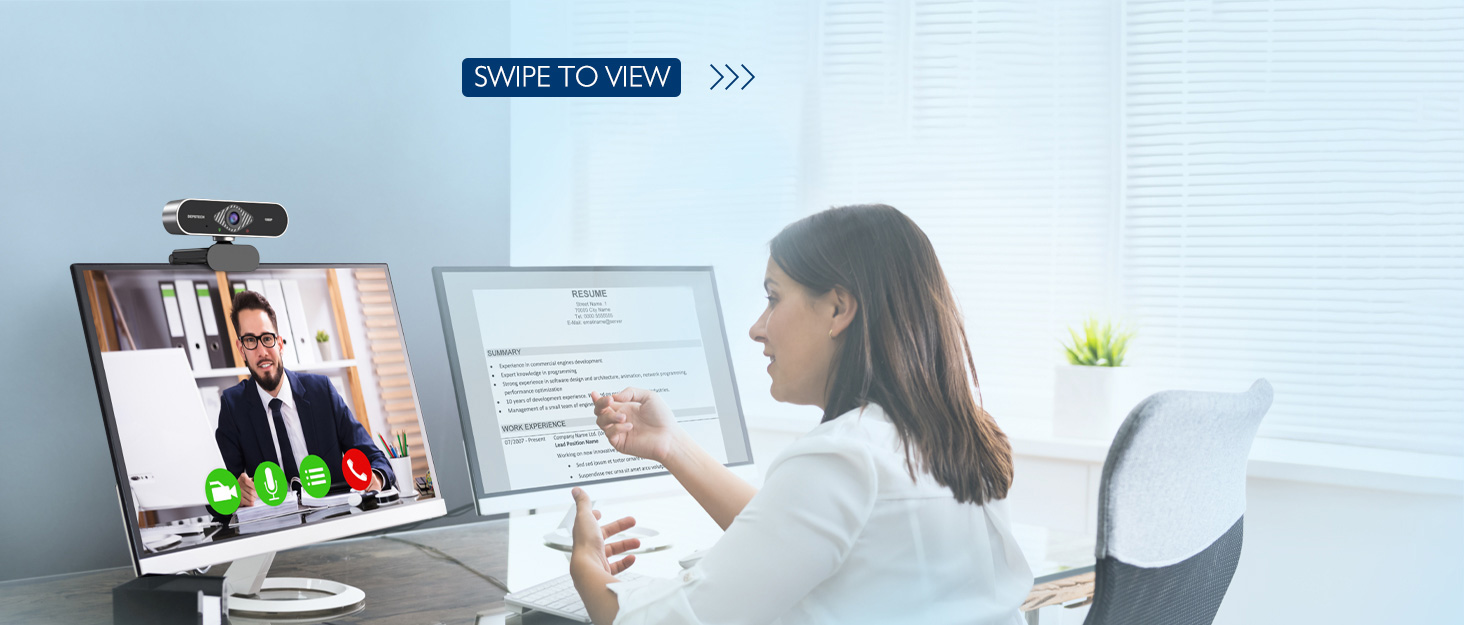
Image: DEPSTECH D04 Webcam in use for a video conference.
Кључне карактеристике:
- Full HD 1080P Video: Delivers sharp and crystal-clear video at 30 frames per second with a 6-layer glass HD lens and 1/2.9” CMOS image sensor.
- Stereo Microphone with Noise Reduction: Features an automatic noise reduction function for clearer and more natural sound, even in noisy environments.
- Automatic Light Correction & HDR: Ensures excellent video quality even in dimly lit conditions.
- Плуг-анд-Плаи: No additional drivers or software required for most operating systems.
- Широка компатибилност: Works with MAC OS, Windows XP/7/8/10, and popular applications like Skype, YouTube, Yahoo!, and Zoom.
Садржај пакета
- ДЕПСТЕХ Д04 Webцам
- Мини троножац
- Цовер Цовер
- Упутство за употребу
Упутства за подешавање
1. Placement of the Webцам
ДЕПСТЕЦХ Д04 webcam features a flexible mounting clip that allows it to be placed on various devices or surfaces.
- На екрану монитора/лаптопа: Отворите клип и поставите webcam on top of your monitor or laptop screen. Adjust the angle so the camera is stable and facing you.
- На стативу: Причврстите webcam to the included mini tripod using the universal screw mount at the bottom of the clip. Place the tripod on a flat surface.
- На равној површини: The clip can also be folded to create a stand, allowing the webcam to sit directly on your desk or shelf.

слика: Webcam mounted on a laptop screen.

слика: Webcam mounted on a tripod.
2. Повезивање Webцам
ДЕПСТЕЦХ Д04 webCam је plug-and-play уређај, који не захтева додатну инсталацију драјвера за већину оперативних система.
- Повежите USB кабл са webcam to an available USB port on your computer (desktop or laptop).
- Wait for your operating system to automatically detect and install the device. This usually takes a few seconds.
- Once detected, the webcam is ready for use with your preferred video communication or recording software.

Image: USB connection for the webцам.
Упутство за употребу
1. Коришћењем Webcam with Software
After connecting, your DEPSTECH D04 webcam will be recognized as a standard video and audio input device by most applications.
- Open your desired video conferencing, streaming, or recording application (e.g., Zoom, Skype, OBS, YouTube, Facetime).
- Navigate to the application's settings or preferences, usually under 'Audio' and 'Video' sections.
- Select "DEPSTECH D04 Webcam" or "USB 2.0 Camera" as your video input device.
- Select "USB 2.0 Camera Audio" as your microphone input device.
- Adjust video and audio settings as needed within the application.

Image: User engaged in a video call with the webцам.
2. Заштита приватности
Тхе webcam includes a privacy cover for enhanced security and peace of mind. Slide the cover over the lens when the webcam is not in use to prevent accidental recordings or unauthorized access.

слика: Webcam with the privacy cover closed.
3. Индикаторска светла
Тхе webcam features indicator lights to show its status:
- зелено светло: Indicates the camera is active and in use by an application.
- црвено светло: Указује на webcam is powered on and connected.
Одржавање
To ensure the longevity and optimal performance of your DEPSTECH D04 webкамеру, пратите ова упутства за одржавање:
- Чишћење сочива: Gently wipe the lens with a soft, lint-free cloth. Avoid using harsh chemicals or abrasive materials that could scratch the lens.
- Чишћење тела: Користите меку, суву крпу да очистите спољашњост webцам.
- Складиштење: Када се не користи, посебно током дужег периода, чувајте webcam in a clean, dry place. Use the privacy cover to protect the lens.
- Избегавајте екстремне услове: Немојте излагати webизлагати екстремним температурама, влажности или директној сунчевој светлости.
Решавање проблема
If you encounter issues with your DEPSTECH D04 webкамера, погледајте следећа уобичајена решења:
- WebКамера није откривена:
- Покушајте да повежете webкамеру на други УСБ порт на рачунару.
- Поново покрените рачунар.
- Уверите се да је УСБ кабл добро повезан.
- Check your operating system's device manager (Windows) or System Information (Mac) to see if the webкамера је наведена.
- Нема видеа/црни екран:
- Уверите се да је поклопац за приватност отворен.
- Проверите да ли је webКамера је изабрана као уређај за видео улаз у подешавањима ваше апликације.
- Затворите и поново отворите апликацију.
- Нема звука/лош квалитет звука:
- Ensure "USB 2.0 Camera Audio" is selected as the microphone input in your application's settings.
- Check your computer's sound settings to ensure the microphone is enabled and not muted.
- Adjust the microphone input volume in your application or system settings.
- Лош видео квалитет:
- Ensure you have adequate lighting in your environment. The webcam has auto light correction, but good ambient light helps.
- Очистите webцам ленс.
- Проверите брзину интернет конекције ако стримујете или користите видео конференције.
Спецификације
| Бранд | ДЕПСТЕЦХ |
| Број модела | Д04 |
| Резолуција снимања видео записа | 1080п |
| Брзина снимања слике | 30 фпс |
| Технологија фото сензора | CMOS (1/2.9” CMOS image sensor) |
| Фоцус Типе | Фиксни фокус |
| Ленс Типе | Широки угао |
| Технологија повезивања | УСБ |
| Подржани аудио формат | Стерео |
| Посебне карактеристике | Auto Light Correction, Noise Canceling Microphone, Tripod and Privacy Cover Included |
| Компатибилност оперативног система | Mac OS, Windows XP/7/8/10 |
| Боја | Црно |
Информације о гаранцији
ДЕПСТЕЦХ Д04 Webкамера долази са 1 година гаранције from the date of purchase. This warranty covers manufacturing defects and ensures the product is free from defects in material and workmanship under normal use. Please retain your proof of purchase for warranty claims. The warranty does not cover damage caused by misuse, accident, unauthorized modification, or external causes.
Подршка
For further assistance, technical support, or warranty inquiries, please contact DEPSTECH customer service. You can typically find contact information on the official DEPSTECH webсајту или преко продавца где сте купили производ.
Please have your model number (D04) and proof of purchase ready when contacting support.