
1. Увод
This manual provides detailed instructions for the installation, operation, and maintenance of your OWC 4TB Aura Ultra III PCIe 3.0 NVMe M.2 2280 Solid State Drive. Please read this manual thoroughly before installation and retain it for future reference.
2. Безбедносне информације
- Always handle the SSD by its edges to avoid touching the connectors or components.
- Ensure your system is powered off and unplugged before installing or removing the SSD.
- Discharge any static electricity from your body before handling the SSD by touching a grounded metal object.
- Keep the SSD away from moisture, extreme temperatures, and strong magnetic fields.
3. Садржај пакета
Проверите да ли су све ставке присутне у вашем пакету:
- 1x OWC 4TB Aura Ultra III PCIe 3.0 NVMe M.2 2280 SSD
4. Подешавање и инсталација
The OWC Aura Ultra III SSD is designed for installation in systems equipped with an M.2 2280 slot, x4/x8/x16 PCIe slots (with an appropriate adapter), or compatible external enclosures. The installation process may vary depending on your specific system or enclosure.
4.1. General M.2 SSD Installation
- Систем за искључивање: Потпуно искључите рачунар и искључите кабл за напајање.
- Отворени случај: Отворите кућиште рачунара да бисте приступили матичној плочи.
- Пронађите M.2 слот: Identify an available M.2 2280 slot on your motherboard. Consult your motherboard manual for exact location.
- Уметните SSD: Gently insert the OWC Aura Ultra III SSD into the M.2 slot at a 30-degree angle. Push it down until it clicks into place.
- Безбедан SSD: Secure the SSD with the screw provided with your motherboard or M.2 slot.
- Затворите кућиште и укључите напајање: Затворите кућиште рачунара, поново повежите кабл за напајање и укључите систем.
- Иницијализација и форматирање: Once the system boots, you may need to initialize and format the new SSD through your operating system's Disk Management utility before it can be used.

4.2. External Enclosure Installation
For external use, insert the OWC Aura Ultra III SSD into a compatible M.2 NVMe external enclosure. Follow the enclosure's specific instructions for installation and connection to your computer via USB or Thunderbolt.
5. Упутство за употребу
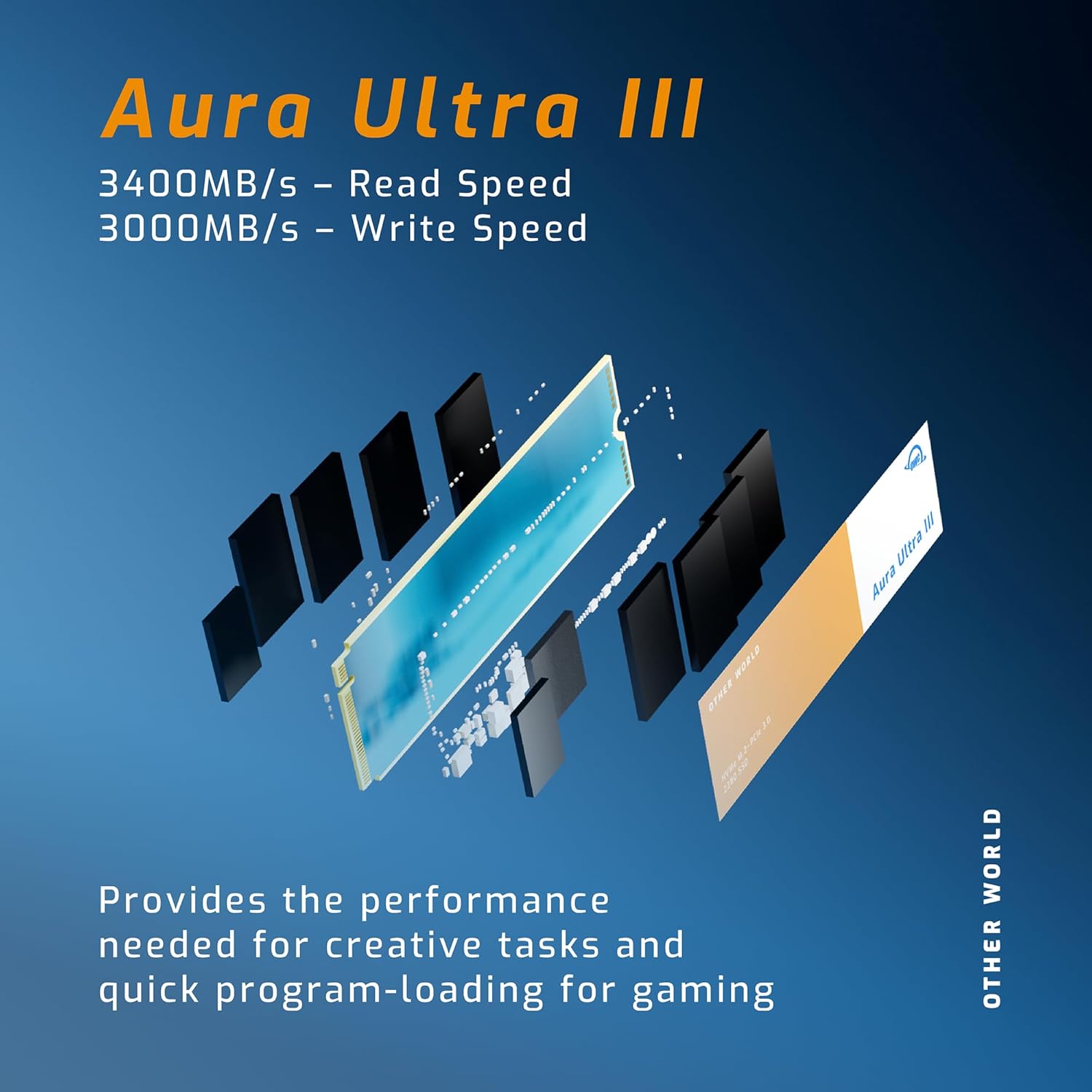
The OWC Aura Ultra III SSD provides high-speed storage for various applications, including operating systems, software, games, and large media files. Its advanced PCIe 3.0 NVMe technology ensures rapid data transfer rates.
- Next Generation Performance: Experience significantly faster data access compared to previous generation SSDs, with read speeds up to 3400MB/s and write speeds up to 3000MB/s.
- Enhanced Workflows: Accelerate audio/video workflows, video streaming, system responsiveness, backups, and application/gaming load times.
- Оптимизација игара: Game levels can load up to 35 times faster when upgrading from a traditional Hard Disk Drive (HDD) to the OWC Aura Ultra III.
- Широка компатибилност: Works seamlessly with both PC and Mac platforms, supporting direct motherboard installation or use with various PCIe M.2 SSD adapters and external enclosures.
- Повратна компатибилност: Fully compatible with PCIe Generation 2.0 devices, ensuring optimal performance even with older hardware.
6. Одржавање
To ensure the longevity and optimal performance of your OWC Aura Ultra III SSD, consider the following maintenance tips:
- Ажурирања фирмвера: Periodically check the OWC webсајт за сва доступна ажурирања фирмвера за ваш SSD. Ажурирања фирмвера могу побољшати перформансе, стабилност и компатибилност.
- Избегавајте дефрагментацију: Unlike traditional HDDs, SSDs do not benefit from defragmentation. It can actually reduce the lifespan of the drive. Ensure defragmentation is disabled for your SSD in your operating system.
- TRIM подршка: Ensure your operating system has TRIM enabled. TRIM helps the SSD manage its data blocks more efficiently, maintaining performance over time.
- Охлади се: While the Aura Ultra III features thermal cooling, ensure adequate airflow around the drive, especially in high-performance scenarios or when used in an enclosure.
КСНУМКС. Решавање проблема
If you encounter issues with your OWC Aura Ultra III SSD, refer to the following common troubleshooting steps:
- ССД није откривен:
- Check physical connections: Ensure the SSD is correctly seated in the M.2 slot or external enclosure.
- Verify BIOS/UEFI settings: Confirm that the M.2 slot is enabled in your system's BIOS/UEFI settings.
- Check Disk Management (Windows) or Disk Utility (macOS): The drive may need to be initialized and formatted.
- Споре перформансе:
- Ensure the SSD is installed in a PCIe 3.0 compatible slot or enclosure to achieve advertised speeds.
- Проверите да ли је TRIM омогућен у вашем оперативном систему.
- Проверите позадинске процесе који троше ресурсе.
- Уверите се да су драјвери вашег система (чипсет, NVMe) ажурирани.
- Нестабилност/падови система:
- Уверите се да је фирмвер SSD-а ажуриран.
- Check system temperatures to prevent overheating.
- Run a diagnostic tool (if available from OWC) to check the SSD's health.
If these steps do not resolve your issue, please contact OWC customer support for further assistance.
8. Спецификације
| Феатуре | Спецификација |
|---|---|
| Хард Дриве | 4 TB Solid State Drive |
| Бранд | ОВЦ |
| Сериес | Aura ULTRA III |
| Број модела артикла | OWCS3DN3P2T40 |
| Хардверска платформа | Мак, рачунар |
| Тежина артикла | 0.352 унци |
| Димензије производа | 3.15 к 0.87 к 0.47 инча |
| Тип меморије рачунара | ДИММ |
| Величина флеш меморије | 4 ТБ |
| Интерфејс чврстог диска | НВМе |
| Капацитет дигиталног складиштења | 4000 ГБ |
| Технологија повезивања | М.2 |
| Посебна карактеристика | Портабле |
| Фактор облика тврдог диска | 2.5 инча |
| Опис чврстог диска | Солид Стате Дриве |
| Компатибилни уређаји | Десктоп |
| Врста инсталације | Интерни чврсти диск |
| Величина чврстог диска | 4 ТБ |
9. Гаранција и подршка
The OWC 4TB Aura Ultra III SSD comes with a 5 година ограничене гаранције за замену. This warranty covers defects in materials and workmanship under normal use. For warranty claims or technical support, please visit the official OWC webсајт или директно контактирајте њихову корисничку службу.
For additional resources and support, please visit the OWC Store on Amazon.