
Увод
This manual provides comprehensive instructions for the safe and efficient operation of your Flex DD 4G 18.0-EC Cordless Drill Driver. Please read this manual thoroughly before using the tool and keep it for future reference. Understanding the features and proper usage will ensure optimal performance and extend the lifespan of your tool.
Безбедносне информације
Општа безбедносна упозорења за електрични алат
- Увек носите заштиту за очи.
- Одржавајте радни простор чистим и добро осветљеним.
- Не користите електричне алате у експлозивној атмосфери, као што је присуство запаљивих течности, гасова или прашине.
- Држите подаље децу и особе у близини док користите електрични алат.
- Избегавајте случајно покретање. Уверите се да је прекидач у положају „искључено“ пре него што повежете батерију, подигнете или носите алат.
- Користите одговарајући електрични алат за своју примену.
- Одвојите батерију од електричног алата пре него што извршите било каква подешавања, промените прибор или одложите електрични алат.
- Чувајте електричне алате у стању мировања ван домашаја деце и не дозволите особама које нису упознате са електричним алатом или овим упутствима да рукују електричним алатом.
- Одржавајте електричне алате. Проверите да ли су покретни делови неусклађени или везани, поломљени делови и било које друго стање које може утицати на рад електричног алата.
- Користите електрични алат, прибор и наставке за алат итд. у складу са овим упутствима, узимајући у обзир услове рада и посао који треба да се обави.
Specific Drill Driver Safety Warnings
- Држите електрични алат за изоловане површине за хватање када изводите радњу где прибор за сечење може да дође у контакт са скривеним ожичењем или сопственим каблом.
- Увек се уверите да је радни предмет безбедно причвршћенampиздато или одржано.
- Do not force the drill. Allow the tool to work at its own pace.
- Ensure the chuck is tightened securely before operation.
Садржај пакета
The Flex DD 4G 18.0-EC Cordless Drill Driver package typically includes the following items:
- Flex DD 4G 18.0-EC Cordless Drill Driver (Tool only, battery and charger sold separately)
- 1 Handle (Part No. 489.417)
- 1 Belt Clip (Part No. 467.154)
- 1 Bit Holder (Part No. 453.995)
- 1 Bit Garage (Part No. 430.862)
- 1 L-BOXX 136 Transport Case (Part No. 414.085)
- 1 Case Insert (Part No. 477.591)

An image showing the Flex DD 4G 18.0-EC Cordless Drill Driver, its auxiliary handle, and the L-BOXX 136 transport case with its insert. The drill is red and black, resting on top of the closed black L-BOXX case.
Кључне карактеристике
The Flex DD 4G 18.0-EC Cordless Drill Driver is designed for high performance and durability. Key features include:
- Electronic Management System (EMS): Protects the machine, extends service life, and increases efficiency.
- Мотор без четкица: Provides higher efficiency and a longer service life.
- 4-степени мењач: Offers speeds up to 4200 RPM for maximum drilling and screwdriving efficiency.
- Accelerator Switch with Lock-on Function: Allows for variable speed control and continuous operation.
- Electronic Quick Brake: Stops the chuck rotation quickly for increased safety and control.
- Robust Die-Cast Aluminum Gear Housing: Ensures durability and heat dissipation.
- Metal Keyless Chuck with Auto-Lock Function: За брзу и једноставну измену битова.
- Tool-Free Removable Chuck: Enhances versatility for various applications.
- Right/Left Rotation with Interlock: For both driving and removing fasteners.
- Продужна ручка: Provides user protection even with high torque applications.
- Ergonomic Non-Slip Rubber Grip: For comfortable and secure handling.
- Интегрисано ЛЕД светло: Осветљава радну површину.
- LED Battery Capacity Display: Приказује преостало пуњење батерије.
- Flex Battery System: Compatible with all 18.0 V battery packs (sold separately).
Сетуп
Причвршћивање помоћне ручке
The auxiliary handle provides additional control and safety, especially during high-torque applications.
- Loosen the handle by rotating it counter-clockwise.
- Slide the handle onto the front of the drill driver, positioning it for comfortable use.
- Затегните ручку окретањем у смеру казаљке на сату док се не учврсти.

A close-up image of the Flex DD 4G 18.0-EC Cordless Drill Driver with its auxiliary handle attached. The handle is positioned on the front of the tool, providing an additional grip point.
Инсталирање/уклањање батерије
This tool operates with Flex 18.0 V battery packs (not included).
- Инсталација: Align the battery pack with the base of the tool and slide it in until it clicks into place.
- Уклањање: Press the battery release button (usually located on the battery pack) and slide the battery pack out.
Постављање/вађење бургија или одвијача
The tool features a metal keyless chuck.
- Инсталација: Rotate the chuck counter-clockwise to open the jaws. Insert the bit fully into the chuck. Rotate the chuck clockwise to tighten the jaws securely around the bit.
- Уклањање: Rotate the chuck counter-clockwise to open the jaws and remove the bit.

A close-up image of the metal keyless chuck on the Flex DD 4G 18.0-EC Cordless Drill Driver. The chuck jaws are visible, ready to accept a drill bit or screwdriver bit.
Removable Chuck Function
The chuck can be removed without tools for specific applications or to use a bit directly in the spindle.
- Уверите се да је алат искључен и да је батерија извађена.
- Rotate the chuck counter-clockwise until it detaches from the spindle.
- To reattach, align the chuck with the spindle and rotate clockwise until it locks securely.
Упутство за употребу
Укључивање/искључивање и контрола брзине
- Укључено: Press the accelerator switch to start the tool. The speed is variable depending on the pressure applied to the switch.
- Искључивање: Release the accelerator switch. The electronic quick brake will stop the chuck rotation.
- Lock-on Function: For continuous operation, press the accelerator switch and then engage the lock-on button (if present, typically on the side of the switch). To release, press the accelerator switch again.
Selecting Rotation Direction (Forward/Reverse)
A forward/reverse switch is located above the accelerator switch.
- Push the switch to the left for forward rotation (drilling/driving).
- Push the switch to the right for reverse rotation (removing screws/bits).
- Position the switch in the center for the lock-off position, preventing accidental starting.
Selecting Torque and Speed Settings
The tool features a torque collar and a 4-speed gearbox.
- Подешавање обртног момента: Rotate the torque collar to select the desired torque level (1-11) for screwdriving. The drill symbol indicates drill mode, which bypasses the clutch for maximum power.
- Подешавање брзине: Use the gear selector switch (typically on top of the tool) to choose between the four speed ranges (1, 2, 3, 4). Lower speeds are for higher torque applications (e.g., driving large screws), while higher speeds are for drilling.

A person wearing work gloves is operating the Flex DD 4G 18.0-EC Cordless Drill Driver to drill a hole into a metal sheet. The drill is held firmly with both hands, demonstrating proper usage.
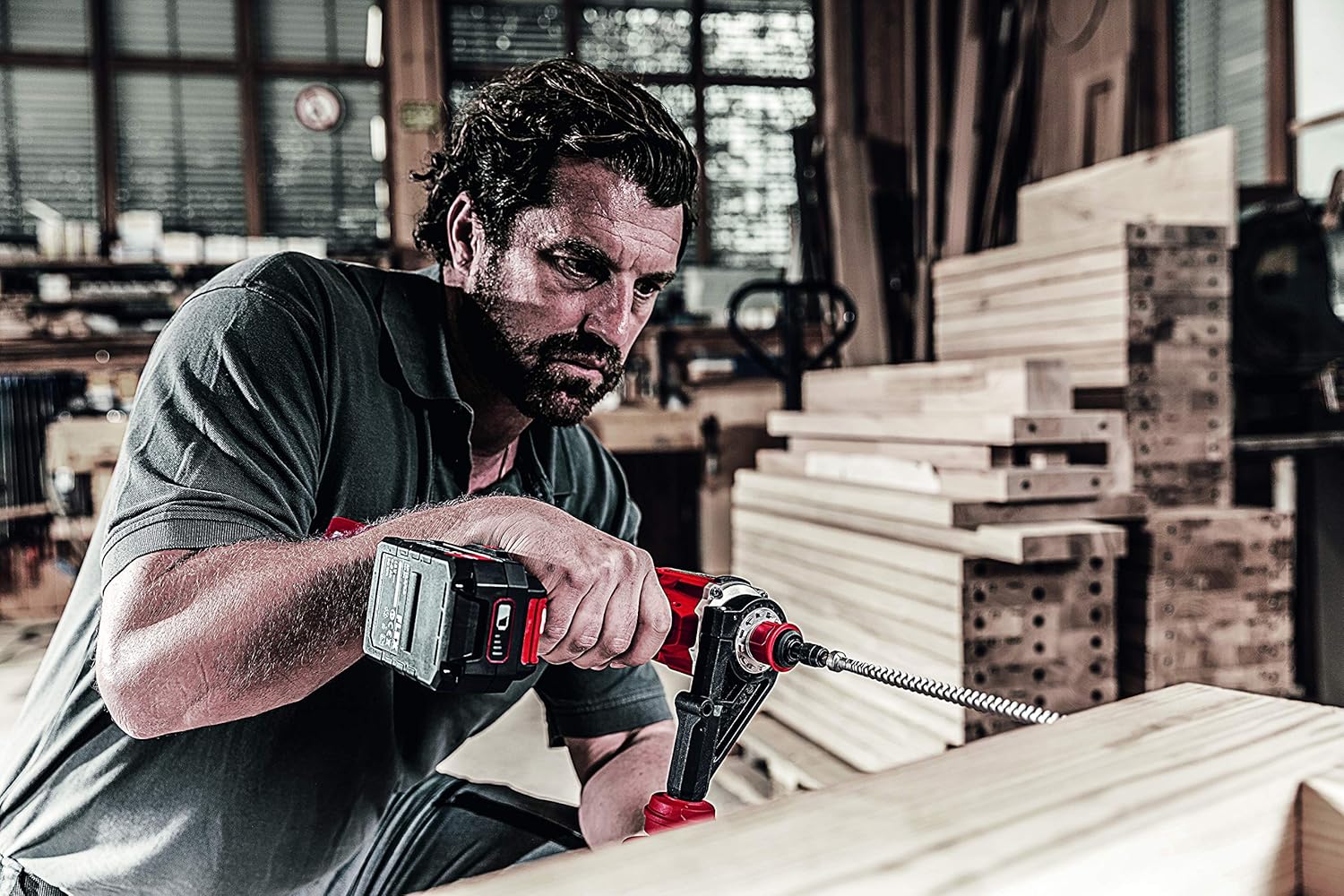
A person is using the Flex DD 4G 18.0-EC Cordless Drill Driver to drill into a wooden beam with a large auger bit. The auxiliary handle is attached, providing stability during the operation.
Одржавање
Генерал Цлеанинг
- Одржавајте вентилационе отворе алата чистим како бисте спречили прегревање.
- Редовно чистите кућиште алата меком,amp тканина. Немојте користити раствараче или абразивна средства за чишћење.
- Уклоните прашину или остатке са чељусти стезне главе.
Баттери Царе
- Чувајте батерије на хладном и сувом месту, даље од директне сунчеве светлости и екстремних температура.
- Do not store battery packs fully discharged. Charge them periodically if not in use for extended periods.
- Refer to the battery pack and charger manuals for specific charging and storage instructions.
Цхуцк Маинтенанце
- Periodically inspect the chuck jaws for wear or damage.
- If the chuck becomes stiff, apply a small amount of dry lubricant to the jaws.
Решавање проблема
Алат се не покреће
- Уверите се да је батерија потпуно напуњена и правилно уметнута.
- Check that the forward/reverse switch is not in the center (lock-off) position.
- Verify that the accelerator switch is being pressed firmly.
Reduced Power or Performance
- The battery pack may be low on charge. Recharge the battery.
- The selected torque setting may be too low for the application. Increase the torque setting or switch to drill mode.
- The drill bit or screwdriver bit may be dull or damaged. Replace with a sharp, appropriate bit.
- Overload protection may have activated. Allow the tool to cool down.
Chuck Not Holding Bits Securely
- Ensure the chuck is tightened firmly.
- Check for debris inside the chuck jaws. Clean if necessary.
- Inspect the chuck jaws for wear or damage. If damaged, the chuck may need replacement.
Спецификације
The following are the technical specifications for the Flex DD 4G 18.0-EC Cordless Drill Driver:
| Спецификација | Валуе |
|---|---|
| Баттери Волtage | 18 В |
| Battery Capacity (compatible) | 2.5 / 5.0 Ах |
| Max. Torque (Soft/Hard) | 64 / 135 Нм |
| Подешавања обртног момента | 11 + 1 (Режим бушења) |
| No-Load Speed (1st/2nd/3rd/4th Gear) | 460 / 910 / 2100 / 4200 RPM |
| Ширина стезне главе | 1.5 - 13 mm |
| Макс. пречник бушења (челик) | 13 мм |
| Макс. пречник бушења (дрво) | 76 мм |
| Тежина (без батерије) | 1.5 кг |
| Димензије производа (Д к Ш к В) | 24 к 7.5 к 21.5 цм |
| Произвођач | ФЛЕКС |
| Број модела | 447765 |
| Извор напајања | Бежични, на батерије |
| Материјал | Метал |
Гаранција и подршка
Информације о гаранцији
Please refer to the warranty card included with your product or visit the official Flex webсајт за детаљне услове гаранције. Сачувајте доказ о куповини за потребе подношења захтева за гаранцију.
Корисничка подршка
For technical assistance, spare parts, or service, please contact Flex customer support. Contact information can typically be found on the Flex webсајту или у паковању производа.