
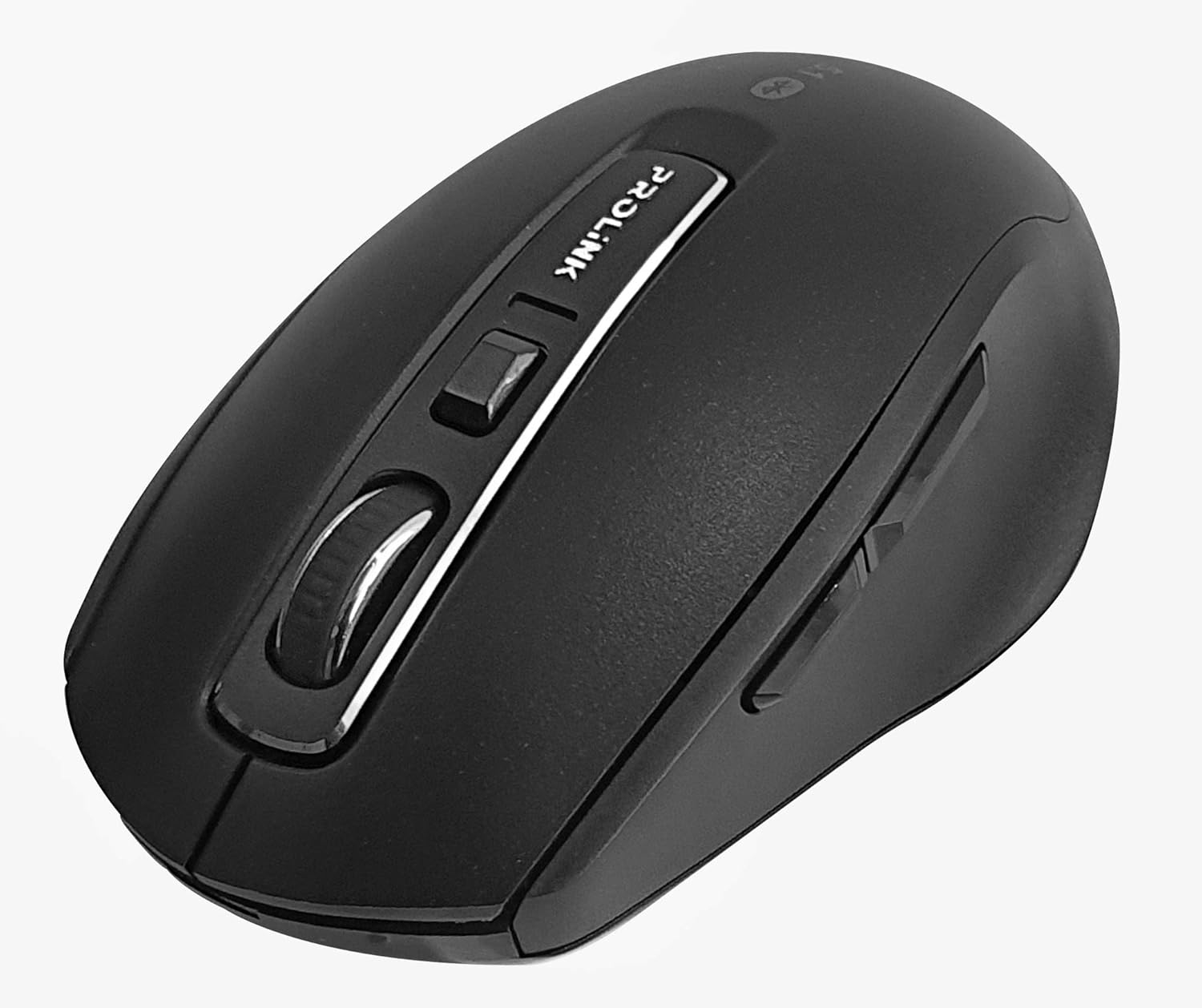
Слика: Одозго надоле view of the Prolink PMB8502 Bluetooth Wireless Optical Mouse.
1. Увод и крајview
The Prolink PMB8502 Bluetooth Mouse is designed for seamless wireless control of your desktop, laptop, or tablet. It features Bluetooth 5.2 connectivity, an ergonomic design, and adjustable DPI settings for personalized comfort and precision. This manual provides detailed instructions for setup, operation, maintenance, and troubleshooting.
Кључне карактеристике:
- Bluetooth 5.2 connectivity (backward compatible with 5.1/5.0/4.2/4.1/4.0)
- Up to 27 months battery life (based on supplied batteries)
- Подесиви ДПИ: 800/1200/1600
- 6-button design including back and forward buttons
- Ергономски дизајн за удобну употребу
- Operating range of up to 10 meters

Image: Prolink PMB8502 mouse highlighting its Bluetooth 5.2, battery life, DPI, and range features.
2. Садржај пакета
- Prolink PMB8502 Bluetooth Wireless Optical Mouse
- 1 x AA батерија (унапред инсталирана или укључена засебно)
- Кориснички приручник (овај документ)
3. Упутства за подешавање
3.1. Инсталација батерије
- Пронађите поклопац одељка за батерију на доњој страни миша.
- Пажљиво померите или подигните поклопац да бисте отворили одељак.
- Уметните једну АА батерију, водећи рачуна да позитивни (+) и негативни (-) терминали буду правилно поравнати са ознакама унутар одељка.
- Вратите поклопац одељка за батерију док не кликне чврсто на своје место.
3.2. Блуетоотх упаривање
Before pairing, ensure your device (computer, laptop, tablet) has Bluetooth enabled.
- Укључите миш помоћу прекидача за укључивање/искључивање који се налази на доњој страни.
- Press and hold the Bluetooth 'Connect' button (usually located near the On/Off switch or within the battery compartment) for 3-5 seconds until the LED indicator on the mouse begins to flash, indicating it is in pairing mode.
- На свом уређају идите до подешавања Блуетоотх-а.
- Тражи new devices. The mouse should appear as "Prolink PMB8502" or similar.
- Select the mouse from the list to complete the pairing process. The LED indicator on the mouse will stop flashing and remain solid for a few seconds, then turn off, indicating a successful connection.

Слика: Фронт view of the Prolink PMB8502 mouse, showing its ergonomic shape.
4. Упутство за употребу
4.1. Функције дугмета
- Леви клик: Стандардни избор и активација.
- Десни клик: Приступа контекстуалним менијима.
- Точак за померање: Скролује документе и web странице вертикално. Може се притиснути и за функцију клика средњим тастером миша.
- Дугме за подешавање DPI-ја: Located below the scroll wheel. Press to cycle through DPI settings (800/1200/1600).
- Дугме за напред: Навигација напред у web претраживачи или file истраживачи.
- Дугме за назад: Навигација уназад web претраживачи или file истраживачи.

Слика: Са стране view of the Prolink PMB8502 mouse, illustrating the placement of the back and forward navigation buttons.
4.2. Подешавање DPI-ја
The mouse offers three DPI (Dots Per Inch) settings: 800, 1200, and 1600. Press the DPI button located below the scroll wheel to switch between these sensitivities. A higher DPI setting results in faster cursor movement across the screen.
4.3. Управљање напајањем
- Прекидач за укључивање/искључивање: To conserve battery life, turn off the mouse using the switch on its underside when not in use for extended periods.
- Аутоматски режим спавања: The mouse automatically enters a sleep mode after more than 10 minutes of inactivity. To wake it up, simply move the mouse or click any button.
5. Одржавање
5.1. Чишћење
За чишћење миша користите меку, суву крпу која не оставља влакна. За тврдокорну прљавштину, благо обришитеampen the cloth with water or a mild cleaning solution. Avoid using harsh chemicals, abrasive cleaners, or spraying liquids directly onto the mouse.
5.2. Замена батерије
When the mouse performance degrades or the LED indicator suggests low battery, replace the AA battery following the steps in Section 3.1. Dispose of used batteries responsibly according to local regulations.
КСНУМКС. Решавање проблема
- Mouse not connecting or erratic movement:
- Уверите се да је миш укључен.
- Проверите ниво батерије и замените ако је потребно.
- Уверите се да је Блуетоотх омогућен на вашем уређају.
- Try re-pairing the mouse with your device (refer to Section 3.2).
- Move the mouse closer to your device to rule out range issues.
- Ensure there are no other strong wireless signals interfering with the Bluetooth connection.
- Cursor not moving smoothly:
- Очистите оптички сензор на доњој страни миша.
- Користите миш на чистој, нерефлектујућој површини.
- Adjust the DPI setting to a level that suits your preference.
- Дугмад не реагују:
- Проверите ниво батерије.
- Ensure the mouse is properly connected via Bluetooth.
- Поново покрените рачунар или уређај.
7. Спецификације
| Феатуре | Детаљ |
|---|---|
| Дугмад | 6 |
| Сензор | Оптицал |
| ДПИ резолуција | 800 / 1200 / 1600 ДПИ |
| Интерфејс | Bluetooth 5.2 (backward compatible with Bluetooth 5.1/5.0/4.2/4.1/4.0) |
| Брзина УСБ извештаја | 125Хз |
| ФПС | 2400 пута/сек |
| Радна влажност | 30%RH - 95%RH |
| Радна температура | -20°C - +60°C |
| Оперативни систем | Windows 7 / 10 / 11, Mac OS 10.2 above |
| Димензије (Д к Ш к В) | 108 мм к 66.7 мм к 40.2 мм |
| Тежина | 69.2g (product only) |
| Тип батерије | 1 к АА батерија |

Image: Graphic displaying the technical specifications of the Prolink PMB8502 mouse.
8. Гаранција и подршка
The Prolink PMB8502 Bluetooth Wireless Optical Mouse typically comes with a 3 година гаранције from the date of purchase. Please refer to your purchase receipt or the official Prolink website for specific warranty terms and conditions applicable in your region.
For technical support, troubleshooting assistance, or warranty claims, please visit the official Prolink website or contact their customer service department. Contact information can usually be found on the product packaging or the Prolink official webсајту.
Онлине ресурси:

Image: Prolink PMB8502 mouse with a "3 Year Warranty" label, indicating product assurance.