
Увод
The Amazon Basics DisplayPort to HDMI Female Converter allows you to connect a computer or other device with a DisplayPort output to an HDMI-equipped display, such as an HDTV, monitor, or projector. This adapter supports video resolutions up to 4K at 60Hz, providing a high-quality visual experience. It is a uni-directional converter, meaning it converts signals from DisplayPort to HDMI only.

Image: The Amazon Basics DisplayPort to HDMI Female Converter, showing both the DisplayPort male connector and the HDMI female port on the adapter.
Кључне карактеристике
- Подршка високе резолуције: Supports video resolutions up to 4K@60Hz for clear and vibrant visuals.
- Uni-Directional Conversion: Converts signal from DisplayPort (DP) to HDMI only. Not bi-directional.
- Широка компатибилност: Connects computers with DisplayPort to HDMI-equipped HDTVs, monitors, or projectors.
- Плуг & Плаи: No external power adapter or driver installation required for operation.
- DisplayPort Standards: Supports both Standard DisplayPort (DP) and Dual-Mode DisplayPort (DP++).
Садржај пакета
- 1 x Amazon Basics DisplayPort to HDMI Female Converter (Model DP12-UH01)
- Note: An HDMI cable is required and sold separately.
Упутства за подешавање
Follow these steps to connect your DisplayPort source device to an HDMI display:
- Идентификујте портове: Ensure your computer or source device has a DisplayPort output and your display has an HDMI input. This adapter is not compatible with USB ports.
- Повежите DisplayPort: Insert the male DisplayPort connector of the adapter into the DisplayPort output on your computer.
- Повежите ХДМИ кабл: Take your HDMI cable (not included) and plug one end into the HDMI female port on the converter.
- Повежи се са екраном: Plug the other end of the HDMI cable into the HDMI input port on your HDTV, monitor, or projector.
- Укључено: Power on both your computer and your display. The display should automatically detect the signal. If not, manually select the correct HDMI input on your display.
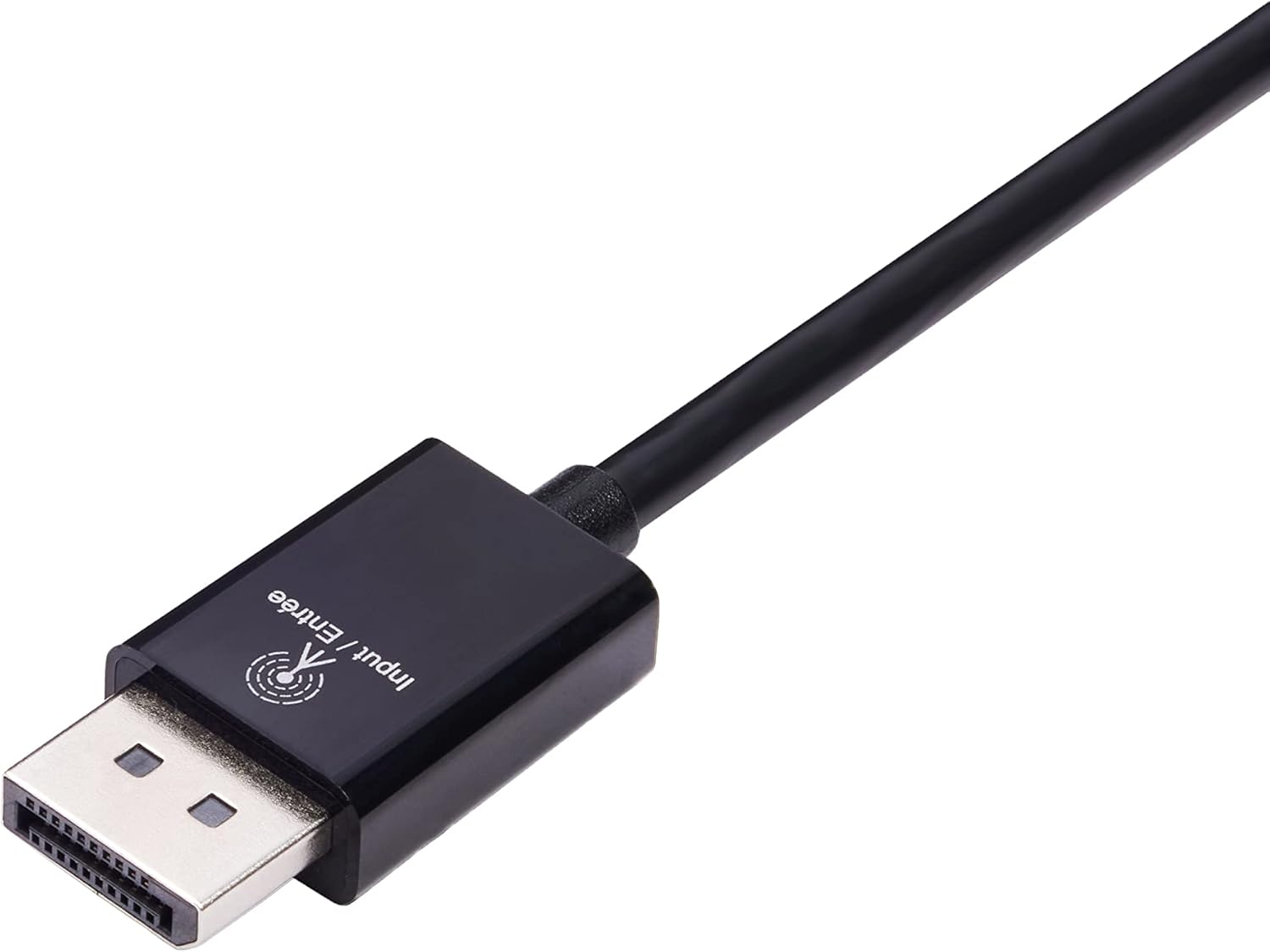
Image: Close-up of the DisplayPort male connector, labeled "Input / Entrée".
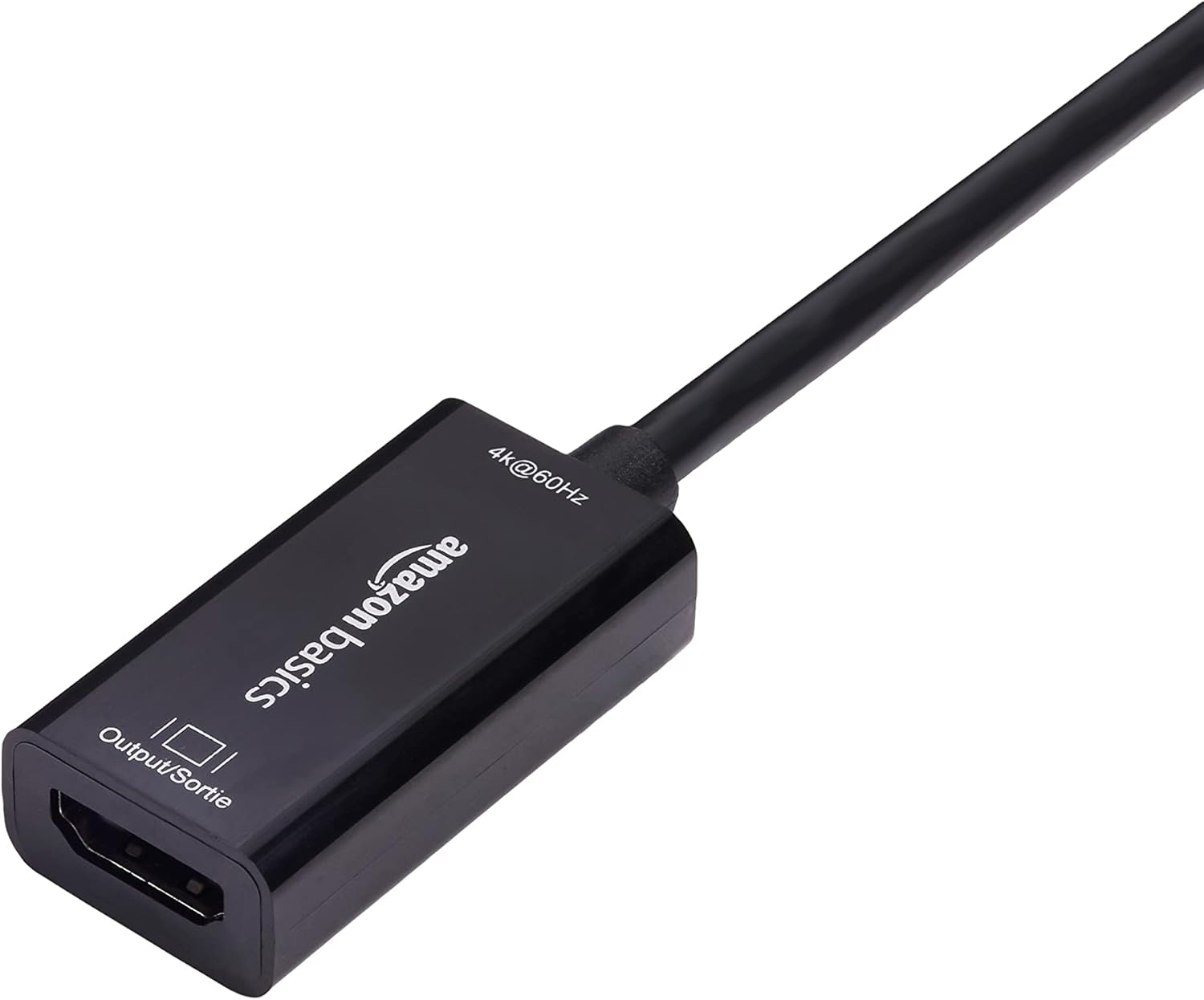
Image: Close-up of the HDMI female port on the converter, labeled "Output / Sortie".
The adapter is plug-and-play, requiring no additional software or drivers.

Image: The DisplayPort to HDMI converter connected to a laptop's DisplayPort, with an HDMI cable ready to connect to a display.
Упутство за употребу
Once connected, the Amazon Basics DisplayPort to HDMI Female Converter operates automatically. Your computer's operating system should detect the connected display and extend or duplicate your desktop as configured in your display settings.
- Подешавања екрана: To adjust resolution, refresh rate, or display mode (extend/duplicate), access your computer's display settings. For Windows, right-click on the desktop and select "Display settings." For macOS, go to "System Preferences" > "Displays."
- Аудио пренос: This adapter supports audio transmission from DisplayPort to HDMI. Ensure your computer's sound output is set to the HDMI display if you wish to use its speakers.
Нега и одржавање
To ensure the longevity and optimal performance of your converter:
- Keep the adapter in a dry environment, away from moisture and extreme temperatures.
- Избегавајте претерано савијање или увртање кабла.
- Clean the connectors periodically with a dry, lint-free cloth to prevent dust buildup.
- Do not attempt to disassemble or repair the adapter yourself.
Решавање проблема
| Проблем | Решење |
|---|---|
| Нема приказа на монитору. |
|
| Resolution or refresh rate issues (e.g., not 4K@60Hz). |
|
| No audio from the display. |
|
| Adapter not working with a USB port. | This adapter is designed for DisplayPort outputs only and is not compatible with USB ports. Please ensure your computer has a dedicated DisplayPort. |

Image: A compatibility chart illustrating that the adapter works with PCs with DisplayPort, HDMI TVs, and projectors, but not with computer USB ports.
Спецификације
| Феатуре | Детаљ |
|---|---|
| Број модела | DP12-UH01 |
| Тип конектора | DisplayPort Male to HDMI Female |
| Максимална резолуција | 4К@60Хз |
| Правац | Uni-directional (DisplayPort to HDMI only) |
| Компатибилни уређаји | Computers with DisplayPort, HDTVs, Monitors, Projectors |
| Боја | Црно |
| Димензије артикла (Д к Ш к В) | 1.8 к 0.75 к 0.55 инча (4.57 к 1.91 к 1.4 цм) |
| Тежина артикла | 0.8 унци (22.68 грама) |
| Улазни волtage | 20 Волтс |
| Цуррент Ратинг | 1 Amps |
| Тип прикључка за напајање | No Plug (Bus-powered) |

Image: A diagram illustrating the approximate dimensions of the converter, showing a length of 9 inches (22.86 cm) for the cable and adapter combined.
Информације о гаранцији
This Amazon Basics DisplayPort to HDMI Female Converter is covered by a 1-годишња ограничена гаранција provided by Amazon Basics. For details regarding warranty claims and terms, please refer to the official Amazon Basics warranty policy or contact customer support.
Корисничка подршка
For further assistance, technical support, or warranty inquiries, please visit the official Amazon Basics support page or contact Amazon customer service directly. You can typically find support contact information on the Amazon website under the "Help" or "Customer Service" sections.