
Увод
The Bietrun UMKF01 is a versatile USB condenser microphone designed for clear audio capture across various applications, including gaming, streaming, podcasting, and studio recording. Its plug-and-play functionality ensures easy setup, while features like noise cancellation, a cardioid pickup pattern, and integrated controls enhance the user experience. This manual provides detailed instructions for setting up, operating, and maintaining your microphone.
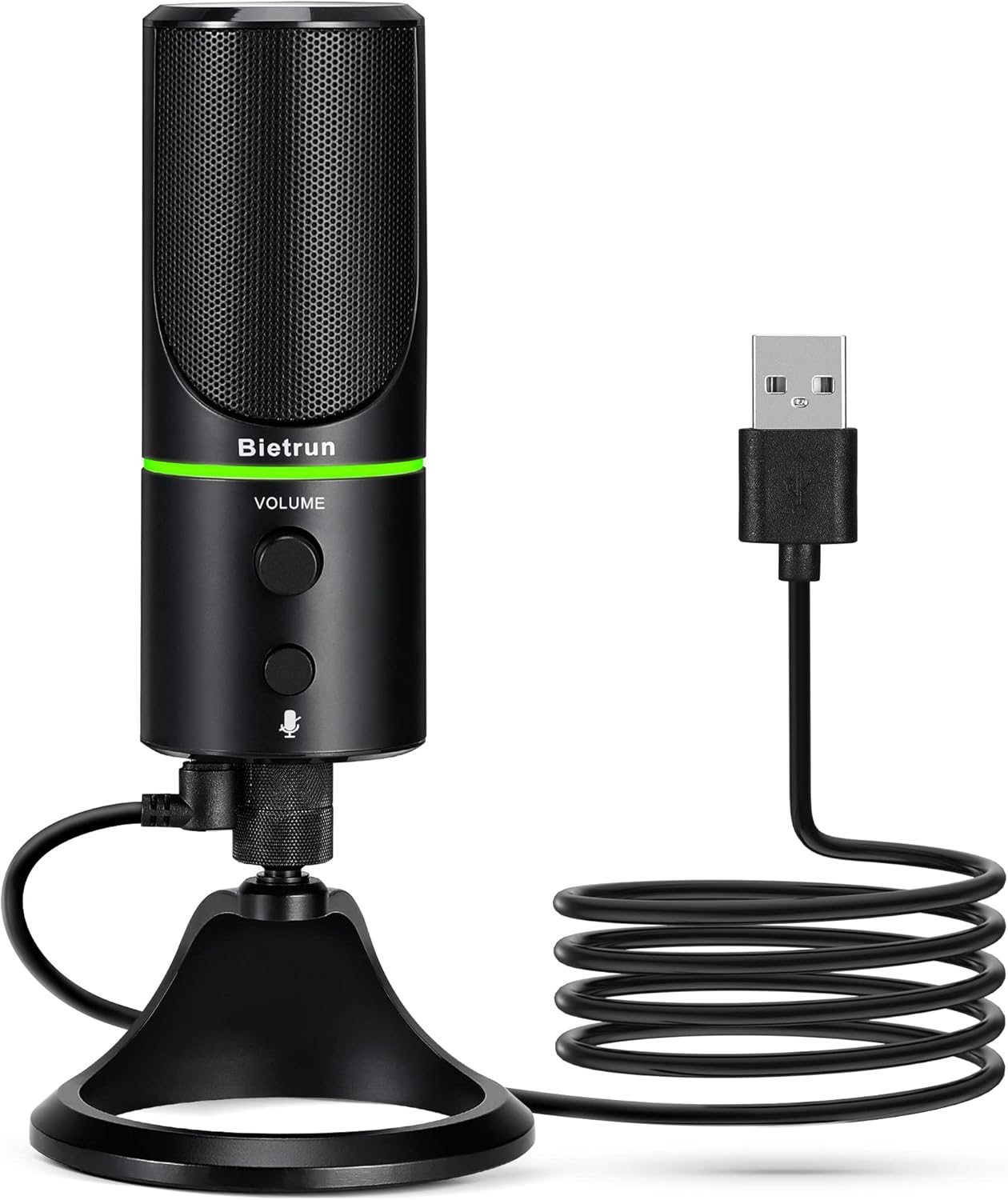
Figure 1: Bietrun UMKF01 USB Condenser Microphone
Садржај пакета
Проверите да ли су све ставке присутне у вашем пакету:
- УСБ микрофон
- УСБ кабл
- Гарантни лист

Слика 2: Садржај пакета
Карактеристике производа
- Plug and Play USB Microphone: Comes with a 59-inch (1.5m) USB cable, requiring no additional driver or software. Ideal for gaming, streaming, podcasting, recording, and online meetings.
- Смањење буке: Effectively reduces background noises such as typing, clicking, and ambient sounds, ensuring clear and crisp audio.
- Кардиоидни узорак подизања: Features a cardioid pickup pattern and a 16mm condenser capsule, providing focused vocal sound and minimizing off-axis noise.
- Headphone Jack & Mute Button: Allows for real-time voice monitoring via a headphone jack with adjustable volume. A dedicated button toggles between normal (green), noise-canceling (yellow), and mute (red) modes, indicated by an LED.
- Adjustable Heavy-Duty Stand: Ensures microphone stability and offers flexible angle adjustment. The microphone can also be detached and mounted on a boom arm with a 3/8" thread.
Сетуп
- Attach the Microphone to the Stand: Screw the microphone onto the included desktop stand. Ensure it is securely fastened. The stand allows for 360° rotation for optimal positioning.
- Повежите УСБ кабл: Plug the micro-USB end of the provided cable into the port at the bottom of the microphone.
- Повежите се са уређајем: Plug the USB-A end of the cable into an available USB port on your computer (Desktop/Laptop), PS4, or PS5. The microphone is plug-and-play and should be recognized automatically by your operating system.
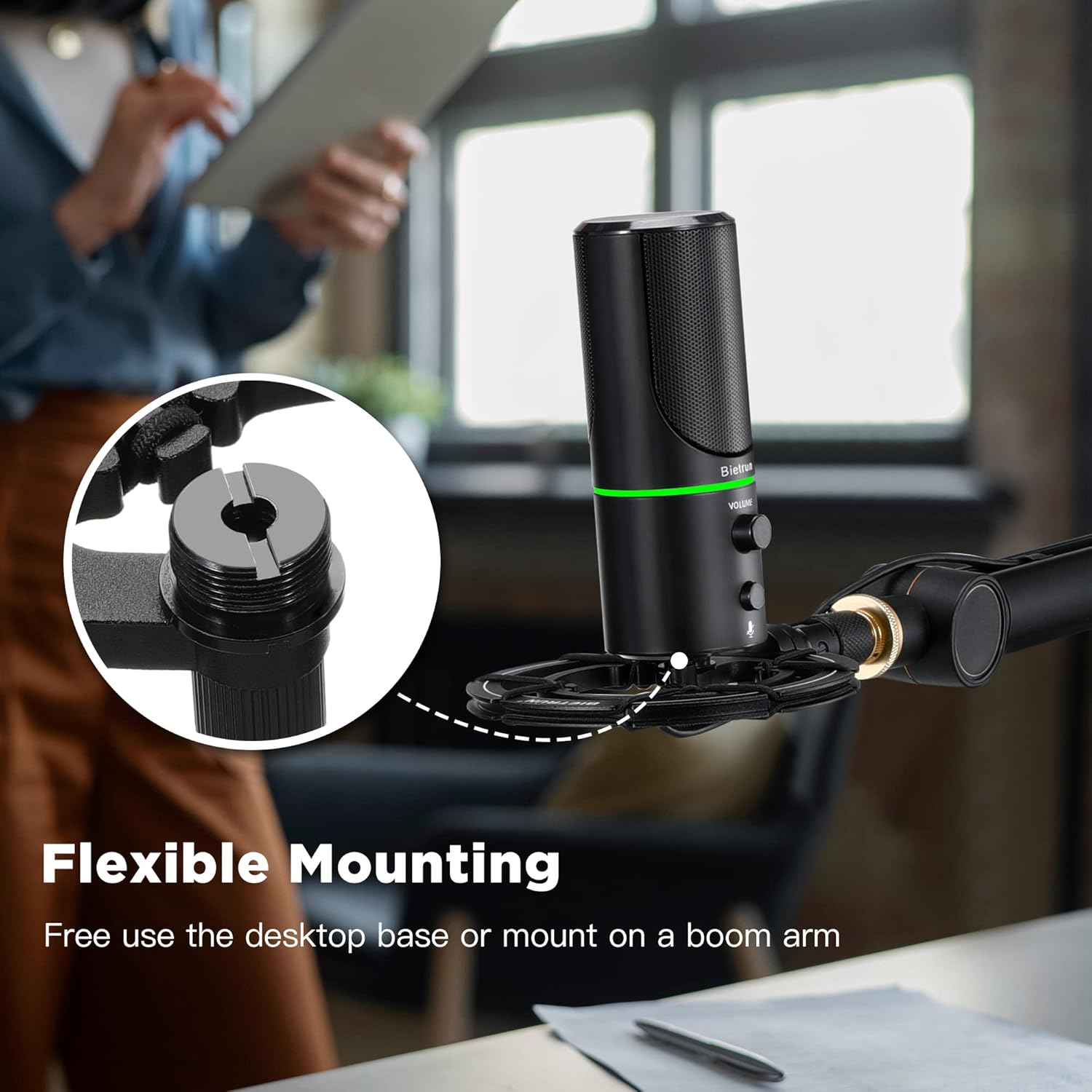
Слика 3: Флексибилне опције монтаже

Figure 4: Plug & Play Multi-system Compatibility
Упутство за употребу
- Укључивање/искључивање и избор режима: The microphone features an LED indicator that shows its status. Press the mute button (microphone icon) to cycle through modes:
- Зелена ЛЕД: Нормалан режим рада.
- Жути ЛЕД: Noise-canceling mode.
- Црвена ЛЕД: Muted mode.
- Контрола јачине звука: Rotate the 'VOLUME' knob on the microphone to adjust the output volume of your headphones connected to the microphone.
- Надгледање слушалица: Plug your headphones into the 3.5mm audio jack located at the bottom of the microphone to monitor your audio in real-time.

Figure 5: Microphone Controls and LED Indicators

Figure 6: Headphone Monitoring Jack
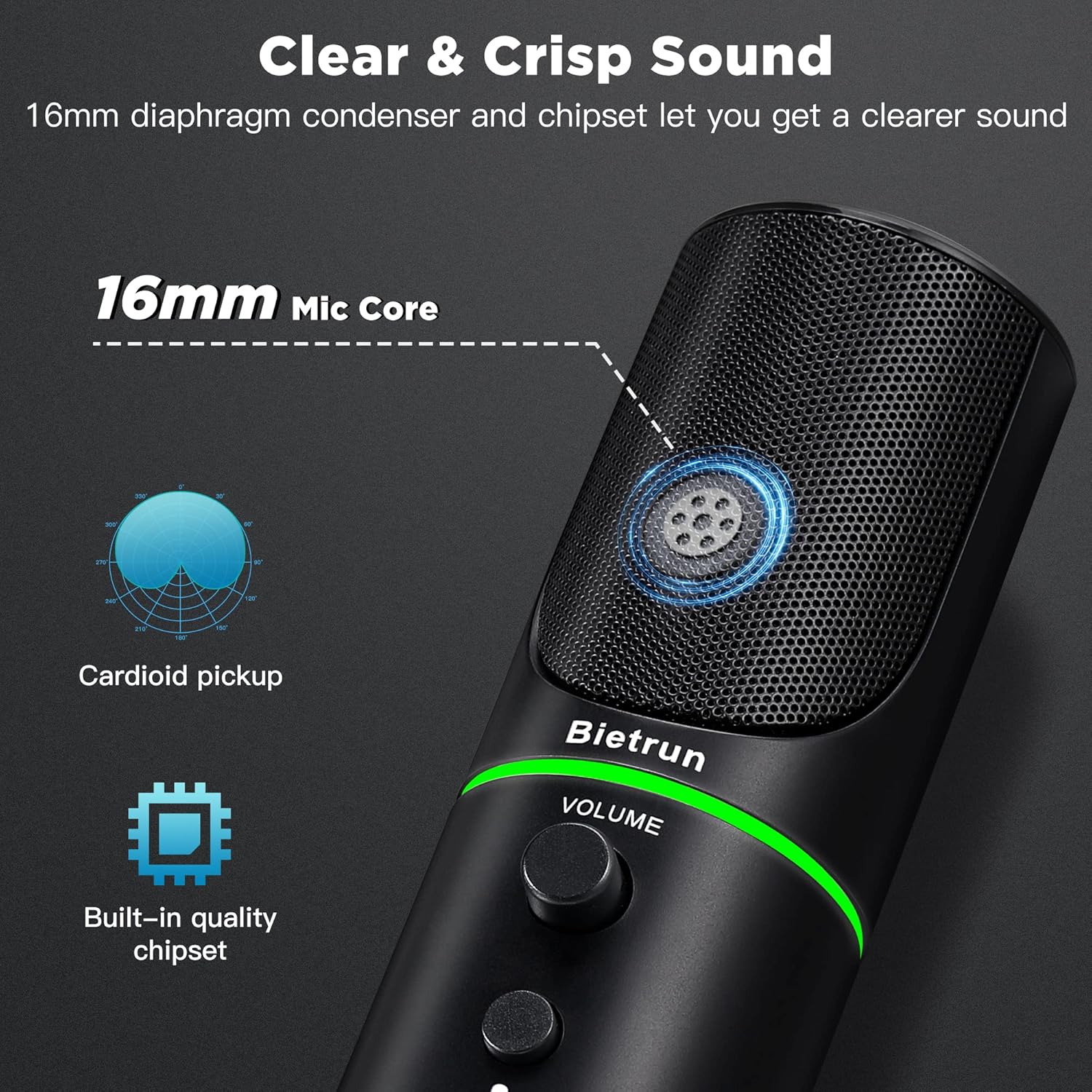
Figure 7: Cardioid Pickup Pattern for Clear Audio
Video 1: Demonstration of Noise Cancelling Feature
This video demonstrates the noise-canceling capabilities of the Bietrun UMKF01 USB Microphone, highlighting its effectiveness in reducing ambient sounds for clearer recordings and communication.
Одржавање
- Чишћење: Use a soft, dry cloth to wipe the microphone's surface. Avoid using liquid cleaners or abrasive materials.
- Складиштење: Чувајте микрофон на хладном и сувом месту, даље од директне сунчеве светлости и екстремних температура када се не користи.
- Нега каблова: Избегавајте оштре кривине или увијање USB кабла како бисте спречили оштећења.
Решавање проблема
| Иссуе | Могуће решење |
|---|---|
| Microphone not recognized by device | Ensure the USB cable is securely connected to both the microphone and your device. Try a different USB port. Check your device's sound settings to ensure 'Bietrun UMKF01' is selected as the input device. |
| Нема звука или је тиха | Check if the microphone is muted (red LED). Adjust the volume knob on the microphone. Verify input levels in your device's sound settings. Ensure headphones are properly connected if monitoring. |
| Poor sound quality or background noise | Ensure the microphone is in noise-canceling mode (yellow LED). Position the microphone closer to your mouth. Minimize ambient noise in your environment. |
Спецификације
| Феатуре | Детаљ |
|---|---|
| Назив модела | UMKF01 |
| Технологија повезивања | УСБ |
| Тип конектора | УСБ тип-А |
| Полар Паттерн | Једносмерни (кардиоидни) |
| Фактор форме микрофона | Табле Арраи |
| Аудио Осетљивост | 110 децибела |
| Однос сигнала и шума | 49 дБ |
| Фреквенцијски одзив | 48 КХз |
| Компатибилни уређаји | Laptop, PS4/5, Personal Computer |
| Посебне карактеристике | Mute Function, Volume Control, Noise Cancellation |
| Боја | Црно |
| Материјал | Акрилонитрил Бутадиен Стирен, Метал |
| Тежина артикла | 10.9 унци (310 грама) |
| Димензије производа (Д к Ш к В) | 3.54 к 3.54 к 7.68 инча |

Figure 8: Microphone Dimensions
Гаранција и подршка
Your Bietrun UMKF01 USB Condenser Microphone comes with a warranty. Please refer to the included Warranty Card for specific terms and conditions. For technical support, troubleshooting assistance, or any inquiries regarding your product, please contact Bietrun customer service through their official channels.