
iTouchless LIDMX
iTouchless Sensor Trash Can Lid Replacement User Manual
Model: LIDMX | Brand: iTouchless
Увод
This manual provides detailed instructions for the iTouchless Sensor Trash Can Lid Replacement, designed to seamlessly integrate with various iTouchless trash can models including IT13MX, IT13MXL, DZT13P, DZT13PL, DZT13M, DZT08P, and DZT08PL. This replacement lid features advanced sensor technology for hygienic, touchless operation and enhanced functionality.

Figure 1: iTouchless Sensor Trash Can Lid Replacement
Кључне карактеристике
- Савршена компатибилност: Designed as a direct replacement for iTouchless models IT13MX, IT13MXL, DZT13P, DZT13PL, DZT13M, DZT08P, and DZT08PL.
- Напредна технологија сензора: Features VisioSense and Reflx Technology for precise, touchless operation and prevention of accidental lid closure.
- 100% Touchless & Hygienic: Automatic lid opening with hand motion, promoting a sanitary environment.
- Soft & Silent Closure: Engineered for quiet and gentle lid closing.
- PetGuard Lock: Patent-pending feature to prevent pets from opening the lid.
- Разноврсне опције напајања: Operates on 4 D size batteries (not included) for up to 1.5 years, or an optional Official iTouchless AC Adapter (sold separately).
- Премиум карактеристике: Includes Stay-Open Mode for extended use, manual Open and Close buttons, and an easy-access on/off switch.
- Издржљив дизајн: Constructed from durable plastic for long-lasting and reliable performance.
Сетуп
1. Инсталација батерије
The lid requires 4 D size batteries (not included). Locate the battery compartment on the underside of the lid. Insert the batteries according to the polarity indicators (+/-). Ensure the battery compartment cover is securely closed after installation.

Figure 2: Battery Compartment and Power Options
2. Attaching the Lid
Carefully align the replacement lid with the top rim of your iTouchless trash can. Gently press down until it sits securely. The lid is designed for a precise fit with compatible models.

Figure 3: Lid Designed for Perfect Fit
3. Укључивање
Locate the on/off switch, typically found on the back or side of the lid. Flip the switch to the "ON" position. The sensor will activate, and the lid is ready for use.
Операција
1. Automatic Sensor Operation
To open the lid automatically, simply wave your hand or an object within the sensor's range (typically above the sensor eye). The lid will open smoothly and quietly. It will remain open for a few seconds and then close automatically. VisioSense and Reflx Technology prevent the lid from closing on your hand.

Figure 4: 100% Automatic Open Feature
2. Manual Open and Close Buttons
For extended open time or manual control, use the "OPEN" and "CLOSE" buttons located on the front of the lid. Press "OPEN" to keep the lid open indefinitely (Stay-Open Mode). Press "CLOSE" to close the lid manually.
Видео 1: Крајview of iTouchless Trash Cans & Waste Receptacles with Odor Control. This video demonstrates the touchless operation and features of iTouchless trash cans, including the lid's functionality.
3. PetGuard Lock
The PetGuard lock feature helps prevent pets from accidentally opening the lid. Engage the lock mechanism (refer to the specific location on your lid, usually a small switch near the sensor) to disable the automatic sensor temporarily.
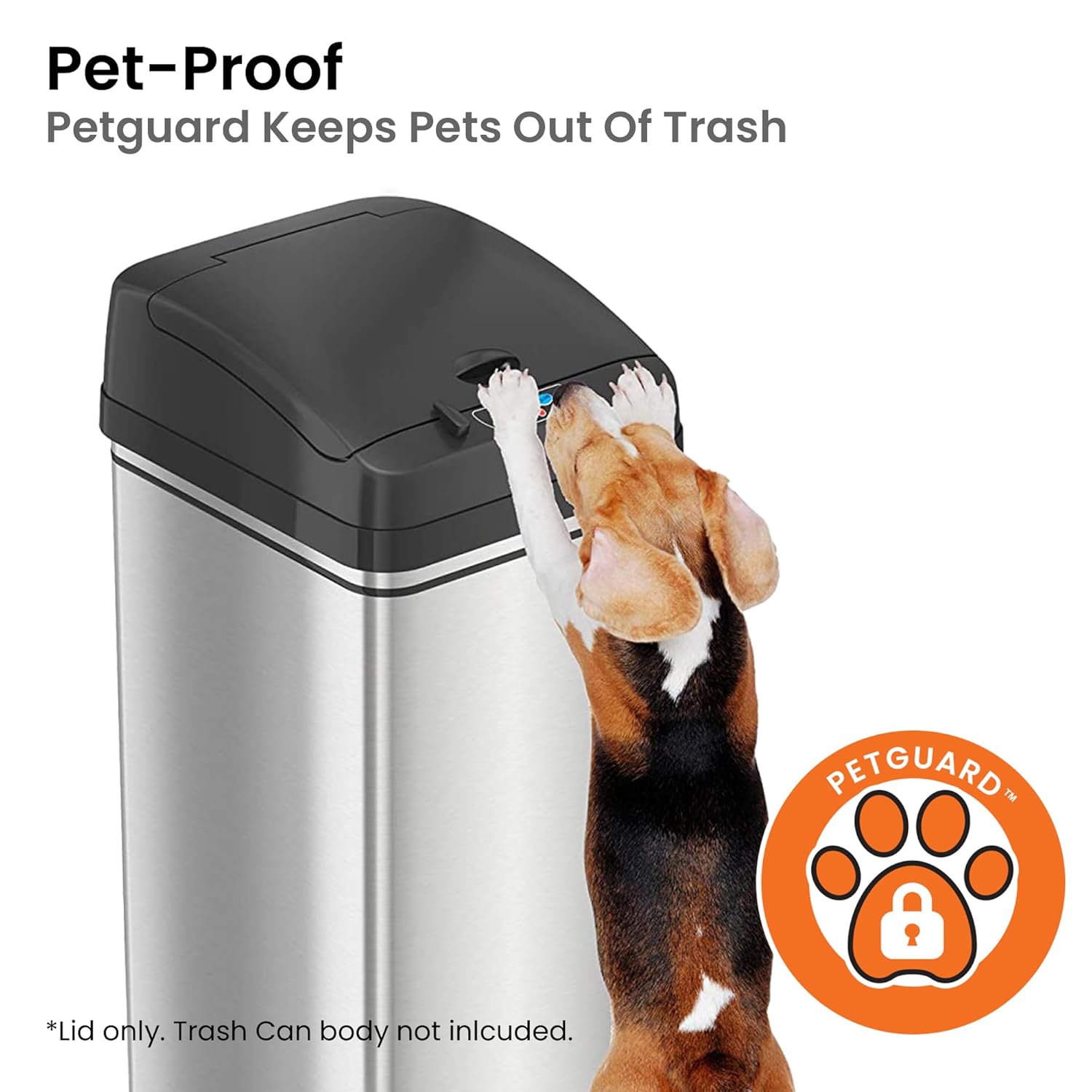
Figure 5: Pet-Proof Feature with PetGuard
Одржавање
1. Cleaning the Lid
To clean the lid, wipe it with a soft, damp cloth. Avoid using abrasive cleaners or harsh chemicals, as they may damage the surface or electronic components. Ensure the sensor area is kept clean and free from obstructions for optimal performance.
2. Odor Filter Replacement
Some iTouchless models feature an odor filter compartment within the lid. Regularly check and replace the odor filter to maintain fresh air and prevent odors. Refer to your specific trash can model's instructions for filter replacement details.

Figure 6: Odor Filter Installation
Video 2: iTouchless 13 Gal Sensor Kitchen Trash Can with Odor Filter. This video highlights the odor filter feature and its benefits for maintaining a fresh environment.
Решавање проблема
If you experience any issues with your iTouchless Sensor Trash Can Lid, please refer to the official Troubleshooting Guide for detailed solutions. Common issues include sensor unresponsiveness or lid not closing properly.
For a comprehensive troubleshooting guide, please download the PDF document available on the product's Amazon page or the iTouchless webсајт: Водич за решавање проблема (PDF).
Спецификације
| Димензије производа | 11 к 13 к 5 инча; 2.05 фунти |
| Број модела ставке | LIDMX |
| Произвођач | иТоуцхлесс |
| Материјал | Пластика |
| Боја | Black Lid |
| Механизам отварања | Сензор покрета |
| Препоручена употреба | Indoor (Bathroom, Kitchen) |
| Извор напајања | 4 D size batteries (not included) or optional AC Adapter (sold separately) |

Слика 7: Димензије производа
Гаранција и подршка
iTouchless is committed to ensuring customer satisfaction. For any questions, feedback, or warranty inquiries, please reach out to our dedicated U.S.-based Customer Service Team. Contact information can be found on the official iTouchless webсајту.
Avoid using non-iTouchless brand AC Adapters, as they may void the product warranty.
Ask a question about this manual
Ask about setup, troubleshooting, compatibility, parts, safety, or missing instructions. Manuals+ will review the question and use this page’s manual context to help answer it.