
iKiKin M16
iKiKin M16 Car HUD Display User Manual
Модел: М16
Brand: iKiKin
1. Увод
This user manual provides detailed instructions for the iKiKin M16 Car Head-Up Display (HUD). The M16 HUD is designed to project essential driving data onto your car's windshield, enhancing driving safety and convenience. It features a built-in GPS module for accurate speed and other data display, compatible with all vehicles.
2. Садржај пакета
Молимо вас да проверите да ли су све ставке наведене у наставку укључене у ваш пакет:
- 1x Car HUD (M16)
- 1к УСБ кабл
- 1x Reflective film
- 1к упутство за употребу
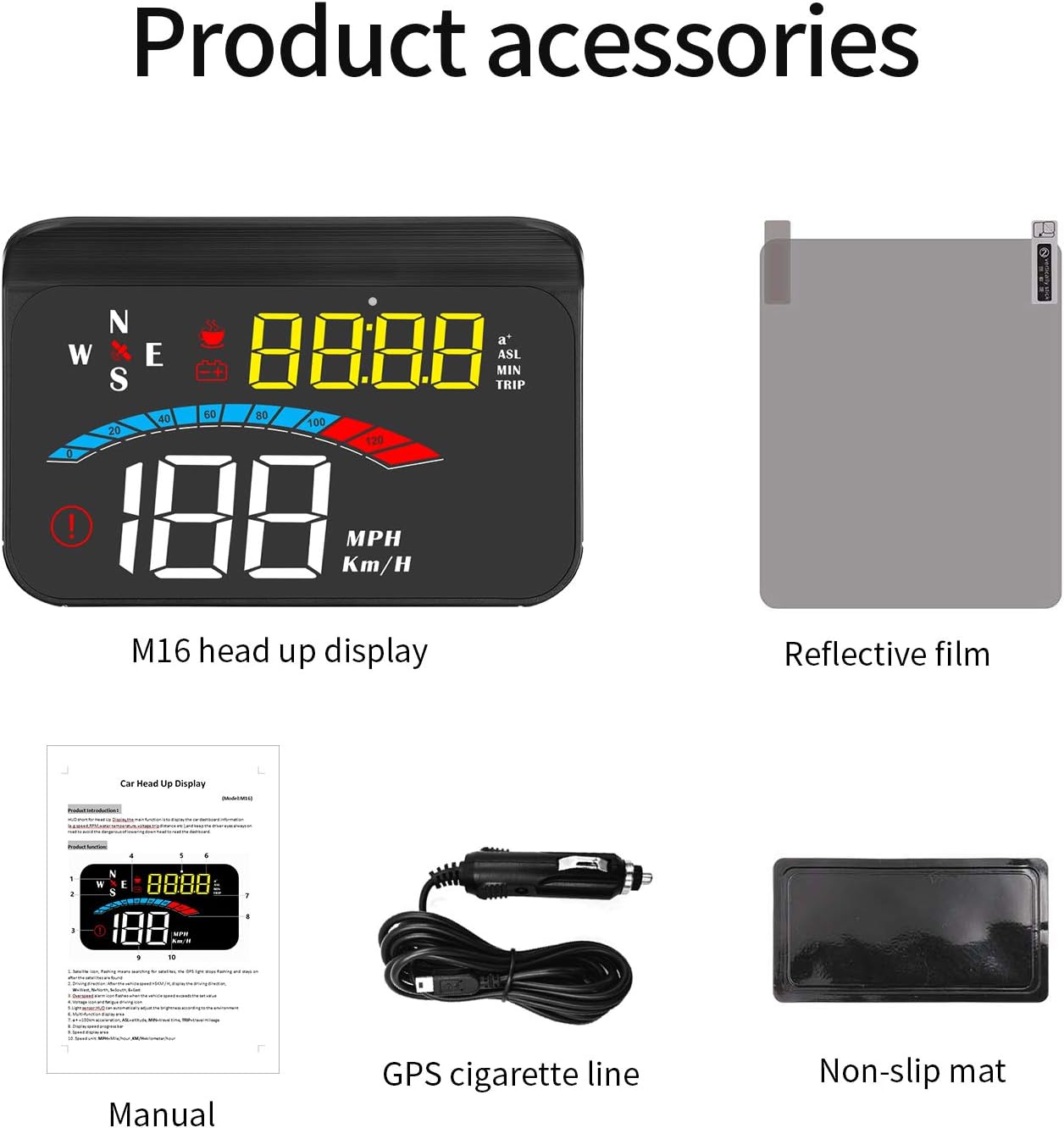
Figure 2.1: M16 HUD and included accessories.
3. Карактеристике производа
- Универзална компатибилност: Works with all cars, vehicles, and trucks due to its built-in GPS signal-receiving module.
- Practical Driving Data Display: Shows speed, engine RPM, voltage, water temperature, mileage, and travel time.
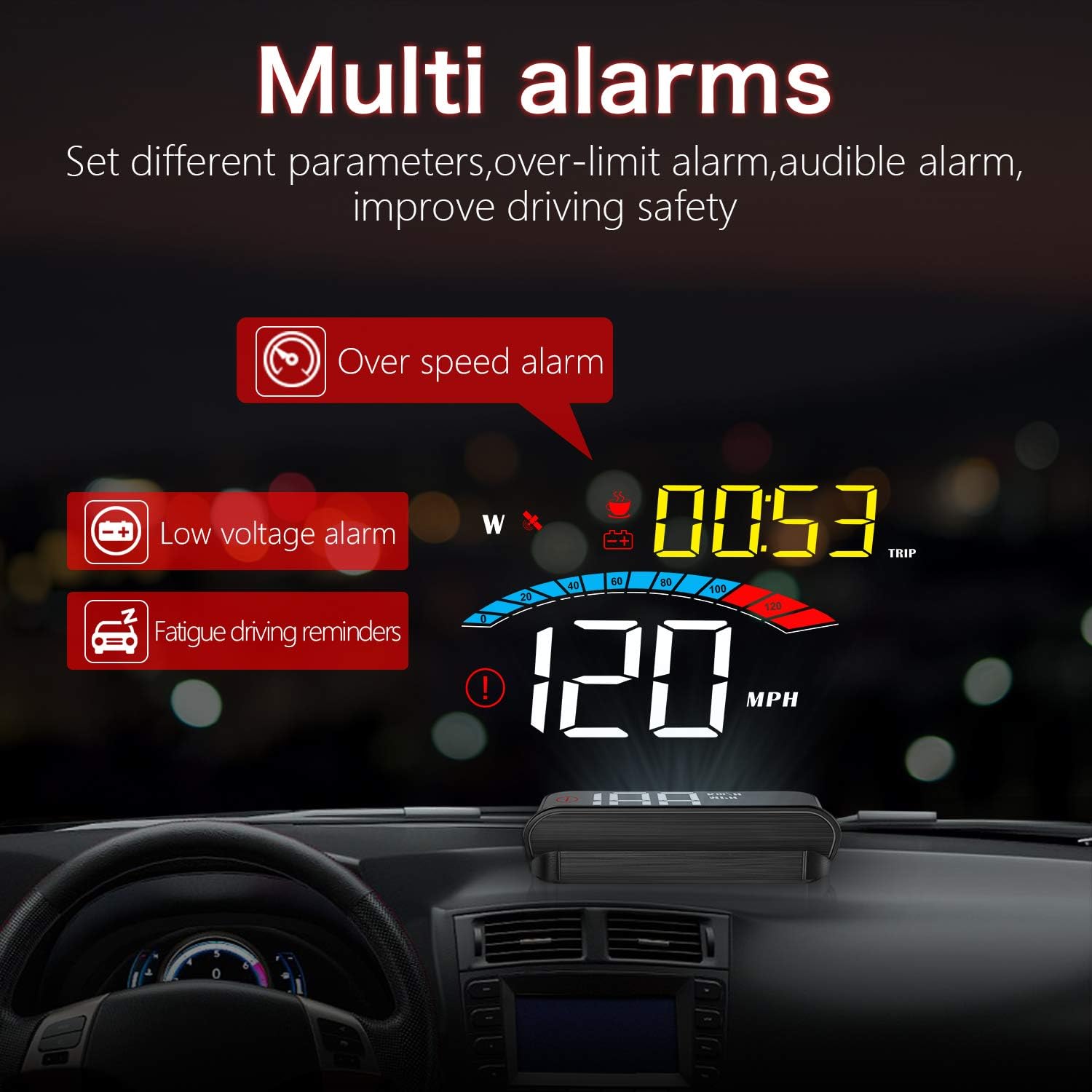
- Safety Alarms: Automatic alarms activate when data exceeds safety thresholds (e.g., overspeed, low voltage, fatigue driving).
- Plug & Play Operation: Connects easily to the car cigarette lighter. Powers on/off automatically with the car.
- Clear & Bright View: Features automatic and manual brightness adjustment for optimal visibility in various lighting conditions.

Слика 3.1: Завршеноview of HUD display and features.
4. Подешавање и инсталација
4.1 Постављање
Choose a suitable flat surface on your dashboard, typically near the windshield, where the HUD can project information without obstructing your view of the road. Ensure the surface is clean and dry before placement.
4.2 Повезивање уређаја
- Connect the provided USB cable to the HUD unit.
- Plug the other end of the USB cable into your car's cigarette lighter socket.
- The HUD will power on automatically when the car's ignition is turned on.
4.3 Applying Reflective Film (Optional)
For optimal display clarity, especially in bright conditions, you may apply the included reflective film to your windshield. Clean the windshield area thoroughly before applying the film to avoid bubbles.

Figure 4.1: HUD installed on a car dashboard.
5. Упутство за употребу
5.1 Почетно укључивање и прикупљање GPS сигнала
Upon first power-on, the HUD will search for a GPS signal. This may take a few moments. Ensure your vehicle is in an open area for faster signal acquisition. Once a signal is acquired, the speed and other data will be displayed.
5.2 Режими приказа и пребацивање
The M16 HUD offers multiple display modes, allowing you to customize the information shown. Refer to the physical user manual for specific button functions to cycle through modes such as speed, 100km acceleration, altitude, travel time, travel mileage, driving direction, voltagе, и више.
Слика 5.1: Прamples of multiple display screens.
5.3 функција аларма
The HUD is equipped with several alarm functions to enhance driving safety:
- Аларм за прекорачење брзине: Alerts you when your vehicle exceeds a preset speed limit.
- Лов Волtagе Аларм: Notifies you if the car battery voltage drops below a safe level.
- Подсетник за вожњу услед умора: Provides reminders for breaks during long drives.

Figure 5.2: Multi-alarm display.
5.4 Подешавање осветљености
The HUD features automatic brightness adjustment based on ambient light. You can also manually adjust the brightness for personal preference. Consult the user manual for specific button controls for manual adjustment.
6. Одржавање
To ensure the longevity and optimal performance of your iKiKin M16 HUD, follow these maintenance guidelines:
- Чишћење: Use a soft, dry cloth to clean the display screen and the unit's exterior. Avoid using abrasive cleaners or solvents.
- Складиштење: Ако складиштите уређај дуже време, искључите га из извора напајања и чувајте га на хладном и сувом месту.
- Избегавајте екстремне температуре: Do not expose the device to extreme heat or cold, as this can affect its electronic components.
КСНУМКС. Решавање проблема
| Проблем | Могући узрок | Решење |
|---|---|---|
| No Display / No Power | Loose connection; Car cigarette lighter not providing power; Device fault. | Check USB cable connection. Ensure car cigarette lighter is functional. Try another power source if available. |
| Нема ГПС сигнала | Vehicle in an enclosed area (garage, tunnel); Weak satellite signal. | Move vehicle to an open area. Wait for a few minutes for signal acquisition. |
| Нетачан приказ брзине | GPS signal interference; Initial calibration needed. | Уверите се да је јасно view of the sky. Refer to the full user manual for speed calibration steps if necessary. |
| Display Too Dim/Bright | Automatic brightness adjustment issue; Personal preference. | Manually adjust brightness using the device controls. |
8. Спецификације
- Модел: М16
- Бренд: иКиКин
- Величина екрана: 1.6 инча
- Материјал: Пластика
- Извор напајања: DC 5V (via USB cable from cigarette lighter)
- Димензије пакета: 14.3 к 9.1 к 5.3 цм
- Тежина пакета: 180 г
- Кључне карактеристике: GPS Speedometer, Multi-data display, Alarm functions, Automatic/Manual brightness.
9. Гаранција и подршка
For warranty information and technical support, please refer to the contact details provided on the product packaging or the official iKiKin webсајт. Сачувајте рачун као доказ о куповини за потребе гаранције.
Ask a question about this manual
Ask about setup, troubleshooting, compatibility, parts, safety, or missing instructions. Manuals+ will review the question and use this page’s manual context to help answer it.