
1. Увод
This manual provides comprehensive instructions for the installation, operation, and maintenance of your ErGear Single Monitor Mount, Model EGSS7. This monitor arm is designed to enhance your workspace ergonomics by providing adjustable positioning for a single monitor. Please read this manual thoroughly before installation and retain it for future reference.

Image 1.1: The ErGear Single Monitor Arm (Model EGSS7) in a typical office setup.
2. Безбедносне информације
Please observe the following safety precautions to prevent injury or damage to your equipment:
- Не прекорачујте максималну носивост од 6.5 кг (14.3 фунти).
- Ensure your monitor is between 17 and 27 inches in size.
- Verify that your monitor is VESA compatible (75x75mm or 100x100mm).
- Install the mount on a sturdy desk surface that can support the combined weight of the mount and your monitor.
- Follow all installation steps carefully. Improper installation may result in equipment damage or personal injury.
- Држите мале делове даље од деце.
3. Садржај пакета
Before proceeding with installation, please ensure all components are present and undamaged. Refer to the included parts list for detailed identification.
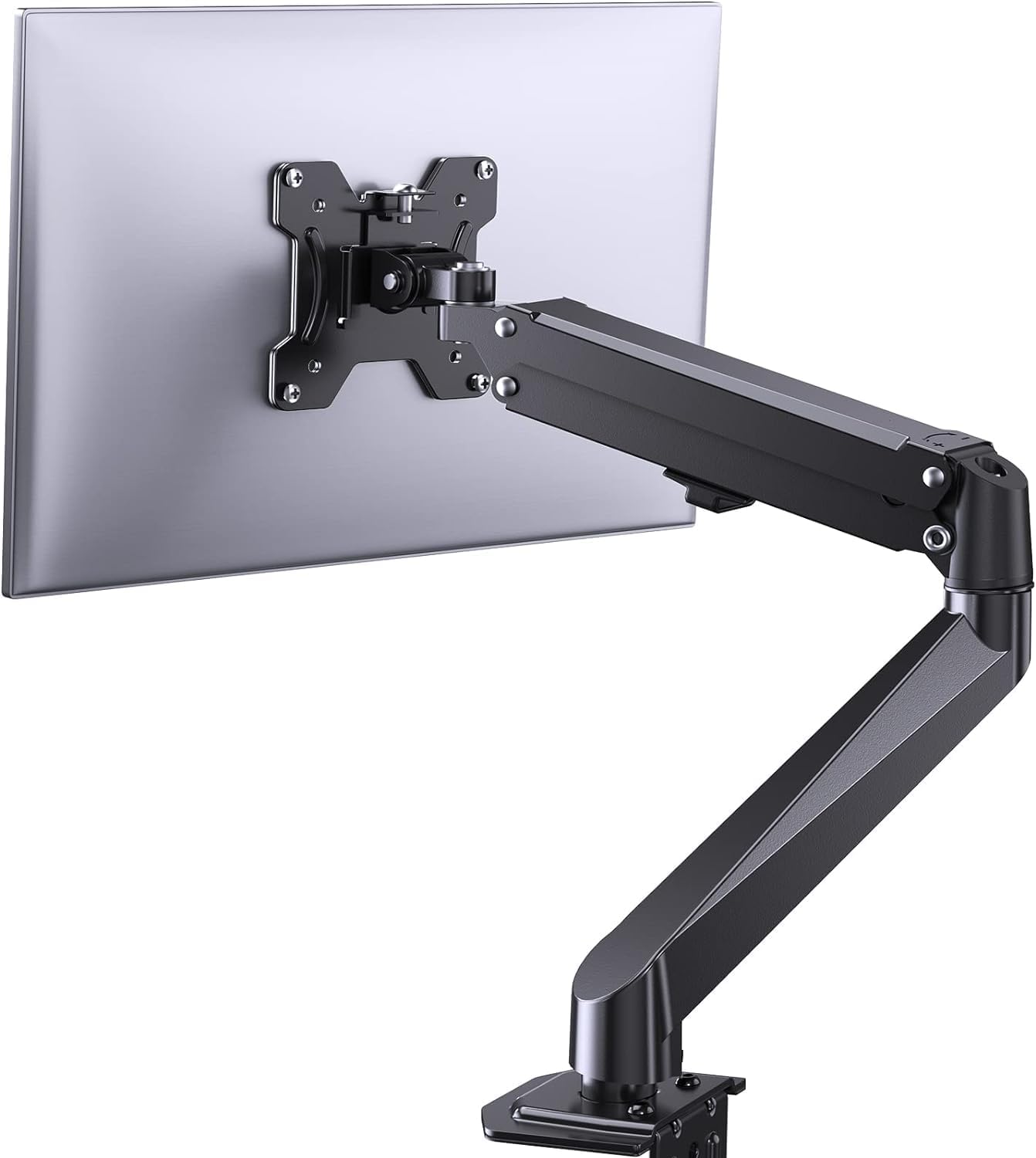
Слика 3.1: Готовоview of the ErGear Single Monitor Mount components.
4. Спецификације
| Феатуре | Спецификација |
|---|---|
| Бранд | Ergear |
| Модел | ЕГСС7 |
| Компатибилна величина монитора | 17 - 27 инча |
| Тежина Капацитет | До 14.3 фунти (6.5 кг) |
| ВЕСА компатибилност | 75к75мм, 100к100мм |
| Тип монтаже | Ц-цлamp or Grommet |
| Материјал | легирани челик |
| Боја | Црно |
| Тилт Ранге | -35° до +50° |
| Свивел Ранге | -90° до +90° |
| Ротација | 360° |
| Димензије производа | 41.2 к 30.4 к 10 цм |

Image 4.1: Monitor size and weight capacity details.
5. Упутства за подешавање
The ErGear Single Monitor Mount offers two installation options: C-clamp or Grommet mounting. Choose the option best suited for your desk.

Image 5.1: C-clamp and Grommet mounting options with desk thickness ranges.
5.1 Ц-Цлamp Инсталација
- Причврстите Ц-цлamp to the base of the monitor arm.
- Позиционирајте C-clamp on the edge of your desk. Ensure the desk thickness is between 0.4 and 3.3 inches.
- Затегните цлamp securely using the provided knob until the mount is stable.
5.2 Grommet Installation
- If your desk has a grommet hole, insert the grommet bolt through the base of the monitor arm and the desk hole. Ensure the desk thickness is between 0.4 and 3.1 inches.
- Secure the mount from underneath the desk using the provided plate and nut.
5.3 Причвршћивање монитора
- Carefully attach your VESA-compatible monitor to the VESA plate on the arm using the appropriate screws.
- Ensure the screws are tightened firmly but do not overtighten.
5.4 Подешавање затегнутости
The gas spring arm requires tension adjustment to properly support your monitor's weight. Use the included Allen key to adjust the tension screw located on the arm. Turn clockwise to increase tension for heavier monitors, and counter-clockwise to decrease tension for lighter monitors. Adjust until the monitor stays in position when moved.

Слика 5.2: Унутрашњи view of the flexible gas spring arm.
6. Упутство за употребу
Once installed, your ErGear monitor mount allows for flexible positioning of your monitor.
6.1 Подешавање положаја монитора
- Подешавање висине: Gently push or pull the monitor to the desired height. The gas spring mechanism will hold it in place.
- Нагиб: The monitor can be tilted from -35° to +50° to reduce glare and optimize viewинг углова.
- Окретни: Swivel the monitor from -90° to +90° for collaborative work or to view content from different angles.
- ротација: Ротирајте монитор за 360° да бисте прелазили између пејзажне и портретне оријентације.

Image 6.1: Monitor height adjustment.

Image 6.2: Full motion range capabilities of the monitor arm.
6.2 Управљање кабловима
The monitor arm features an integrated cable management system to keep your workspace tidy. Route your monitor cables through the designated channels on the arm to conceal them.

Image 6.3: Integrated cable management system.
7. Одржавање
Редовно одржавање осигурава дуготрајност и оптималне перформансе вашег носача монитора.
- Periodically check all screws and connections to ensure they are tight.
- Clean the surface of the mount with a soft, damp тканина. Избегавајте абразивна средства за чишћење.
- Re-adjust the gas spring tension if your monitor feels too loose or too stiff when moving.
КСНУМКС. Решавање проблема
| Проблем | Могући узрок | Решење |
|---|---|---|
| Монитор се увија или не остаје на месту. | Gas spring tension is too low. | Increase gas spring tension using the Allen key (clockwise). |
| Monitor is difficult to move. | Затегнутост гасне опруге је превисока. | Decrease gas spring tension using the Allen key (counter-clockwise). |
| Mount feels unstable. | Ц-цлamp or grommet connection is loose. | Затегните Ц-цлamp knob or grommet nut. |
| Монитор не одговара VESA плочи. | Нетачан VESA шаблон. | Ensure your monitor has a 75x75mm or 100x100mm VESA pattern. |
9. Гаранција и подршка
For warranty information or technical support, please refer to the contact details provided with your purchase or visit the official ErGear website. Please have your model number (EGSS7) and purchase date available when contacting support.