
Увод
This manual provides detailed instructions for the installation, operation, and maintenance of your Eogifee UC7083T Ceiling Fan Remote Control. This remote is designed as a replacement for original Hampton Bay UC7083T remotes and is compatible with various Hampton Bay and Harbor Breeze ceiling fans that utilize a receiver with matching dip switches. Please read this manual thoroughly before use to ensure proper function and safety.
Безбедносне информације
- Ensure the ceiling fan's power is turned off at the circuit breaker before any installation or maintenance.
- This remote control is a transmitter only. It requires an existing compatible receiver within your ceiling fan.
- Не излажите даљински управљач води или прекомерној влази.
- Држите батерије ван домашаја деце.
- Истрошене батерије одлажите одговорно у складу са локалним прописима.
Садржај пакета
- 1 x Eogifee UC7083T Remote Control Transmitter
- 1 к зидни носач
- 2 к завртњи за монтажу
Напомена: A 12V "A23" battery is required and is not included in this package. This package does not include a receiver.

Image: The Eogifee UC7083T remote control, its retail packaging, the wall mount bracket, and two mounting screws.
Производ је завршенview
Familiarize yourself with the buttons and features of your remote control.

Слика: Фронт view of the Eogifee UC7083T remote control, showing the fan speed buttons (HI, MED, LOW), light control button, and OFF button.
- Дугме за светло: Controls the ceiling fan light. Press to turn on/off. For incandescent bulbs, press and hold to dim.
- HI Button: Подешава брзину вентилатора на високу.
- MED Button: Подешава брзину вентилатора на средњу.
- Дугме за НИСКО: Подешава брзину вентилатора на ниску.
- Дугме ОФФ: Turns the ceiling fan off.
- Светло индикатора: Illuminates when a button is pressed. If it stays on, the battery may be low.
Сетуп
1. Инсталација батерије
- Пронађите поклопац одељка за батерије на задњој страни даљинског управљача.
- Press firmly below the arrow on the cover and slide it off.
- Insert one 12V "A23" battery, ensuring correct polarity (+/-).
- Вратите поклопац одељка за батерије.

Image: The back of the remote control with the battery compartment open, revealing the slot for a 12V "A23" battery and the four dip switches.
2. Setting the Dip Switches
The remote control and your ceiling fan's receiver must have matching dip switch settings to communicate. There are 16 possible code combinations.
- Identify Receiver Dip Switches: Locate the dip switches on your ceiling fan's receiver. This is typically found within the fan's canopy or motor housing. Note the current ON/OFF (or UP/DOWN) positions of these switches.
- Access Remote Dip Switches: With the battery cover removed from your Eogifee UC7083T remote, you will see four small switches (numbered 1-4) inside the battery compartment.
- Match Settings: Using a small screwdriver or a pen, slide the dip switches on the remote control to match the exact ON/OFF (or UP/DOWN) positions of the dip switches on your ceiling fan's receiver. All four switches must match.
- Вратите поклопац батерије на даљински управљач.
Важна напомена: Before setting the code, ensure your fan is operated in "HIGH speed" and the light is in the "ON" condition at the switch knob (if applicable) for optimal setup.

Image: The retail packaging for the Eogifee UC7083T remote control, displaying detailed instructions for setting the dip switches on both the transmitter and receiver.
3. Монтажа зидног носача
The included wall mount bracket allows for convenient storage of your remote control.
- Изаберите одговарајуће место на зиду, даље од директне сунчеве светлости или извора топлоте.
- Use the wall mount bracket as a template to mark the positions for the two mounting screws.
- Избушите пилот рупе ако је потребно.
- Причврстите носач за зид на зид помоћу приложених вијака.
- Slide the remote control into the mounted bracket.

Image: The Eogifee UC7083T remote control shown alongside its wall mount bracket, illustrating how the remote fits into the bracket.
Упутство за употребу
Once the dip switches are matched and the battery is installed, your remote is ready for use.
- Контрола брзине вентилатора:
- Притисните HI for high fan speed.
- Притисните МЕД за средњу брзину вентилатора.
- Притисните ЛОВ for low fan speed.
- Притисните ОФФ да искључите вентилатор.
- Контрола светла:
- Притисните тастер Лигхт Буттон to toggle the light on or off.
- If using incandescent bulbs, press and hold the Лигхт Буттон to dim or brighten the light. Release when the desired brightness is reached.
- Напомена: If using LED bulbs, the light button will typically only control on/off functionality and may not support dimming, depending on the LED bulb and fan receiver capabilities.
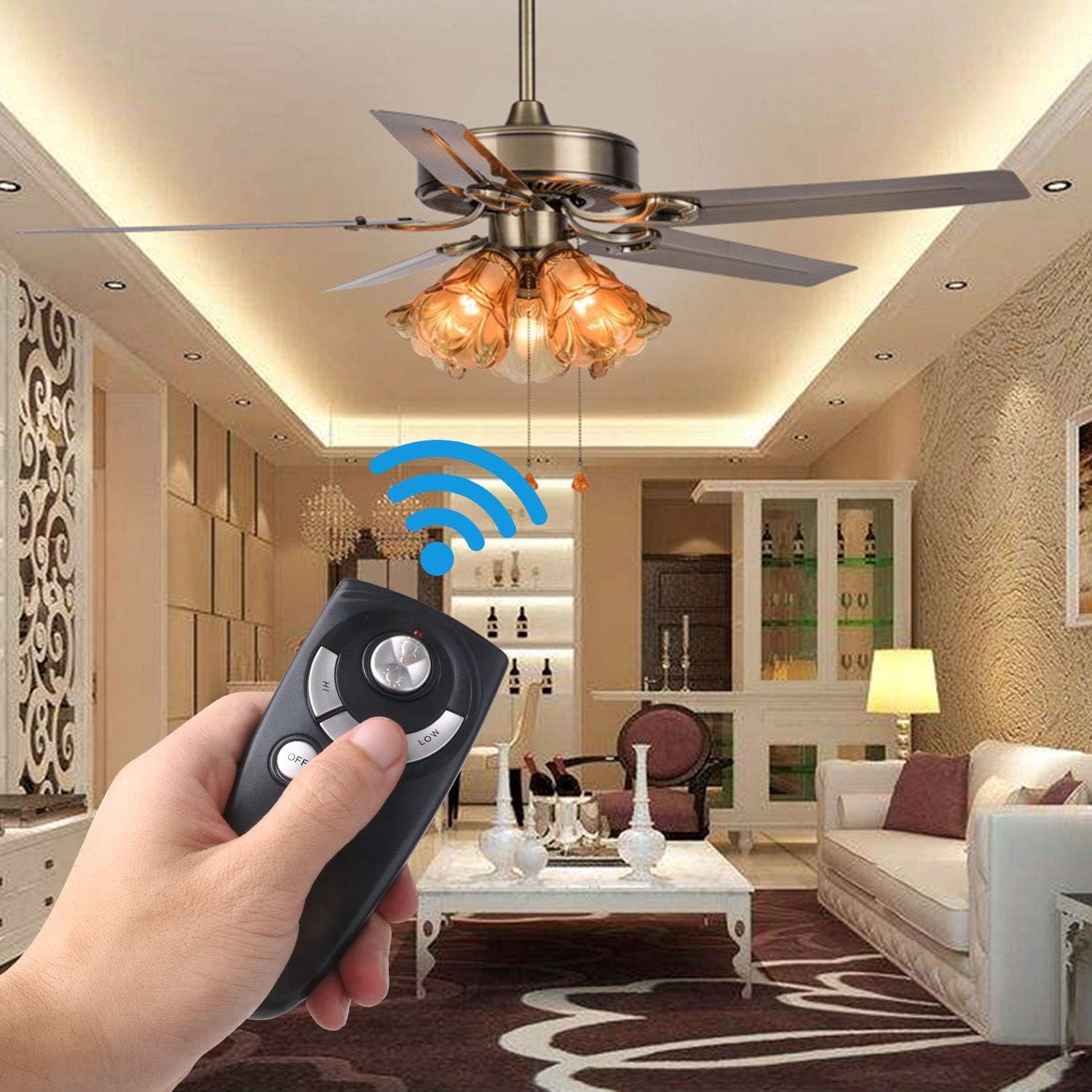
Image: A hand holding the Eogifee UC7083T remote control, with a ceiling fan and its lights visible in the background, illustrating the remote in active use.
Решавање проблема
| Проблем | Могући узрок | Решење |
|---|---|---|
| Remote does not control the fan/light. |
|
|
| Индикаторска лампица остаје упаљена. | Ниска снага батерије. | Replace the 12V "A23" battery. |
| Светло се не гаси. |
|
|
| Fan does not reverse direction. | This remote does not have a reverse function. | The UC7083T remote control does not support fan reverse. This function is typically controlled by a switch on the fan motor housing itself. |
Спецификације
- Модел: UC7083T
- Бренд: Eogifee
- Извор напајања: 1 x 12V "A23" battery (not included)
- Димензије: Приближно 4 к 2 к 0.01 инча (10.16 к 5.08 к 0.025 цм)
- Тежина: Отприлике 3.2 унци (90.7 грама)
- Компатибилност: Hampton Bay and Harbor Breeze ceiling fans with UC7083T compatible receivers.
- Карактеристике: 3-speed fan control (High, Medium, Low), Light On/Off, Light Dimming (for incandescent bulbs).
Одржавање
- Очистите даљински управљач меком, сувом крпом. Не користите абразивна средства за чишћење или раствараче.
- If the remote will not be used for an extended period, remove the battery to prevent leakage.
- Replace the battery when the indicator light stays on or when the remote's range decreases.
Гаранција и подршка
For warranty information or technical support, please refer to the seller's contact information or visit the Eogifee store on Amazon. Keep your purchase receipt for warranty claims.
Eogifee Store: Visit the Eogifee Store on Amazon