
Важне информације о безбедности
Read all instructions carefully before using the UMIDIGI Uwatch 2S Smart Watch. Failure to follow these instructions may result in damage to the device or personal injury. This device is not a medical instrument and should not be used for medical diagnosis or treatment. Consult a medical professional for any health concerns.
- Држите уређај даље од екстремних температура, директне сунчеве светлости и јаких магнетних поља.
- Не покушавајте да раставите или модификујете уређај.
- Користите само приложени кабл за пуњење.
- Уверите се да су контакти за пуњење чисти и суви пре пуњења.
- Одложите уређај и његову батерију у складу са локалним прописима.
Производ је завршенview
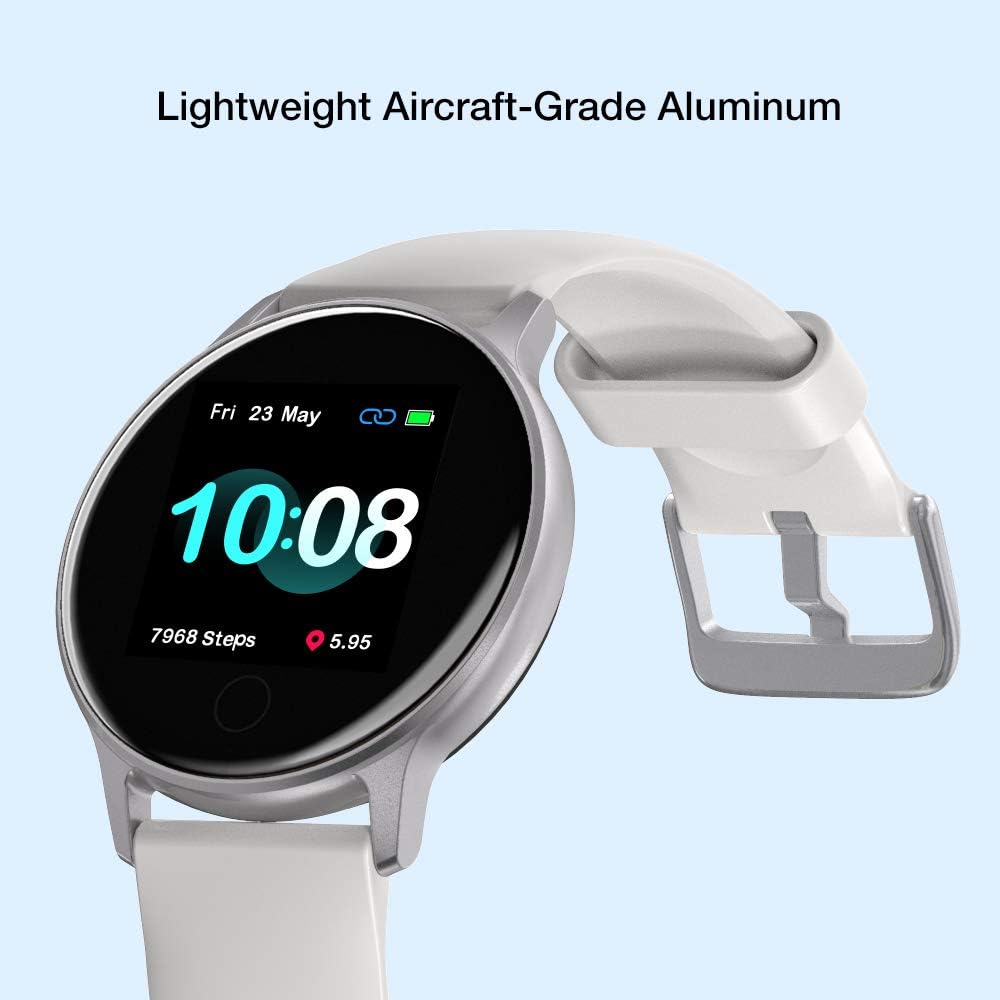
The UMIDIGI Uwatch 2S is a versatile smart watch designed for fitness tracking and daily convenience. It features a 1.3-inch full-color touch screen, a lightweight aluminum frame, and various health and activity monitoring functions.

Слика 1: Фронт view of the UMIDIGI Uwatch 2S Smart Watch, showing its round display and white silicone band.

Слика 2: Позади view of the UMIDIGI Uwatch 2S Smart Watch, highlighting the optical heart rate sensors and magnetic charging contacts.
Сетуп
1. Пуњење уређаја
Before first use, fully charge your UMIDIGI Uwatch 2S. Connect the magnetic charging cable to the charging contacts on the back of the watch and plug the USB end into a power adapter (not included) or a computer USB port. A full charge typically takes approximately 2.5 hours.
Слика 3: The Uwatch 2S connected to its magnetic charging cable, indicating charging status.
2. Преузимање апликације
To unlock the full functionality of your Uwatch 2S, download the Paiactive апликација на вашем паметном телефону. Тражи "Paiactive" in the Apple App Store (for iOS devices) or Google Play Store (for Android devices).
3. Упаривање са вашим паметним телефоном
- Уверите се да је Блутут на вашем паметном телефону омогућен.
- Open the Paiactive app and create an account or log in.
- Follow the in-app instructions to add a new device. Select "UMIDIGI Uwatch 2S" from the list of available devices.
- Потврдите захтев за упаривање и на сату и на паметном телефону.
Упутство за употребу
1. Основна навигација
- Екран на додир: Swipe left/right to navigate through main functions, swipe up/down to view notifications or quick settings. Tap to select an option.
- Бочна дугмад: The two buttons on the right side provide additional control, typically for power on/off, returning to the home screen, or quick access to specific features. Refer to the in-app guide for specific button functionalities.
2. Бројчаници сата
Customize your watch face through the Paiactive app. You can choose from various pre-installed designs or create custom watch faces to personalize your device.

Слика 4: The Uwatch 2S displaying a customizable digital watch face.
3. Праћење здравља
The Uwatch 2S provides comprehensive health monitoring features:
- Мониторинг срчане фреквенције: Сат континуирано прати ваш пулс током целог дана. View real-time data on the watch or detailed graphs in the Paiactive app.
- Blood Oxygen (SpO2) Measuring: Мерите ниво кисеоника у крви по потреби.
- Праћење спавања: Аутоматски прати ваше обрасце спавања, укључујући дубок сан, лаган сан и време буђења.view your sleep quality analysis in the app.
- Седентарни подсетник: Receive alerts when you have been inactive for too long, encouraging you to move.

Слика 5: The Uwatch 2S actively tracking sleep patterns during rest.

Слика 6: The Uwatch 2S providing continuous 24/7 heart rate monitoring.
4. Activity Tracking and GPS
The Uwatch 2S is equipped with a built-in GPS and supports 17 sport modes to accurately track your workouts:
- Спортски режими: Walking, Running, Cycling, Badminton, Basketball, Football, Treadmill, Exercise, Climb, Tennis, Yoga, Dance, Skipping, Training, and more.
- Снимање података: For each activity, the watch records data such as steps, distance, calories burned, average pace, stride, and GPS track (for outdoor activities).

Слика 7: Visual representation of the various sport modes available on the Uwatch 2S.

Слика 8: The Uwatch 2S provides 24-hour activity tracking for various exercises.
5. Обавештења и паметне функције
Once paired with your smartphone, the Uwatch 2S can display notifications and offer smart controls:
- Обавештења: Receive alerts for incoming calls, messages, and app notifications (e.g., Facebook, WhatsApp, Skype, YouTube, Twitter, Instagram). Configure these in the Paiactive app.
- Временска прогноза: View тренутне временске услове и прогнозе директно на вашем сату.
- Контрола музике: Контролишите репродукцију музике на свом паметном телефону (пуштање, паузирање, прескакање нумера).
- Затварач камере: Користите свој сат као даљински управљач за камеру свог паметног телефона.
6. Отпорност на воду
The Uwatch 2S has a 5ATM water resistance rating, meaning it can withstand pressures equivalent to a depth of 50 meters. This makes it suitable for swimming and showering, but it is not recommended for diving or high-pressure water activities.
Слика 9: The Uwatch 2S is suitable for swimming due to its 5ATM water resistance.
Одржавање
1. Чишћење сата
Regularly clean your Uwatch 2S to ensure optimal performance and hygiene:
- Обришите екран и кућиште меком крпомamp, крпа без длачица.
- За тврдокорну прљавштину користите благи раствор сапуна и темељно исперите чистом водом.
- Ensure the watch is completely dry before charging.
2. Band Care
The silicone band can be cleaned with water and mild soap. Avoid harsh chemicals that may damage the material.
3. Брига о батерији
Да бисте продужили век трајања батерије:
- Избегавајте често потпуно пражњење батерије.
- Напуните сат пре него што ниво батерије падне пренизак.
- Чувајте сат на хладном и сувом месту ако га не користите дуже време.
Решавање проблема
If you encounter issues with your UMIDIGI Uwatch 2S, try the following solutions:
| Проблем | Решење |
|---|---|
| Сат се не укључује | Уверите се да је сат потпуно напуњен. Повежите га са пуњачем најмање 30 минута. |
| Није могуће упаривање са паметним телефоном | Ensure Bluetooth is enabled on your phone. Restart both the watch and your phone. Make sure the watch is within Bluetooth range. Clear Bluetooth cache on your phone if necessary. |
| Inaccurate heart rate/activity data | Уверите се да сат чврсто приања на зглоб, не превише стегнут или превише лабав. Очистите сензор на полеђини сата. |
| Обавештења нису примљена | Check notification settings in the Paiactive app and your phone's system settings. Ensure the app is running in the background. |
| Кратко трајање батерије | Reduce screen brightness, disable continuous heart rate monitoring if not needed, and limit excessive notifications. |
If the problem persists, try resetting the watch to factory settings via the watch's menu or the Paiactive app. For further assistance, contact UMIDIGI customer support.
Спецификације
- Модел: UMIDIGI Uwatch 2S
- Приказ: 1.3-inch LCD, 240 x 240 resolution, Full-color touch screen
- Материјал кућишта: Алуминијум
- Материјал бенда: Гума
- Димензије: 25.7 к 4.4 к 1.3 цм
- Тежина: 25 грама
- Отпорност на воду: 5ATM (50 meters), suitable for swimming
- Повезивање: Блуетоотх
- ГПС: Уграђен ГПС
- Сензори: Heart Rate Monitor, Blood Oxygen Sensor, Pedometer
- Трајање батерије: До 15 дана (типична употреба), 40 дана (стање приправности)
- Време пуњења: Отприлике 2.5 сата
- Компатибилност: Android (e.g., Xiaomi, Huawei, Samsung) and iOS (e.g., iPhone) smartphones
- Supported Application: Paiactive App
Информације о гаранцији
UMIDIGI products are covered by a limited warranty against defects in materials and workmanship. The specific terms and duration of your warranty may vary depending on your region and point of purchase. Please retain your proof of purchase for warranty claims. For detailed warranty information, refer to the official UMIDIGI webсајт или контактирајте локалног продавца.
Подршка
For technical support, frequently asked questions, or further assistance with your UMIDIGI Uwatch 2S, please visit the official UMIDIGI support website or refer to the help section within the Paiactive app. You can also reach out to UMIDIGI customer service through the contact information provided on their official webсајту.