
GOKOO B08FMBHSWD
GOKOO Smart Watch B08FMBHSWD User Manual
Увод
This manual provides essential information for the proper setup, operation, and maintenance of your GOKOO Smart Watch B08FMBHSWD. Please read it thoroughly before using the device to ensure optimal performance and longevity.
The GOKOO Smart Watch is a versatile fitness tracker and smartwatch designed to monitor various health metrics and assist with daily activities. It features a full touch screen, heart rate and blood oxygen monitoring, sleep tracking, multiple sports modes, and notification capabilities.
Производ је завршенview
The GOKOO Smart Watch B08FMBHSWD is equipped with advanced features to support your active lifestyle and health monitoring needs.
- All-day Activity Tracking: Records steps, calories, and mileage. Supports 10 sports modes including walking, running, yoga, and swimming.
- Свеобухватно праћење здравља: Continuously monitors heart rate and blood oxygen levels. Features automatic sleep tracking, breathing training, and sedentary reminders.
- Durable and Waterproof Design: IP68 waterproof rating suitable for daily use and swimming.
- Прилагодљиви екран: 1.3-inch round high-definition screen with personalized UI interfaces.
- Паметна обавештења: Synchronizes messages and allows management of incoming calls.
- Дуг век трајања батерије: Up to 10 days of usage on a single charge (200MA battery).
- Широка компатибилност: Works with Android 5.0+ and iOS 9.0+ devices.

Figure 1: GOKOO Smart Watch highlighting its design and core functionalities.
Сетуп
1. Пуњење уређаја
Before initial use, fully charge your GOKOO Smart Watch. Connect the magnetic charging cable to the charging contacts on the back of the watch and plug the USB end into a power adapter (not included) or a computer's USB port. The watch display will indicate charging status.
A full charge typically takes approximately 2 hours and provides up to 10 days of usage, depending on individual use patterns.

Figure 2: Illustration of the watch's IP68 waterproof capability and its extended battery life.
2. Инсталација и упаривање апликације
- Преузмите апликацију: Тражи the official GOKOO companion app in your smartphone's app store (Apple App Store for iOS, Google Play Store for Android).
- Инсталирајте и региструјте се: Инсталирајте апликацију и пратите упутства на екрану да бисте креирали налог или се пријавили.
- Омогући Блуетоотх: Уверите се да је Блуетоотх омогућен на вашем паметном телефону.
- Упарите сат: Open the GOKOO app, navigate to the device pairing section, and select your GOKOO Smart Watch from the list of available devices. Confirm the pairing request on both your phone and the watch if prompted.
- Дајте дозволе: Allow necessary permissions (e.g., notifications, location, health data) for the app to function correctly.
The watch will synchronize its language with your phone upon successful connection.
Упутство за употребу
1. Основна навигација
- Екран на додир: The watch features a full touch screen for interaction.
- Превуците нагоре/надоле: Листајте кроз меније и обавештења.
- Превуците лево/десно: Access different widgets or quick functions.
- Додирните: Изаберите ставку или потврдите радњу.
- Бочно дугме: Typically used to return to the home screen or activate/deactivate the display.

Figure 3: The watch interface displaying multiple functions and touch screen interaction methods.
2. Праћење активности
The watch automatically tracks your daily steps, calories burned, and distance traveled. For specific activities, you can select from 10 sports modes:
- ходање
- Трчање
- Јога
- Пливање
- Бициклизам
- Пењање
- Кошарка
- Фудбал
- Бадминтон
- Прескакање
To start a workout, navigate to the 'Sports' menu on your watch, select the desired activity, and tap to begin. The watch will record your exercise data, which can be reviewобјављено у пратећој апликацији.

Figure 4: The watch interface showing available sports monitoring modes.

Figure 5: The watch tracking an outdoor run, displaying distance, calories, and a trajectory map.
3. Праћење здравља
- Откуцаји срца: Сат континуирано прати ваш откуцај срца. View real-time data on the watch or detailed historical data in the app.
- Кисеоник у крви (SpO2): Monitor your blood oxygen levels throughout the day.
- Праћење спавања: The watch automatically records your sleep quality, including deep sleep, light sleep, and wake times. Review sleep patterns in the app to help adjust your habits.
- Тренинг дисања: Access guided breathing exercises on the watch to help reduce stress and improve relaxation.
- Седентарни подсетници: Set reminders in the app to prompt you to move after periods of inactivity.

Figure 6: The watch displaying real-time heart rate and blood oxygen data during exercise.
4. Обавештења и паметне функције
Once paired with your smartphone, the GOKOO Smart Watch can display notifications for incoming calls, messages, and various app alerts. You can read messages directly on your wrist and manage incoming calls (answer/reject) without reaching for your phone.
- Управљање позивима: Swipe on the watch screen to accept or reject incoming calls.
- Message Display: View text messages and app notifications.
- Временска прогноза: Access current weather information.
- Контрола музике: Контролишите репродукцију музике на свом паметном телефону.
- Даљински управљач камере: Користите сат као даљински окидач за камеру вашег телефона.
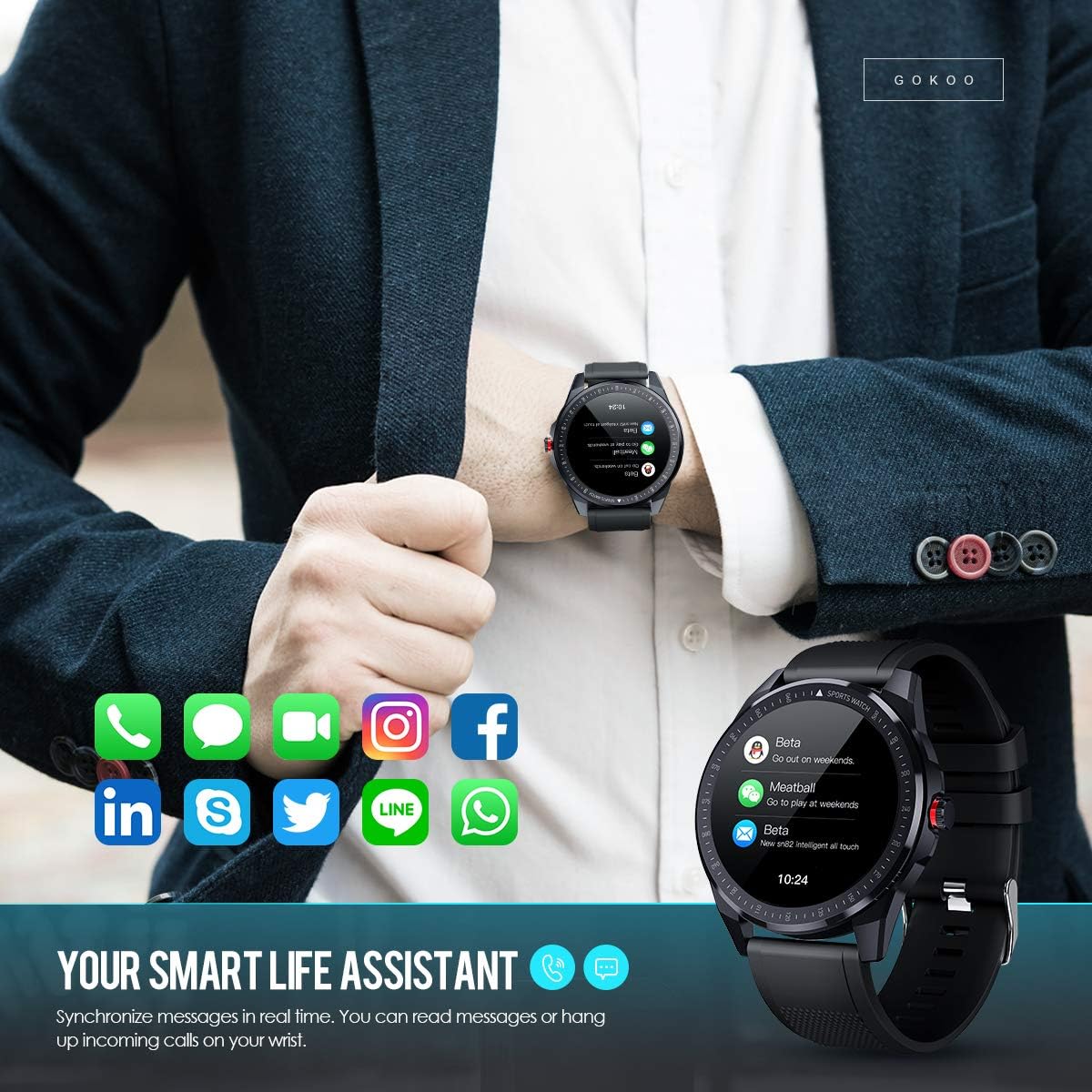
Figure 7: The watch showing synchronized notifications from a smartphone.
5. Прилагођавање
The GOKOO Smart Watch allows for personalization of its interface. You can select from various pre-installed watch faces or download additional styles through the companion app to match your preference.
Одржавање
1. Чишћење
Редовно чистите сат и каиш како бисте спречили иритацију коже и одржавали хигијену уређаја. Користите меку крпу која не оставља влакна. Ако је потребно, благо обришитеampИсперите крпу водом. Избегавајте употребу јаких хемикалија, абразивних средстава за чишћење или аеросолних спрејева.
2. Смернице за водоотпорност
The GOKOO Smart Watch has an IP68 waterproof rating, meaning it is resistant to dust and can withstand immersion in water up to 1.5 meters for 30 minutes. It is suitable for daily use, hand washing, rain, and swimming.
Важно: Do not use the watch in hot water baths, saunas, or during diving. High temperatures and high pressure can compromise the waterproof seals and cause damage.
3. Брига о батерији
- Избегавајте често потпуно пражњење батерије.
- Пуните сат помоћу приложеног магнетног кабла за пуњење.
- Чувајте сат на хладном и сувом месту када га не користите дуже време.
Решавање проблема
- Сат се не укључује: Уверите се да је сат потпуно напуњен. Повежите га са пуњачем најмање 30 минута.
- Не могу да упарим телефон:
- Уверите се да је Блуетоотх омогућен на вашем телефону.
- Уверите се да је сат у домету Bluetooth везе вашег телефона.
- Рестартујте и телефон и сат.
- Check if the app has necessary permissions.
- Нетачни здравствени подаци: Уверите се да сат чврсто приања на зглоб, отприлике ширину једног прста изнад кости зглоба. Очистите сензор на полеђини сата.
- Обавештења се не приказују:
- Verify that notification permissions are granted in the app and your phone's settings.
- Уверите се да је сат повезан путем Блутут-а.
- Check if 'Do Not Disturb' mode is active on either the watch or phone.
- Kratko trajanje baterije: Reduce screen brightness, disable continuous heart rate monitoring if not needed, and limit the number of active notifications.
Спецификације
| Феатуре | Детаљ |
|---|---|
| Бранд | ГОКОО |
| Модел | B08FMBHSWD |
| Величина екрана | 1.3 инча |
| Оперативни систем | Андроид 5.0 или новији, иОС 9.0 или новији |
| Компатибилни уређаји | Смартпхоне |
| Трајање батерије | До 10 дана (у зависности од употребе) |
| Тип батерије | Литхиум Полимер |
| Отпорност на воду | ИП68 |
| Бежично повезивање | Блуетоотх |
| Унос људског интерфејса | Тоуцхсцреен |
| Димензије производа | КСНУМКС к КСНУМКС к КСНУМКС цм; КСНУМКС г |

Figure 8: Detailed product dimensions of the GOKOO Smart Watch.
Гаранција и подршка
For warranty information or technical support, please refer to the contact details provided with your purchase or visit the official GOKOO website. If you require a copy of this manual or have any questions regarding your GOKOO Smart Watch B08FMBHSWD, please contact customer service.
Ask a question about this manual
Ask about setup, troubleshooting, compatibility, parts, safety, or missing instructions. Manuals+ will review the question and use this page’s manual context to help answer it.