
1. Производ је готовview
The DDPAI Mini5 is a high-performance 4K dash camera designed to capture clear footage of your driving. It features a Sony IMX415 sensor for superior image quality, built-in 5G WiFi and GPS for connectivity and tracking, and 64GB of eMMC storage for reliable data retention. Advanced features like NightVIS night vision, Wide Dynamic Range (WDR), G-sensor, and loop recording ensure comprehensive coverage and protection on the road.
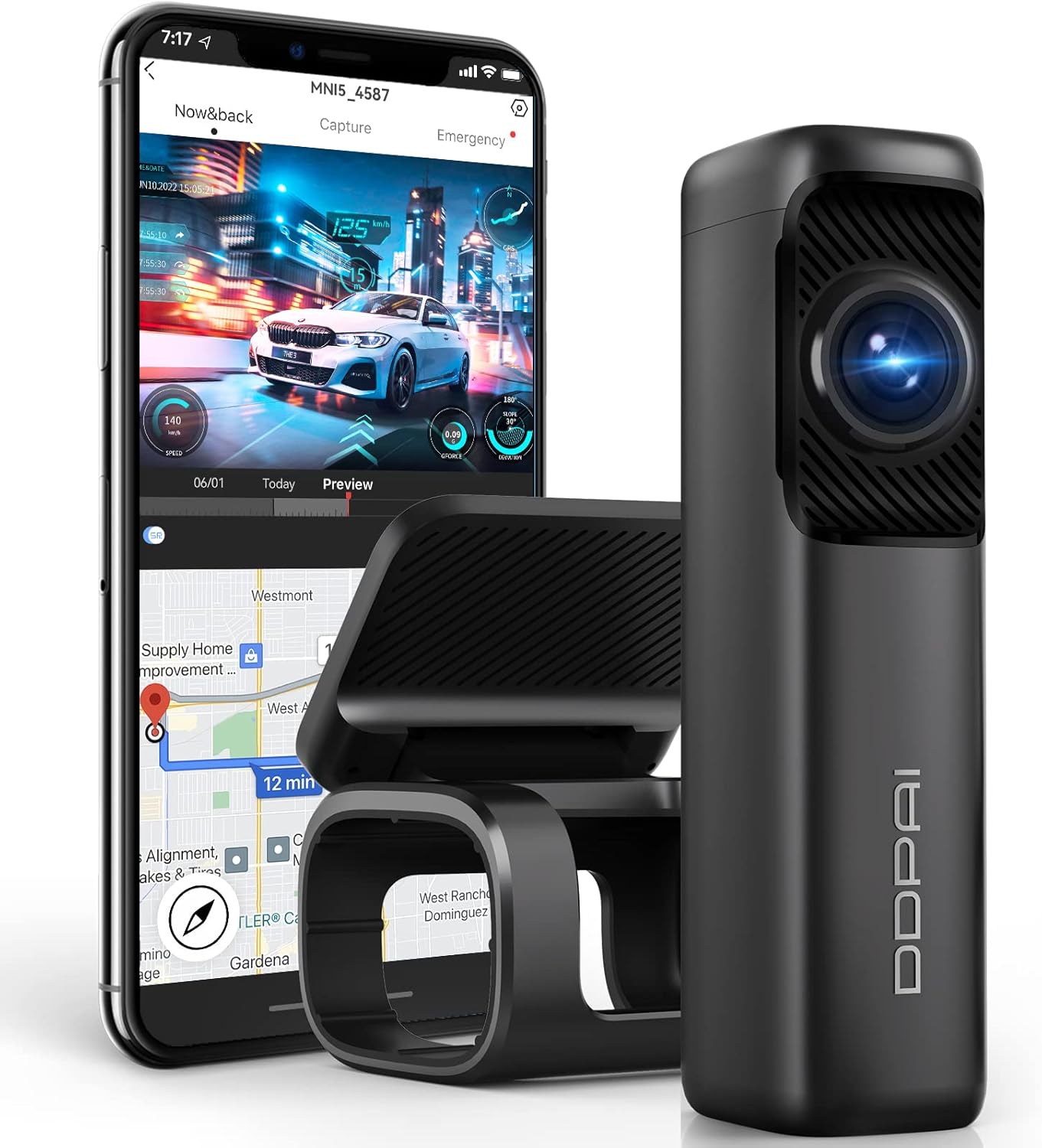
Image: The DDPAI Mini5 Dash Cam shown alongside a smartphone displaying its app interface, highlighting its compact design and connectivity features.
2. Шта је у кутији
Проверите да ли су све компоненте присутне у вашем пакету:
- 1 x Mini5 Dash Cam
- 1 к носач
- 1 x 3m /10Ft Power Cable
- 1 x USB Car Charger
- 1 к 3М лепак

Image: All included components of the DDPAI Mini5 Dash Cam package laid out on a surface.
3. Подешавање и инсталација
3.1 Initial Power-On & App Connection
Before permanent installation, connect the dash cam to power using the provided USB car charger and power cable. Ensure the device powers on and is functional. Download the 'DDPAI' app from your smartphone's app store (Android/iOS) and connect to the dash cam's 5G WiFi hotspot (DDPAI_XXXX_XX) using the default password '1234567890'.
Video: A tutorial demonstrating how to use the DDPAI Dash Cam app, including connection and basic functions.
3.2 Монтирање камере за аутомобил
Clean the windshield thoroughly. Apply the electrostatic sticker to the desired mounting location on the windshield, typically behind the rearview mirror. Attach the dash cam bracket to the electrostatic sticker. Insert the dash cam into the bracket, ensuring the lens faces forward to capture the road ahead. Route the power cable neatly along the windshield trim using the installation wire trim tool to the cigarette lighter port.

Image: The DDPAI Mini5 Dash Cam securely mounted on the interior of a car's windshield, positioned to record the road.
Video: A step-by-step guide on how to install the DDPAI Mini5 4K Dash Cam in a vehicle.
3.3 Hardwire Kit Installation (Optional)
For 24-hour parking surveillance, a hardwire kit (sold separately, ASIN: B08LL4L87C or B0CKPTNRDM) is required. This installation typically involves connecting to your car's fuse box and may require technical skills. Refer to the hardwire kit's specific instructions for detailed steps.
Video: An installation guide for the MINI5 Hardwire kit, detailing the process for enabling parking mode.
4. Упутство за употребу
4.1 Основни рад
The DDPAI Mini5 automatically begins recording when your vehicle's ignition is turned on. The blue LED indicator light signifies normal recording. When the ignition is turned off and the key is removed, the dash cam enters parking mode (if hardwired) and the LED indicator light turns red.
4.2 Using the DDPAI App
The DDPAI app allows you to manage settings, preview ливе фооtage, and download recorded videos directly to your smartphone. Connect your phone to the dash cam's 5G WiFi hotspot to access these features. You can also edit and share videos from within the app.
Video: A tutorial demonstrating how to use the DDPAI Dash Cam app, including connection and basic functions.
4.3 Видео функције
- 4К УХД резолуција: Records in 3840x2160P at 30fps, capturing clear and detailed images.
- NightVIS Night Vision: With an F1.8 large aperture and Sony IMX415 STARVIS sensor, the dash cam records clear footagе у условима слабог осветљења.
- WDR технологија: Balances exposure in bright and dark areas, preventing overexposed or underexposed video.
- Лооп Рецординг: Automatically overwrites older files when storage is full, ensuring continuous recording.
- G-Sensor & Collision Lock: Detects sudden impacts and automatically saves relevant video clips, protecting them from being overwritten.

Image: A visual representation of the 4K image quality captured by the DDPAI Mini5 Dash Cam, showing a car on a city street.

Image: A side-by-side comparison illustrating the enhanced clarity of night vision footage with NightVIS technology versus without it.

Image: An illustration highlighting the three main recording modes of the DDPAI Mini5: G-sensor, 24-hour monitoring, and loop recording.
4.4 GPS and SR Technology
Built-in GPS tracks date, speed, acceleration, driving route, and distance. SR (Sense Reality) technology can display this driving information directly in your footage, creating an immersive driving video experience.

Image: A screenshot from the DDPAI app showing driving information like speed, route, and G-force overlaid on dash cam footage, powered by SR technology.
5. Одржавање
- Regularly clean the dash cam lens with a soft, dry cloth to ensure clear recordings.
- Избегавајте излагање камере за аутомобил екстремним температурама током дужег периода.
- Periodically check for firmware updates via the DDPAI app to ensure optimal performance and new features.
КСНУМКС. Решавање проблема
- Камера у аутомобилу се не укључује: Ensure the power cable is securely connected to both the dash cam and the car charger/hardwire kit. Check the car's cigarette lighter socket or fuse for power.
- Проблеми са повезивањем апликације: Ensure your phone's Bluetooth and WiFi are enabled. Keep your phone within 2 meters of the device. Restart both the dash cam and your phone if issues persist.
- Лош квалитет видеа: Clean the lens. Ensure the dash cam is securely mounted and not vibrating. Check the recording resolution settings in the app.
- Режим паркирања не ради: Verify that the hardwire kit is correctly installed and connected. Check parking monitoring settings in the DDPAI app.
7. Спецификације
| Феатуре | Спецификација |
|---|---|
| Димензије производа | 5.43 к 2.83 к 4.6 инча |
| Тежина артикла | 3.5 унци |
| Број модела ставке | Мини5 |
| Резолуција снимања видео записа | 2160п (4К) |
| Сензор слике | Sony IMX415 STARVIS Sensor |
| Цоннецтивити Тецхнологиес | USB, 5G WiFi |
| Посебне карактеристике | 4K UHD Front Discreet Design, Built-in 64GB & 5G Wi-Fi & GPS, Night Vision, G-Sensor, Loop Recording, AR Technology |
| Укључене компоненте | Mini5 Dash Cam, Bracket, 3m/10Ft Power Cable, USB Car Charger, 3M Adhesive |
| Тип монтаже | Носач за вјетробранско стакло |
| Поље View | 170 степени |
8. Гаранција и подршка
DDPAI provides a 12-month warranty and lifelong consultation service for customers. For any inquiries or support needs, please contact our professional customer service team. Refer to the official DDPAI webсајт или вашу платформу за куповину за контакт податке.