
1. Увод
This manual provides instructions for the installation, operation, and maintenance of your GIM KB-23 RGB Case Fan. Please read this manual thoroughly before installation and use to ensure proper function and safety.
The GIM KB-23 is a 120mm case fan designed to enhance airflow within your computer chassis while providing customizable RGB lighting effects.
2. Безбедносне информације
Увек се придржавајте следећих мера предострожности:
- Ensure your computer is powered off and unplugged from the wall outlet before installation or maintenance.
- Испразните статички електрицитет са свог тела додиривањем уземљеног металног предмета пре руковања компонентама.
- Do not force connectors. Ensure proper alignment before connecting.
- Држите мале делове, као што су шрафови, ван домашаја деце.
- Избегавајте додиривање лопатица вентилатора док вентилатор ради.
3. Садржај пакета
Проверите да ли су све ставке присутне у вашем пакету:
- 1 x GIM KB-23 120mm RGB Case Fan
- 4 к завртњи за монтажу
4. Подешавање и инсталација
Follow these steps to install your GIM KB-23 RGB Case Fan:
4.1 Припрема
- Power off your computer and unplug the power cable from the wall outlet.
- Open your computer case to access the fan mounting locations.
- Identify an appropriate 120mm fan mounting position within your case. Consider airflow direction (intake or exhaust).
4.2 Монтажа вентилатора
Position the fan in the desired mounting location. Use the four included mounting screws to secure the fan to the case. Ensure the screws are tightened firmly but do not overtighten to avoid damaging the fan frame or case.
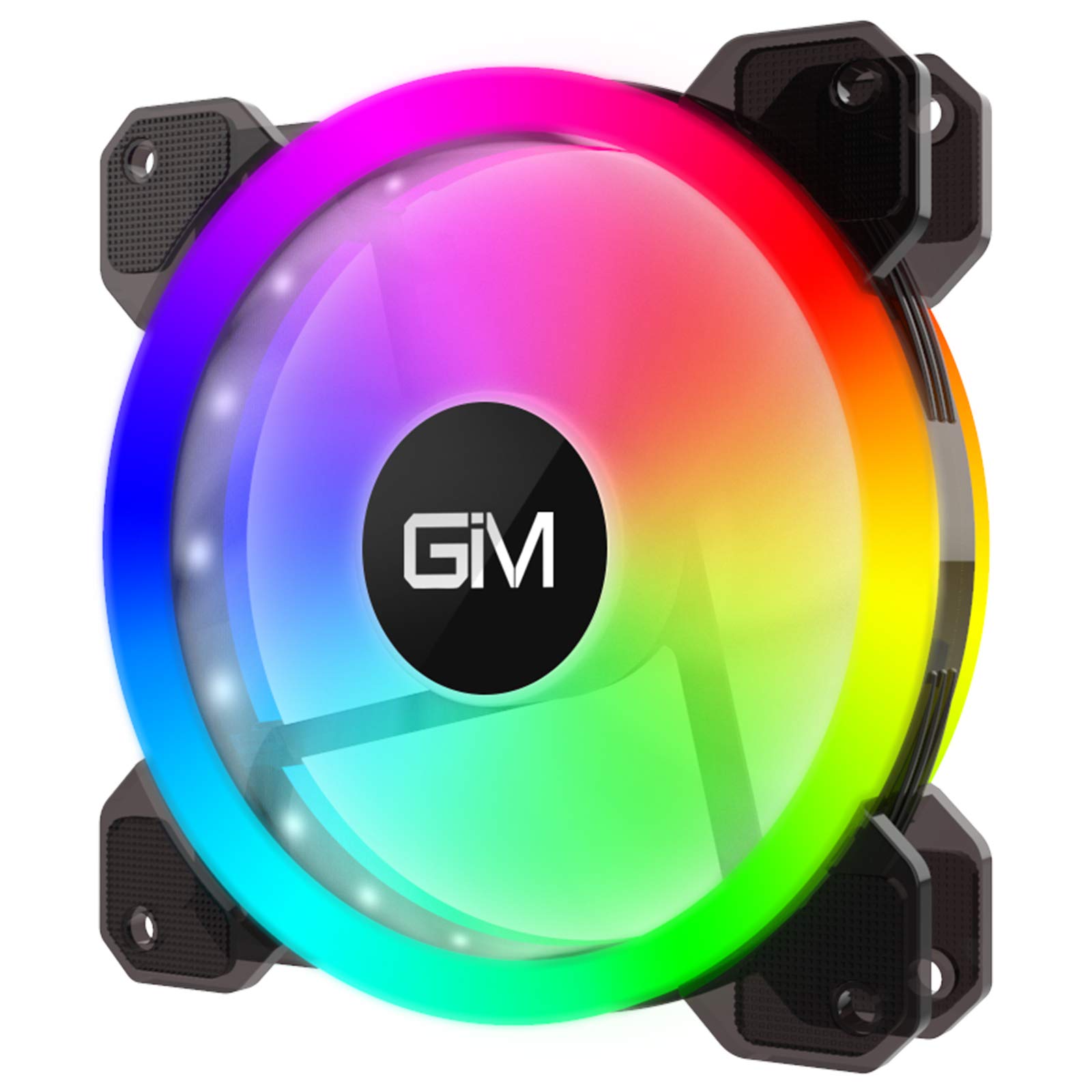
Image 1: GIM KB-23 RGB Case Fan. This image shows the fan's design and typical appearance when installed.
4.3 Повезивање вентилатора
Locate the 6-pin power connector on the GIM KB-23 fan cable. Connect this cable to a compatible GIM RGB fan controller (sold separately or included with multi-pack fan kits). The fan will not function or light up without a compatible controller.
Ensure the connector is fully seated. Route the cables neatly to maintain good airflow and aesthetics within your case.
5. Упутство за употребу
Once installed and connected to a compatible GIM RGB fan controller, the fan will begin operating when your computer is powered on.
- Брзина вентилатора: The fan speed is typically controlled by the GIM RGB fan controller or motherboard software, depending on the controller's capabilities and how it's connected to your system.
- РГБ осветљење: The RGB lighting effects are managed through the GIM RGB fan controller. Refer to your GIM controller's manual for specific instructions on changing lighting modes, colors, and brightness.
6. Одржавање
Редовно одржавање помаже у обезбеђивању оптималних перформанси и дугог века трајања вашег вентилатора.
- Чишћење: Periodically clean the fan blades and frame to remove dust buildup. Use a can of compressed air or a soft, dry cloth. Ensure the computer is powered off and unplugged before cleaning.
- инспекција: Проверите каблове да ли имају знакова хабања или оштећења. Уверите се да су сви прикључци безбедни.
КСНУМКС. Решавање проблема
If you encounter issues with your GIM KB-23 RGB Case Fan, refer to the following common problems and solutions:
| Проблем | Могући узрок | Решење |
|---|---|---|
| Вентилатор се не окреће |
|
|
| РГБ светла не раде |
|
|
| Прекомерна бука |
|
|
8. Спецификације
| Феатуре | Детаљ |
|---|---|
| Модел | КБ-КСНУМКС |
| Димензије (Д к Ш к В) | 4.72" x 0.98" x 4.72" (120 mm x 25 mm x 120 mm) |
| Тип конектора за напајање | 6-Pin (Proprietary GIM) |
| Волtage | 12 Волтс |
| Ватtage | 1.96 Ваттс |
| Метод хлађења | Ваздух |
| Компатибилни уређаји | Стони рачунари |
| Ниво буке | 25 децибела (dB) |
| Максимална брзина ротације | 1300 РПМ |
9. Гаранција и подршка
For warranty information or technical support, please contact GIM customer service through their official webсајт или продавца где је производ купљен. Сачувајте доказ о куповини за потребе гаранције.