
Увод
This instruction manual provides essential information for the safe and effective use of your DBPOWER 1080P Additional Camera Unit. This camera is designed to expand your existing DBPOWER baby monitor system, allowing you to monitor multiple rooms or angles with high-definition clarity. Please read this manual thoroughly before installation and operation, and retain it for future reference.
Безбедносне информације
Да бисте осигурали безбедан рад и спречили оштећења, молимо вас да се придржавате следећих мера безбедности:
- Keep the camera unit and its power adapter out of reach of children.
- Do not place the camera or power cord within 3 feet of the crib or playpen to avoid strangulation hazards.
- Користите само оригинални адаптер за напајање који се испоручује са уређајем.
- Do not expose the camera to water, moisture, or extreme temperatures.
- Избегавајте постављање камере на директну сунчеву светлост или близу извора топлоте.
- Do not attempt to open or repair the camera unit yourself. Refer all servicing to qualified personnel.
- Ensure proper ventilation around the camera unit.
- Овај производ је намењен само за унутрашњу употребу.
Садржај пакета
Молимо вас да проверите садржај пакета како бисте били сигурни да су сви предмети присутни:
- DBPOWER 1080P Additional Camera Unit (MCBM0002)
- Power Adapter for Camera Unit
- Кориснички приручник (овај документ)
Производ је завршенview
The DBPOWER 1080P Additional Camera Unit is a compact and versatile device designed to seamlessly integrate with your existing DBPOWER baby monitor system. It features a sleek, dome-shaped design with pan and tilt capabilities.

Слика 1: Предња страна view of the DBPOWER 1080P Additional Camera Unit, showing the lens and base.
Кључне компоненте укључују:
- Објектив камере: Captures video feed.
- Инфрацрвене ЛЕД диоде: За функционалност ноћног вида.
- микрофон: За двосмерну аудио комуникацију.
- говорник: За двосмерну аудио комуникацију.
- Дугме за упаривање: Used for pairing the camera with the monitor unit.
- Напајање: Повезује се на адаптер за напајање.
Сетуп
Follow these steps to set up your additional camera unit and pair it with your existing DBPOWER monitor:
- Поставите камеру: Place the camera unit in a suitable location within the room you wish to monitor. Ensure it has a clear line of sight to the area of interest and is placed on a stable, flat surface or mounted securely. Keep it at least 3 feet away from the crib.
- Прикључите напајање: Connect the small end of the power adapter to the power port on the back of the camera unit. Plug the other end of the power adapter into a standard electrical outlet. The camera will power on automatically.
- Prepare Monitor for Pairing: Turn on your DBPOWER monitor unit. Navigate to the camera pairing menu. (Refer to your monitor's specific user manual for detailed instructions on accessing the pairing menu, as this may vary by monitor model).
- Започни упаривање: While in the pairing menu on your monitor, press and hold the "Pair" button on the back or bottom of the additional camera unit for a few seconds until the monitor indicates successful pairing. The camera's LED indicator may flash during pairing and become solid once connected.
- Потврдите везу: Once paired, the video feed from the new camera should appear on your monitor. You can connect up to four cameras to a single DBPOWER monitor system.

Figure 2: The camera unit positioned in a nursery, connected to power.

Figure 3: The DBPOWER system supports connecting up to four camera units for multi-room monitoring.
Упутство за употребу
Once your additional camera is paired, you can utilize its features through your DBPOWER monitor unit.

Figure 4: The monitor unit provides intuitive controls for camera functions.
Пан & Тилт
Use the directional buttons on your monitor unit to remotely adjust the camera's viewing angle. This allows you to pan horizontally and tilt vertically to get a full view of the room without physically moving the camera.
Двосмерни разговор
Press and hold the "Talk" button on your monitor to speak through the camera's speaker. This feature allows you to soothe your baby or communicate with someone in the room where the camera is located.
One-Click Zoom
Utilize the zoom function on your monitor to get a closer look at your baby. This digital zoom allows you to magnify the image for more detail.
Нигхт Висион
The camera is equipped with infrared LEDs that automatically activate in low-light conditions, providing a clear black-and-white video feed even in complete darkness. This ensures continuous monitoring day and night.
Multiple Cameras Auto Scan
If you have multiple cameras paired, your monitor can automatically cycle through the camera feeds, displaying each camera for a set duration before switching to the next. This feature ensures you can keep an eye on different areas without manual switching.
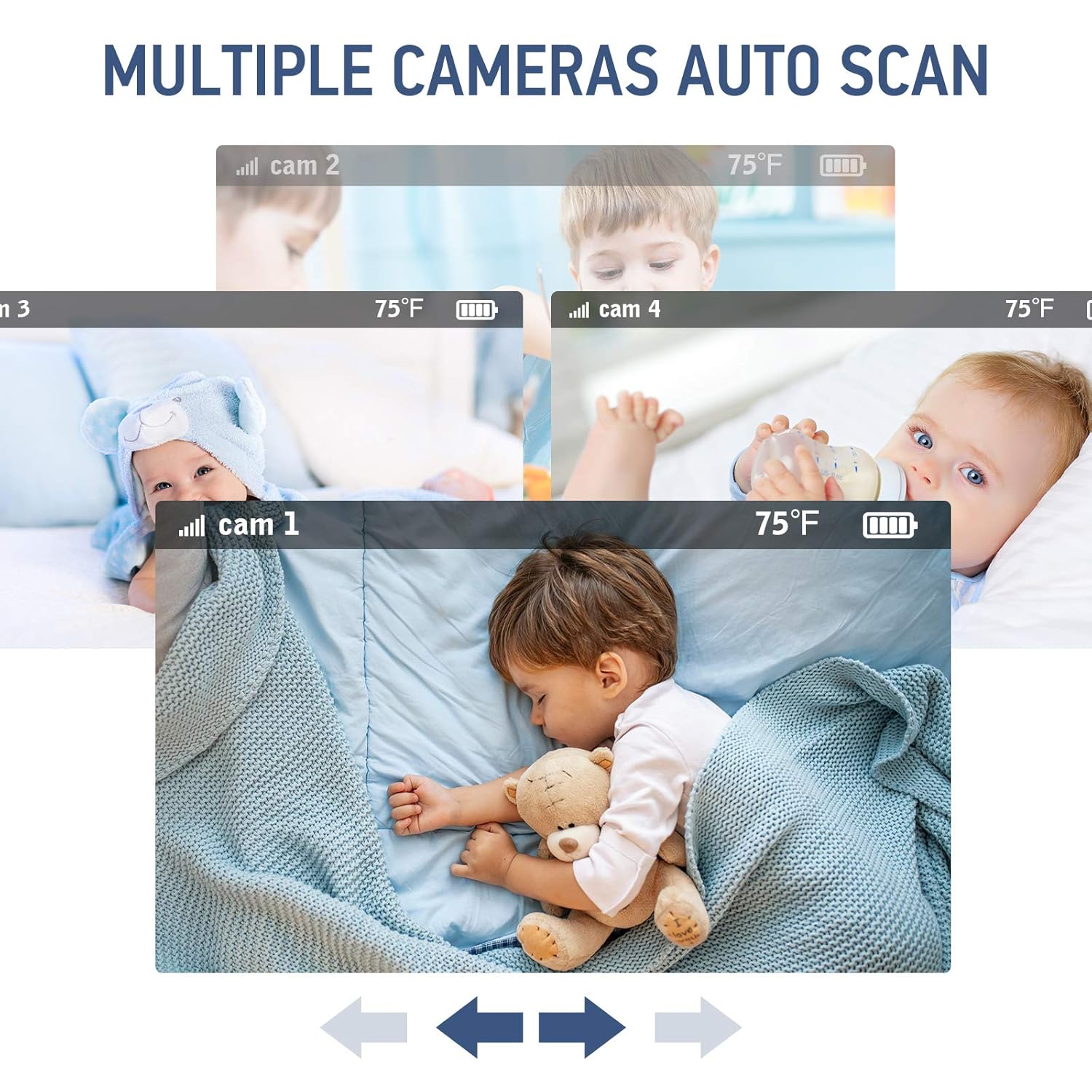
Figure 5: The auto-scan feature cycles through multiple camera views, displaying temperature for each.
Одржавање
Proper maintenance ensures the longevity and optimal performance of your camera unit:
- Чишћење: Use a soft, dry, lint-free cloth to clean the camera lens and body. Do not use abrasive cleaners, solvents, or aerosol sprays.
- Складиштење: If storing the camera for an extended period, disconnect it from power and store it in a cool, dry place away from direct sunlight.
- Избегавајте препреке: Ensure no objects block the camera's ventilation holes or lens.
Решавање проблема
If you encounter issues with your camera unit, refer to the following table for common problems and solutions:
| Проблем | Могући узрок | Решење |
|---|---|---|
| No video/audio from camera | Camera not powered on; Camera not paired; Out of range. | Ensure camera is plugged in and powered. Re-pair the camera with the monitor. Move camera closer to the monitor. |
| Лош квалитет видеа | Low light conditions; Lens is dirty; Interference. | Night vision should activate automatically. Clean the camera lens. Reduce interference from other wireless devices. |
| Audio static or interference | Too far from monitor; Obstructions; Other electronic devices. | Move camera closer to the monitor. Remove obstructions. Move camera away from other electronics. |
| Camera not responding to Pan/Tilt | Camera is frozen; Connection issue. | Unplug and replug the camera to restart it. Ensure a stable connection to the monitor. |
Спецификације
Technical specifications for the DBPOWER 1080P Additional Camera Unit:
| Феатуре | Детаљ |
|---|---|
| Број модела | MCBM0002 |
| Резолуција снимања видео записа | 1080п |
| Ефективна видео резолуција | 1080 Пикелс |
| Технологија повезивања | Бежични |
| Цоннецтивити Протоцол | Ви-Фи |
| Посебна карактеристика | Night Vision, Two-Way Talk, Pan & Tilt, Zoom |
| Извор напајања | Цордед Елецтриц |
| Тип монтаже | Ceiling Mount (also suitable for tabletop) |
| Форм Фацтор | Доме |
| Лов Лигхт Тецхнологи | Ноћна боја (инфрацрвена) |
| Тип собе | Расадник |
| Оцена међународне заштите | ИП54 |
| Тежина артикла | 1.04 фунти |
| Димензије пакета | 5.67 к 4.8 к 4.41 инча |
Гаранција и подршка
DBPOWER products are manufactured to the highest quality standards. For information regarding warranty coverage, technical support, or customer service, please refer to the warranty card included with your original monitor unit or visit the official DBPOWER website. Please have your model number (MCBM0002) ready when contacting support.
За најновије информације о подршци, посетите: ввв.дбповер.цо