
1. Увод
The FLIR T540-EST thermal imaging camera is designed for high-precision, non-contact temperature screening, specifically for elevated skin temperature detection in public health scenarios. This manual provides essential information for the proper setup, operation, and maintenance of your device, ensuring accurate and efficient screenings.
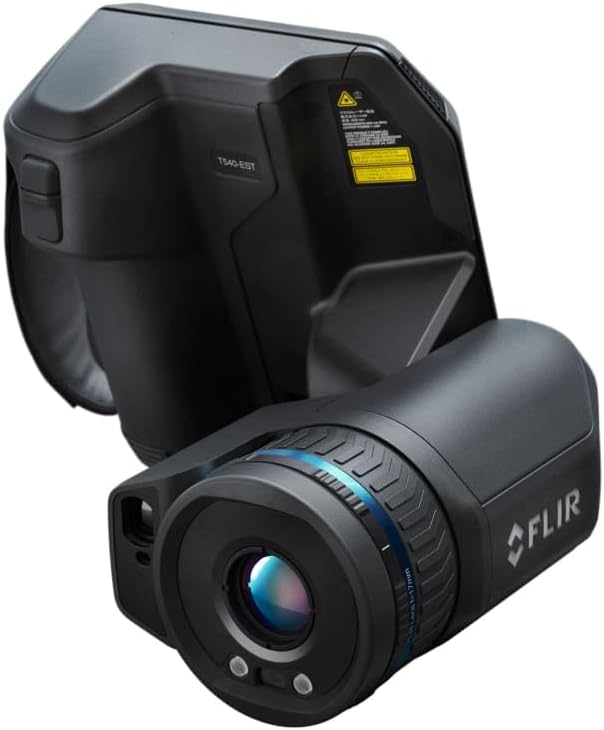
Слика 1: The FLIR T540-EST thermal screening camera, showcasing its ergonomic design and integrated lens.
2. Подешавање
Follow these steps to prepare your FLIR T540-EST for operation:
- Распакивање: Carefully remove all components from the packaging. Verify that all items listed in the packing slip are present.
- Инсталација батерије: The camera requires two Lithium Ion batteries (included). Insert the batteries into the designated compartment, ensuring correct polarity. Charge batteries fully before first use using the provided charger.
- Lens Attachment: The 24-degree lens is typically pre-attached. If interchanging lenses, align the lens with the camera body's mount and rotate until it clicks securely into place.
- Монтажа: For stable and consistent screening, mount the camera on a tripod or a stable surface. Ensure the camera is positioned at an appropriate height for the subjects being screened.
- Почетно укључивање: Press and hold the power button until the FLIR logo appears on the screen.
3. Упутство за употребу
The FLIR T540-EST is designed for intuitive operation. Familiarize yourself with its key features:
- Укључивање/искључивање: Press and hold the power button to turn the camera on or off. A short press will put the camera into standby mode.
- Screen-EST Mode: Activate the dedicated Screen-EST mode for streamlined temperature screening. This mode provides visual positioning guides, automatically samples to maintain an updated temperature average, and displays graphic pass/fail indicators.
- Мерење температуре: The camera measures temperatures from 15°C to 45°C (59°F to 113°F). Ensure subjects are within the optimal screening distance for accurate readings.
- Laser-Assisted Autofocus: Utilize the laser-assisted autofocus feature to ensure sharp focus on the subject's face, which is critical for precise temperature readings.
- Ергономски дизајн: The 180° rotating optical block allows for comfortable viewing angles during extended screening sessions. The vivid 4-inch capacitive touchscreen provides an interactive interface for settings and viewинг.
- Тумачење резултата: In Screen-EST mode, the camera will provide clear visual cues (e.g., green for pass, red for fail) based on configured temperature thresholds.
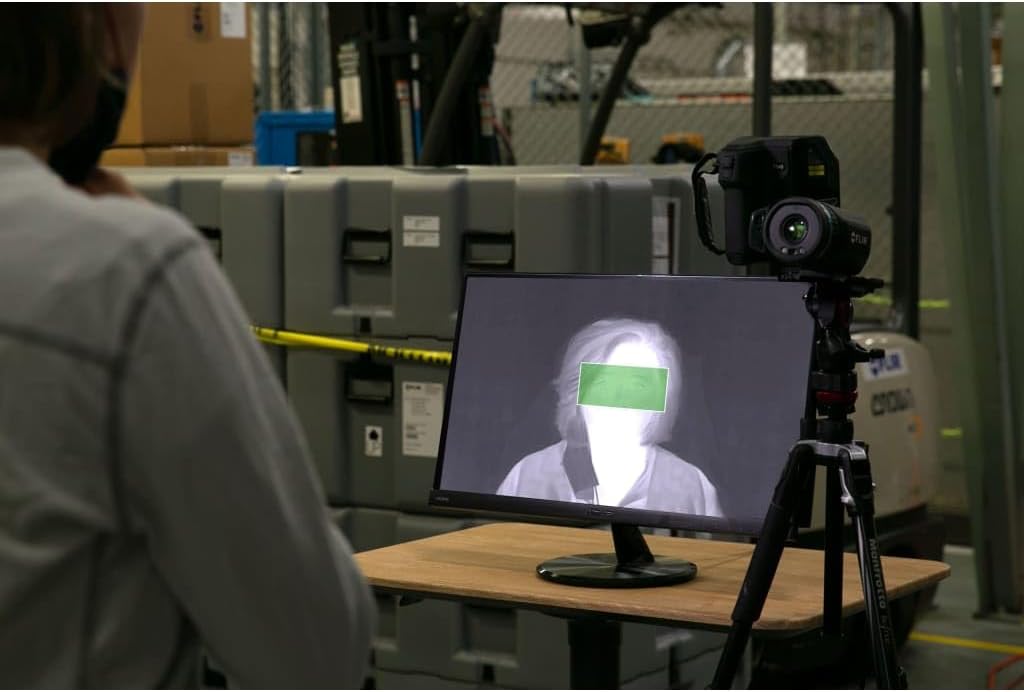
Слика 2: The FLIR T540-EST camera set up with an external monitor, displaying a thermal image of a person during a screening process.

Слика 3: Детаљно view of the FLIR T540-EST's integrated screen, showing real-time thermal data and a highlighted area for temperature assessment.

Слика 4: Бившиample of a thermal screening station, demonstrating the FLIR T540-EST in a practical application with a subject awaiting screening.
4. Одржавање
Proper maintenance ensures the longevity and accuracy of your FLIR T540-EST:
- Чишћење сочива: Use a soft, lint-free cloth specifically designed for optical lenses. Gently wipe the lens surface to remove dust or smudges. Avoid abrasive materials or harsh chemicals.
- Cleaning the Screen and Body: Користите меку, дamp cloth with a mild cleaning solution (if necessary) to clean the touchscreen and camera body. Do not spray liquids directly onto the camera.
- Одржавање батерије: Always use the FLIR-approved charger. Do not expose batteries to extreme temperatures. If storing the camera for an extended period, ensure batteries are partially charged (around 50%) and remove them from the device.
- Складиштење: Store the camera in its protective case in a cool, dry environment, away from direct sunlight and extreme temperatures.
КСНУМКС. Решавање проблема
Погледајте овај одељак за уобичајене проблеме и њихова решења:
| Проблем | Могући узрок | Решење |
|---|---|---|
| Камера се не укључује | Low or depleted battery; improperly installed battery | Charge batteries fully; ensure batteries are correctly inserted. |
| Нетачна очитавања температуре | Incorrect focus; improper screening distance; environmental factors | Use autofocus; maintain recommended screening distance; ensure stable ambient conditions. |
| Екран је празан или замрзнут | Софтверски проблем; слаба батерија | Restart the camera; charge batteries. If issue persists, contact support. |
| Laser autofocus not working | Obstruction; dirty lens | Ensure clear path to subject; clean the lens. |
If you encounter issues not listed here or if solutions do not resolve the problem, please contact FLIR customer support.
6. Спецификације
Key technical specifications for the FLIR T540-EST camera:
- Произвођач: FLIR Systems, Inc
- Број дела: 79302-0302
- Број модела ставке: T540-EST-24
- Резолуција детектора: 464 к 348 пиксела
- Објектив: 24-Дегрее
- Опсег мерења температуре: 15°Ц до 45°Ц (59°Ф до 113°Ф)
- Димензије производа: 9.1 к 9.1 к 9.1 инча
- Тежина артикла: 1 фунта
- батерије: 2 литијум-јонске батерије (укључене)
- Тип батерије: Литхиум Ион
7. Гаранција и подршка
For detailed warranty information, please refer to the documentation included with your product or visit the official FLIR Systems, Inc. website. For technical support, service, or additional inquiries, please contact FLIR customer service through their official channels.