
Yaheetech YTwy4o0001001
Yaheetech YTwy4o0001001 Corner Computer Desk Instruction Manual
Model: YTwy4o0001001
1. Увод
Thank you for choosing the Yaheetech Wood Triangle Computer Desk Corner Table. This manual provides detailed instructions for the assembly, operation, and maintenance of your new desk. Please read all instructions carefully before assembly and use to ensure safe and proper functionality.

Image 1: Yaheetech Wood Triangle Computer Desk Corner Table.
2. Важна безбедносна упутства
- Прочитајте сва упутства: Уверите се да разумете све кораке монтаже и безбедносна упозорења пре него што наставите.
- Држите децу подаље: Држите децу и кућне љубимце даље од места монтаже. Мали делови могу представљати опасност од гушења.
- Користите исправне алате: Use only the tools specified in the assembly guide. Do not overtighten screws.
- Ограничење тежине: Не прекорачујте максималну тежину 110 лб (50 кг) за безбедну употребу.
- Стабилна површина: Assemble the desk on a clean, flat, and stable surface to prevent damage or injury.
- Препоручује се монтажа од стране две особе: For optimal safety and ease, assembly by two people is recommended.
- Редовно одржавање: Периодично проверавајте све спојеве и причвршћиваче како бисте били сигурни да су чврсто затегнути.
3. Садржај пакета
Before beginning assembly, verify that all parts and hardware are present. Refer to the parts list provided in your package. If any parts are missing or damaged, please contact customer support.

Слика 2: Дијаграм димензија производа.
4. Упутство за монтажу
Follow these step-by-step instructions to assemble your Yaheetech Corner Computer Desk. It is recommended to have a second person assist with assembly.
Video 1: Official Yaheetech assembly guide for the Corner Computer Desk. This video demonstrates the full assembly process from unboxing to final setup.
- Припремите базу: Lay out the base frame components. Attach the side support bars to the main base using the provided screws and an Allen wrench. Ensure all connections are secure but do not fully tighten until all parts are aligned.
- Причврстите ноге: Connect the four desk legs to the assembled base frame. Use the designated screws and dowels to ensure a stable connection.
- Инсталирајте доње полице: Slide the triangular lower shelves into place within the leg structure. Secure them using the provided fasteners. These shelves form the corner storage area.
- Assemble Drawer Box: Construct the drawer box by attaching the side panels to the front and back panels. Ensure the drawer slides are correctly oriented.
- Причврстите ручку фиоке: Secure the semilunar metal handle to the front of the drawer using the small screws.
- Install Drawer into Desk: Carefully slide the assembled drawer into the desk frame. Ensure it glides smoothly.
- Постави радну површину: Position the main desktop panel onto the assembled frame. Align the pre-drilled holes and secure the desktop using the remaining screws.
- Завршно затезање: Када су све компоненте на свом месту и поравнате, потпуно затегните све завртње и причвршћиваче.
5. Упутство за употребу
Your Yaheetech Corner Computer Desk is designed for versatile use in various small spaces. Here’s how to best utilize its features:
- Подешавање радне станице: Place your laptop, monitor, or other work essentials on the spacious desktop. The triangular shape is ideal for corner placement, maximizing your room’s layout.
- Употреба фиоке: The smooth-sliding drawer provides convenient, out-of-sight storage for office supplies, documents, or personal items. Pull the semilunar metal handle to open and close.
- Полице за складиштење: Utilize the two bottom open shelves for books, binders, decorative items, or small storage bins. These shelves help keep your workspace organized and clutter-free.
- Разноврстан пласман: This desk can be positioned against a corner, a flat wall, or even in the center of a room, adapting to your specific needs.
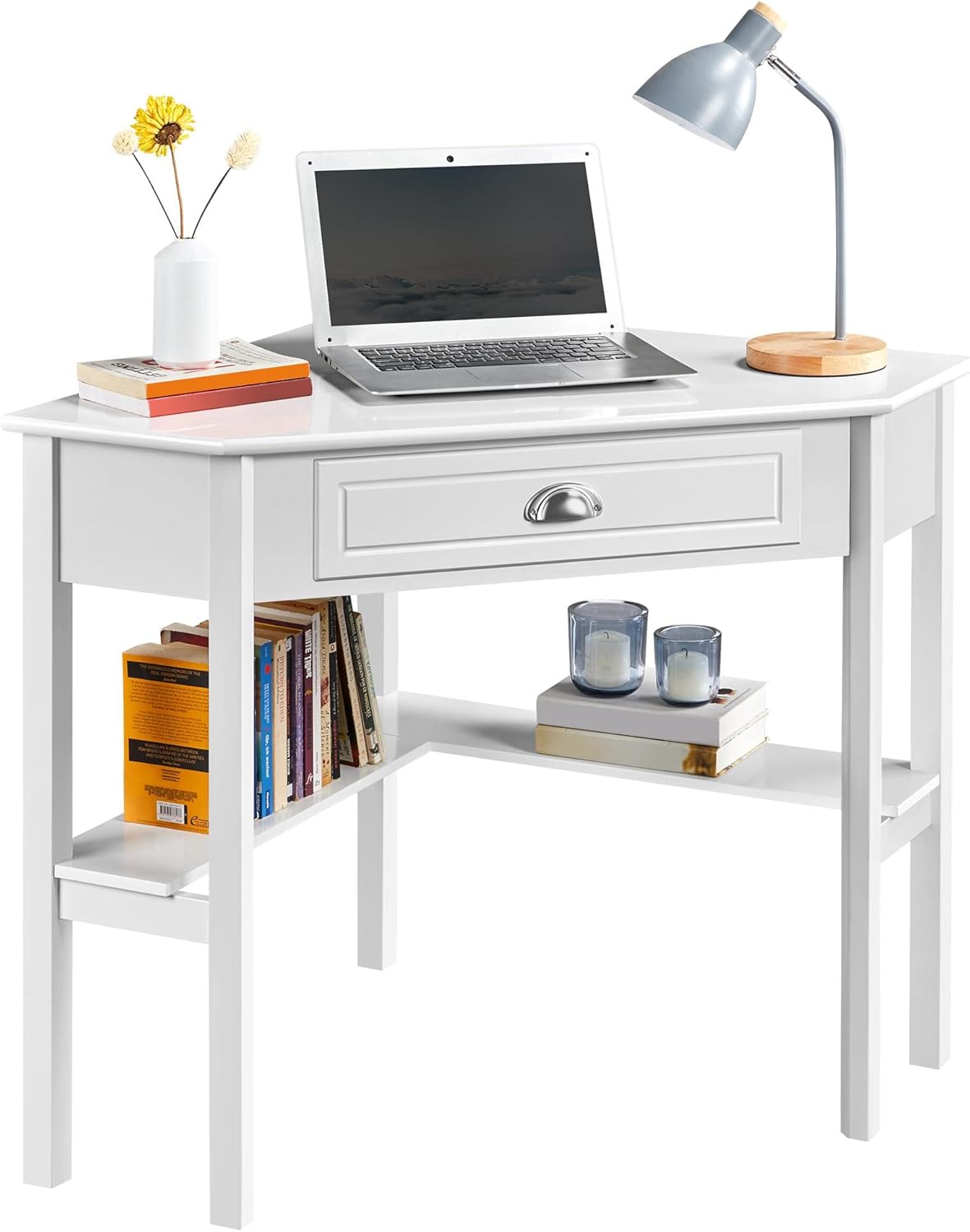
Image 3: Desk configured as a workstation with a laptop and books.
6. Одржавање
Да бисте осигурали дуготрајност и изглед вашег стола, следите ова упутства за одржавање:
- Чишћење: Обришите површину стола меком, дamp cloth. Avoid harsh chemicals or abrasive cleaners, as they may damage the finish. The surface is waterproof and moisture-proof, making it easy to clean.
- Просипање: Promptly clean up any spills to prevent staining or damage to the wood.
- Избегавајте директну сунчеву светлост: Дуготрајно излагање директној сунчевој светлости може проузроковати блеђење или промену боје.
- Проверите причвршћиваче: Periodically inspect all screws and connections. Tighten any loose fasteners to maintain stability.

Image 4: Waterproof surface for easy cleaning.
КСНУМКС. Решавање проблема
Ако наиђете на било какве проблеме са својим столом, погледајте следеће уобичајене проблеме и решења:
- Померање стола:
- Уверите се да су сви завртњи и причвршћивачи добро затегнути.
- Verify that the desk is placed on a level surface. Adjust if necessary.
- Drawer Sticks or Doesn't Close Properly:
- Проверите да ли су клизачи фиоке правилно поравнати и да ли нема препрека.
- Ensure the drawer box was assembled correctly and is not warped.
- Делови који недостају:
- Carefully re-check the packaging and all contents.
- Contact Yaheetech customer support for assistance with missing components.
8. Спецификације
| Феатуре | Детаљ |
|---|---|
| Бранд | Иахеетецх |
| Број модела | YTwy4o0001001 |
| Облик | Триангулар |
| Димензије производа (Д x Ш x В) | 29.5"Д к 41.7"Ш к 30"В |
| Боја | Бела |
| Стиле | Модерна |
| Врста материјала | Engineered Wood (MDF Desktop & Pine Legs) |
| Број фиока | 1 |
| Број полица | 2 (отворене полице) |
| Тежина артикла | 32.4 фунти |
| Препорука за максималну тежину | 110 фунти (50 кг) |
| Рекуиред Ассембли | Да |
| Препоручени број људи за скупштину | 2 |
9. Гаранција и подршка
This Yaheetech product comes with a Ограничена гаранција. Please refer to your purchase documentation for specific terms and conditions. A 30-дневна гаранција произвођача covers parts and labor for defects in materials or workmanship.
For any questions, missing parts, or support needs, please contact Yaheetech customer service through the retailer where the product was purchased or visit the official Yaheetech webсајт за контакт информације.
Ask a question about this manual
Ask about setup, troubleshooting, compatibility, parts, safety, or missing instructions. Manuals+ will review the question and use this page’s manual context to help answer it.