
1. Увод
Хвала вам на куповиниasing the JVC XS-N2239TC Wireless Stereo Speaker System. This manual provides essential information for the safe and efficient use of your new speaker system. Please read these instructions thoroughly before operating the device and retain them for future reference.
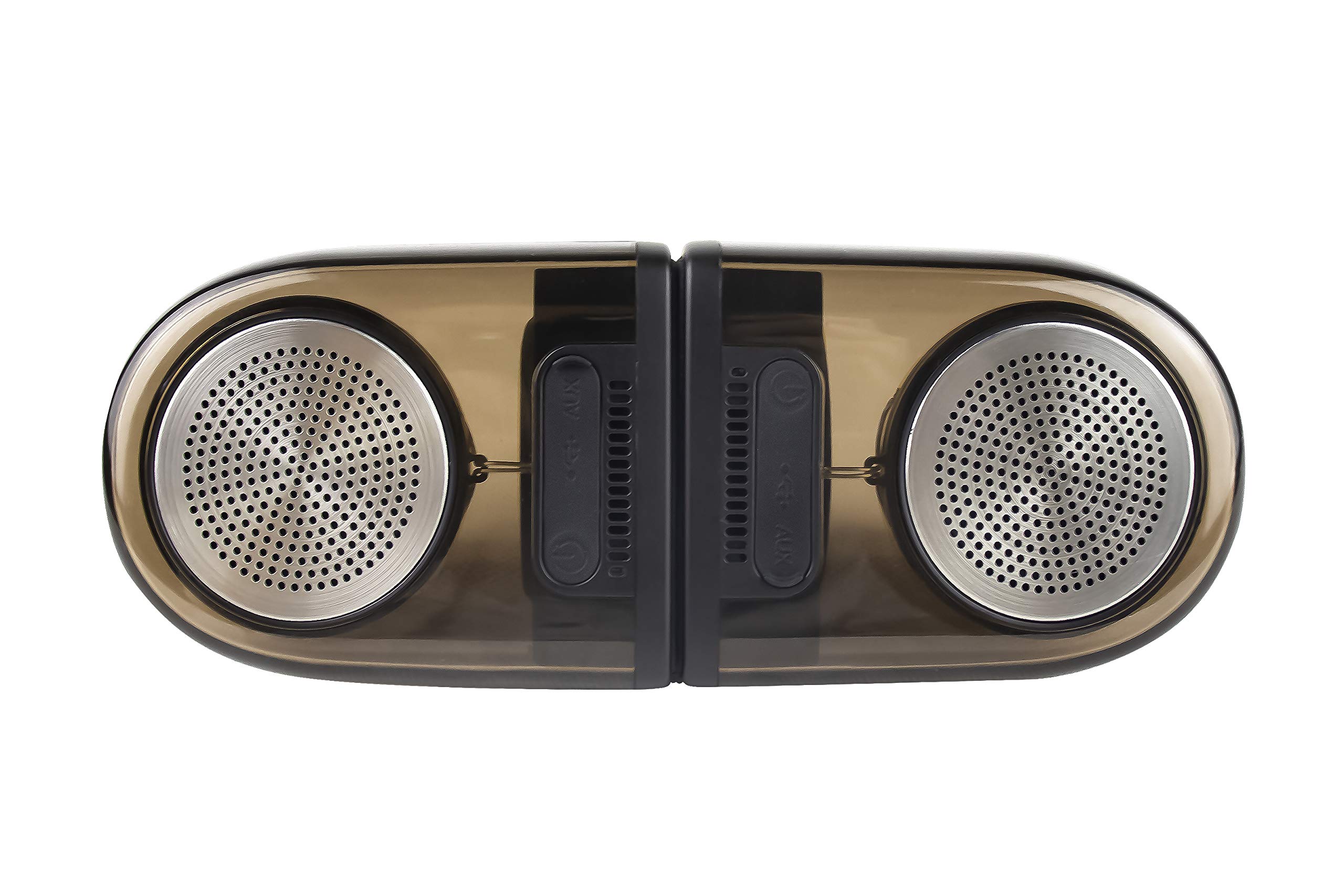
Image of the JVC XS-N2239TC speaker system, showcasinг његов дизајн и компоненте.
2. Садржај кутије
Молимо вас да проверите да ли су све следеће ставке укључене у ваш пакет:
- 1 x JVC XS-N2239TC Speaker Unit
- КСНУМКС к АУКС кабл
- 1 x Упутство за употребу (овај документ)
- 1 к кабл за пуњење
- 1 к Гарантни лист
3. Подешавање
3.1 Постављање
The JVC XS-N2239TC speakers are designed for versatile placement, suitable as Bookshelf or Floor Standing units. Ensure the speakers are placed on a stable, flat surface or floor, away from direct sunlight, heat sources, and moisture. For optimal stereo sound, position the two speakers appropriately within your listening area.
3.2 Прикључак за напајање
- Connect the charging cable to the speaker's power input port.
- Plug the other end of the charging cable into a suitable power outlet.
- Ensure the speaker is fully charged before initial use for optimal battery life.
4. Упутство за употребу
4.1 Укључивање/искључивање
Locate the power button on the speaker unit. Press and hold the button for a few seconds to power the speaker on or off. An indicator light will typically confirm the power status.
4.2 Повезивање
4.2.1 Бежична веза
The speaker supports wireless streaming. To connect wirelessly:
- Ensure the speaker is powered on and in pairing mode (refer to the speaker's indicator lights for status).
- On your device (e.g., smartphone, tablet, television), enable wireless functionality.
- Тражи available devices and select "JVC XS-N2239TC" from the list.
- Once connected, you can stream audio wirelessly to the speaker system.
4.2.2 УСБ веза
The speaker features a plug-and-play USB card reader. Insert a USB storage device containing audio files into the designated USB port on the speaker. The speaker will automatically detect and begin playing compatible audio files.
4.2.3 АУКС веза
Use the provided AUX cable to connect the speaker to devices with a 3.5mm audio output jack, such as televisions or other audio sources. Plug one end of the AUX cable into the speaker's AUX input and the other end into your audio source's output.
4.3 Контроле
4.3.1 Multifunctional Panel Keys
The speaker unit is equipped with multifunctional panel keys. These keys allow you to:
- Adjust volume (increase/decrease).
- Play/Pause audio playback.
- Navigate tracks (forward/backward) when playing from USB or wireless sources.
4.3.2 Даљински управљач
The included remote control provides convenient access to various functions from a distance. Use the remote to:
- Power on/off the speaker.
- Подесите јачину звука.
- Control playback (play, pause, skip tracks).
- Switch input modes (e.g., Wireless, USB, AUX).
5. Одржавање
5.1 Чишћење
To clean the speaker, use a soft, dry cloth. Do not use abrasive cleaners, waxes, or solvents as they may damage the finish. Ensure the speaker is powered off and unplugged before cleaning.
5.2 Отпорност на воду
The JVC XS-N2239TC speaker is designed with water resistance. While it can withstand splashes, it is not intended for submersion. Avoid exposing the speaker to excessive moisture or direct water jets to prevent damage.
КСНУМКС. Решавање проблема
If you encounter issues with your speaker system, please refer to the following common solutions:
- Нема напајања: Ensure the charging cable is securely connected to both the speaker and a working power outlet. Check if the power button has been pressed correctly.
- Нема звука: Verify the volume level on both the speaker and your connected device. Ensure the correct input mode (Wireless, USB, AUX) is selected. Check all cable connections.
- Проблеми са бежичном везом: Make sure the speaker is within range of your device. Try unpairing and re-pairing the speaker with your device. Ensure no other devices are interfering with the wireless signal.
- Проблеми са репродукцијом са USB-а: Confirm the USB device is formatted correctly and contains compatible audio fileс. Пробајте други УСБ уређај.
- Даљински управљач не ради: Check the remote control's batteries and replace them if necessary. Ensure there are no obstructions between the remote and the speaker's sensor.
Ако проблем и даље постоји, обратите се корисничкој подршци.
7. Спецификације
| Феатуре | Детаљ |
|---|---|
| Бранд | ЈВЦ |
| Назив модела | JVC XS-N2239TC |
| Технологија повезивања | УСБ, бежични |
| Врста бежичне технологије | Бежични |
| Цоннецтивити Протоцол | УСБ |
| Режим аудио излаза | Стерео |
| Спеакер Типе | Полица за књиге |
| Тип монтаже | Флоор Стандинг |
| Карактеристике производа | Ремоте Цонтрол |
| Контролни метод | Ремоте |
| Компатибилни уређаји | Телевизија |
| Број аудио канала | 2.1 |
| Величина звучника | 7.5 центиметра |
| Subwoofer Speaker Diameter | 5 инча |
| Tweeter Driver Diameter | 1 инча |
| Тип аудио драјвера | Динамички возач |
| Боја | Црно |
| Је водоотпоран | ТРУЕ |
| Ниво отпорности на воду | Водоотпоран |
| Специфичне употребе за производ | Системи за кућну забаву |
| Просечан век трајања батерије | 6 сата |
| Тежина артикла | 0.56 килограма |
8. Гаранција и подршка
8.1 Информације о гаранцији
Овај производ долази са а 1 године гаранције provided by the manufacturer from the date of purchase. Please retain your purchase receipt and warranty card for any warranty claims.
8.2 Корисничка подршка
For any complaints, technical assistance, or support regarding your JVC XS-N2239TC speaker system, please contact JVC customer care:
- Број корисничке подршке: +91-9910332380
Молимо вас да припремите број модела производа и детаље о куповини када контактирате подршку.