
Увод
Thank you for choosing the MEDION E11909 (MD 20059) 19-inch HD TV. This television features an integrated DVD player, a 12V car adapter for mobile use, and a triple tuner for receiving cable, satellite, or DVB-T2 HD signals. This manual provides essential information for the safe and efficient use of your new device. Please read it thoroughly before operation and keep it for future reference.
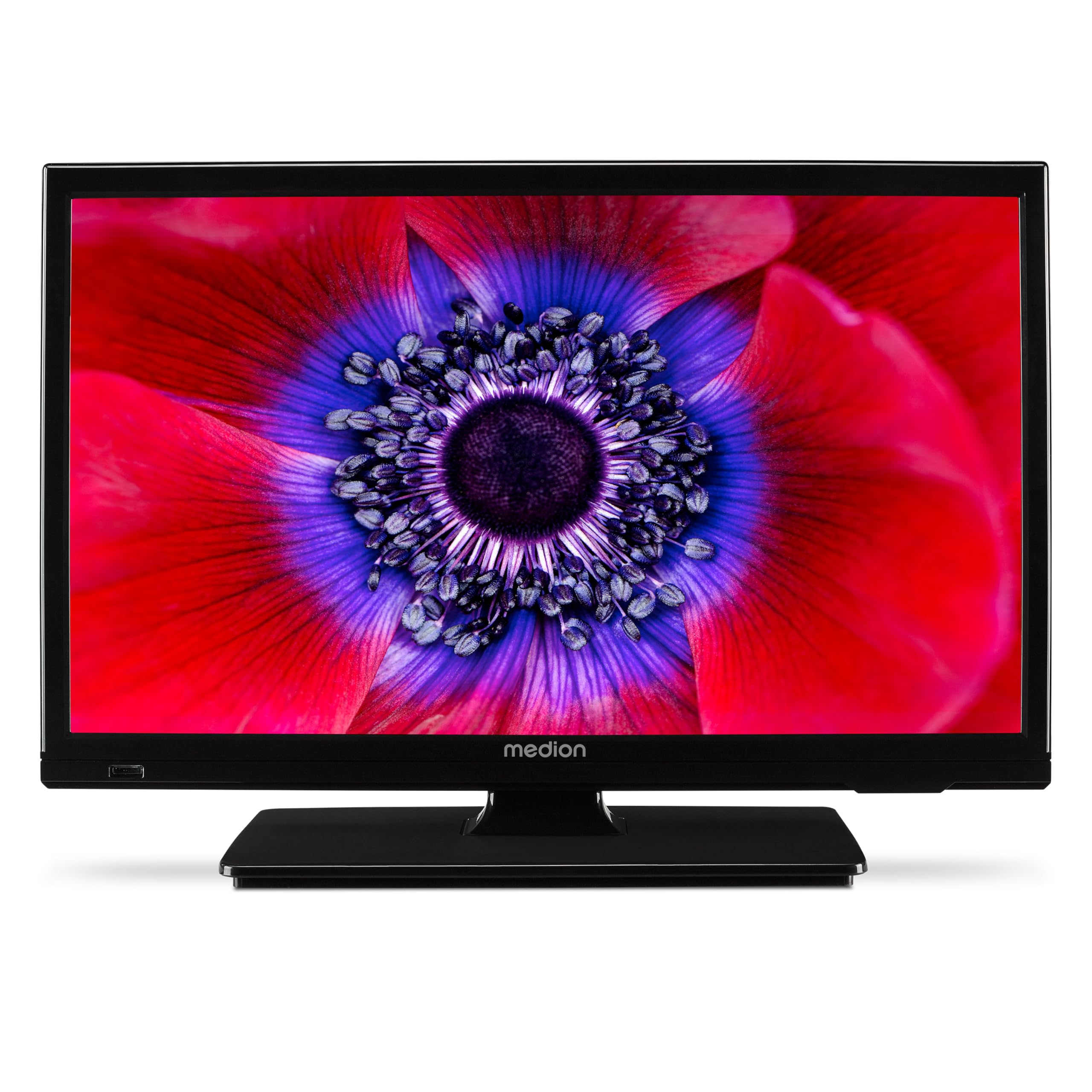
Слика 1: MEDION E11909 19-inch HD TV. This image shows the front view of the television, highlighting its compact design suitable for various environments.
Безбедносне информације
Please observe the following safety instructions to prevent damage to the device or injury to yourself:
- Не излажите телевизор киши или влази.
- Обезбедите одговарајућу вентилацију; не блокирајте вентилационе отворе.
- Користите само адаптер за напајање који сте добили уз уређај.
- Не отварајте телевизорasinг; све сервисирање препустите квалификованом особљу.
- Држите телевизор даље од извора топлоте и директне сунчеве светлости.
- When using the 12V car adapter, ensure the vehicle's power outlet is clean and provides stable power.
Садржај пакета
Молимо вас да проверите да ли су све ставке присутне у пакету:
- MEDION E11909 MD20059 LCD TV
- Remote control with batteries (AAA)
- Екстерни адаптер за напајање
- Car adapter (12V)
- ДВБ-Т антена
- АВ адаптер
- Сталак са завртњима
- Упутство за употребу
- Гарантна књижица
Сетуп
1. Причвршћивање постоља
- Пажљиво поставите телевизор екраном надоле на меку, чисту површину.
- Поравнајте постоље са отворима за монтажу на дну телевизора.
- Причврстите постоље помоћу приложених вијака.
2. Повезивање напајања
- За кућну употребу: Connect the external power adapter to the TV's DC IN port and then plug it into a standard wall outlet.
- For Mobile Use (Car/Caravan): Connect the 12V car adapter to the TV's DC IN port and then plug it into your vehicle's 12V DC power socket.
3. Connecting Antennas and External Devices
Refer to the connection diagram below for port locations.

Слика 2: Rear panel connections. This image illustrates the various input and output ports on the back of the television, including HDMI, USB, SCART, VGA, AV In, YPbPr, PC Audio In, Headphone Jack, Digital Audio Out, and the 12V DC power input.
- Антена/кабл: Connect your DVB-T antenna (included), cable, or satellite dish to the appropriate RF IN port.
- HDMI уређаји: Connect devices like Blu-ray players or game consoles to the HDMI ports.
- УСБ уређаји: Insert USB drives for media playback into the USB port.
- Older Devices: Use the SCART, VGA, or AV IN ports for older equipment.
4. Почетно подешавање
After connecting power and turning on the TV for the first time, an initial setup wizard will guide you through language selection, country, and channel scanning. Follow the on-screen instructions.
Оперативни
1. Укључивање/искључивање
Притисните тастер ПОВЕР button on the remote control or on the TV to turn the unit on or off.
2. Функције даљинског управљача
The remote control allows you to navigate menus, change channels, adjust volume, and select input sources. Refer to the remote control diagram in your separate warranty booklet for specific button functions.
3. Channel Selection and Volume
- Користите ЦХ +/- дугмад за промену канала.
- Користите ВОЛ +/- дугмад за подешавање јачине звука.
4. Избор извора улаза
Притисните тастер ИЗВОР button on the remote control to cycle through available input sources (TV, HDMI1, HDMI2, AV, USB, DVD).
5. Using the Integrated DVD Player
- Insert a DVD disc into the disc slot on the side of the TV.
- The TV should automatically switch to DVD mode. If not, press the ИЗВОР button and select DVD.
- Користите дугмад за репродукцију на даљинском управљачу (PLAY, PAUSE, STOP, FF, REW) to control DVD playback.

Слика 3: TV with integrated DVD player. This image shows the television screen displaying high-definition content, with a DVD disc partially visible, indicating the integrated DVD player functionality.
6. Using the Media Player (USB)
- Уметните USB уређај за складиштење података у USB порт.
- Притисните тастер ИЗВОР button and select USB.
- Крећите се кроз своје files (photos, music, videos) using the remote control and press OK играти се.

Слика 4: Easy playback of photos, videos, and more. This image highlights the USB port on the TV's side and icons representing music, photos, and video files, indicating the TV's multimedia playback capabilities.
Одржавање
1. Чишћење екрана
Нежно обришите екран меком крпом која не оставља влакна. За тврдокорне мрље, благо обришитеampОперите крпу водом или специјализованим средством за чишћење екрана. Не прскајте течност директно на екран.
2. Чишћење јединице
Обришите телевизор цasinОбришите меком, сувом крпом. Избегавајте употребу абразивних средстава за чишћење или растварача.
3. Складиштење
Ако складиштите телевизор дуже време, искључите га из струје, извадите батерије из даљинског управљача и чувајте га на хладном и сувом месту, по могућству у оригиналном паковању.
Решавање проблема
If you encounter problems with your TV, please refer to the following common issues and solutions:
- Нема напајања:
- Check if the power adapter is securely connected to both the TV and the power outlet.
- Ensure the power outlet is functional. - Нема слике/звука:
- Verify that the correct input source is selected (e.g., HDMI1, TV, DVD).
- Check all cable connections (antenna, HDMI, AV).
- Perform a channel scan if using TV mode. - DVD Not Playing:
- Ensure the disc is inserted correctly with the label facing up.
- Check if the disc is clean and free from scratches.
- Try a different DVD to rule out disc issues. - Даљински управљач не ради:
- Replace the batteries (AAA).
- Уверите се да нема препрека између даљинског управљача и инфрацрвеног сензора телевизора.
Ако проблем и даље постоји након што сте испробали ова решења, обратите се корисничкој подршци.
Спецификације
- Бренд: МЕДИОН
- Модел: E11909 (MD 20059)
- Величина екрана: 18.5 инча (47 цм)
- Технологија приказа: ЛЕД ЛЦД
- Резолуција: 768p (HD)
- Брзина освежавања: 60 Хз
- Размера: 1.77:1
- Технологија повезивања: ХДМИ, УСБ
- Посебне карактеристике: Built-in DVD player, 12V Car Adapter, Triple Tuner for HD reception (Cable, Satellite, DVB-T2)
- Укључене компоненте: LCD TV (MD 20059)
- Димензије производа: 16 Д x 44 Ш x 31 В цм
- Аудио излаз: 2 x 3 W RMS Stereo Speakers
Гаранција и подршка
Your MEDION E11909 (MD 20059) TV comes with a manufacturer's warranty. Please refer to the included warranty booklet for detailed terms and conditions, including the warranty period and coverage.
For technical support, service, or further inquiries, please visit the official MEDION website or contact their customer service department. Contact information can typically be found in your warranty booklet or on the MEDION support page.