
Cooler Master MPY-7501-SFHAGV-3U1
Упутство за употребу напајања Cooler Master V750 SFX Gold
Model: MPY-7501-SFHAGV
Увод
The Cooler Master V SFX Gold power supply delivers high-performance power in a compact SFX form factor, ideal for mini-ITX builds. It features 80 Plus Gold efficiency, full-modular cabling, a Fluid Dynamic Bearing (FDB) fan, and 16AWG PCIe high-efficiency cables. This unit is designed for reliable and efficient power delivery to your PC components.
Производ је завршенview
The V750 SFX Gold power supply is engineered for optimal performance and compatibility with various PC builds, especially those requiring a smaller footprint.

Слика 1: Предња страна view of the Cooler Master V750 SFX Gold power supply, highlighting its modular cable connections.
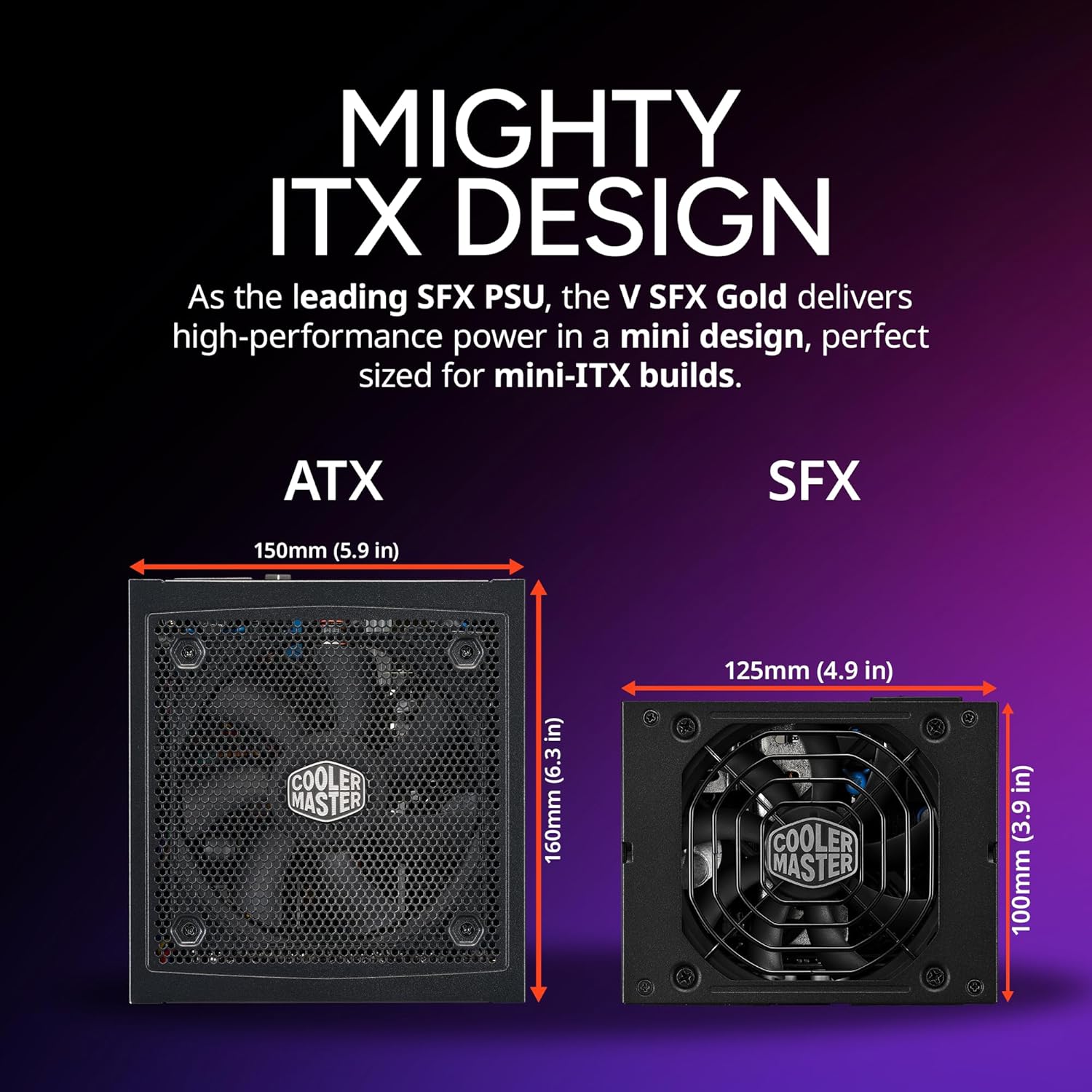
Figure 2: Size comparison illustrating the compact "Mighty ITX Design" of the SFX power supply compared to a standard ATX power supply.

Слика 3: Крупни план view of the fully modular connection ports on the power supply, labeled for different cable types (M/B, PCIe/CPU, HDD/SATA).

Figure 4: Rear panel of the power supply, showing the main power input, on/off switch, and ventilation.
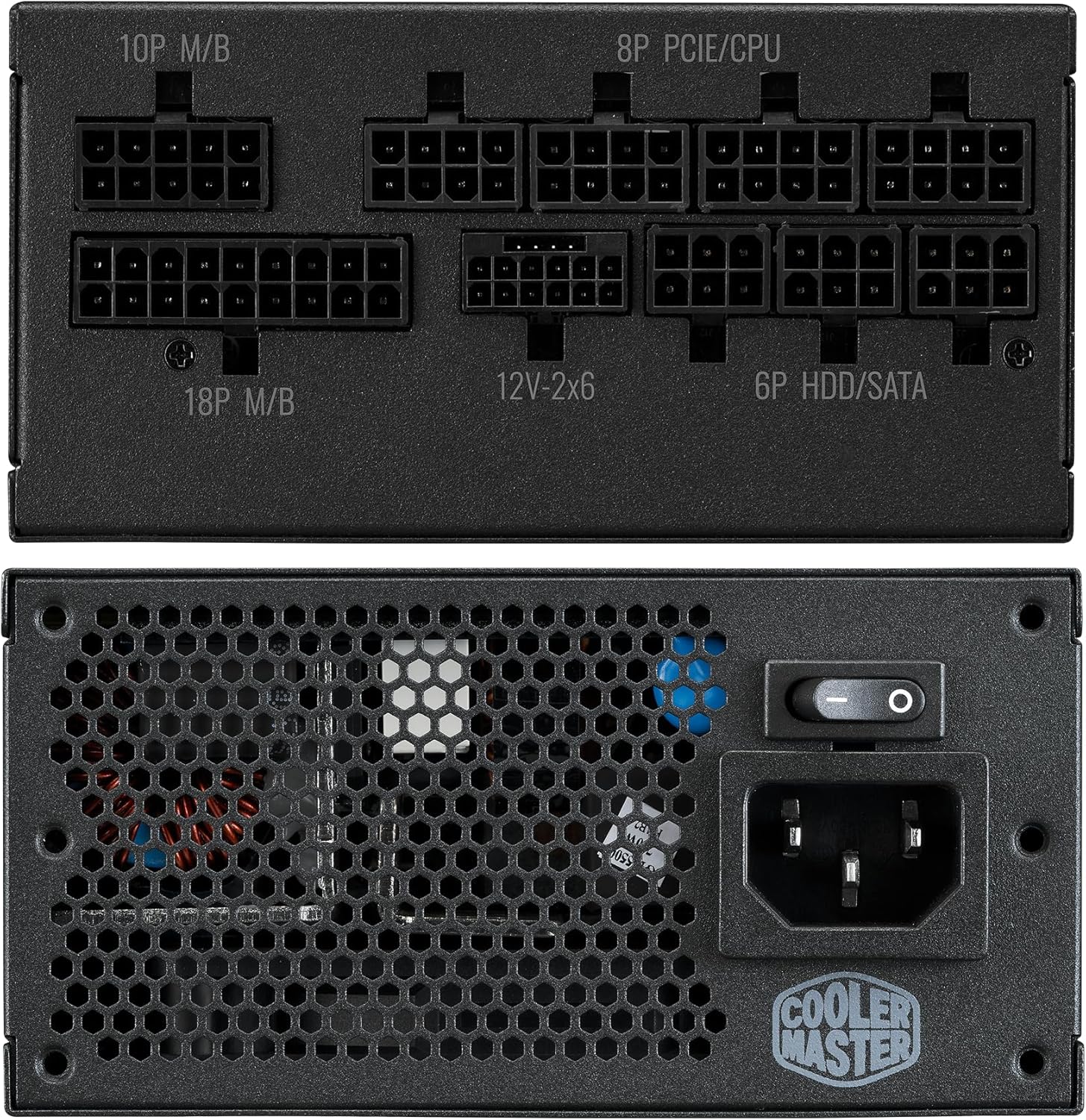
Figure 5: Exploded diagram illustrating the internal components, including the fan, casing, and circuit board.
Подешавање и инсталација
Follow these steps to properly install your Cooler Master V750 SFX Gold power supply into your system.
1. Монтирање напајања
The V SFX Gold is designed to fit perfectly in mini-ITX cases. Use the included bracket for compatibility with various system sizes. Secure the power supply in the designated PSU bay of your PC case using the provided screws.
2. Повезивање каблова
This power supply features a fully modular design, allowing you to connect only the cables you need, reducing clutter and improving airflow. Identify the necessary cables for your motherboard, CPU, GPU, and storage devices.
- MB 24-pin: Connects to the main motherboard power port.
- CPU 4+4 pin / CPU 8 pin: Connects to the CPU power port on the motherboard.
- PCI-e 6+2 pin: For graphics cards requiring PCIe power.
- 12V-2x6 (12VHPWR): Specifically for modern high-power GPUs, delivering up to 450W. This cable features a 90° connector for improved durability and safety.
- Peripheral 4 pin: For older peripherals or fan controllers.
- SATA 15 pin: For SATA hard drives, SSDs, and optical drives.
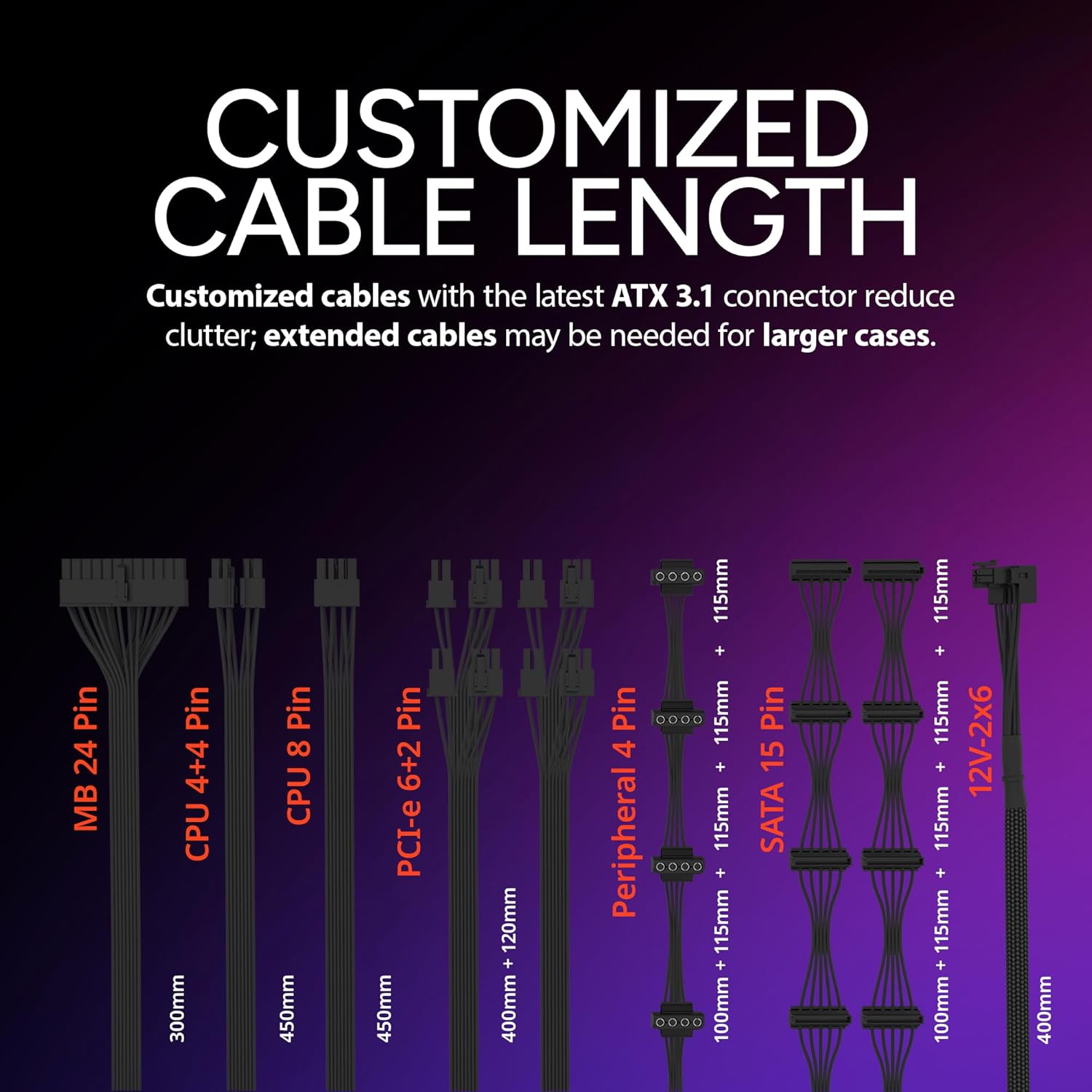
Слика 6: Завршеноview of the customized cable lengths provided with the power supply, designed to reduce clutter in compact cases.

Figure 7: Detail of the 90° 12VHPWR PCIe 5.1 connector, designed for enhanced durability and thermal performance.
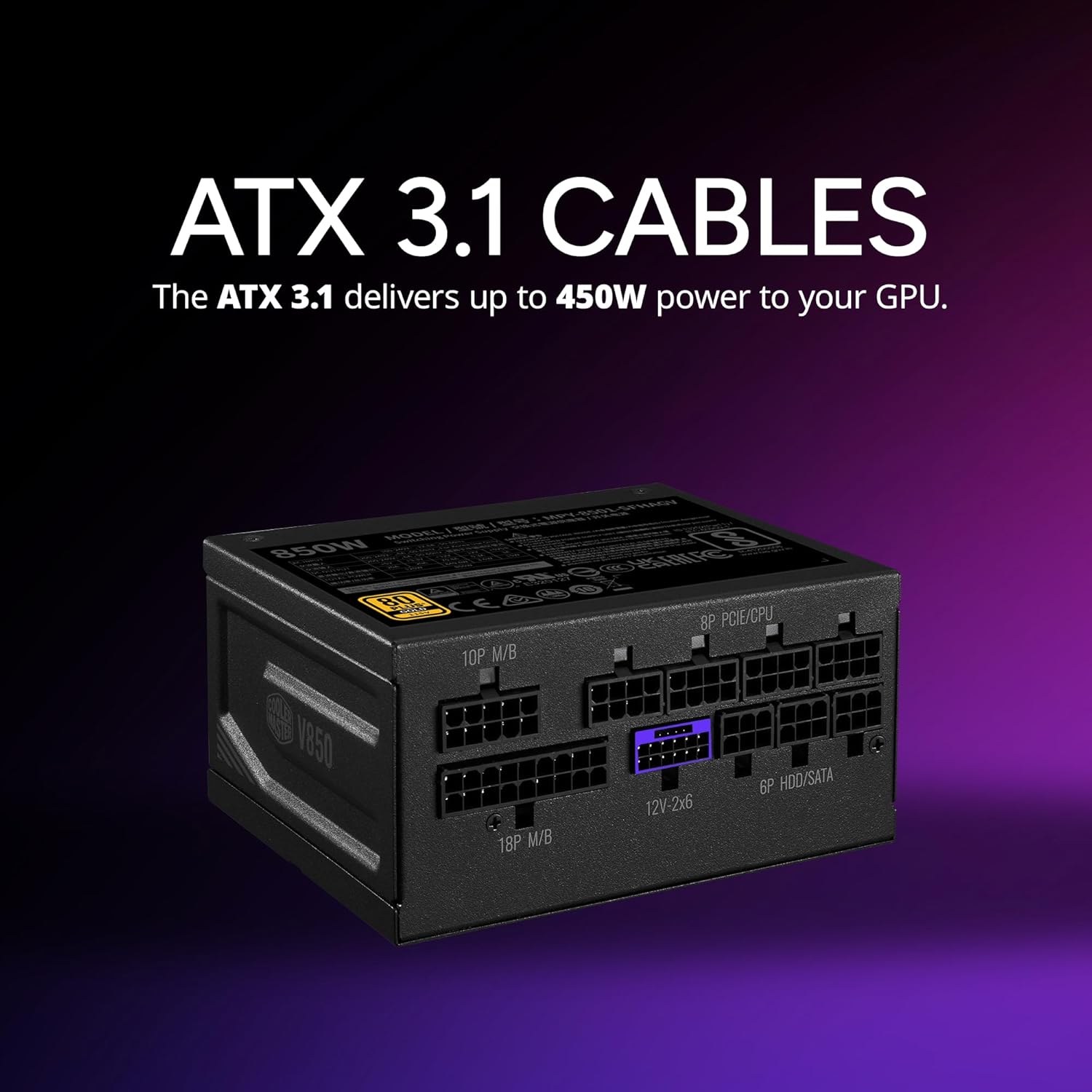
Figure 8: The power supply with the ATX 3.1 12VHPWR cable connected, ready to deliver up to 450W to a GPU.
3. Укључивање
Once all connections are secure, connect the main power cord to the power supply and a wall outlet. Flip the power switch on the back of the power supply to the 'ON' position. Your system is now ready to be powered on.
Принципи рада
The Cooler Master V750 SFX Gold operates with high efficiency and advanced thermal management to ensure stable and reliable power delivery.
80 Plus Gold Efficiency
This power supply is 80 Plus Gold certified, meaning it achieves 90% efficiency at typical loads (50% load at 230V). This high efficiency minimizes wasted energy as heat, leading to lower operating temperatures and reduced electricity bills.
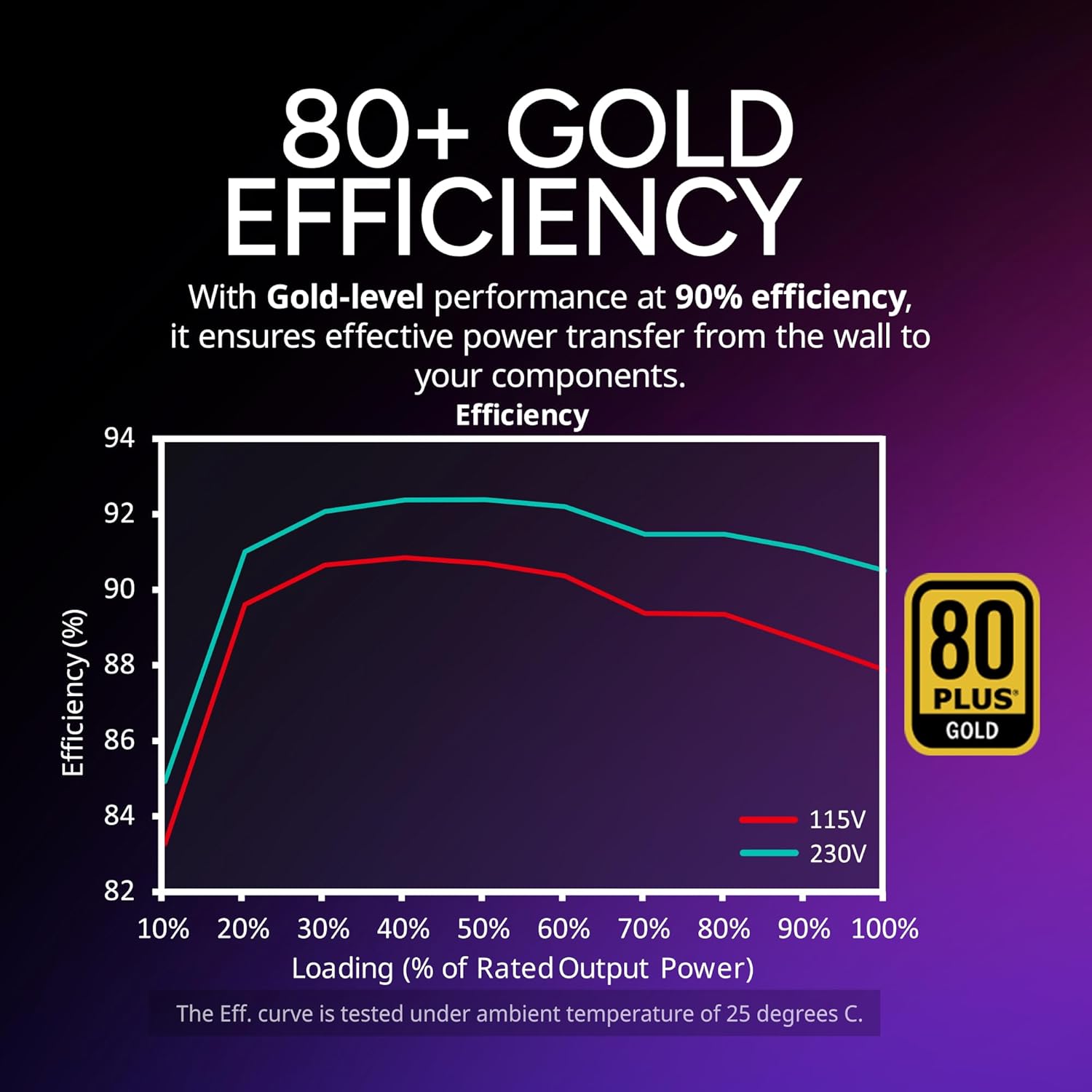
Figure 9: Graph illustrating the 80 Plus Gold efficiency curve, showing performance at different load percentages for 115V and 230V inputs.
Јапански кондензатори
The V750 SFX Gold utilizes high-quality 100% Japanese capacitors, which contribute to improved efficiency and reduced ripple noise, ensuring stable and clean power output.
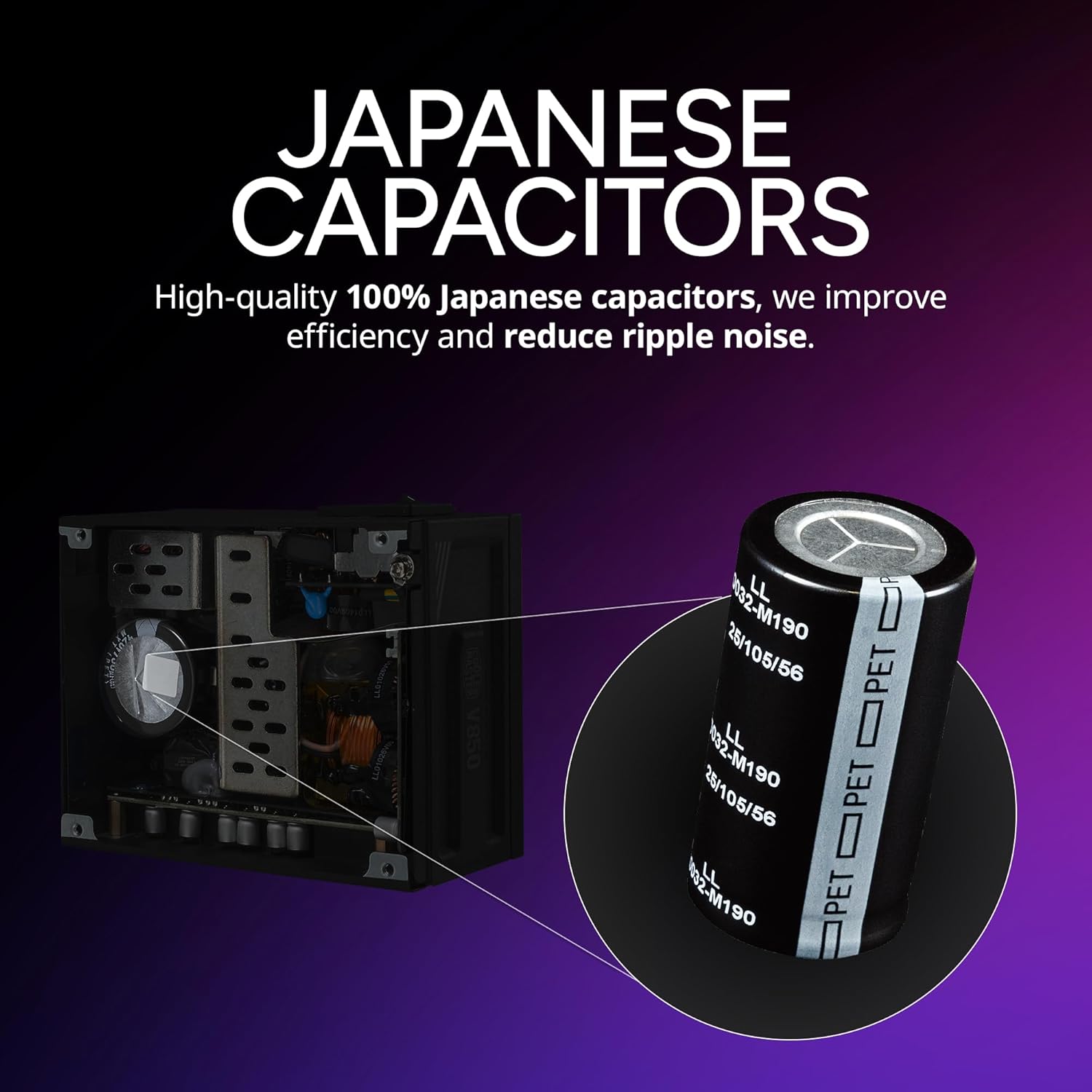
Figure 10: Illustration highlighting the high-quality Japanese capacitors used in the power supply for enhanced reliability.
High Power Density
With a power density of 15.5W/IN³, the V750 SFX Gold offers significant power output in a small volume, making it highly efficient for compact builds.

Figure 11: Diagram illustrating the high power density of the V750 SFX Gold, showing 15.5W/IN³.
Одржавање
Правилно одржавање осигурава дуготрајност и оптималне перформансе вашег напајања.
Вентилатор са динамичким лежајем (ФДБ).
The 92mm FDB fan provides reliable and efficient cooling with a self-lubricating design, requiring minimal maintenance. Keep the fan intake and exhaust areas clear of dust and obstructions to ensure proper airflow.

Figure 12: Specifications of the 92mm Fluid Dynamic Bearing fan, including speed, airflow, and noise level.
Чишћење
Periodically clean the exterior of the power supply and the fan grille using a soft, dry cloth. For internal cleaning, it is recommended to use compressed air to remove dust from the heatsinks and fan blades. Always disconnect the power supply from the wall outlet and your system before cleaning.
Решавање проблема
Ако наиђете на проблеме са напајањем, размотрите следеће уобичајене кораке за решавање проблема:
- Нема напајања: Ensure all cables are securely connected, including the main power cord to the wall outlet and the power supply. Check the power switch on the back of the PSU is in the 'ON' position.
- Нестабилност система: Verify that your power supply wattage is sufficient for all your components. Ensure all modular cables are fully seated into both the power supply and the respective components.
- Необични звуци: Check for any loose screws or components inside your PC case. If the fan is making excessive noise, ensure it is free from obstructions.
- прегревање: Ensure adequate airflow within your PC case. Check that the power supply's fan is spinning freely and not obstructed.
If problems persist after basic troubleshooting, consult the Cooler Master support webсајт или контактирајте њихову корисничку службу за додатну помоћ.
Спецификације
| Феатуре | Детаљ |
|---|---|
| Бранд | Цоолер Мастер |
| Сериес | V750 SFX Gold |
| Број модела | MPY-7501-SFHAGV-3U1 |
| Тежина артикла | 3.13 фунти |
| Димензије производа (ДкШкВ) | 3.94 к 4.92 к 2.5 инча |
| Боја | Блацк Едитион |
| Волtage | 120 Волтс |
| Оутпут Ватtage | 700 Ваттс |
| Форм Фацтор | СФКС |
| Метод хлађења | Ваздух |
| Сертификација ефикасности | 80 плус злато |
| Модуларни | Фулл Модулар |
| Тип вентилатора | Флуид Динамиц Леаринг (ФДБ) |
| ПЦИе конектор | 90° 12VHPWR PCIe 5.1 (450W) |
Гаранција и подршка
Cooler Master provides a 10-year warranty for the V750 SFX Gold power supply, ensuring long-term reliability and peace of mind. For detailed warranty terms and conditions, please refer to the official Cooler Master website or the included warranty card.
For technical support, product registration, or to download the latest drivers and software, please visit the official Cooler Master support page. You can also find additional resources and FAQs on their Амазон продавница.
Такође су доступни планови заштите за проширено покриће:
- Двогодишњи план заштите
- Двогодишњи план заштите
- Комплетна заштита (месечни план који покрива куповине које испуњавају услове)
For the official user manual in PDF format, please refer to this линк.
Ask a question about this manual
Ask about setup, troubleshooting, compatibility, parts, safety, or missing instructions. Manuals+ will review the question and use this page’s manual context to help answer it.