
1. Увод
Thank you for choosing the MageGee G6 Wired Gaming Mouse. This ergonomic USB optical mouse is designed to enhance your gaming and work experience with its high precision sensor, adjustable speed levels, and vibrant LED backlighting. Please read this manual thoroughly to ensure proper setup and optimal performance.
2. Подешавање
2.1 Садржај пакета
- MageGee G6 Wired Gaming Mouse
- Упутство за употребу
2.2 Системски захтеви
- Operating System: Windows 10, Windows 8, Windows 7, Windows XP, WinME, Vista, Linux, etc.
- Доступан УСБ порт
2.3 Повезивање миша
- Locate an available USB port on your computer (PC, Laptop, or Desktop).
- Plug the USB connector of the MageGee G6 mouse into the USB port.
- The mouse is plug-and-play; no additional drivers or software are required for basic functionality.
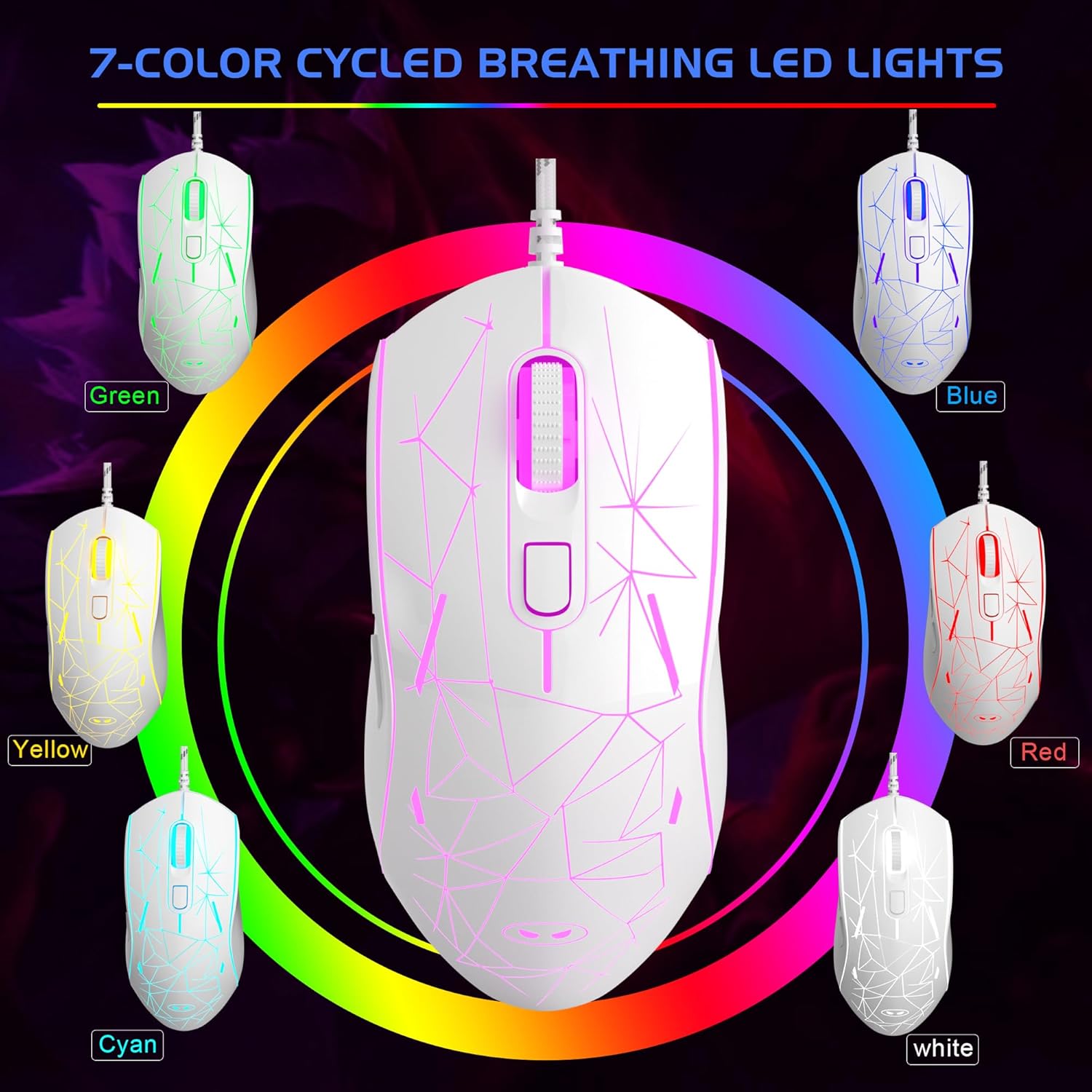
Image: The MageGee G6 Wired Gaming Mouse with its USB cable connected to a computer.
3. Упутство за употребу
3.1 Функције дугмета
The MageGee G6 offers 6 flexible buttons for versatile control:
- Лево дугме: Стандардна функција левог клика.
- Десно дугме: Стандардна функција десног клика.
- Точак за померање: Scrolls up/down, and acts as a middle-click button.
- Speed Button (DPI Button): Adjusts the DPI (Dots Per Inch) sensitivity.
- Дугме за напред: Навигација напред у web прегледачи или апликације.
- Дугме за назад: Навигација уназад web прегледачи или апликације.
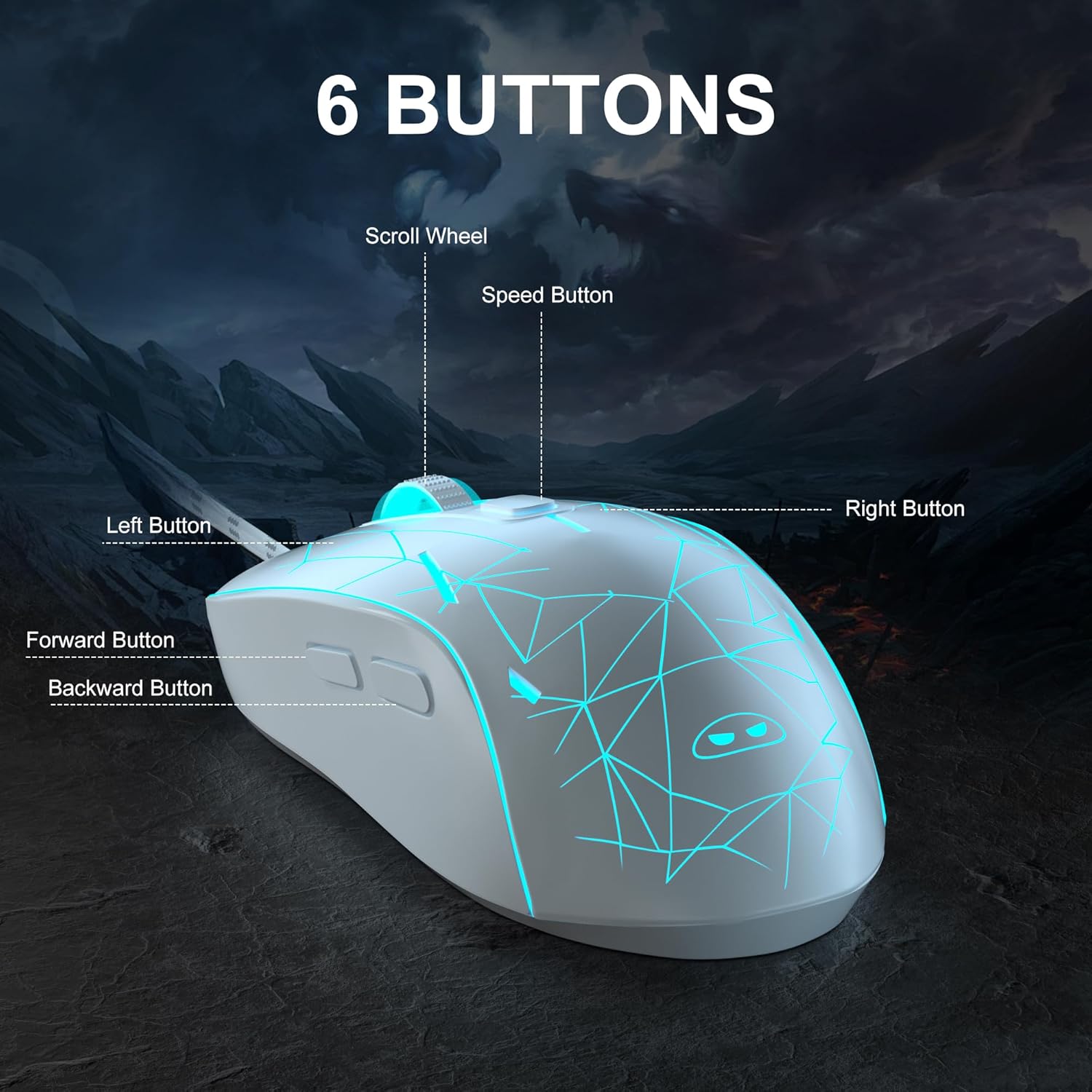
Слика: Детаљна view of the MageGee G6 mouse highlighting the Left, Right, Scroll Wheel, Speed, Forward, and Back buttons.
3.2 Adjusting DPI Speed Levels
The MageGee G6 offers 6 adjustable DPI speed levels for precise cursor control:
- 600 ДПИ
- 800 ДПИ
- 1200 ДПИ
- 1600 ДПИ
- 2400 ДПИ
- 3200 ДПИ
Притисните тастер Дугме за брзину (located below the scroll wheel) to cycle through the different DPI settings. Each press will change the sensitivity, allowing you to find the optimal speed for your tasks or games.
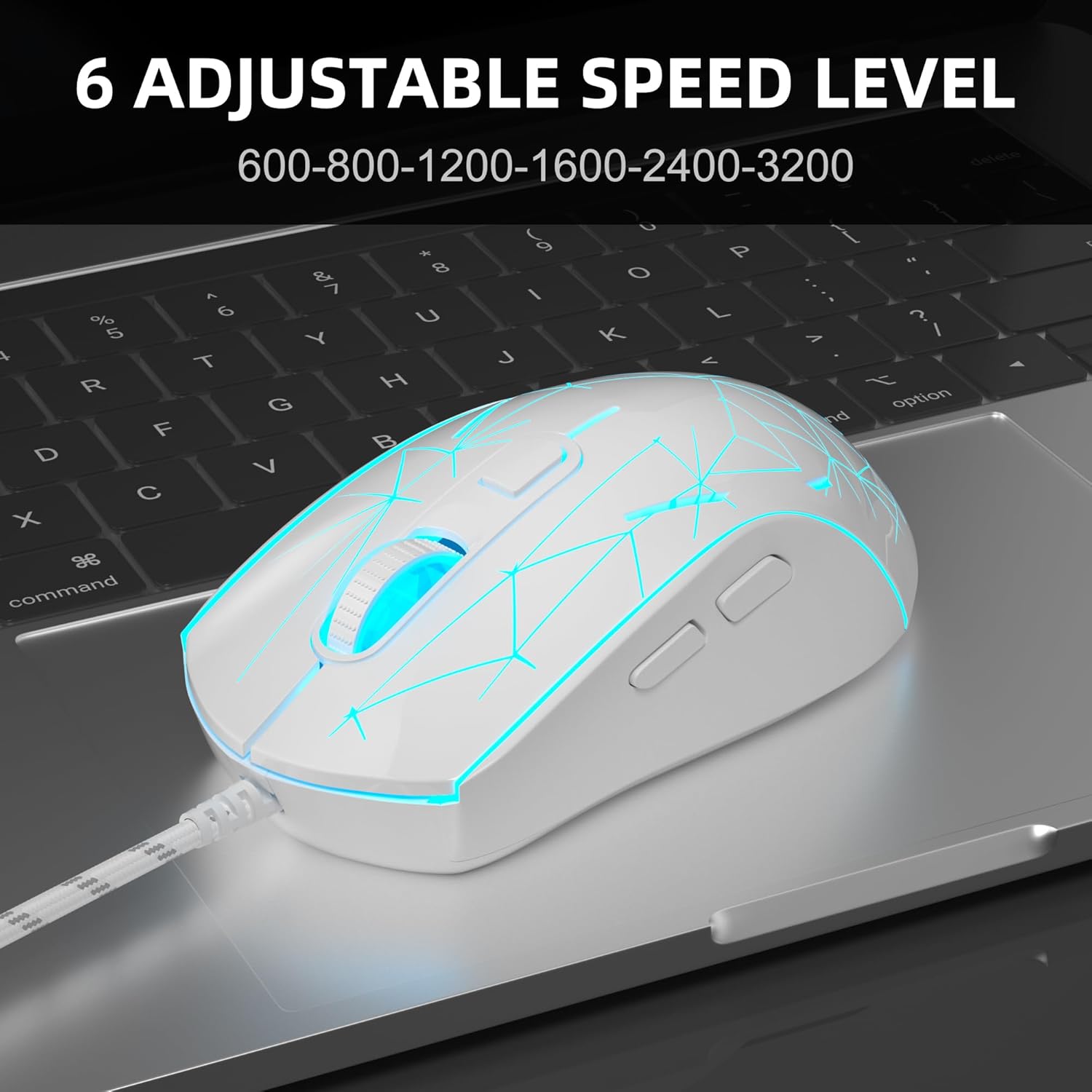
Image: The MageGee G6 mouse in use, demonstrating the adjustable DPI settings from 600 to 3200.
3.3 LED Backlight Control
The MageGee G6 features 7-color breathing LED backlighting. You can control the lighting as follows:
- Промени боју: Притисните тастер Дугме за брзину анд тхе Дугме за напред simultaneously to cycle through and lock a specific color.
- Укључи/искључи светла: Притисните и држите Дугме за брзину for 3 seconds to toggle the LED lights on or off.
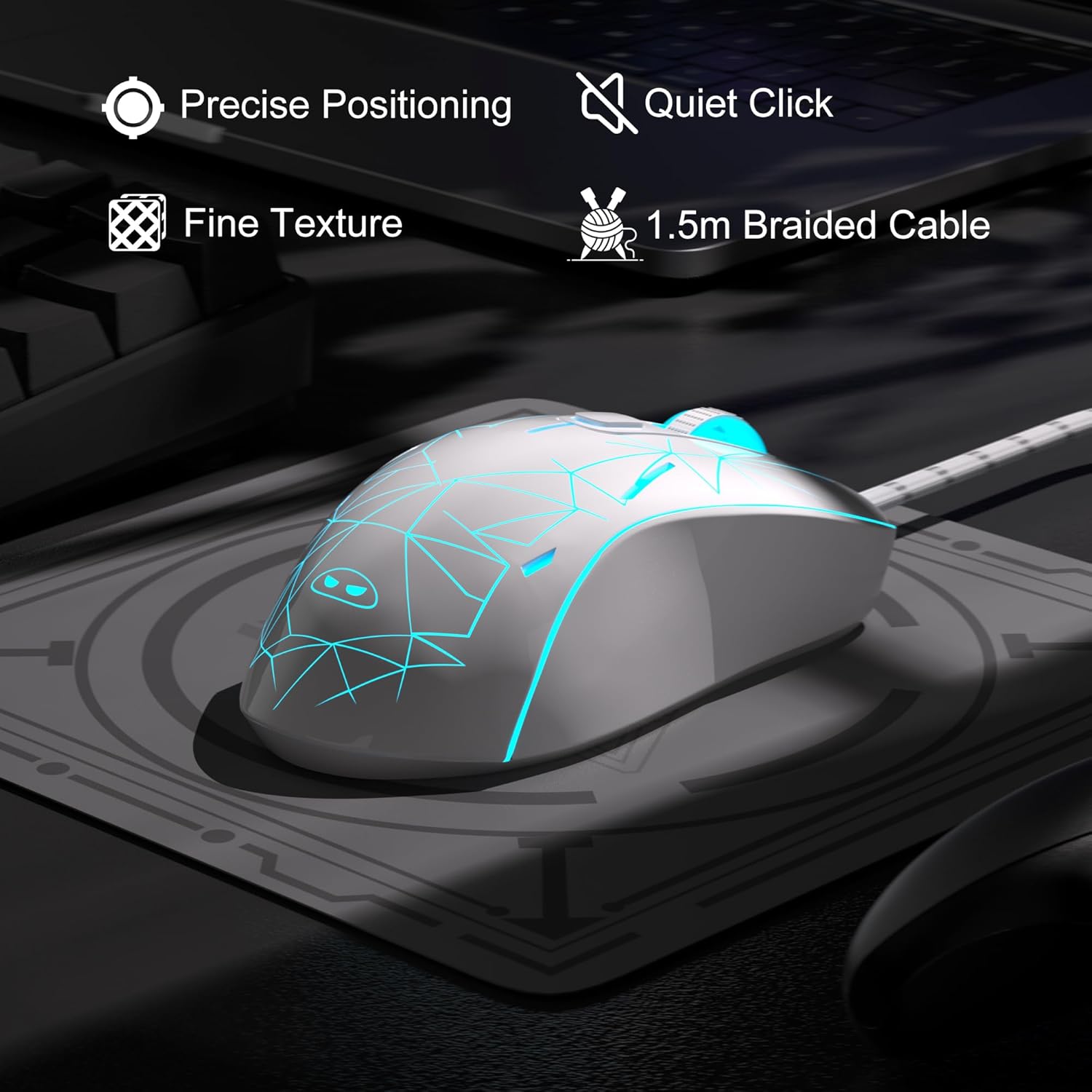
Image: The MageGee G6 mouse showcasing its 7-color breathing LED lights, including green, yellow, cyan, blue, red, and white.
4. Одржавање
- Чишћење: Користите меку, суву крпу за чишћење миша. Избегавајте употребу јаких хемикалија или абразивних материјала.
- Нега каблова: Do not pull or twist the braided USB cable excessively to prevent damage.
- Складиштење: Store the mouse in a dry place away from extreme temperatures.
КСНУМКС. Решавање проблема
5.1 Миш не реагује
- Уверите се да је USB кабл безбедно прикључен у исправан USB порт на рачунару.
- Покушајте да прикључите миш на други УСБ порт.
- Поново покрените рачунар.
5.2 ЛЕД светла не раде
- Уверите се да је миш правилно повезан са рачунаром.
- Притисните и држите Дугме за брзину for 3 seconds to toggle the LED lights on or off.
5.3 Cursor Movement is Erratic
- Clean the optical sensor on the bottom of the mouse with a soft cloth.
- Уверите се да користите миш на одговарајућој површини (нпр. подлога за миш).
- Adjust the DPI sensitivity using the Дугме за брзину.
6. Спецификације
| Феатуре | Детаљ |
|---|---|
| Бранд | MageGee |
| Модел | G6 |
| Технологија повезивања | УСБ, жични |
| Технологија детекције покрета | Оптицал |
| ДПИ Левелс | 600/800/1200/1600/2400/3200 (Adjustable) |
| Дугмад | 6 (Left, Right, Scroll Wheel, Speed, Forward, Back) |
| ЛЕД позадинско осветљење | 7 Colors Breathing LED (Blue, Red, Green, Purple, Cyan, Yellow, White) |
| Цабле Ленгтх | 1.5 meters (Durable Braided Cable) |
| Ергономија | Ergonomic Design with Comfortable Grip |
| Компатибилност | Windows 10, 8, 7, XP, WinME, Vista, Linux, PC, Laptop, Desktop |
| Тежина артикла | 5.6 унци |
| Димензије пакета | 5.31 к 3.62 к 1.65 инча |
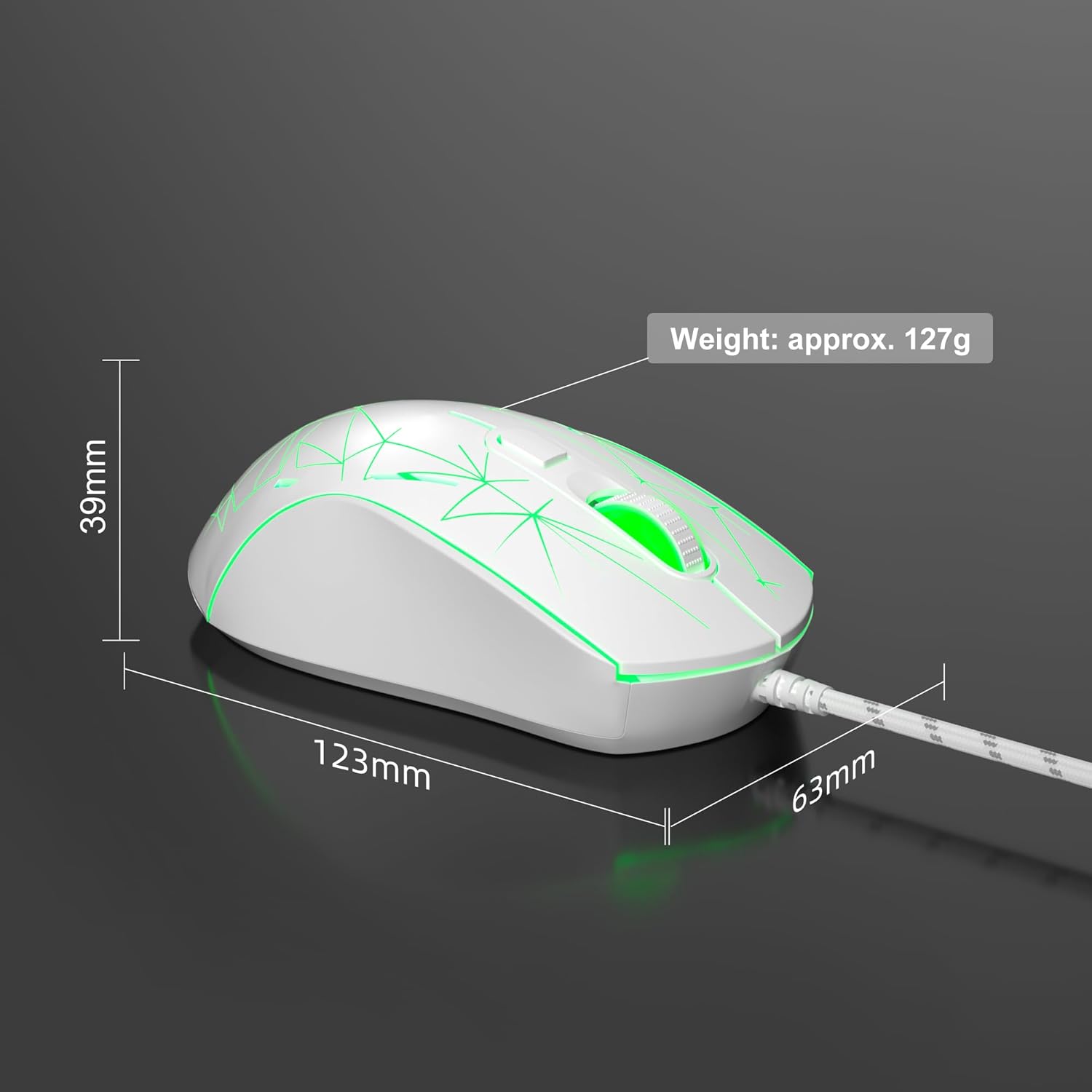
Image: Diagram illustrating the dimensions of the MageGee G6 Wired Gaming Mouse (123mm length, 63mm width, 39mm height, approx. 127g weight).
7. Гаранција и подршка
For warranty information and customer support, please refer to the official MageGee webсајт или контактирајте продавца. Сачувајте рачун за куповину за потребе гаранције.
MageGee is committed to technological and product innovation, providing quality computer peripherals. Our after-sales team is available to promptly respond and solve your problems.
Посетите MageGee Store за више производа и информација.