
Увод
Thank you for choosing the Innovo iE100B Reusable Infrared Digital Ear Thermometer. This device is designed to provide accurate and reliable temperature readings quickly and conveniently. It utilizes advanced infrared technology to ensure precise measurements, making it suitable for both home and clinical use. Please read this manual thoroughly before using the thermometer to ensure proper operation and to maintain the device's accuracy and longevity.
Безбедносне информације
- Do not use the thermometer for purposes other than measuring human body temperature.
- Always use a new, clean disposable probe cover for each measurement to prevent cross-contamination.
- Држите уређај ван домашаја деце и кућних љубимаца.
- Не испуштајте термометар и не излажите га јаким ударцима.
- Avoid direct sunlight, high temperatures, and high humidity.
- Не урањајте термометар у воду или друге течности.
- Consult a healthcare professional if you have concerns about temperature readings or your health.
Садржај пакета
Проверите да ли су сви предмети присутни и у добром стању:
- Innovo iE100B Digital Ear Thermometer
- Упутство за употребу
- 20x Disposable Probe Covers
- 2x AA Batteries (pre-installed or included separately)

Figure 1: Innovo iE100B Package Contents
Производ је завршенview
Familiarize yourself with the components of your Innovo iE100B thermometer:

Слика 2: Предња страна View термометра
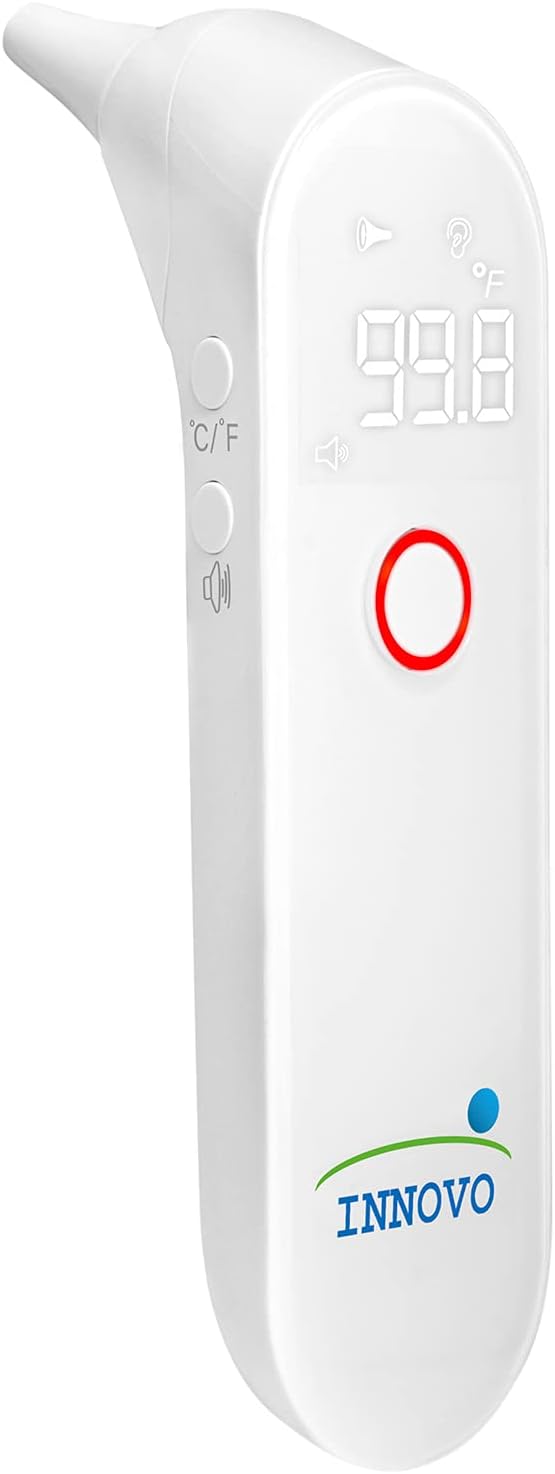
Слика 3: Под углом View термометра
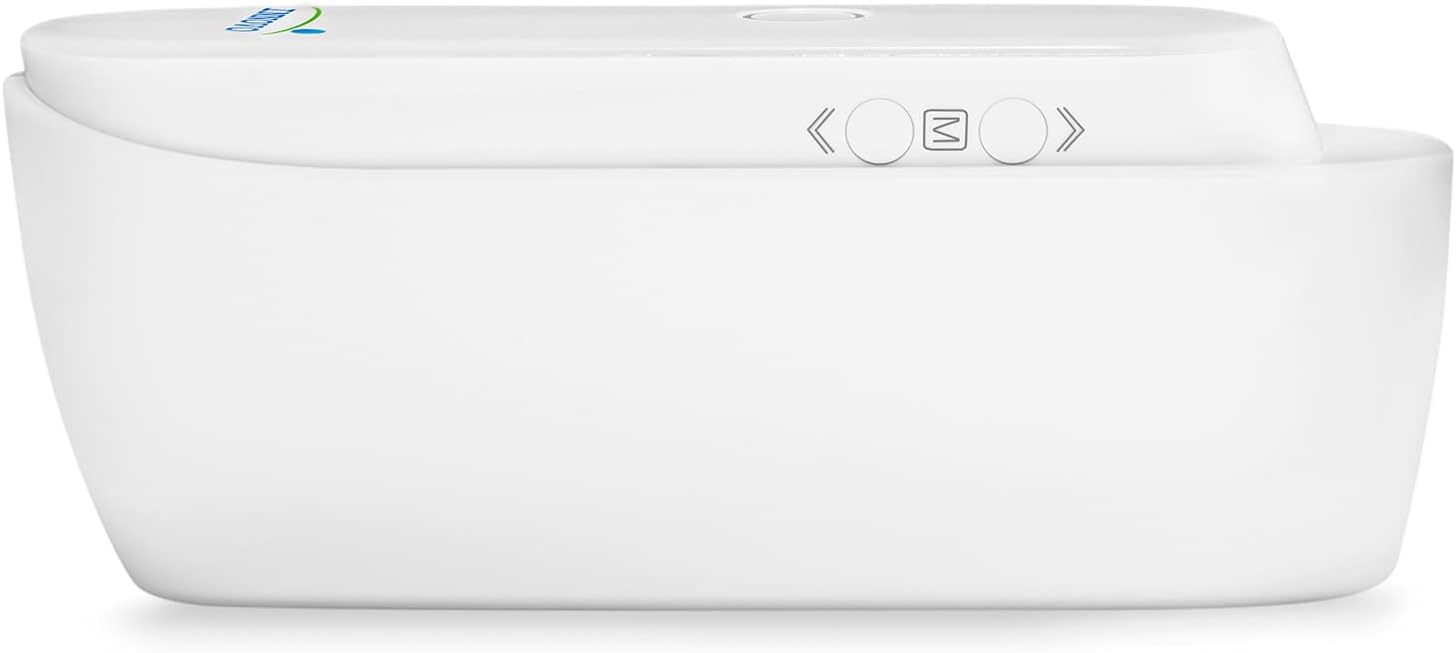
Слика 4: Дно View термометра
- Савет сонде: Where the infrared sensor is located.
- Екран: Shows temperature readings, indicators, and mode.
- Дугме за мерење: Press to take a temperature reading.
- Дугме за меморију (M): Press to recall previous readings.
- Unit Conversion Button (C/F): Притисните за пребацивање између Целзијуса и Фаренхајта.
- Одељак за батерије: Located at the bottom, holds 2x AA batteries.
Сетуп
1. Инсталација батерије
The thermometer requires 2x AA batteries. If not already installed:
- Open the battery compartment cover on the bottom of the device.
- Insert the 2x AA batteries, ensuring correct polarity (+ and -).
- Добро затворите поклопац одељка за батерије.
2. Attaching a Disposable Probe Cover
For hygienic and accurate measurements, always attach a new disposable probe cover before each use.
- Gently slide a new disposable probe cover onto the probe tip until it clicks into place.
- Ensure the cover is seated firmly and smoothly over the tip.
Упутство за употребу
1. Taking an Ear Temperature Measurement
- Ensure a new, clean disposable probe cover is attached.
- Press the Measurement Button to turn on the thermometer. The display will show "---" or the last reading.
- Gently insert the probe tip into the ear canal. For accurate readings, ensure the probe is aimed towards the eardrum.
- За децу млађу од 1 године: Лагано повуците уво уназад.
- For children 1 year to adult: Лагано повуците уво горе и назад.
- Press and release the Measurement Button. A beep will sound, and the temperature reading will appear on the display within seconds.
- Уклоните термометар из уха.
- Dispose of the used probe cover immediately.
- The thermometer will automatically turn off after approximately 30 seconds of inactivity.

Figure 5: Taking Temperature on a Child

Figure 6: Taking Temperature on an Adult
2. Smart Fever Indicator
The Innovo iE100B features a visual and audible fever alert. If a temperature of 99.5°F (37.5°C) or higher is detected, the display backlight will turn red, and an audible alarm will sound, indicating a potential fever.

Figure 7: Fever Alert Indication
3. Memory Recall Feature
The thermometer can store up to 30 previous temperature readings, allowing you to monitor temperature trends over time.
- With the thermometer turned on, press the "M" (Memory) button.
- Each press of the "M" button will cycle through the stored readings, from the most recent to the oldest.
4. Changing Temperature Unit (°C/°F)
Да бисте прелазили између Целзијуса (°C) и Фаренхајта (°F):
- With the thermometer turned on, press the "C/F" button located on the side of the device.
- The display will switch to the alternate unit.
Одржавање
1. Чишћење термометра
Regular cleaning ensures accurate readings and extends the life of your thermometer.
- After each use, dispose of the probe cover.
- Wipe the probe tip and the main body of the thermometer with a soft cloth dampса 70% изопропил алкохола.
- Не користите абразивна средства за чишћење нити потапајте уређај у воду.
- Уверите се да је термометар потпуно сув пре складиштења.
2. Складиштење
- Термометар чувајте на хладном и сувом месту, даље од директне сунчеве светлости и екстремних температура.
- Keep it in its original packaging or a protective case when not in use.
3. Замена батерије
When the low battery indicator appears on the display, replace the batteries promptly.
- Отворите поклопац одељка за батерије.
- Уклоните старе батерије.
- Уметните две нове АА батерије, водећи рачуна о исправном поларитету.
- Затворите поклопац одељка за батерије.
- Одложите старе батерије у складу са локалним прописима.
Решавање проблема
| Проблем | Могући узрок | Решење |
|---|---|---|
| No display when turned on. | Батерије су празне или су неправилно уметнуте. | Замените батерије или проверите поларитет. |
| Нетачна очитавања. | Probe cover not properly attached, dirty probe tip, or incorrect measurement technique. | Ensure probe cover is secure, clean the probe tip, review measurement instructions. Ensure proper ear canal alignment. |
| Порука „Грешка“ на екрану. | Measurement error, ambient temperature out of range, or device malfunction. | Retake measurement. Ensure room temperature is within operating range (50°F - 104°F / 10°C - 40°C). If error persists, contact customer support. |
| Fever alert activates but temperature seems normal. | Individual body temperature variations or slight measurement fluctuations. | Confirm with a second measurement. If concerns persist, consult a healthcare professional. |
Спецификације
| Феатуре | Детаљ |
|---|---|
| Број модела | iE100B |
| Меасуремент Ранге | 34°C - 42.2°C |
| Прецизност | ±0.4°F (±0.2°C) for 95.9°F - 107.6°F (35.5°C - 42°C) |
| Резолуција екрана | 0.1°Ф / 0.1°Ц |
| Капацитет меморије | До 30 очитавања |
| Извор напајања | 2к АА батерије |
| Аутоматско искључивање | Pribl. 30 sekundi |
| Оперативно окружење | 50°F - 104°F (10°C - 40°C), 15% - 95% RH (non-condensing) |
| Окружење за складиштење | -4°F - 131°F (-20°C - 55°C), 15% - 95% RH (non-condensing) |
| Димензије | 7.48 к 3.35 к 2.6 инча |
| Тежина | 7.8 унци (са батеријама) |
| Материјал | Акрилонитрил бутадиен стирен |
| Дисплаи Типе | Дигитал |
| Повезивање | Инфрацрвени |
Гаранција и подршка
Innovo Medical stands behind the quality of its products. For warranty information, technical support, or any questions regarding your Innovo iE100B thermometer, please refer to the contact information provided on the product packaging or visit the official Innovo website. Please retain your purchase receipt as proof of purchase for warranty claims.
Произвођач: Инново
Модел: iE100B