
1. Увод
This manual provides detailed instructions for the Walfront HBV-W202012HD USB Camera Module. This compact camera module is designed for various applications requiring high-definition imaging and broad system compatibility. Please read this manual thoroughly before using the product to ensure proper setup and operation.

Слика 1.1: Крупни план view of the Walfront HBV-W202012HD USB Camera Module, showing its compact design and lens.
2. Карактеристике производа
The Walfront HBV-W202012HD USB Camera Module offers a range of features for versatile use:
- Слика високе дефиниције: Equipped with a 1-megapixel lens, providing clear 1280x720P resolution.
- Виде Фиелд оф View: Features a 50° field of view for broader visual coverage.
- Broad System Compatibility: Supports WinXP, Win7, Win8, Win10, OS X, Linux, and Android operating systems.
- Ручно фокусирање: Allows adjustment of focus according to object distance for optimal clarity.
- OV9726 Photosensitive Chip: Utilizes a high-definition OV9726 chip for enhanced image quality.
- Plug and Play (UVC Protocol): Standard UVC protocol and USB interface ensure easy, driver-free installation.
- ОТГ подршка: Compatible with On-The-Go (OTG) functionality for direct connection to mobile devices.
- IR Supplementary Light Support: Can be connected to an IR supplementary light for improved night vision.
- Свестране апликације: Suitable for QR scanning, face recognition, industrial products, and various DIY projects.

Image 2.1: Visual comparison demonstrating the clarity provided by the 1-megapixel high-definition lens.

Image 2.2: Illustration showing the wider coverage of the 50-degree field of view compared to a normal lens.

Слика 2.3: Примерamples of diverse applications for the camera module, such as license plate recognition, face recognition, and robot vision.
3. Подешавање
3.1 Садржај пакета
Пре него што наставите са подешавањем, уверите се да су све компоненте присутне у пакету:
- 1 x Walfront HBV-W202012HD USB Camera Module
- 1 x USB Cable (approximately 50cm / 19.7in)

Image 3.1: The camera module connected to its USB cable, as typically found in the package.
3.2 Connecting the Camera Module
- Распакујте модул: Carefully remove the camera module and USB cable from its packaging.
- Повежите кабл: Attach the small connector end of the USB cable to the corresponding port on the camera module. Ensure it is securely seated.
- Повежите се са уређајем: Plug the standard USB-A end of the cable into an available USB port on your computer (Windows, OS X, Linux) or a compatible Android device with OTG support.
- Инсталација драјвера: The module is UVC compliant and typically does not require manual driver installation. Your operating system should automatically recognize and install the necessary drivers.
- Верификација: Open a camera application or software on your device to verify that the camera module is detected and displaying video.
Video 3.1: Demonstration of unboxing and handling the Walfront HBV-W202012HD USB Camera Module and its USB cable.
4. Операција
4.1 Основна употреба
Once connected and recognized by your system, the camera module can be used with various applications:
- Виндовс: Use the built-in Camera app or third-party webцам софтваре.
- ОС Кс: Use Photo Booth, QuickTime Player, or other compatible applications.
- Линук: Use applications like Cheese, VLC, or other webcam utilities.
- Android (OTG): Requires an OTG-compatible device and a camera app that supports external USB cameras.
4.2 Подешавање фокуса
The HBV-W202012HD features manual focus. To adjust the focus:
- Point the camera module at the desired object or scene.
- Gently rotate the lens ring on the camera module until the image appears clear and sharp on your display.
- Adjust as needed for different distances.

Image 4.1: The camera module illustrating its field of view, which can be optimized through manual focus adjustment.
4.3 IR Supplementary Light (Optional)
For low-light or night vision applications, the module supports an external IR supplementary light. Connect the IR light to the designated pins on the camera module's PCB. Refer to the module's pinout diagram for correct connection. This will enhance image clarity in dark environments.
5. Одржавање
To ensure the longevity and optimal performance of your camera module, follow these maintenance guidelines:
- Чишћење: Нежно обришите сочиво меком крпом која не оставља влакна. За тврдокорне мрље користите раствор за чишћење сочива посебно дизајниран за оптичке површине. Избегавајте абразивне материјале или јаке хемикалије.
- Складиштење: Store the camera module in a cool, dry place away from direct sunlight and extreme temperatures. If not in use for extended periods, consider storing it in an anti-static bag.
- Руковање: Handle the module by its edges to avoid touching the lens or the electronic components on the PCB. Static electricity can damage sensitive electronics.
- Влага: Keep the module away from water and high humidity. Moisture can cause internal damage and corrosion.
КСНУМКС. Решавање проблема
If you encounter issues with your Walfront HBV-W202012HD USB Camera Module, refer to the following common problems and solutions:
| Проблем | Могући узрок | Решење |
|---|---|---|
| Camera not detected / No image |
|
|
| Слика је мутна |
|
|
| Лош квалитет слике при слабом осветљењу |
|
|
| Android device not recognizing camera |
|
|
7. Спецификације
Technical specifications for the Walfront HBV-W202012HD USB Camera Module:
| Феатуре | Детаљ |
|---|---|
| Модел | HBV-W202012HD |
| Резолуција | 1 Megapixel (1280x720P) |
| Пхото Сенсор | OV9726 (1/6 inch) |
| Поље оф View (ФОВ) | 50° |
| Фоцал Ленгтх | 3.2 mm (Maximum) |
| Фоцус Типе | Мануал Фоцус |
| Повезивање | УСБ 2.0 |
| Протокол | UVC (USB Video Class) |
| Компатибилност | WinXP, Win7, Win8, Win10, OS X, Linux, Android (with OTG) |
| Посебне карактеристике | IR Supplementary Light Support |
| Формат видео снимања | МЈПГ |
| Цабле Ленгтх | Приближно 50 цм (19.7 инча) |
| Тежина | Прибл. 0.352 унци |
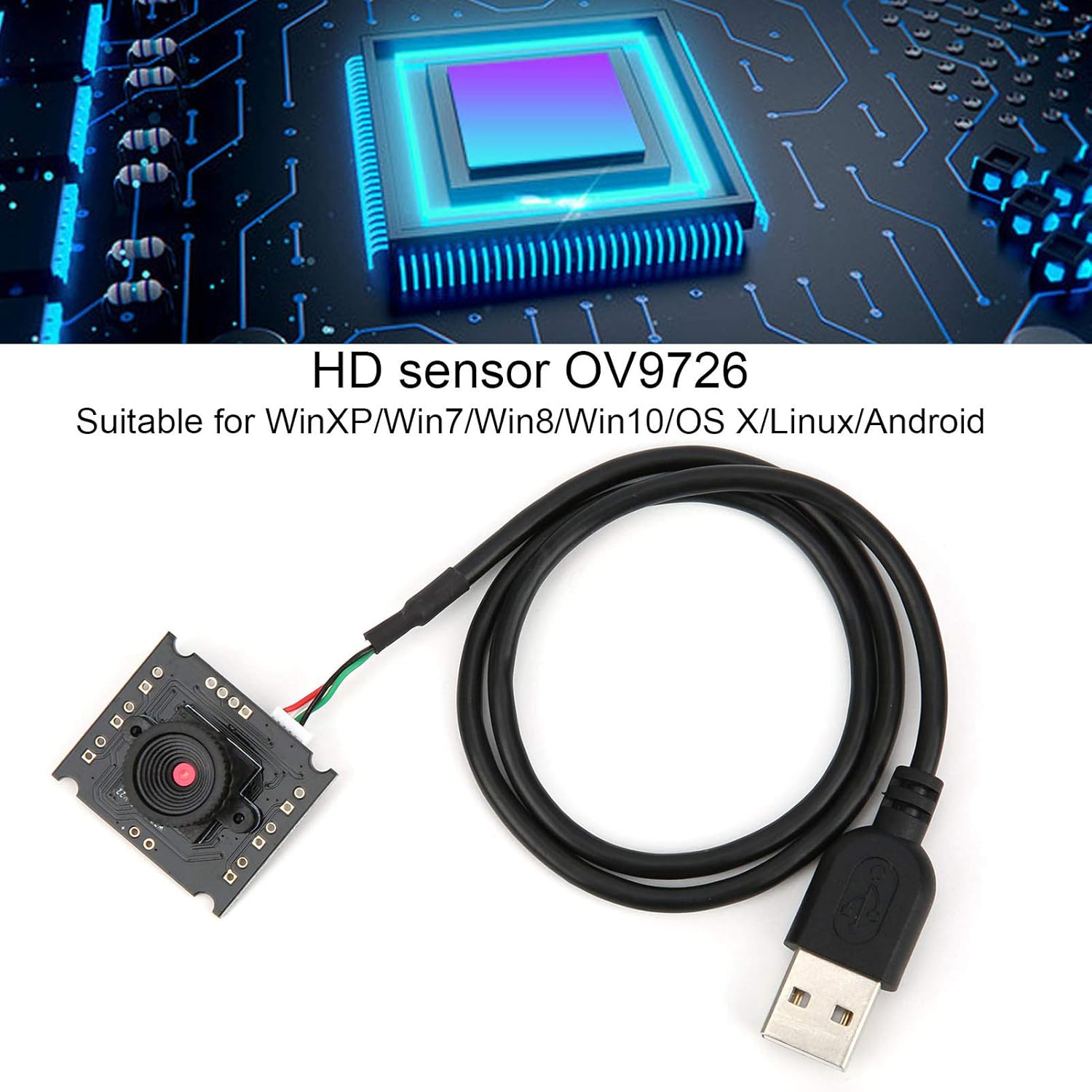
Image 7.1: Illustration highlighting the OV9726 HD sensor and broad operating system compatibility.
8. Гаранција и подршка
Walfront products are manufactured to high-quality standards. For specific warranty information, please refer to the documentation included with your purchase or contact your retailer. For technical support or inquiries, please reach out to Walfront customer service through their official channels.