
Zeegma Robo Next
ZEEGMA Zonder Robo Next Robot Vacuum Cleaner User Manual
Model: Robo Next | Brand: Zeegma
1. Увод
Thank you for choosing the ZEEGMA Zonder Robo Next Robot Vacuum Cleaner. This manual provides essential information for the safe and efficient operation, maintenance, and troubleshooting of your device. Please read this manual thoroughly before using the product and retain it for future reference.
The Zonder Robo Next is an advanced robotic cleaning device designed for various floor types, offering multiple cleaning modes and powerful suction. Its intelligent features ensure thorough cleaning while navigating your home safely.
2. Безбедносне информације
To reduce the risk of injury or damage, observe the following safety precautions:
- Уверите се да је јачина звука адаптера за напајањеtage is compatible with your local power supply.
- Не користите робота у влажним срединама или близу воде.
- Држите робота даље од отвореног пламена, извора топлоте и запаљивих материјала.
- Не дозволите деци или кућним љубимцима да се играју са роботом.
- Before operation, remove loose cables, small objects, and fragile items from the cleaning area.
- Не користите робота за усисавање крупних отпадака, оштрих предмета или течности.
- Only use manufacturer-approved accessories and replacement parts.
- If the robot is damaged, do not attempt to repair it yourself. Contact customer support.
3. Садржај пакета
Проверите да ли су све ставке присутне у пакету:
- Робот усисивач
- Docking Station with Power Supply
- Главна четка
- 4 к бочне четке
- Microfiber Mop
- Ремоте Цонтрол
- ХЕПА филтер
- Кориснички приручник (овај документ)
4. Подешавање
4.1 Постављање станице за пуњење
Place the docking station against a wall in an open area, ensuring there are no obstacles within 1 meter (3 feet) to the sides and 2 meters (6 feet) in front of it. Connect the power supply to the docking station and plug it into a wall outlet. Ensure the station is always powered on.

Image: The robot vacuum automatically returns to its charging station. This image also highlights its smart device capabilities.
4.2 Почетно пуњење
Place the robot vacuum onto the charging station. Ensure the charging contacts on the robot align with those on the station. For first-time use, charge the robot for at least 6 hours to ensure the battery is fully conditioned. The battery indicator light will show charging status.

Image: The robot vacuum on a patterned rug, illustrating its 2600 mAh battery and strong suction power up to 2150 Pa.
4.3 Инсталирање бочних четки
Turn the robot over. Align the side brushes with the corresponding slots on the bottom of the robot and press them down until they click into place. Ensure they are securely attached.
4.4 Connecting to the Smartphone App
Download the dedicated ZEEGMA app from your smartphone's app store. Follow the in-app instructions to connect your robot vacuum to your home Wi-Fi network. This will enable advanced control, scheduling, and monitoring features.

Image: The robot vacuum operating on a tiled floor, highlighting its low noise mode and dedicated app control.
5. Операција
5.1 Укључивање/искључивање
Press and hold the power button on the robot or use the remote control/app to turn the robot on or off.
5.2 Режими чишћења
The Zonder Robo Next offers 6 distinct operating modes to suit various cleaning needs:
- Аутоматско чишћење: Робот интелигентно навигира и чисти целокупно приступачно подручје.
- Чишћење места: Фокусира се на одређено прљаво подручје, чистећи у спиралном обрасцу.
- Чишћење ивица: Чисти дуж зидова и ивица намештаја.
- Мокро брисање: Attaches the microfiber mop for wet cleaning.
- Dry Sweeping: Uses brushes to sweep debris.
- Усисавање: Engages the vacuum motor for dust and debris collection.

Image: The robot vacuum on a tiled floor, indicating its mop function capability.
5.3 Подешавање снаге усисавања
Choose from 3 suction power levels (1500 Pa, 1800 Pa, 2150 Pa) via the app or remote control to match the cleaning intensity required for different surfaces and dirt levels.
5.4 Планирање
Use the smartphone app to set cleaning schedules for specific times and days. The robot will automatically start cleaning according to your programmed schedule.

Image: The robot vacuum operating near a virtual wall strip, illustrating its scheduling function.
5.5 Интеграција паметног дома
The Zonder Robo Next is compatible with Amazon Alexa and Google Home. Follow the instructions in the respective smart home apps to connect your robot for voice control.
5.6 Навигација и избегавање препрека
Equipped with 15 anti-collision sensors, the robot navigates freely and safely, avoiding obstacles and drops. Its low profile (7.6 cm height) allows it to clean under most furniture.

Image: The robot vacuum cleaning under a sofa, demonstrating its compact height of 7.6 cm and its 15 anti-collision sensors.
6. Одржавање
Редовно одржавање обезбеђује оптималне перформансе и продужава век трајања вашег роботског усисивача.
6.1 Пражњење посуде за прашину
The robot features an 800 ml dust container. Empty it after each cleaning cycle or when the indicator light signals it is full. Open the top cover, remove the dust container, and dispose of the collected debris.
6.2 Чишћење ХЕПА филтера
The washable HEPA filter captures up to 99.97% of allergens and fine particles. Remove the filter from the dust container and rinse it under running water. Allow it to air dry completely before reinserting. Replace the HEPA filter every 3-6 months, depending on usage.
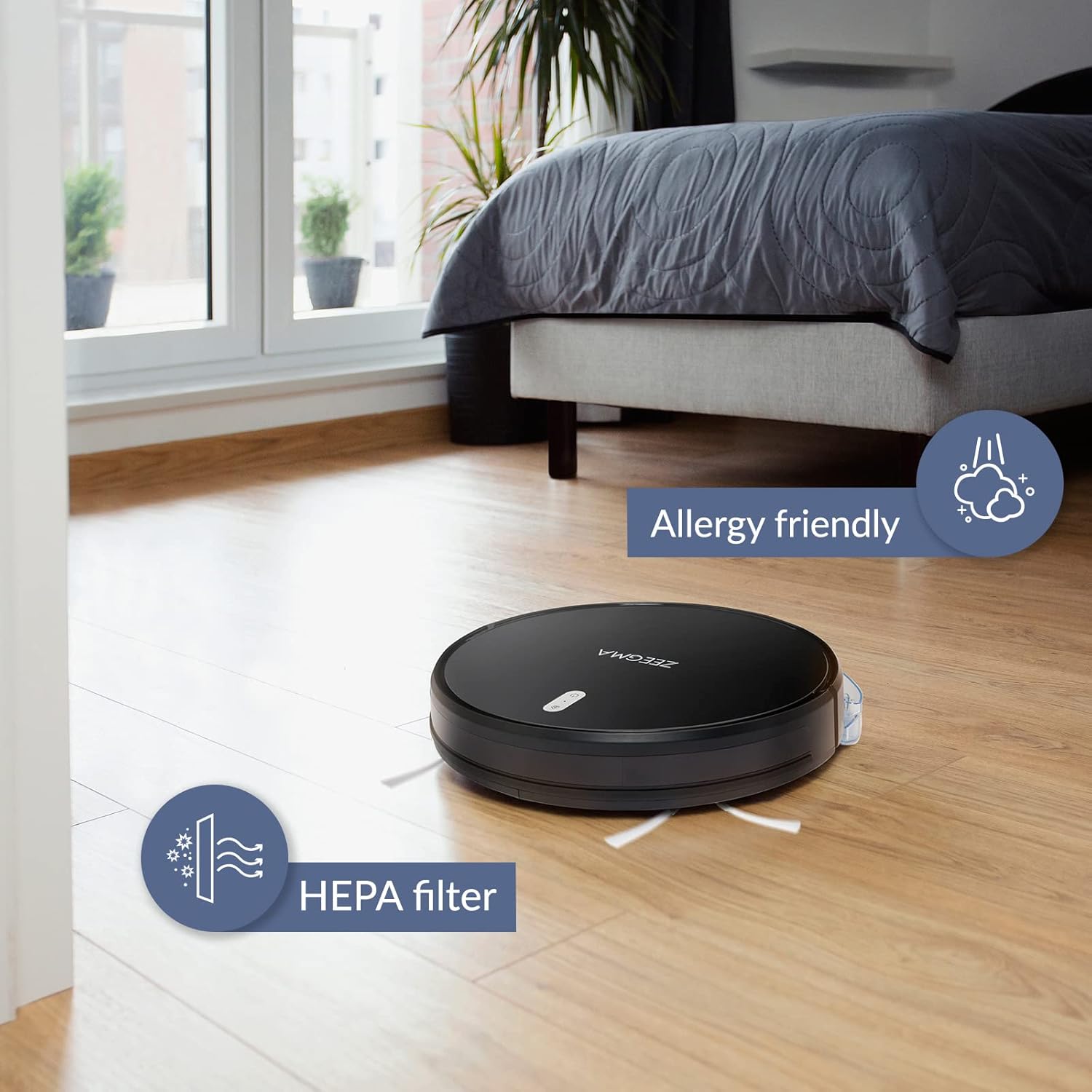
Image: The robot vacuum on a wooden floor, emphasizing its allergy-friendly design and HEPA filter system.
6.3 Четке за чишћење
- Бочне четке: Regularly check side brushes for tangled hair or debris. Remove and clean them. Replace if worn or damaged.
- Главна четка: Remove the main brush cover and lift out the brush. Use the cleaning tool (if provided) to remove hair and debris.
6.4 Чишћење сензора и контаката за пуњење
Wipe the anti-collision sensors and charging contacts on both the robot and the docking station with a dry, soft cloth to ensure proper function.
6.5 Одржавање подлоге за брисање
After wet mopping, remove the microfiber mop pad and wash it. Allow it to air dry completely before storing or reusing.
КСНУМКС. Решавање проблема
If you encounter issues with your ZEEGMA Zonder Robo Next, refer to the following common problems and solutions:
| Проблем | Могући узрок | Решење |
|---|---|---|
| Робот се не укључује. | Слаба батерија; дугме за напајање није правилно притиснуто. | Charge the robot; press and hold the power button. |
| Робот се не пуни. | Charging contacts are dirty; docking station not powered. | Clean charging contacts; ensure docking station is plugged in. |
| Робот се често заглављује. | Too many obstacles; sensors are dirty. | Clear the cleaning area; clean the sensors. |
| Слабе перформансе чишћења. | Dust container full; brushes tangled; filter clogged. | Empty dust container; clean brushes; clean/replace filter. |
| Проблеми са повезивањем апликације. | Incorrect Wi-Fi password; robot out of Wi-Fi range. | Verify Wi-Fi credentials; move robot closer to router; restart robot and router. |
If the problem persists, please contact Zeegma customer support.
8. Спецификације
| Феатуре | Детаљ |
|---|---|
| Бранд | Зеегма |
| Назив модела | Robo Next |
| Димензије производа (Д к Ш к В) | 32Д к 32Ш к 7.6В цм |
| Тежина артикла | 2.5 кг |
| Капацитет батерије | 2600 мАх |
| Трајање батерије | До 120 минута |
| Cleaning Area per Charge | До 180 м² |
| Снага усисавања | 1500 to 2150 Pa (3 modes) |
| Ниво буке | 50 dB (quiet operation) / 55 dB (general) |
| Капацитет контејнера за прашину | 800 мл |
| Тип филтера | ХЕПА филтер који се може прати |
| Навигација | 15 anti-collision sensors |
| Тип контроле | Wi-Fi, App (iOS), Voice (Amazon Alexa, Google Home), Remote Control |
| Посебне карактеристике | 6 operating modes (wet/dry wiping, sweeping, vacuuming), Automatic return to base, Scheduling function, Virtual wall compatibility (implied by image) |
9. Корисничка подршка
For further assistance, technical support, or warranty information, please contact Zeegma customer service through their official webсајт или контакт податке које сте добили уз документацију о куповини.
Ask a question about this manual
Ask about setup, troubleshooting, compatibility, parts, safety, or missing instructions. Manuals+ will review the question and use this page’s manual context to help answer it.